
AVG Secure Browser
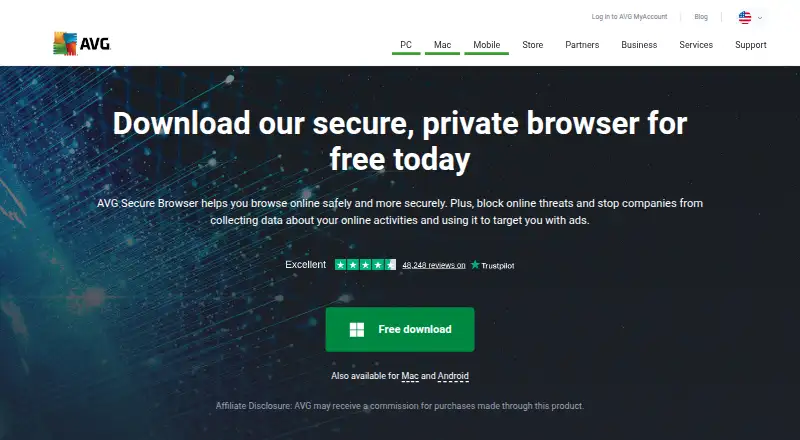
What AVG Secure Browser is
AVG Secure Browser is a Chromium-based browser for Windows, macOS and Android. Its free plan includes ad blocking, anti-tracking, private browsing and web protection, bringing browsing and security tools together in one browser. Built-in ad blocking and cross-device sync are listed, and users can add extensions through AVG’s own store. The product’s protection scope is described as complete security, with ransomware protection also included. Windows support covers Windows 10 and 11. The listed tools extend beyond browsing: driver updates and restore-point tools are available. The product does not include a password manager, junk cleanup or a startup manager, and use is limited to one device. AVG Secure Browser has a free plan priced at $0, while paid plans start at 99.99 /yr. AVG was founded in 1991 and has headquarters in Tempe, Arizona, USA and Prague, Czech Republic.
Who it suits
It suits people who want a Chromium-based browser with built-in ad blocking, anti-tracking and web protection across Windows, macOS or Android. Its driver updates and restore-point tools may also appeal to Windows users seeking security and maintenance tools alongside browsing.
What it does well
- Free plan includes ad blocking, anti-tracking, private browsing and web protection.
- Supports Windows, macOS and Android.
- Cross-device sync is available.
- Extensions come from AVG’s own store.
- Includes ransomware protection, driver updates and restore-point tools.
What to know first
- Use is limited to 1 device.
- No password manager, junk cleanup or startup manager.
- Paid plans start at 99.99 /yr.
Limits
The free plan costs nothing. Device use is limited to 1 device; paid plans start at 99.99 /yr.
Plans
| Plan | Billed and limits | Price |
|---|---|---|
| Free | Ad blocking · Anti-tracking · Private browsing · Web protection | Free |
| AVG Secure Browser | Free browser with privacy and security features | Free |
| AVG Secure Browser PRO yearly | $39.99 billed for the first year · 5 devices · unlimited VPN · ad and tracker blocking · 30-day trial · 30-day money-back guarantee | $39.99 a year |
| AVG Secure Browser PRO two-year | $55.99 billed for the first 2 years · 5 devices · unlimited VPN · ad and tracker blocking · 30-day trial · 30-day money-back guarantee | $55.99 a year |
| AVG Secure Browser PRO monthly | $5.99/month · 5 devices · unlimited VPN · ad and tracker blocking · 30-day trial · 30-day money-back guarantee | $5.99 a month |
As avg.com lists them, read 21 Sept 2026. The maker's own page has the final word.
Getting started
- Open the AVG Secure Browser website.
- Choose the platform you use: Windows, macOS or Android.
- On Windows, use Windows 10 or 11.
- Start with the Free plan at no cost.
- Add extensions from AVG’s own store if needed.
Overview
AVG Secure Browser is a free Chromium-based browser for people who want ad blocking and web protection built into everyday browsing. It is a strong fit for someone using one device who values privacy controls without paying; its one-device limit and lack of a password manager make it less suitable for multi-device households or anyone seeking a broader security toolkit.
Key features
Built-in ad blocking, anti-tracking and private browsing make the browser a practical choice for readers who want these controls in one place rather than assembling them from extensions. It also supports extensions through its own store, leaving room to add browser tools. Cross-device sync is supported, but the one-device limit undercuts its usefulness for people who want the same setup across several devices.
Web protection and ransomware protection give the browser a broader security role than privacy controls alone. Driver updates and restore-point tools add some maintenance utility, but the omissions matter: there is no password manager, junk cleanup or startup manager. Readers looking for a single browser that also stores credentials or handles routine PC cleanup should choose other tools for those jobs.
Pricing
The Free plan costs nothing and includes ad blocking, anti-tracking, private browsing and web protection. For a single-device user, it delivers the central browser protections without a subscription. The one-device limit is a meaningful restriction if you want coverage on a computer and phone alike.
Paid plans start at 99.99 /yr. The published paid-plan price does not specify which added features or device limits it buys, so the free plan is the clearer choice for readers who only need the listed browser protections. Anyone considering a paid upgrade should weigh that starting price against their need for benefits beyond the free plan.
Platforms
AVG Secure Browser supports Windows, macOS and Android. Windows support is specified for Windows 10 and 11, making it a fit for users on those versions; the one-device limit remains the key constraint for anyone hoping to sync browsing across platforms.
Who it's for
This browser suits privacy-conscious users who want a Chromium-based option with built-in ad blocking, anti-tracking and web protection at no cost. It is less compelling for people who need a password manager, PC cleanup features, startup management or use on more than one device.
Pros and cons
- Pros: The free plan combines ad blocking, anti-tracking, private browsing and web protection, so a single-device user gets the main protections without a recurring charge.
- Pros: Support for Chromium, an extension store and cross-device sync leaves room for added browser tools and synced settings.
- Cons: The one-device limit restricts the value of sync and makes it a poor fit for users seeking protection across several devices.
- Cons: No password manager, junk cleanup or startup manager means it cannot replace a credential tool or a fuller PC maintenance suite.
Alternatives
For another privacy-focused browser, compare options in the Privacy browsers directory. If you are choosing a general browser instead, browse Web browsers. Readers looking primarily for a broader security product can compare Antivirus software.
For driver updates on Windows, DriverFinder offers a free plan and paid options covering one or three PCs. DriverHub is another Windows option whose free plan includes searching for outdated drivers, restore-point creation and driver downloads and updates. Choose DriverMax if you want unlimited driver installs on one computer through its paid plans. DriverPack Solution is a free Windows option with online and offline driver packages. AMD Auto-Detect and Install Tool is a free option for supported AMD graphics or Ryzen systems on Windows 10 or 11.
For a more specialized driver tool, Auslogics Driver Updater offers a free tier limited to one driver update at a time and a Pro plan for three PCs. Game Driver Updaters and Driver Updater Software are broader directories for comparing tools in those categories. Business Antivirus Software is the relevant directory if you are choosing protection for a business.
Verdict
Choose AVG Secure Browser if you want a free Chromium-based browser with useful ad blocking, anti-tracking and web protection on one device. Look elsewhere if you need a password manager, cleanup or startup tools, or protection across multiple devices.
Verdict
Choose AVG Secure Browser if you want a free Chromium-based browser with ad blocking, anti-tracking and web protection, plus cross-device sync. Look elsewhere if you need a password manager, cleanup or startup tools, or want to use the product on more than one device.
Questions
Is AVG Secure Browser free?
Yes. The Free plan costs nothing and includes ad blocking, anti-tracking, private browsing and web protection.
Which platforms does it support?
It is available for Windows, macOS and Android. Windows support covers Windows 10 and 11.
Can I sync across devices and use extensions?
Yes. Cross-device sync is listed, and extensions are available through AVG’s own store.
Does AVG Secure Browser include ransomware protection?
Yes. Ransomware protection is listed, along with complete security protection.
What does it cost to get more than the free plan?
Paid plans start at 99.99 /yr.
How many devices can I use it on?
The device limit is 1 device.
Facts from AVG Secure Browser's own pages
- Ad blocking
- The browser includes Privacy Guard, which blocks advertisements to improve page loading and browsing. · avg.com, 15 Oct 2026
- Android requirements
- The Android app requires Android 10 or newer and an internet connection. · support.avg.com, 15 Oct 2026
- Anti-fingerprinting
- Anti-Fingerprinting is designed to stop websites identifying and tracking a browser through its digital fingerprint. · avg.com, 15 Oct 2026
- Browser data import
- Desktop versions can import history, bookmarks, saved passwords and cookies from Chrome, Edge, Firefox, Opera, Brave, Internet Explorer and Safari depending on platform. · support.avg.com, 15 Oct 2026
- Browser engine
- chromium · avg.com, 21 Sept 2026
- Built-in ad blocking
- Yes · avg.com, 21 Sept 2026
- Chromium base
- AVG Secure Browser is built on the open-source Chromium project. · avg.com, 15 Oct 2026
- Company ownership
- Avast acquired a majority stake in AVG Technologies on September 30, 2016, with the companies operating as one from October 3, 2016. · newsroom.gendigital.com, 15 Oct 2026
- Cross-device sync
- Yes · avg.com, 21 Sept 2026
- Documentation and support
- AVG provides FAQs, installation, activation, getting-started, import/export, update troubleshooting, subscription and uninstall documentation plus community support. · support.avg.com, 15 Oct 2026
- Extension Guard
- Extension Guard restricts third-party browser extensions to those the user trusts. · avg.com, 15 Oct 2026
- Extension support
- own_store · avg.com, 21 Sept 2026
- Founded
- 2022 · avg.com, 28 Sept 2026
- Free plan
- Yes · avg.com, 21 Sept 2026
- Headquarters
- Tempe, Arizona, USA and Prague, Czech Republic · avg.com, 28 Sept 2026
- Installation limitation
- Since March 2026, new installations are no longer supported on Windows Vista, Windows 7 or Windows 8/8.1. · support.avg.com, 15 Oct 2026
- Integrations
- On Windows, the browser integrates with AVG AntiVirus and AVG Secure VPN. · avg.com, 15 Oct 2026
- License
- AVG Secure Browser is distributed as proprietary software; only its Chromium foundation is identified as open source. · avg.com, 15 Oct 2026
- Limit: bundled installation
- TechRadar found AVG Secure Browser automatically selected in AVG Antivirus installation, easy to overlook and liable to become the default browser. · techradar.com, 15 Oct 2026
- Limit: false positives and price
- TechRadar reports some false-positive alerts and considers AVG's paid pricing potentially steep. · techradar.com, 15 Oct 2026
- Limit: performance and usability
- GetApp reviewers report that the browser can feel heavy, clunky or slow and describe it as a Chrome copy with reduced functionality. · getapp.com, 15 Oct 2026
- Limit: upselling
- GetApp and Trustpilot summaries describe distracting or persistent prompts to upgrade or buy additional AVG/Avast products. · getapp.com, 15 Oct 2026
- Maker dual headquarters
- Gen's company fact sheet identifies dual headquarters in Tempe, Arizona and Prague, Czech Republic. · gendigital.com, 15 Oct 2026
- Maker facts
- Gen Digital is a public company headquartered in Tempe, Arizona, with a listed company size of 5,001–10,000 employees on LinkedIn. · linkedin.com, 15 Oct 2026
Where AVG Secure Browser stands on Freedom251
- PC optimisers#7 of 104
- Driver updaters#10 of 37
- Web browsers#75 of 154
- Privacy browsers#25 of 32