Freedom251 › Game Driver Updaters

Auslogics Driver Updater
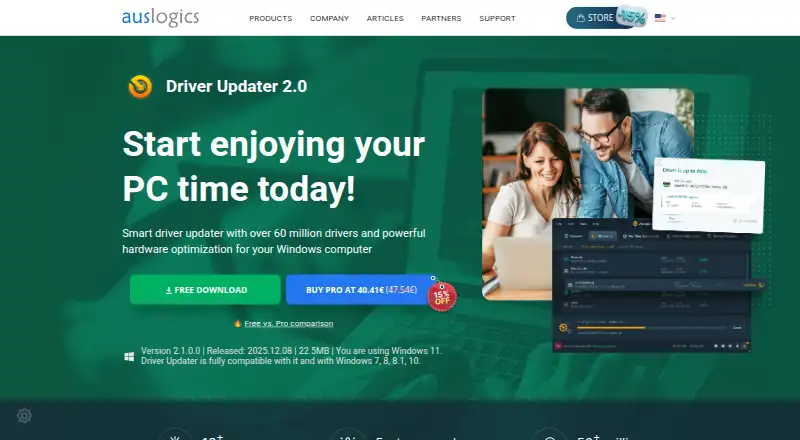
What Auslogics Driver Updater is
Auslogics Driver Updater is Windows software for updating and managing drivers. Its Free plan allows one driver update at a time; the Pro plan is a one-year subscription for three PCs and includes three questions, though neither plan has a listed price. The software supports Windows 7, 8, 8.1, 10 and 11, with 32-bit and 64-bit support specified for Windows 7 through 10. It can back up drivers and roll them back, and scheduled scans are available. Other listed maintenance tools include scheduled, automatic and boot-time optimization, junk cleanup, a startup manager and restore-point tools. The maker is Auslogics Driver Updater, founded in 2008 and headquartered in Sydney, Australia. The product is listed for Windows only.
Who it suits
It suits Windows users who want driver updating alongside backup, rollback and scheduled maintenance tools. The free plan may suit someone updating a single driver at a time.
What it does well
- Driver backup and rollback are available
- Scheduled scans are supported
- Includes restore-point tools
- Supports Windows 7 through Windows 11
What to know first
- Free plan updates one driver at a time
- Network drives are not supported
- Pro plan is a one-year subscription
- Available on Windows only
Limits
The Free plan allows one driver update at a time. Pro is a one-year subscription for three PCs and includes three questions.
Plans
| Plan | Billed and limits | Price |
|---|---|---|
| Free | 1 driver update at a time | On request |
| Pro | 1 year subscription · 3 PCs · 3 questions | On request |
As auslogics.com lists them, read 20 Sept 2026. The maker's own page has the final word.
Getting started
- Visit the Auslogics Driver Updater website.
- Use a Windows 7, 8, 8.1, 10, or 11 device.
- Choose the Free plan or the Pro one-year subscription.
- Run a scheduled scan or use the available optimization tools.
- Use driver backup or rollback tools when managing driver changes.
Overview
Auslogics Driver Updater is a Windows utility for managing driver updates, backups and rollbacks, alongside maintenance tools such as junk cleanup and startup management. It best suits Windows users who want those jobs in one application; the free plan’s one-driver-at-a-time limit makes it less suitable for updating several PCs without moving to Pro.
Key features
Driver backup and rollback give users a way to preserve drivers and return to an earlier version if an update causes problems. Scheduled scans and automatic selection reduce the need to review every update manually, while scheduled maintenance and restore-point tools add safeguards and routine upkeep.
The package also includes junk cleanup and a startup manager. That wider utility set is useful if you want basic Windows maintenance alongside driver management, but it broadens the product beyond its core purpose. Scheduled, automatic and boot-time optimization are also supported.
Pricing
Free: The free plan allows one driver update at a time. It is a sensible way to handle an occasional update, but the cap makes it a poor fit for a larger catch-up or repeat maintenance across multiple machines.
Pro: Pro is billed as a one-year subscription and covers 3 PCs, with 3 questions included. Its price is custom pricing. The three-PC allowance suits someone maintaining a small household’s computers, but a single-PC user may not need the extra seats. The free plan costs less by limiting updates to one at a time; Pro adds multi-PC coverage, though its annual term and custom price matter when comparing costs.
Platforms
Auslogics Driver Updater runs on Windows 7, 8, 8.1, 10 and 11. Windows 7 through 10 support both 32-bit and 64-bit systems. It is not a choice for Linux or macOS users.
Who it's for
Choose it if you use Windows and want driver backup, rollback and scanning combined with basic maintenance tools. The Pro plan is more relevant when you manage up to three PCs; the free plan is better for occasional, one-driver-at-a-time updates. Look elsewhere if you need a different operating system or want to compare plans by a clearly stated price.
Pros and cons
- Pro: Driver backup and rollback provide a route back if an update is unsuitable.
- Pro: Junk cleanup and startup management add practical Windows upkeep beyond driver updates.
- Pro: Pro covers three PCs, useful for a small set of household machines.
- Con: Free updates are limited to one driver at a time, restricting larger update sessions.
- Con: Pro is an annual subscription with custom pricing, so its cost is not straightforward to assess.
- Con: The product is Windows-only, excluding users on other platforms.
Alternatives
For a broader comparison of driver tools, browse Driver Updater Software. If your priority is game-focused driver tools, see Game Driver Updaters. For general PC maintenance options, compare PC Optimization Software.
Choose IObit Uninstaller instead if you want a free Windows uninstaller with batch uninstall, Windows app removal, drag-and-drop uninstall and automatic leftover cleanup rather than driver management. Btrfsmaintenance is a free, GPL-2.0 set of Btrfs maintenance scripts for Linux and self-hosted environments, not a Windows driver updater. Disk SpeedUp is a free Windows defragmentation utility supporting Windows 11, 10, 8, 7, 2000, XP and Vista in 32- or 64-bit editions. e4defrag is a free Linux option for ext4 files, with some file types unsupported. Puran Defrag is a free Windows defragmenter; its Directories Consolidation feature works only on NTFS partitions. WinContig is freeware for personal and commercial use on unlimited Windows computers, without registration or payment. Defragger is an alternative. IObit Smart Defrag offers free basic file defragmentation, scheduled defrag and game optimization, with annual Pro plans for one or three PCs.
For adjacent categories, see Disk Defragmentation Software, Duplicate File Finders and Data recovery software.
Verdict
Auslogics Driver Updater is a reasonable fit for Windows users who want driver management with a few built-in maintenance tools, especially those covering several PCs under Pro. Choose another option if the free one-update limit is too restrictive, the custom-priced annual plan is hard to evaluate, or you need software beyond Windows.
Verdict
Auslogics Driver Updater combines driver management with several Windows maintenance tools. Check the one-driver free-plan limit and the unlisted Pro price before choosing a plan.
Questions
Is Auslogics Driver Updater free?
It has a Free plan that allows one driver update at a time. A Pro plan is also listed.
What does the Pro plan include?
Pro is a one-year subscription for three PCs and includes three questions. No price is listed.
Which Windows versions are supported?
Windows 7, Windows 8, Windows 8.1, Windows 10, and Windows 11 are listed. Windows 7 through 10 support 32-bit and 64-bit systems.
Does it back up drivers?
Yes. Driver backup and driver rollback are listed.
Which platforms does it support?
Windows is the only listed platform.
Facts from Auslogics Driver Updater's own pages
- Founded
- 2008 · auslogics.com, 28 Sept 2026
- Free plan
- Yes · auslogics.com, 20 Sept 2026
- Headquarters
- Sydney, Australia · auslogics.com, 28 Sept 2026
Where Auslogics Driver Updater stands on Freedom251
- Game Driver Updaters#2 of 23
- Driver Updater Software#3 of 28
- Driver updaters#7 of 37
- PC optimisers#58 of 104