Freedom251 › Game Driver Updaters
AMD Auto-Detect and Install Tool
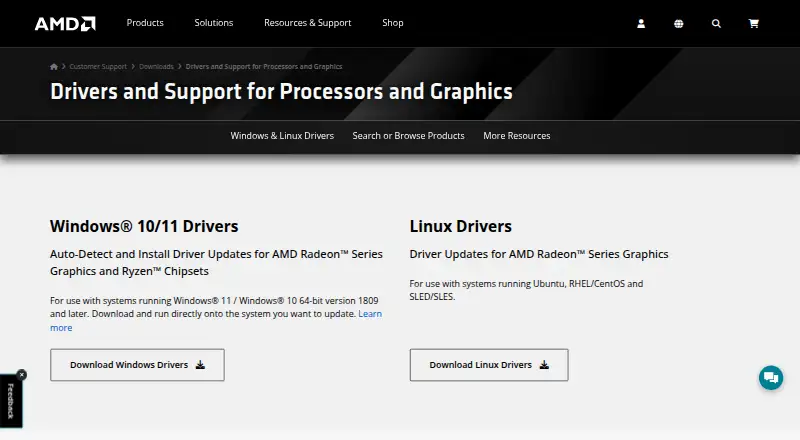
What AMD Auto-Detect and Install Tool is
AMD Auto-Detect and Install Tool checks a Windows PC for compatible AMD Radeon graphics, AMD Ryzen chipsets, and the installed Windows version, then retrieves AMD drivers for detected devices. It requires an internet connection and supports Windows 11 version 21H2 and later, or Windows 10 64-bit version 1809 and later. When newer drivers are available, users can choose components, customize setup, skip the current driver, or cancel installation. Driver choices include Recommended versions certified by Microsoft and Optional versions with the latest features and bug fixes. Install modes are Default, Minimal, and Driver Only; an option enables automatic updates. Factory Reset removes earlier AMD Software Package versions and temporarily pauses Windows Updates, and previous drivers cannot be rolled back afterward. Keep user settings preserves AMD Software settings and profiles for reapplication after that reset. The tool is free. Systems beyond its support scope are directed to AMD Product Selector for manual drivers.
Who it suits
It suits Windows users with supported AMD Radeon graphics or AMD Ryzen chipsets who want to identify and obtain relevant drivers. Users of other operating systems or AMD products are directed to manual driver selection.
What it does well
- Detects AMD graphics, chipsets, and Windows version.
- Offers Recommended and Optional driver channels.
- Provides three install modes.
- Can enable automatic updates.
- Free plan is available.
What to know first
- Requires an internet connection.
- Does not support systems outside its stated Windows scope.
- Factory Reset prevents rollback to previous drivers.
Limits
The free tool supports Windows 11 version 21H2 and later, or Windows 10 64-bit version 1809 and later, for AMD Radeon graphics or Ryzen chipsets. After Factory Reset, previous drivers cannot be rolled back.
Plans
| Plan | Billed and limits | Price |
|---|---|---|
| AMD Auto-Detect and Install Tool | Windows 11 version 21H2+ · Windows 10 64-bit version 1809+ · AMD Radeon graphics or Ryzen chipsets | Free |
As amd.com lists them, read 1 Oct 2026. The maker's own page has the final word.
Getting started
- Open AMD’s driver support page.
- Check that your PC runs Windows 11 version 21H2 or later, or Windows 10 64-bit version 1809 or later.
- Connect to the internet and run the auto-detect tool.
- Review available driver components and choose a driver channel and install mode.
- Customize setup, skip the current driver, or cancel installation as needed.
Verdict
The tool detects supported AMD devices and offers driver choices and several installation modes. Check Windows compatibility first, and note that Factory Reset removes the ability to roll back previous drivers.
Questions
How much does AMD Auto-Detect and Install Tool cost?
It is free. The listed plan is free.
Which Windows versions does it support?
AMD lists Windows 11 version 21H2 and later, and Windows 10 64-bit version 1809 and later.
What AMD hardware does it detect?
It detects compatible AMD Radeon Series Graphics and AMD Ryzen Chipsets.
Does it install drivers automatically?
It downloads drivers for detected devices. When newer drivers are available, you can choose components, customize setup, skip the current driver, or cancel installation.
Can I roll back drivers after using Factory Reset?
No. Factory Reset removes prior AMD Software Package versions, and previous drivers cannot be rolled back afterward.
What if my system is outside the tool’s supported scope?
AMD directs systems needing other operating systems or AMD products to its Product Selector for manual drivers.
Facts from AMD Auto-Detect and Install Tool's own pages
- Automatic detection
- It detects the AMD Radeon graphics model, AMD Ryzen chipset and Microsoft Windows version installed on the PC. · amd.com, 1 Oct 2026
- Automatic installation
- No · amd.com, 20 Sept 2026
- Automatic scanning
- Yes · amd.com, 20 Sept 2026
- Automatic updates
- The installer provides an option to enable automatic updates so AMD software stays current. · amd.com, 1 Oct 2026
- Driver channels
- The installer offers Recommended drivers certified by Microsoft and Optional drivers with the latest features and bug fixes. · amd.com, 1 Oct 2026
- Driver downloads
- The tool obtains the latest driver versions from AMD for detected devices. · amd.com, 1 Oct 2026
- Factory reset
- Factory Reset removes prior AMD Software Package versions and temporarily pauses Windows Updates, and the previous drivers cannot be rolled back afterward. · amd.com, 1 Oct 2026
- Founded
- 1969 · amd.com, 23 Sept 2026
- Free plan
- Yes · amd.com, 20 Sept 2026
- Hardware scope
- graphics-and-other · amd.com, 20 Sept 2026
- Headquarters
- Santa Clara, California, United States · amd.com, 23 Sept 2026
- Install modes
- Install types are Default, Minimal and Driver Only. · amd.com, 1 Oct 2026
- Internet requirement
- An internet connection is required to run the auto-detect tool. · amd.com, 1 Oct 2026
- Privacy and security
- AMD's privacy notice says it may collect system configuration, hardware, software-version and installation-log information and uses security technologies including encryption for sensitive information transmitted online. · amd.com, 1 Oct 2026
- Purpose
- The tool checks a PC for compatible AMD Radeon Series Graphics, AMD Ryzen Chipsets and the Windows version, then downloads supporting AMD drivers. · amd.com, 1 Oct 2026
- Driver rollback
- No · amd.com, 20 Sept 2026
- Security program
- AMD says security is considered during hardware and software development and that it follows coordinated vulnerability disclosure as a CVE Numbering Authority member. · amd.com, 1 Oct 2026
- Settings preservation
- Keep user settings saves AMD Software settings and profiles and reapplies them after installation when Factory Reset is used. · amd.com, 1 Oct 2026
- Supported platforms
- Windows · amd.com, 20 Sept 2026
- Supported Windows
- AMD lists support for Windows 11 version 21H2 and later and Windows 10 64-bit version 1809 and later. · amd.com, 1 Oct 2026
- Unsupported systems
- AMD directs systems unsupported by the tool or needing other operating systems or AMD products to the AMD Product Selector for manual drivers. · amd.com, 1 Oct 2026
- Update choices
- When newer drivers are available, users can download needed components, customize setup, skip the current driver or cancel installation. · amd.com, 1 Oct 2026
Where AMD Auto-Detect and Install Tool stands on Freedom251
- Game Driver Updaters#1 of 23
- Driver updaters#14 of 37