Freedom251 › Disk Defragmentation Software
Puran Defrag
What Puran Defrag is
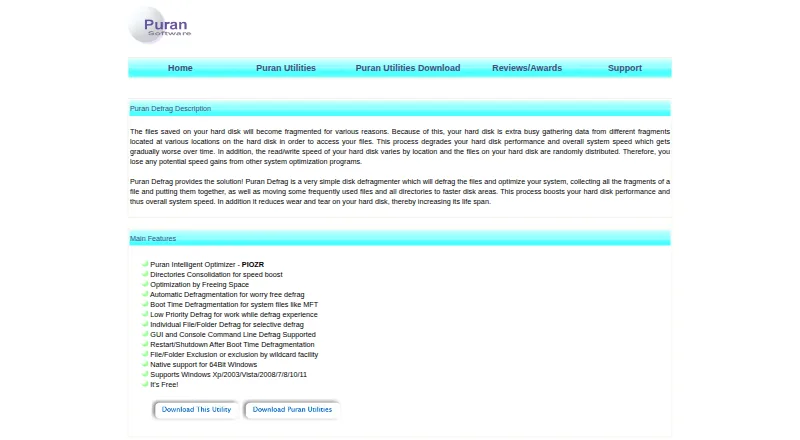
Puran Defrag is a free Windows utility for defragmenting files and optimizing hard disk drives. Its Puran Intelligent Optimizer moves frequently used files toward faster disk areas, and it can consolidate directories into contiguous areas when the partition uses NTFS. Users can schedule defragmentation at startup, on intervals, or at chosen times on selected days. Boot Time Defragmentation can work on the whole drive or on system files including the MFT, Registry, and Pagefile. A low-priority mode uses resources when other processes are idle. Users can select particular files or folders for defragmentation, or exclude them, including with wildcard rules. The program offers both a graphical interface and console command-line operation. It can restart or shut down a computer after boot-time work. Puran Defrag states native 64-bit support and lists compatibility with Windows XP, 2003, Vista, 2008, 7, 8, 10, and 11, including 64-bit editions. The listed version is 7.7.2, dated 07 December 2023.
Who it suits
Puran Defrag suits Windows users who want scheduled or boot-time hard disk defragmentation and options to target or exclude files and folders. Its directory consolidation feature is relevant only to NTFS partitions.
What it does well
- Free plan for Windows.
- Schedules can run at startup or selected times.
- Boot-time defragmentation can handle system files.
- Supports selecting or excluding individual files and folders.
- Offers graphical and console command-line interfaces.
What to know first
- Directory consolidation works only on NTFS partitions.
- The listed version is dated 07 December 2023.
- The listed drive type is HDD.
Limits
Directory consolidation works only with NTFS partitions. The plan is free and covers the listed Windows versions.
Plans
| Plan | Billed and limits | Price |
|---|---|---|
| Puran Defrag | Windows XP/2003/Vista/2008/7/8/10/11 · Directories Consolidation works only with NTFS partitions | Free |
As puransoftware.com lists them, read 29 Sept 2026. The maker's own page has the final word.
Getting started
- Open the Puran Defrag website.
- Use the Windows version compatible with your system.
- Choose the graphical interface or console command-line defragmentation.
- Select a drive, file, or folder to defragment, or configure exclusions.
- Set an automatic schedule or use Boot Time Defragmentation if needed.
Verdict
Puran Defrag offers scheduled, selective, and boot-time defragmentation for Windows hard disk drives at no cost. Note the NTFS-only limit on directory consolidation and the date of the listed version.
Questions
How much does Puran Defrag cost?
The plan is free: free.
Which Windows versions are listed as compatible?
Windows XP/2003/Vista/2008/7/8/10/11, including 64-bit versions.
Can I schedule defragmentation?
Yes. Automatic defragmentation can run at startup, after intervals, or at specified times on chosen days.
Can it defragment system files?
Yes. Boot Time Defragmentation can handle system files such as the MFT, Registry, and Pagefile, as well as an entire drive.
Who provides Puran Defrag?
The product page identifies Puran Software as the provider.
Facts from Puran Defrag's own pages
- 64-bit support
- The product states native support for 64-bit Windows. · puransoftware.com, 29 Sept 2026
- Automatic schedules
- Automatic defragmentation can be scheduled at startup, after intervals, or at specified times on chosen days. · puransoftware.com, 29 Sept 2026
- Boot time defrag
- Boot Time Defragmentation can defragment system files such as MFT, Registry, and Pagefile, as well as the entire drive. · puransoftware.com, 29 Sept 2026
- Directory optimization
- It can consolidate directories into contiguous, faster disk areas; this feature works only with NTFS partitions. · puransoftware.com, 29 Sept 2026
- Interfaces
- Puran Defrag supports both a graphical user interface and console command line defragmentation. · puransoftware.com, 29 Sept 2026
- Last listed update
- The page lists version 7.7.2, dated 07 December 2023, with minor fixes and Windows 10/11 support. · puransoftware.com, 29 Sept 2026
- Low priority
- Low Priority Defrag uses resources when other processes are not using them, allowing work to continue during defragmentation. · puransoftware.com, 29 Sept 2026
- Other options
- It can restart or shut down the computer after Boot Time Defragmentation. · puransoftware.com, 29 Sept 2026
- PIOZR
- Puran Intelligent Optimizer places frequently used files in faster areas of the disk. · puransoftware.com, 29 Sept 2026
- Provider
- The product page identifies the provider as Puran Software. · puransoftware.com, 29 Sept 2026
- Purpose
- Puran Defrag defragments files and optimizes hard disk drives to improve disk and system performance. · puransoftware.com, 29 Sept 2026
- Selective defrag
- The product supports individual file or folder defragmentation and file or folder exclusions, including wildcard exclusions. · puransoftware.com, 29 Sept 2026
- Supported Windows versions
- The listed compatible versions are Windows XP/2003/Vista/2008/7/8/10/11, including 64-bit versions. · puransoftware.com, 29 Sept 2026
Where Puran Defrag stands on Freedom251
- Disk Defragmentation Software#10 of 20