Freedom251 › Data recovery software
Windows File Recovery
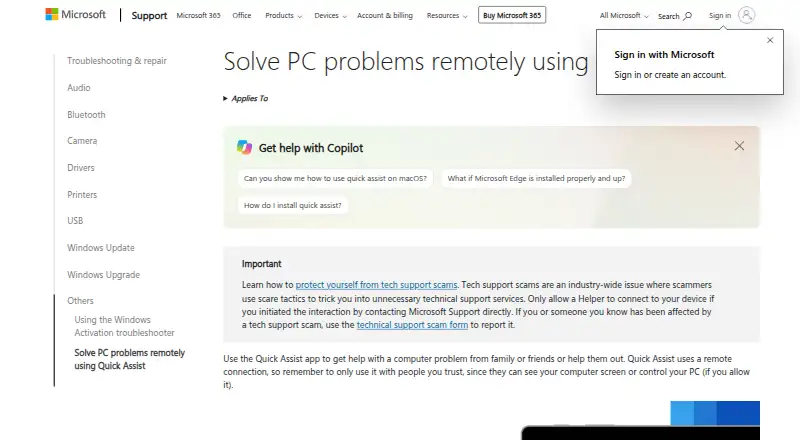
What Windows File Recovery is
Windows File Recovery is a command-line app for attempting to restore deleted files from local storage when they cannot be brought back from the Recycle Bin. Microsoft makes it available through the Microsoft Store for Windows 10 and Windows 11. It can scan internal and external drives, USB devices, SD cards, and flash drives, and describes support for NTFS, FAT, and exFAT file systems. The app offers Regular and Extensive recovery modes: Regular is suggested for recently deleted files on NTFS, while Extensive is intended for older deletions, formatted or corrupted NTFS drives, and FAT or exFAT media. Non-NTFS recovery works only in Extensive mode. Command switches can narrow the search by file name, path, file type, or wildcard; signature mode can target groups of file extensions. The drive being recovered and the destination drive must be different. Cloud storage and network file shares are outside its supported sources. Continued computer use may overwrite space left by deleted files and lower the likelihood of recovery. Windows File Recovery is free. Microsoft states that Windows 10 support ended on October 14, 2025, including software updates, technical assistance, and security fixes.
Who it suits
It suits Windows users trying to recover deleted files from local drives or removable storage, including memory cards. It is aimed at people comfortable using a command line and selecting recovery modes and filters.
What it does well
- Free to use through the Microsoft Store.
- Supports internal and external drives, USB devices, SD cards, and flash drives.
- Offers Regular and Extensive recovery modes.
- Filters searches by name, path, type, or wildcard.
- Signature mode targets groups of file extensions.
What to know first
- Cloud storage and network file shares are unsupported.
- The recovery source and destination must be different drives.
- FAT and exFAT recovery is available only in Extensive mode.
- Windows 10 support ended on October 14, 2025.
Limits
The app does not recover from cloud storage or network file shares, and the source and destination drives must be different. Recovery from FAT and exFAT drives is supported only in Extensive mode.
Plans
| Plan | Billed and limits | Price |
|---|---|---|
| Windows File Recovery | Microsoft Store listing labels it “Free” | Free |
As support.microsoft.com lists them, read 12 Oct 2026. The maker's own page has the final word.
Getting started
- Open the Microsoft Store listing for Windows File Recovery.
- Install the app on a Windows 10 or Windows 11 device.
- Choose a source drive and a different destination drive.
- Select Regular or Extensive mode based on the file system and deletion circumstances.
- Use command switches or signature mode to narrow the recovery target.
Verdict
Choose Windows File Recovery if you need a free command-line option for deleted files on local storage and can work with its recovery modes. Look elsewhere if the files are in cloud storage or a network share, or if you need a graphical app.
Questions
How much does Windows File Recovery cost?
The listed plan is free; the Microsoft Store labels it “Free.”
Which Windows versions does it support?
The support page applies to Windows 10 and Windows 11. Microsoft states that Windows 10 support ended on October 14, 2025, including updates, technical assistance, and security fixes.
What storage can it scan?
It supports internal and external drives, USB devices, SD cards, and flash drives. Cloud storage and network file shares are unsupported.
Which file systems and modes does it support?
It describes support for NTFS, FAT, and exFAT. Regular is suggested for recent NTFS deletions; Extensive is intended for older deletions, formatted or corrupted NTFS drives, and FAT or exFAT, with non-NTFS recovery limited to Extensive.
Where can I install it?
Microsoft says the app is available from the Microsoft Store.
Facts from Windows File Recovery's own pages
- Cloud and network
- Recovery from cloud storage and network file shares is not supported. · support.microsoft.com, 12 Oct 2026
- Drive requirement
- The source and destination drives must be different. · support.microsoft.com, 12 Oct 2026
- File selection
- Command switches can filter recovery by file name, path, type, or wildcards, and signature mode can recover specific extension groups. · support.microsoft.com, 12 Oct 2026
- File systems
- The article describes support for NTFS, FAT, and exFAT file systems, with non-NTFS recovery supported only in Extensive mode. · support.microsoft.com, 12 Oct 2026
- Free plan
- Yes · support.microsoft.com, 21 Sept 2026
- Installation
- Microsoft says the app is available from the Microsoft Store. · support.microsoft.com, 12 Oct 2026
- Maker headquarters and founding
- Microsoft lists its corporate address in Redmond, Washington, and says it was founded in 1975. · news.microsoft.com, 12 Oct 2026
- Memory card recovery
- Yes · support.microsoft.com, 21 Sept 2026
- Operating systems
- Windows 10,Windows 11 · support.microsoft.com, 21 Sept 2026
- Overwrite risk
- Continued computer use can overwrite the free space left by deleted files and reduce the chance of recovery. · support.microsoft.com, 12 Oct 2026
- Purpose
- It is a command-line app for trying to recover deleted files from local storage devices when they cannot be restored from the Recycle Bin. · support.microsoft.com, 12 Oct 2026
- Recovery modes
- The app offers Regular and Extensive modes; Regular is suggested for recently deleted files on NTFS, while Extensive is used for older deletions, formatted or corrupted NTFS drives, and FAT or exFAT drives. · support.microsoft.com, 12 Oct 2026
- Recovery sources
- internal drives,external drives,USB devices,SD cards,flash drives · support.microsoft.com, 21 Sept 2026
- Supported devices
- Supported local storage includes internal drives, external drives, and USB devices. · support.microsoft.com, 12 Oct 2026
- Support note
- Microsoft states that Windows 10 support ended on October 14, 2025, including free software updates, technical assistance, and security fixes. · support.microsoft.com, 12 Oct 2026
- Windows versions
- The support page applies to Windows 10 and Windows 11. · support.microsoft.com, 12 Oct 2026
Where Windows File Recovery stands on Freedom251
- Data recovery software#17 of 128
- Desktop Search Software#23 of 57
- Startup Manager Software#14 of 30
- Hard Drive Partitioning Software#10 of 17
- Backup software#89 of 151
- Photo Recovery Software#26 of 44
- Disk Defragmentation Software#12 of 20
- SD Card Recovery Software#33 of 54
- Remote desktop software#88 of 135
- Disk Partition Software#17 of 22