Freedom251 › Data recovery software

Ontrack EasyRecovery
What Ontrack EasyRecovery is
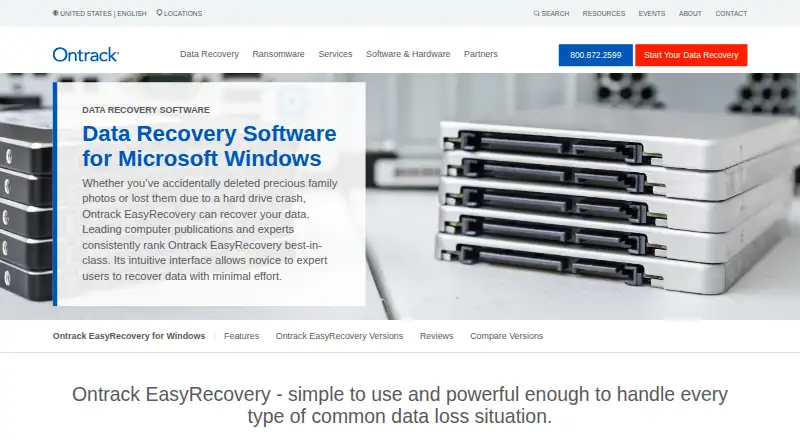
Ontrack EasyRecovery is data recovery software for Windows and macOS. The Windows software is intended to recover files lost through deletion, reformatting, drive damage, and other common data-loss situations. It works with internal and external drives, SSDs, RAID, USB drives, memory cards, and optical media. Quick Scan searches faster, while Deep Scan conducts a more extensive search. Listed capabilities include bootable recovery, file previews, memory card recovery, and RAID recovery. Version 15 adds full-screen previews for recoverable videos and previews of content inside ZIP and archive files. The product page also describes repair of damaged or corrupt photos and videos, with those repair features included in Premium. The free tier costs nothing and recovers up to 1 GB, with eligible files limited to less than 25 MB. Other named plans include Professional, Technician, Home, Premium, and Toolkit; listed features vary by plan and include disk imaging, cloning, commercial-use licensing, and RAID recovery. The maker is based in Eden Prairie, Minnesota, United States.
Who it suits
It suits Windows and macOS users seeking recovery from the listed storage media, including memory cards and RAID. The free tier is most relevant when the recovery fits its size and file limits.
What it does well
- Supports drives, SSDs, RAID, USB, cards, and optical media.
- Offers Quick Scan and Deep Scan.
- Includes bootable recovery and file previews.
- Lists support for multiple file systems and virtual disk formats.
What to know first
- Free recovery is capped at 1 GB.
- Eligible free files must be under 25 MB.
- Repair features for damaged photos and videos are in Premium.
Limits
The Free plan recovers up to 1 GB, and eligible files must be under 25 MB. The listed plan details do not give prices for paid plans.
Plans
| Plan | Billed and limits | Price |
|---|---|---|
| Free | up to 1 GB recovered · files under 25 MB | Free |
| Professional | disk images · CD/DVD recovery · drive health monitoring | On request |
| Technician | Premium features · commercial use · RAID recovery · virtual RAID · multiple system license | On request |
| Home | deleted file recovery · quick scan and deep scan | On request |
| Premium | Professional features · corrupt photo/video repair · HDD/SSD cloning | On request |
| Toolkit | commercial use · Windows, Mac and Linux file systems · disk imaging · drive cloning · RAID recovery | On request |
As ontrack.com lists them, read 9 Oct 2026. The maker's own page has the final word.
Getting started
- Visit the Ontrack EasyRecovery website.
- Choose the Windows or macOS product page for your operating system.
- Review the Free plan and its recovery allowance.
- Select a plan based on the listed capabilities you need.
- Use Ontrack’s technical support how-to guides if you need help.
Ontrack EasyRecovery is a Windows and macOS utility for retrieving files from erased, reformatted, damaged, or otherwise inaccessible storage. It suits households, photographers, and organisations that may need to work across several media types, including RAID. Its strongest case is breadth: the appropriate paid edition can add repair, imaging, cloning, and commercial licensing, while the free edition is only a small-recovery option.
Overview
EasyRecovery addresses common data-loss events rather than one narrow recovery scenario. It can search internal and external hard drives, SSDs, USB and flash drives, memory cards, optical media, and RAID arrays. That makes it more adaptable than a tool intended solely for an accidentally deleted folder on a computer disk.
Ontrack also positions the product behind substantial recovery experience, citing 40 years in business, more than one million customers, and over 120 petabytes of recovered data. The contracting company is KLDiscovery Ontrack, LLC, based in Eden Prairie, Minnesota. Those claims provide useful context for buyers handling valuable or business-critical files, although the software still requires choosing the edition that matches the job.
Key features
Quick Scan provides a faster search for straightforward losses; Deep Scan takes a more extensive approach when the first pass does not find enough. Previews let you identify files before recovery, reducing the risk of restoring the wrong items. Version 15 adds full-screen previews for recoverable videos and previews of content inside ZIP and other archive files.
Bootable recovery can help when the affected computer will not start normally. EasyRecovery supports BitLocker and a wide set of file systems and virtual-disk formats: FAT, NTFS, exFAT, APFS, HFS, HFS+, Ext2, Ext3, Ext4, VMDK, VDI, VHD, and VHDX. Memory-card and RAID recovery are explicitly supported, valuable distinctions for camera users and storage administrators.
Recovery and repair are separate capabilities. Premium includes repair for damaged or corrupt photos and videos, so it is the relevant upgrade when files can be found but will not open. The broader editions add disk imaging, cloning, or virtual-RAID work for more controlled and complex recoveries.
Pricing
The Free plan costs nothing and recovers up to 1 GB, with eligible files under 25 MB. That is suitable for a handful of small documents or photos, not a large video library or a full failed drive.
- Home has custom pricing and covers deleted-file recovery with Quick Scan and Deep Scan. It fits personal users who need core searching without the higher-tier extras.
- Professional has custom pricing and adds disk images, CD/DVD recovery, and drive-health monitoring. It is the more capable choice for individual technicians or demanding home incidents.
- Premium has custom pricing, combining Professional features with corrupt photo/video repair and HDD/SSD cloning. Choose it when damaged media or a safer clone-based workflow matters.
- Technician has custom pricing and includes Premium features, commercial use, RAID and virtual-RAID recovery, and multiple system licenses. It targets service providers and small teams rather than one-off personal use.
- Toolkit has custom pricing, with commercial use, Windows, Mac, and Linux file-system support, disk imaging, drive cloning, and RAID recovery. It is the broadest option for professional recovery work across operating systems.
Plans and the free tier are presented separately from the free trial; the published free allowance remains the practical limit to check before attempting a sizeable recovery.
Platforms
EasyRecovery runs on Windows and macOS. Its listed file-system coverage extends to Linux formats in the Toolkit edition, but the application platforms themselves are Windows and macOS.
Who it's for
Choose it for mixed storage environments, memory-card or optical-media recovery, BitLocker volumes, or RAID work. Home is enough for ordinary deleted-file searches; Premium is better when repair or cloning is required. Businesses and recovery professionals should look at Technician or Toolkit for commercial licensing and multi-system or RAID capabilities. It is a poor fit for a large recovery if the free 1 GB and under-25-MB limits are all you intend to use.
Pros and cons
- Pro: Broad source coverage includes SSDs, hard drives, cards, USB media, optical discs, and RAID, so one installation can address varied incidents.
- Pro: Quick and Deep Scan modes balance speed with a more thorough search, while previews help select files before restoration.
- Pro: Premium repair, cloning, and higher-tier commercial features provide a path from simple undelete to specialist work.
- Con: The free edition stops at 1 GB and excludes files 25 MB or larger, sharply limiting serious recoveries.
- Con: Every paid plan carries custom pricing, making direct budget comparison difficult before contacting Ontrack.
Alternatives
For a broader mobile-and-desktop footprint, EaseUS Data Recovery Wizard supports Android and iOS as well as Windows and macOS; its One-Month plan is $69.95 a month as a one-time fee with no renewal fees. Disk Drill is worth considering for a lower Windows free allowance of 100 MB, but it has no free trial. TestDisk is the free choice when partition recovery, boot-sector repair, and file undelete matter more than previews or a commercial interface.
Active@ File Recovery suits Windows users wanting a 29.95 USD one-time Standard Personal license for non-commercial use and three PCs. DiskGenius is another Windows freemium option with a free edition and a 69.90 USD monthly Professional plan. For specialised RAID work, ReclaiMe Free RAID Recovery supports RAID 0, 5, 10, 6, 5E, delayed-parity RAID 5, and hardware, software, and NAS disk sets.
Sherlock Forensics Recover is a Windows freemium tool with browsing, preview, export, and raw or E01 disk-image creation; its Pro edition costs $295 as a one-time purchase. DMDE supports Linux, macOS, and Windows, with an Express one-year license priced at $20 a year.
Verdict
Ontrack EasyRecovery is a strong choice for users who need one recovery package to cover ordinary disks, removable media, optical discs, and RAID, with upgrade paths for repair, cloning, imaging, and commercial work. Pick it when that range and the scan and preview tools justify contacting Ontrack for a custom-priced tier. Look elsewhere if you need transparent paid pricing or if a recovery will exceed the free edition's tightly capped allowance.
Verdict
EasyRecovery lists a wide range of storage sources and scan options, with additional previews and repair features depending on version or plan. Check the free tier’s 1 GB total and under-25-MB file limit before relying on it.
Questions
Is Ontrack EasyRecovery free?
It has a Free plan priced at $0. The plan recovers up to 1 GB, for files under 25 MB.
Which operating systems does it support?
The listed operating systems are Windows and macOS.
What types of storage can it recover from?
Listed sources include SSDs, hard drives, memory cards, USB hard drives, flash drives, optical media and RAID.
What paid plans are listed?
The listed plans are Professional, Technician, Home, Premium and Toolkit. Their listed capabilities include options such as disk imaging, cloning, repair features and commercial-use licenses, depending on the plan.
Who makes Ontrack EasyRecovery?
The contracting company is KLDiscovery Ontrack, LLC, based in Eden Prairie, Minnesota, United States.
Does the software offer a free trial?
A free trial is listed, alongside the Free plan.
Facts from Ontrack EasyRecovery's own pages
- Bootable recovery
- Yes · ontrack.com, 21 Sept 2026
- Business use
- Professional is described as suitable for small to medium-sized businesses, while Technician and Toolkit include commercial-use licenses. · ontrack.com, 9 Oct 2026
- Company
- The maker identifies the contracting company as KLDiscovery Ontrack, LLC, with an address in Eden Prairie, Minnesota. · ontrack.com, 9 Oct 2026
- Data repair
- The product page says it can repair damaged or corrupt photo and video files; Premium includes those repair features. · ontrack.com, 9 Oct 2026
- File previews
- Version 15 adds preview of recoverable videos in full screen and content in ZIP and archive files. · ontrack.com, 9 Oct 2026
- File systems and formats
- The comparison lists BitLocker recovery and support for FAT, NTFS, exFAT, APFS, HFS, HFS+, Ext2, Ext3, Ext4, VMDK, VDI, VHD, and VHDX across the listed tiers. · ontrack.com, 9 Oct 2026
- Free plan
- Yes · ontrack.com, 21 Sept 2026
- Free recovery limit
- 1 · ontrack.com, 21 Sept 2026
- Free tier limit
- The Free version recovers up to 1 GB, and its footnote limits eligible file sizes to less than 25 MB. · ontrack.com, 9 Oct 2026
- Headquarters
- Eden Prairie, Minnesota, United States · ontrack.com, 28 Sept 2026
- Memory card recovery
- Yes · ontrack.com, 21 Sept 2026
- Operating systems
- Windows; macOS · ontrack.com, 21 Sept 2026
- File preview
- Yes · ontrack.com, 21 Sept 2026
- Purpose
- The Windows software recovers files lost through deletion, reformatting, drive damage, or other common data loss situations. · ontrack.com, 9 Oct 2026
- RAID recovery
- The page describes recovery from corrupt or inaccessible RAID 0, 5, and 6 volumes. · ontrack.com, 9 Oct 2026
- Scanning
- It offers Quick Scan for faster searches and Deep Scan for a more extensive search. · ontrack.com, 9 Oct 2026
- Security and trust
- The Windows page states that Ontrack has 40 years in business, more than one million customers, and more than 120 petabytes of recovered data. · ontrack.com, 9 Oct 2026
- Recovery sources
- SSD; hard drives; memory cards; USB hard drives; flash drives; optical media; RAID · ontrack.com, 21 Sept 2026
- Support
- Ontrack’s technical support page lists EasyRecovery how-to guides and the address [email protected]. · ontrack.com, 9 Oct 2026
- Supported media
- It works with internal and external drives, SSDs, RAID, USB drives, memory cards, and optical media. · ontrack.com, 9 Oct 2026
Where Ontrack EasyRecovery stands on Freedom251
- Data recovery software#14 of 128
- SD card recovery software#7 of 52
- Partition recovery software#5 of 33
- Photo recovery software#9 of 46
- RAID Data Recovery Software#7 of 27
- Photo Recovery Software#14 of 44
- Partition Recovery Software#12 of 34
- SD Card Recovery Software#21 of 54