Freedom251 › Data recovery software

DiskInternals Partition Recovery
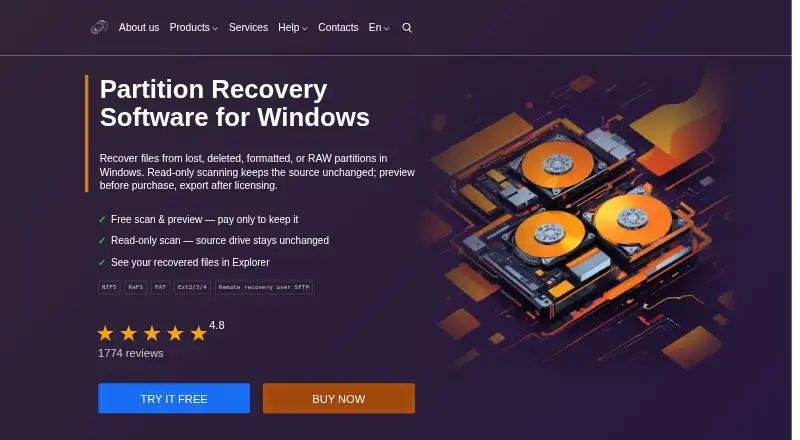
What DiskInternals Partition Recovery is
DiskInternals Partition Recovery scans readable storage for files on lost, deleted, formatted, RAW, inaccessible, corrupted, or damaged Windows partitions. Its sources include HDDs, SSDs, external drives, USB flash drives, memory cards, disk images, supported virtual or forensic containers, and readable logical storage exposed from RAID, NAS, SAN, or Windows Dynamic Disks. It can also access remote Ext2/3/4 sources over SFTP. Recovery modes include Fast recovery, Full recovery with deep scanning and virtual file-system reconstruction, and Reader mode. Supported file systems include NTFS, FAT, ReFS, and Ext2/3/4, with available modes varying by type. It supports MBR, GPT, and EFI layouts. The evaluation version lets users scan, review results, and preview supported files, but saving or exporting requires a license. Source access is read-only; the software does not rewrite or repair the original partition. The application is for Windows, while Linux and macOS file systems can be scanned as sources; it may run on Linux or macOS through Wine. Pricing starts at $39.95 one-time.
Who it suits
It suits computer users, system administrators, and data-recovery or forensic specialists looking for files on damaged or inaccessible partitions. Linux and macOS users may use it through Wine, while those file systems are also supported as sources.
What it does well
- Supports memory cards and RAID sources.
- Offers Fast, Full, and Reader modes.
- Evaluation permits scans and file previews.
- Scans the source in read-only mode.
- Supports remote Ext2/3/4 access over SFTP.
What to know first
- A license is required to save or export files.
- Cannot unlock BitLocker volumes or decrypt EFS files.
- Linux and macOS use may require Wine.
Limits
The free evaluation permits scanning, reviewing results and previewing supported files, but saving or exporting recovered files requires a license. The listed starting price is $39.95 one-time. Partition Recovery cannot unlock BitLocker volumes or decrypt EFS-encrypted files.
Plans
| Plan | Billed and limits | Price |
|---|---|---|
| Business | Commercial or government use · Virtual Disks export · one year of free updates | $219.95, paid once |
| Personal | Noncommercial use · no Virtual Disks export · one year of free updates | $39.95, paid once |
| Are you a pro? | For professionals providing data recovery services to third parties | On request |
As diskinternals.com lists them, read 7 Oct 2026. The maker's own page has the final word.
Getting started
- Visit the Partition Recovery website.
- Run the application on Windows, or use Wine on Linux or macOS.
- Select a readable storage source, including a remote Ext2/3/4 source over SFTP if needed.
- Choose Fast recovery, Full recovery or Reader mode.
- Scan and review results; preview supported files in the free evaluation.
- Purchase a license to save or export recovered files to a supported destination.
Verdict
DiskInternals Partition Recovery covers a broad range of readable storage sources and partition states, with several recovery modes and a scan-only evaluation. Before choosing it, note that saving recovered files requires a license and encrypted BitLocker or EFS data cannot be unlocked or decrypted.
Questions
How much does DiskInternals Partition Recovery cost?
Pricing starts at $39.95 one-time. The Business plan is listed at $219.95 a month for commercial or government use and includes export to virtual disks.
Can I use it for free?
A free plan and free trial are listed. The evaluation version allows scanning, reviewing results and previewing supported files; saving or exporting recovered files requires a license.
Which operating systems does it support?
The application is for Windows. Linux and macOS file systems are supported as sources, and the application may run on Linux or macOS through Wine.
What storage sources can it scan?
Sources include HDDs, SSDs, external drives, USB flash drives, memory cards, disk images, supported virtual or forensic containers, and readable logical sources exposed from RAID, NAS, SAN or Windows Dynamic Disks. Remote Ext2/3/4 sources over SFTP are also supported.
Can it recover files from BitLocker or EFS-encrypted storage?
No. Partition Recovery cannot unlock BitLocker volumes or decrypt EFS-encrypted files.
What does a license let me do with recovered files?
After licensing, recovered files can be saved to another healthy physical disk, an external drive, a Windows-visible network disk or FTP storage.
Facts from DiskInternals Partition Recovery's own pages
- Disk formats
- The software supports MBR, GPT, and EFI layouts and lists 512n, 512e, and 4Kn sector formats. · diskinternals.com, 7 Oct 2026
- Encryption limitation
- Partition Recovery cannot unlock BitLocker volumes or decrypt EFS-encrypted files. · diskinternals.com, 7 Oct 2026
- Export destinations
- After licensing, recovered files can be saved to another healthy physical disk, an external drive, a Windows-visible network disk, or FTP storage. · diskinternals.com, 7 Oct 2026
- File systems
- Supported file systems include NTFS, FAT, ReFS, Ext2/3/4, and others, with recovery modes varying by file-system type. · diskinternals.com, 7 Oct 2026
- Founded
- 2004 · diskinternals.com, 28 Sept 2026
- Free evaluation
- The evaluation version lets users scan, review results, and preview supported files for free; a license is required to save or export recovered files. · diskinternals.com, 7 Oct 2026
- Free plan
- No · diskinternals.com, 23 Sept 2026
- Intended users
- The maker describes DiskInternals products as serving computer users and data-recovery specialists, including sysadmins and forensic specialists. · diskinternals.com, 7 Oct 2026
- Memory card recovery
- Yes · diskinternals.com, 23 Sept 2026
- Operating systems
- The product is a Windows desktop and Windows Server application; the page also describes running it on Linux or macOS through Wine rather than as a native edition. · diskinternals.com, 7 Oct 2026
- Operating systems
- Windows (application); Linux and macOS file systems supported as sources; application may run on Linux or macOS through Wine · diskinternals.com, 23 Sept 2026
- Payment security
- The order page says checkout encrypts transmitted credit-card data over HTTPS and PayPro Global processes payments, so DiskInternals does not receive card information. · diskinternals.com, 7 Oct 2026
- File preview
- Yes · diskinternals.com, 23 Sept 2026
- Privacy
- The privacy policy says the company does not disclose individual user information to third parties except for legal process or personal-safety reasons. · diskinternals.com, 7 Oct 2026
- Purpose
- The software scans readable storage for files on lost, deleted, formatted, RAW, inaccessible, corrupted, or damaged Windows partitions. · diskinternals.com, 7 Oct 2026
- RAID recovery
- Yes · diskinternals.com, 23 Sept 2026
- Read-only source access
- The product says it scans the source in read-only mode and does not rewrite or repair the original partition. · diskinternals.com, 7 Oct 2026
- Recovery modes
- It provides Full recovery with deep scanning and virtual file-system reconstruction, Fast recovery, and Reader mode. · diskinternals.com, 7 Oct 2026
- Remote access
- It can access remote Ext2/3/4 sources over SFTP and build the recovery result locally. · diskinternals.com, 7 Oct 2026
- Recovery sources
- HDDs,SSDs,external drives,USB flash drives,memory cards,disk images and supported virtual/forensic containers; readable logical sources exposed from RAID,NAS,SAN,or Windows Dynamic Disks; remote Ext2/3/4 over SFTP · diskinternals.com, 23 Sept 2026
- Support and updates
- Registered customers receive priority customer support and one year of free upgrades. · diskinternals.com, 7 Oct 2026
Where DiskInternals Partition Recovery stands on Freedom251
- Data recovery software#10 of 128
- Partition Recovery Software#4 of 34
- Partition recovery software#11 of 33