Freedom251 › Data recovery software
AOMEI FastRecovery
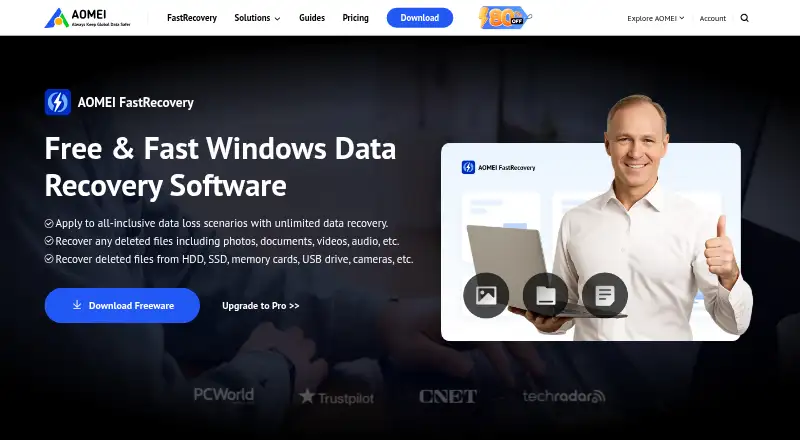
What AOMEI FastRecovery is
AOMEI FastRecovery is Windows software for recovering files lost through deletion, formatting, system crashes, or virus attacks. It can scan HDDs, SSDs, USB flash drives, SD and memory cards, PCs, laptops, cameras, the Recycle Bin, lost partitions, and crashed PCs. Quick Scan and Deep Scan are available; Deep Scan performs a longer sector-by-sector search. Users can preview files before recovery and filter results by file type and size. The Free plan scans storage devices, previews full files, and recovers up to 500 MB. Supported file systems include NTFS, FAT 16, FAT 32, and exFAT, although only NTFS supports both scan modes. The listed operating systems include Windows 11, 10, 8/8.1, 7, Vista, and multiple Windows Server versions through Server 2022. BitLocker-encrypted partitions are supported. Unallocated-space recovery is unsupported, and a physically damaged disk cannot be recovered if the computer does not detect it. Paid editions include Professional and Technician options with different license terms.
Who it suits
FastRecovery suits Windows users trying to restore files from supported storage devices or a crashed computer. Professional is described for home and small-business users, while Technician is intended for businesses and service providers.
What it does well
- Free edition recovers up to 500 MB.
- Supports memory cards and BitLocker-encrypted partitions.
- Offers Quick Scan and Deep Scan.
- File preview and type-and-size filters are available.
- Bootable recovery is supported.
What to know first
- Unallocated-space recovery is unsupported.
- Undetected physically damaged disks cannot be recovered.
- Free recovery is limited to 500 MB.
- Only NTFS supports both scan modes.
Limits
The Free plan recovers up to 500 MB. Paid Professional plans list unlimited recovery for one computer; Technician plans list unlimited recovery for unlimited computers. Recovery of unallocated space is unsupported, and a physically damaged disk cannot be recovered if the computer does not detect it.
Plans
| Plan | Billed and limits | Price |
|---|---|---|
| Free | Recover up to 500 MB · Scan storage devices · Preview full files | Free |
| Professional | Unlimited data recovery · Crashed-computer recovery · Remote recovery assistance · One computer license | On request |
| Professional | Unlimited data recovery · Crashed-computer recovery · Remote recovery assistance · One computer license | On request |
| Technician | billed monthly · Unlimited data recovery · Crashed-computer recovery · Remote recovery assistance · Unlimited computer license | $99 a month |
| FastRecovery Free | Permanent free edition · Recover up to 500 MB · business features limited · business-hours support | Free |
| FastRecovery Technician Yearly | Automatically renews; updates included during subscription · Unlimited computers and servers · business, technician and MSP use | $199 a year |
| FastRecovery Technician — Yearly | Automatically renew · Unlimited computers / license · PCs and servers | $199 a year |
| FastRecovery Technician Lifetime | One-time fee; lifetime free upgrades · Unlimited computers and servers · business, technician and MSP use | $299, paid once |
The first 8 of 17 plans, as aomeitech.com lists them, read 19 Sept 2026. The maker's own page has the final word. Every plan
Getting started
- Open the AOMEI data recovery website.
- Choose the Free plan to scan storage devices, preview files and recover up to 500 MB.
- Use the Windows version on a supported Windows computer.
- Choose Professional for one computer or Technician for unlimited computers if you need unlimited recovery.
AOMEI FastRecovery is Windows software for retrieving files after deletion, formatting, crashes, or virus attacks. It is best suited to home users and small businesses dealing with logical loss on an accessible drive. The free edition is a sensible way to assess a recovery, but larger jobs and crashed-computer work require a paid plan.
Overview
FastRecovery covers the storage most Windows users encounter: HDDs, SSDs, USB flash drives, SD and memory cards, plus media associated with PCs, laptops and cameras. It also targets Recycle Bin deletions, lost partitions and crashed PCs. That breadth makes it useful as a general Windows recovery utility rather than a specialist tool for one device type.
Its boundaries matter. Unallocated-space recovery is unsupported, and a physically damaged disk cannot be recovered when the computer does not detect it. Choose FastRecovery for logical file loss on a visible device, not as a solution for hardware that has stopped presenting itself to the system.
Key features
Quick Scan provides a shorter first search, while Deep Scan performs a slower, sector-by-sector examination intended to locate more lost files. The choice is practical: start with the faster pass when the deletion is recent, and reserve the longer scan for harder cases. Only NTFS supports both modes; the listed FAT 16, FAT 32 and exFAT file systems do not offer the same scan choice.
Previewing full files before recovery and filtering results by file type and size help you identify useful data instead of restoring an indiscriminate pile of matches. BitLocker-encrypted partitions can be scanned and recovered, extending its usefulness to protected Windows volumes. Bootable recovery is supported, and paid plans add crashed-computer recovery.
Pricing
The Free edition costs nothing, scans storage devices and previews full files, but limits recovery to 500 MB. That is enough for a small document or photo rescue, not a substantial disk recovery.
FastRecovery Professional provides unlimited data recovery, crashed-computer recovery and remote recovery assistance for one computer. Monthly billing is $39.95 a month with automatic renewal; yearly billing is $59.95 a year with automatic renewal; and the lifetime option is $69.95, paid once with lifetime free upgrades. The separate Professional plan is also described for home and small-business users with custom pricing, so the published term-specific offers are the clearer choice when their billing terms suit you.
FastRecovery Technician is aimed at businesses and service providers. It covers unlimited computers and PCs and servers: $99 a month or $199 a year, both automatically renewing, or $299, paid once with lifetime free upgrades. Its unlimited-machine licensing justifies the premium for people recovering data for multiple clients; an individual should not pay for that capacity.
AOMEI advertises lifetime free email technical support and a 30-day unconditional money-back guarantee for purchases. Online orders through Cleverbridge encrypt payment data with SSL.
Platforms
FastRecovery runs on Windows 11, 10, 8, 8.1, 7 SP1 and Windows Server. The broader operating-system overview also names Vista and Server releases through Server 2022. It is not offered as a macOS, Linux, iOS or Android recovery application.
Who it's for
Home users with a modest accidental deletion can begin with the 500 MB free allowance and use previews to confirm the right files. Professional is the appropriate step for a one-computer household or small office needing unlimited recovery, remote assistance or a crashed-PC workflow. Technician fits repair businesses and internal teams handling many PCs and servers. Users whose disk is physically undetected, or who specifically need unallocated-space recovery, should choose another approach.
Pros and cons
Pros
- Supports HDDs, SSDs, flash drives and memory cards, covering common Windows recovery scenarios.
- File preview plus type and size filters make large scan results more manageable.
- BitLocker scanning and recovery support addresses encrypted Windows partitions.
- Professional and Technician plans remove the 500 MB ceiling, with Technician licensing unlimited computers.
- Bootable and crashed-computer recovery extend it beyond ordinary deleted-file scans.
Cons
- The free edition's 500 MB cap quickly rules it out for sizable recoveries.
- Deep Scan is available only for NTFS, limiting scan flexibility on FAT and exFAT media.
- Unallocated-space recovery is unsupported.
- An undetected physically damaged disk is outside its capability.
- Professional monthly and yearly plans renew automatically, requiring cancellation if you do not want another term.
Alternatives
Choose EaseUS Data Recovery Wizard instead if you need coverage across Android, iOS, macOS and Windows, rather than Windows alone. Disk Drill is another cross-platform macOS/Windows option, though its free Windows recovery is limited to 100 MB.
DoYourData Recovery suits readers wanting iOS, macOS and Windows support with a one-month, two-PC license and no auto-renewal. MiniTool Power Data Recovery offers a 1 GB free home-user allowance, twice FastRecovery's free quota.
For a free, open-source, multi-platform tool, consider PhotoRec. TestDisk is the free choice when partition recovery, boot-sector repair or file undelete is the priority. iCare Data Recovery is a Windows-only freemium alternative with home, premium and unlimited-license tiers. Lexar Recovery Tool is free and needs no license, making it a narrowly simple option.
For broader comparisons, see SD Card Recovery Software and Data recovery software.
Verdict
Choose AOMEI FastRecovery if you need Windows recovery across ordinary disks and cards, value file preview, and want a free starting point or a one-computer Professional license. Its main reason to look elsewhere is equally clear: unsupported unallocated space and undetected physical failures make it unsuitable for some difficult drive problems, while non-Windows users need a different platform.
Verdict
FastRecovery covers many Windows storage sources and offers file preview before recovery. Check its scan-mode and damaged-disk limits, and note the recovery cap on the Free edition.
Questions
Is AOMEI FastRecovery free?
Yes. The Free plan costs nothing and recovers up to 500 MB, with storage-device scanning and full-file preview.
Which platforms and operating systems does it support?
It is listed for Windows, including Windows 11, 10, 8, 8.1, 7 SP1 and Windows Server. The overview also lists Vista and Windows Server versions through Server 2022.
What does Professional cost?
The listed Professional options are $39.95 a month, $59.95 a year and $69.95, paid once. Each is for one computer; the lifetime option lists lifetime free upgrades.
What does Technician cost?
The listed Technician options are $99 a month, $199 a year and $299, paid once. They cover unlimited computers; the lifetime option lists lifetime free upgrades.
Can it recover files from a crashed computer or encrypted partition?
Crashed-computer recovery is listed for Professional and Technician plans. The FAQ says the software supports scanning and recovery on BitLocker-encrypted partitions.
Can it recover data from every damaged disk?
No. The listed limitation says physically damaged disks cannot be recovered if the computer does not detect them, and recovery of unallocated space is unsupported.
Facts from AOMEI FastRecovery's own pages
- API and SDK
- The public help contents describe a Windows GUI workflow and boot-media tools but list no public API or SDK. · aomeitech.com, 15 Oct 2026
- BitLocker recovery
- The FAQ says BitLocker-encrypted partition recovery is supported. · aomeitech.com, 15 Oct 2026
- Bootable recovery
- Yes · aomeitech.com, 19 Sept 2026
- Boot recovery
- FastRecovery can create bootable USB, ISO or optical recovery media for crashed or unbootable computers. · majorgeeks.com, 15 Oct 2026
- Company data alternative
- Crunchbase lists AOMEI Technology as a private software company headquartered in Chengdu, Sichuan, with 251–500 employees and Jack Mei as founder and CEO. · crunchbase.com, 15 Oct 2026
- Company founding
- LinkedIn lists AOMEI as founded in 2010. · hk.linkedin.com, 15 Oct 2026
- Company headquarters
- LinkedIn gives the headquarters as Kwun Tong District, Hong Kong. · hk.linkedin.com, 15 Oct 2026
- Company size
- LinkedIn lists AOMEI as privately held with 51–200 employees. · hk.linkedin.com, 15 Oct 2026
- Documentation depth
- The public help center covers installation, registration, language changes, updates, scanning, preview and recovery, bootable disks, USB boot, Windows ADK and AIK. · aomeitech.com, 15 Oct 2026
- Encryption support
- The FAQ says the software supports scanning and recovery on BitLocker-encrypted partitions. · aomeitech.com, 8 Oct 2026
- File systems
- The overview lists NTFS, FAT 16, FAT 32, and exFAT, and says only NTFS supports both Quick Scan and Deep Scan. · aomeitech.com, 8 Oct 2026
- File types
- The first release supported recovery of more than 200 data types, including documents, images, video, audio and email formats. · aomeitech.com, 15 Oct 2026
- Filtering and search
- The application supports filtering by file type, modified date and file size, plus search and sorting. · aomeitech.com, 15 Oct 2026
- Free plan
- Yes · aomeitech.com, 19 Sept 2026
- Free recovery limit
- 500 · aomeitech.com, 19 Sept 2026
- Installation
- Installation uses the FastRecovery_WinSetup.exe installer followed by the Windows setup wizard. · aomeitech.com, 15 Oct 2026
- Intended users
- AOMEI describes Professional as intended for home and small-business users and Technician as suited to businesses and service providers. · aomeitech.com, 8 Oct 2026
- Languages
- The changelog records English, German, Japanese, French, Italian, Spanish, Traditional Chinese, Korean and Dutch language support. · aomeitech.com, 15 Oct 2026
- Licence
- MajorGeeks classifies the software as Freemium / Subscription, indicating a proprietary commercial product rather than open-source software. · majorgeeks.com, 15 Oct 2026
- Limit: free edition
- MajorGeeks notes that the free version is feature-limited, while AOMEI specifies a 500 MB recovery cap. · majorgeeks.com, 15 Oct 2026
- Limit: G2 evidence
- G2 says there is not enough review data to provide user or satisfaction insight for FastRecovery. · g2.com, 15 Oct 2026
- Limit: physical disk damage
- A lost partition cannot be recovered when the disk is physically damaged, according to the FAQ. · aomeitech.com, 15 Oct 2026
- Limit: unallocated space
- The FAQ explicitly says recovery from unallocated space is not supported. · aomeitech.com, 15 Oct 2026
- Memory card recovery
- Yes · aomeitech.com, 19 Sept 2026
Where AOMEI FastRecovery stands on Freedom251
- Data recovery software#18 of 128
- SD Card Recovery Software#8 of 54
- SD card recovery software#10 of 52