Freedom251 › Data recovery software

PhotoRec
by PhotoRec
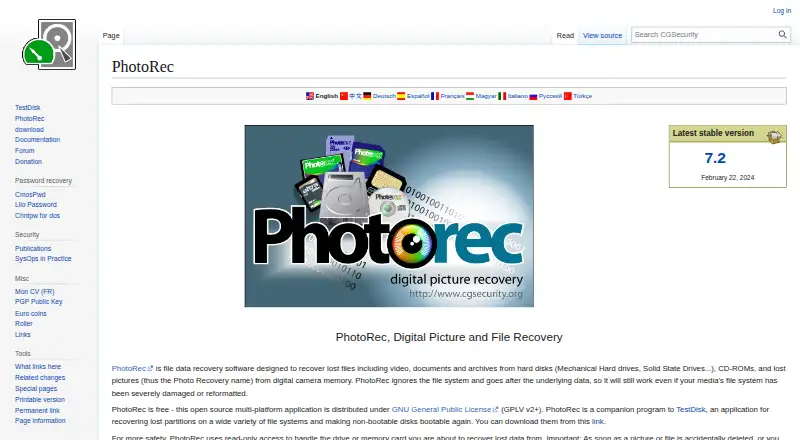
What PhotoRec is
PhotoRec is a free file recovery program for retrieving lost videos, documents, archives, and pictures from storage media and disk images. It searches underlying data rather than relying on the file system, which can help when a file system is badly damaged or a disk has been reformatted. It recognizes more than 480 file extensions across about 300 file families. Supported sources include hard disks, CD-ROMs, memory cards, USB drives, raw disk images, and EnCase E01 images; listed file systems include FAT, NTFS, exFAT, ext2/ext3/ext4, and HFS+. PhotoRec runs on Windows, Linux, macOS, DOS, BSD variants, Solaris, and other Unix systems. It accesses the drive or card in read-only mode, and recovered files should not be written to the same partition. The portable download runs after archive extraction without an installer. QPhotoRec is the graphical-interface version. PhotoRec can also run through scripts or batch files. The maker notes that it usually cannot restore original filenames and does not work well with ReiserFS.
Who it suits
PhotoRec may suit people recovering files from disks, memory cards, USB drives, or disk images across a range of operating systems. It also offers command-line options for users who want to automate recovery tasks.
What it does well
- Recognizes more than 480 file extensions
- Works with several disk image formats
- Portable download needs no installer
- Uses read-only access during recovery
What to know first
- Usually cannot recover original filenames
- Does not work well with ReiserFS
- MTP-mode phones are unsupported recovery sources
Limits
PhotoRec usually cannot recover original filenames and does not work well with ReiserFS. Phones connected in MTP mode are not supported as recovery sources.
Plans
| Plan | Billed and limits | Price |
|---|---|---|
| PhotoRec | Free open-source software · GNU GPL v2+ | Free |
As cgsecurity.org lists them, read 11 Oct 2026. The maker's own page has the final word.
Getting started
- Open the PhotoRec website and download the portable archive.
- Extract the archive; an installer is not needed.
- Run QPhotoRec for a graphical interface, or run PhotoRec from a command line.
- Select the source drive or memory card and choose file types or a recovery destination as needed.
- Save recovered files to a partition other than the one being recovered.
PhotoRec is a free file-recovery utility for people who need to search storage that has been damaged or reformatted. It is most useful when broad file-type coverage matters more than preserving filenames or using a conventional interface.
Overview
Instead of relying on a working file system, PhotoRec scans underlying data for recognizable file headers. That gives it a practical advantage when file-system damage or reformatting has made normal access unreliable. It recognizes more than 480 file extensions across about 300 file families, covering videos, documents, archives and pictures.
It can recover from hard disks, CD-ROMs, memory cards, USB drives, DD raw images and EnCase E01 images. Supported file systems include FAT, NTFS, exFAT, ext2, ext3, ext4 and HFS+. The read-only access to the source drive or card helps protect the material being searched, but recovered files must be saved to a different partition to avoid overwriting recoverable data.
Key features
Broad recovery coverage
PhotoRec’s header-based search can find file content without depending on intact file-system records, making it relevant after serious corruption or a reformat. It supports memory-card and RAID recovery as well as several common disk formats. Its key trade-off is that it usually cannot restore original filenames, so recovered files may take extra work to identify and organize.
Flexible operation
Command-line parameters let users select file types and recovery destinations, and scripts or batch files can automate repeatable jobs. That flexibility favors technically confident users and recovery workflows that need repeatability. Those who prefer a graphical interface can use QPhotoRec, the graphical version. The portable archive runs after extraction and requires no installer.
Privacy and limits
CGSecurity says TestDisk and PhotoRec do not connect to the Internet or transmit information about the user, computer or data. PhotoRec does not work well with ReiserFS. For phones, it can recover only when the device is connected in USB mass-storage mode; MTP-mode phones are not supported sources.
Pricing
PhotoRec is free and open source under GNU GPL v2 or later, with no free trial or paid tier. That makes it a straightforward option when a recovery utility without a purchase cost is the priority; there is no paid plan to add a different level of service or features.
Platforms
PhotoRec is available for Linux, macOS and Windows, as well as DOS, FreeBSD, NetBSD, OpenBSD, Solaris and other Unix systems. The range suits users working across desktop and Unix-like environments. Its source media options include physical drives, optical discs, memory cards, USB drives and disk images.
Who it's for
Choose PhotoRec when file-system damage or reformatting calls for a broad search by file signature, or when recovering from memory cards, RAID or disk images. It is also a fit for users who value a portable tool, offline operation or command-line automation. Look elsewhere if original filenames are essential, the phone is in MTP mode, or you need strong ReiserFS recovery.
Pros and cons
- Pros: Searches for file content independently of file-system integrity, useful after damage or reformatting.
- Pros: Recognizes more than 480 extensions across about 300 file families and works with a broad range of media and images.
- Pros: Free, portable and usable offline, with command-line options for targeted or repeatable recovery.
- Cons: Original filenames usually are not recovered, which can make sorting results harder.
- Cons: Recovered files must be written to another partition; saving them to the source risks overwriting data.
- Cons: ReiserFS performance is poor, and MTP-connected phones cannot be used as recovery sources.
Alternatives
- TestDisk is a free choice when partition recovery, boot-sector repair or file undelete is the goal rather than PhotoRec’s broad signature-based file search.
- EaseUS Data Recovery Wizard is worth considering for users who want a freemium option spanning Android, iOS, macOS and Windows, with paid plans available.
- Disk Drill offers a Windows and macOS alternative with a free edition; Windows recovery is capped at 100 MB.
- MiniTool Power Data Recovery may suit home users who want a free license with a 1 GB recovery limit on Windows or macOS.
- GNU ddrescue is another free recovery-related utility for Linux, Windows and self-hosted use.
- AOMEI FastRecovery is a Windows option with a free tier that recovers up to 500 MB and supports scanning and full-file previews.
- Ontrack EasyRecovery has a free trial and a free tier limited to 1 GB recovered and files under 25 MB.
- Windows File Recovery is a free alternative for Windows users.
- For broader comparisons, browse data recovery software, SD card recovery software or photo recovery software.
Verdict
PhotoRec is a strong choice for users who need a free, wide-ranging search across damaged or reformatted storage and can work around lost filenames. Its signature-based approach, broad media support and offline operation are compelling; choose another tool if retaining original names or recovering from an MTP phone is central to the job.
Verdict
PhotoRec supports recovery from a broad range of media and file systems, including after serious file-system damage or reformatting. Keep recovered files off the partition being recovered, and expect that original filenames usually will not be restored.
Questions
Is PhotoRec free?
Yes. It has a free plan and is open source under GNU GPL v2 or later.
Which systems does PhotoRec run on?
Its operating-system list includes Windows, Linux, macOS, DOS, FreeBSD, NetBSD, OpenBSD, Solaris, and other Unix systems.
What can PhotoRec recover from?
It searches hard disks, CD-ROMs, memory cards, USB memory drives, DD raw images, and EnCase E01 images. Listed file systems include FAT, NTFS, exFAT, ext2/ext3/ext4, and HFS+.
Does PhotoRec have a graphical interface?
QPhotoRec is identified as a graphical-interface version of PhotoRec.
Can PhotoRec recover files from phones?
It can recover from phones connected in USB mass-storage mode. Phones in MTP mode are not supported as recovery sources.
Who makes PhotoRec?
The maker is listed as PhotoRec, founded in 1998. CGSecurity describes its website as a personal website created by Christophe Grenier.
Facts from PhotoRec's own pages
- Automation
- PhotoRec can run from scripts or batch files using command-line parameters, including options to select file types and recovery destinations. · cgsecurity.org, 11 Oct 2026
- File recovery
- PhotoRec recovers lost files, including videos, documents, archives, and pictures, from disks, CD-ROMs, and digital-camera memory. · cgsecurity.org, 11 Oct 2026
- File systems
- The page lists FAT, NTFS, exFAT, ext2/ext3/ext4, and HFS+ among file systems from which PhotoRec can recover files. · cgsecurity.org, 11 Oct 2026
- Founded
- 1998 · cgsecurity.org, 23 Sept 2026
- Free plan
- Yes · cgsecurity.org, 21 Sept 2026
- Graphical interface
- The download page identifies QPhotoRec as a graphical user-interface version of PhotoRec. · cgsecurity.org, 11 Oct 2026
- Limits
- The maker says PhotoRec does not work well with ReiserFS and usually cannot recover original filenames. · cgsecurity.org, 11 Oct 2026
- Memory card recovery
- Yes · cgsecurity.org, 21 Sept 2026
- Operating systems
- Windows; Linux; macOS; DOS; FreeBSD; NetBSD; OpenBSD; Solaris; other Unix systems · cgsecurity.org, 21 Sept 2026
- Phone recovery
- The FAQ says PhotoRec can recover from phones connected in USB mass-storage mode, while phones in MTP mode are not supported as recovery sources. · cgsecurity.org, 11 Oct 2026
- Platforms
- The maker lists Windows, Linux, FreeBSD, NetBSD, OpenBSD, Sun Solaris, and Mac OS X, and says PhotoRec can be compiled on almost every Unix system. · cgsecurity.org, 11 Oct 2026
- Portable distribution
- The download page says PhotoRec is portable, runs after extracting the archive, and does not need an installer. · cgsecurity.org, 11 Oct 2026
- Privacy
- CGSecurity says TestDisk and PhotoRec do not connect to the Internet or send information about the user, computer, or data. · cgsecurity.org, 11 Oct 2026
- Publisher
- CGSecurity describes its website as a personal website created by Christophe Grenier. · cgsecurity.org, 11 Oct 2026
- RAID recovery
- Yes · cgsecurity.org, 21 Sept 2026
- Recovery method
- It ignores the file system and searches underlying data, so it can work after severe file-system damage or reformatting. · cgsecurity.org, 11 Oct 2026
- Safety
- PhotoRec uses read-only access to the drive or memory card being recovered, and the maker says recovered files must not be written to the same partition. · cgsecurity.org, 11 Oct 2026
- Recovery sources
- hard disks; CD-ROMs; memory cards; USB memory drives; DD raw images; EnCase E01 images · cgsecurity.org, 21 Sept 2026
- Storage media
- Supported media include hard disks, CD-ROMs, memory cards, USB drives, raw disk images, and EnCase E01 images. · cgsecurity.org, 11 Oct 2026
- Support
- Users can seek help on the PhotoRec forum, send suggestions to the developer, or submit a bug report. · cgsecurity.org, 11 Oct 2026
- Supported formats
- It searches for known file headers and recognizes more than 480 file extensions across about 300 file families. · cgsecurity.org, 11 Oct 2026
Where PhotoRec stands on Freedom251
- Data recovery software#3 of 128
- SD card recovery software#3 of 52
- Photo recovery software#3 of 46
- Photo Recovery Software#6 of 44
- SD Card Recovery Software#10 of 54