Freedom251 › Data recovery software

Recuva
What Recuva is
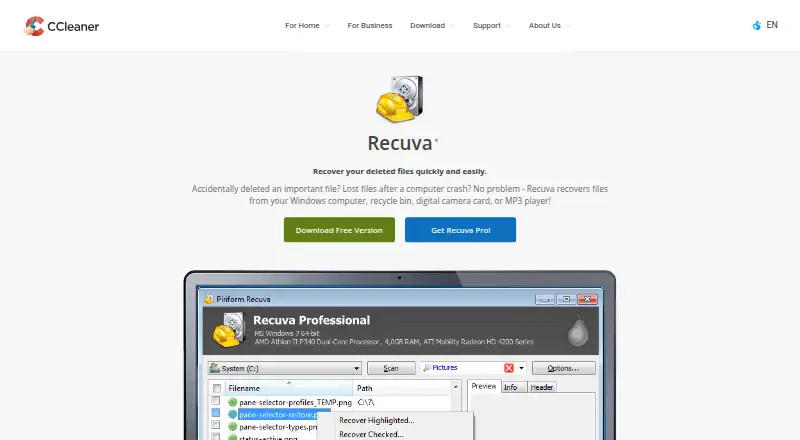
Recuva is a Windows file recovery tool with a free plan and a paid Professional plan. It can recover files from a Windows computer, the Recycle Bin, memory cards, USB drives, external hard drives, digital camera cards, music players, and virtual hard drives. Its listed operating systems are Windows 10, 8.1, 7, Vista, and XP. Memory card recovery is supported, and file preview lets users inspect files during recovery. The Recuva Free plan includes advanced file recovery. Recuva Professional costs ₹990 per month and adds virtual hard drive support, automatic updates, and priority support alongside advanced file recovery. The product is listed for Windows, so its platform scope is limited to Windows users. Its recovery sources span the computer itself as well as removable and external storage. The plan information lists the free tier and the Professional option, with virtual hard drive support only among the stated Professional features.
Who it suits
Recuva suits Windows users who need to recover files from a computer or listed removable and external storage. It also supports memory card recovery and file preview.
What it does well
- Free plan includes advanced file recovery.
- Supports memory card recovery.
- Lists a wide range of recovery sources.
- File preview is available.
- Supports Windows XP through Windows 10.
What to know first
- Listed platform is Windows only.
- Professional costs ₹990 per month.
Limits
The free plan lists advanced file recovery. Virtual hard drive support, automatic updates and priority support are listed with Professional at ₹990 a month. Recovery may not produce whole, usable files, and Recuva cannot repair files that are damaged or overwritten.
Plans
| Plan | Billed and limits | Price |
|---|---|---|
| Recuva Free | Advanced file recovery · home use only | Free |
| Recuva Professional | USD 24.95 · Advanced file recovery · virtual hard drive support · automatic updates · priority support · home use only | $24.95, paid once |
As ccleaner.com lists them, read 8 Oct 2026. The maker's own page has the final word.
Getting started
- Open the Recuva website.
- Download Recuva for a supported Windows system.
- Install and open the app on the Windows computer.
- Choose the storage location to scan, such as the computer, Recycle Bin or a connected drive.
- Use Deep Scan when you want to search for traces of deleted files; it may take hours.
- Restore recovered files to another drive to reduce the risk of overwriting files being recovered.
Verdict
Recuva covers recovery from computers and a range of removable or external storage, with file preview and a free plan. The paid Professional plan adds virtual hard drive support, automatic updates, and priority support.
Questions
Is Recuva free?
Yes. Recuva has a free plan listed as free, with advanced file recovery.
How much does Recuva Professional cost?
Professional is listed at ₹990 a month. It includes advanced file recovery, virtual hard drive support, automatic updates and priority support.
Which operating systems does Recuva support?
The listed systems are Windows 10, 8.1, 7, Vista and XP, including 32-bit and 64-bit editions. RT tablet editions are excluded.
Can Recuva recover files from memory cards and USB drives?
Yes. Memory card recovery is supported, and USB drives are among its listed recovery sources.
Can Recuva recover files from phones or across a network?
It cannot recover data over a network or from iOS devices. Android recovery is limited to devices connectable by UMS, which most Android devices do not use.
Who makes Recuva?
CCleaner identifies Recuva as one of its products and says CCleaner became part of Gen in November 2023.
Facts from Recuva's own pages
- Business use
- The download page says Recuva Free and Professional are for home use only and points business users to Recuva for Business. · ccleaner.com, 8 Oct 2026
- Damaged and formatted drives
- The product page says Recuva can recover files from damaged or newly formatted drives. · ccleaner.com, 8 Oct 2026
- Data processing
- The maker's Products Policy says Recuva processes service and device data including IP address, product usage events, license key, OS version, location, application version, install date, and hardware data. · ccleaner.com, 8 Oct 2026
- Deep Scan
- Deep Scan searches drives for traces of deleted files and can take much longer than a normal scan, possibly hours. · support.ccleaner.com, 8 Oct 2026
- File types and media
- It can recover pictures, music, documents, videos, emails, and other file types from rewriteable media such as memory cards, external hard drives, and USB sticks. · ccleaner.com, 8 Oct 2026
- Free plan
- Yes · ccleaner.com, 21 Sept 2026
- Maker
- CCleaner identifies Recuva as one of its products and says CCleaner became part of Gen in November 2023. · ccleaner.com, 8 Oct 2026
- Memory card recovery
- Yes · ccleaner.com, 21 Sept 2026
- Network and mobile limits
- Recuva cannot recover data over a network or from iOS devices; Android recovery is limited to devices connectable by UMS, which the support page says most Android devices do not use. · support.ccleaner.com, 8 Oct 2026
- Operating systems
- Windows 10,8.1,7,Vista and XP · ccleaner.com, 21 Sept 2026
- File preview
- Yes · ccleaner.com, 21 Sept 2026
- Purpose
- Recuva recovers deleted files from Windows computers, recycle bins, digital camera cards, and MP3 players. · ccleaner.com, 8 Oct 2026
- Recovery destination
- The support page recommends restoring recovered files to another drive to avoid overwriting the files being recovered. · support.ccleaner.com, 8 Oct 2026
- Recovery limits
- Recuva cannot guarantee that a particular file will be recovered whole and usable, and cannot repair recovered files that are damaged or overwritten. · support.ccleaner.com, 8 Oct 2026
- Secure deletion
- Recuva can securely overwrite deleted files, but its support page says this process should not be used on SSDs because it may be ineffective and could damage the drive. · support.ccleaner.com, 8 Oct 2026
- Recovery sources
- Windows computer,Recycle Bin,memory cards,USB drives,external hard drives,digital camera cards,music players,virtual hard drives · ccleaner.com, 21 Sept 2026
- Supported file systems
- Recuva works with NTFS, FAT, and exFAT formatted drives. · support.ccleaner.com, 8 Oct 2026
- Windows requirements
- The current download page lists Windows 10, 8.1, 7, Vista, and XP, including 32-bit and 64-bit editions, excluding RT tablet editions. · ccleaner.com, 8 Oct 2026
Where Recuva stands on Freedom251
- Data recovery software#19 of 128
- Photo Recovery Software#21 of 44
- Photo recovery software#26 of 46
- SD Card Recovery Software#31 of 54
- SD card recovery software#30 of 52