Freedom251 › Photo Recovery Software
Lexar Recovery Tool
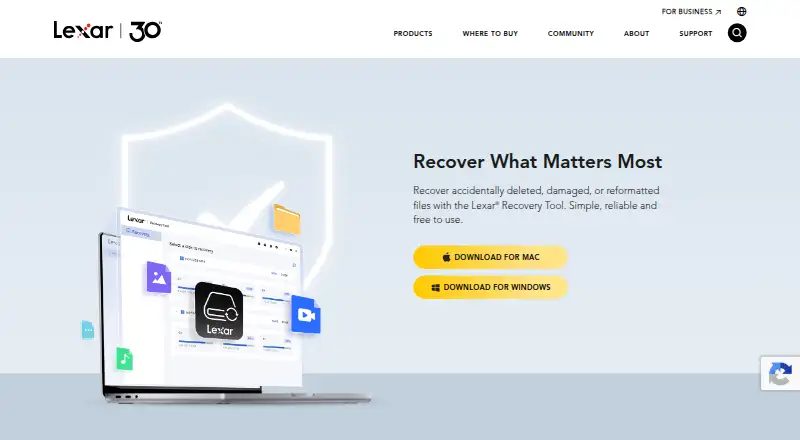
What Lexar Recovery Tool is
Lexar Recovery Tool is a file recovery utility for files that were accidentally deleted, damaged, or lost after reformatting. It can scan memory cards, USB flash drives, SSDs, portable drives, and devices from manufacturers other than Lexar. Supported file categories include photos, documents, video, and audio, with examples such as JPG, PDF, MP4, and MP3. Lexar also lists camera formats including CR2/CR3, NEF, ARW, RAF, RW2, OFR, DNG, BRAW, MOV, and SRW/MP. The workflow is to choose a storage device, scan for lost files, then preview and recover results. Versions are available for Windows and macOS, and the tool supports file preview. It is free to download, with no license required. Recovery is not assured in every case; encrypted or unmountable disks, full formatting, malware infection, physical damage, and some devices with Trim enabled are listed as unsupported. Lexar advises avoiding further use of a drive after data loss and installing the tool on another disk to avoid overwriting recoverable data.
Who it suits
It may suit people trying to recover files from memory cards, USB drives, SSDs, or portable drives on Windows or macOS. It is not intended for the listed unsupported situations, such as physically damaged or encrypted disks.
What it does well
- Free to download; no license required
- Supports memory cards, USB drives, SSDs, and portable drives
- Works with non-Lexar devices
- Previews files before recovery
- Supports Windows and macOS
What to know first
- Recovery is not guaranteed in every case
- Encrypted or unmountable disks are unsupported
- Full formatting and physical damage are unsupported
- Some devices with Trim enabled are unsupported
Limits
Recovery is not guaranteed in every case. Encrypted or unmountable disks, full formatting, malware infection, physical disk damage, and certain devices with Trim enabled are listed as unsupported situations.
Plans
| Plan | Billed and limits | Price |
|---|---|---|
| Lexar Recovery Tool | Free to download · no license required | Free |
As americas.lexar.com lists them, read 5 Oct 2026. The maker's own page has the final word.
Getting started
- Download the Windows or macOS version from Lexar's Recovery Tool page.
- Install it on a disk other than the one where data was lost.
- Select the storage device containing the lost files.
- Scan for lost or deleted files.
- Preview found files and recover the files you need.
Verdict
Lexar Recovery Tool covers several common storage devices and file types, with a preview step before recovery. Recovery is conditional, and Lexar recommends limiting use of the affected drive and installing the tool elsewhere.
Questions
How much does Lexar Recovery Tool cost?
It is free to download, and no license is required.
Which operating systems does it support?
Lexar provides versions for Windows and macOS.
What storage devices can it scan?
It supports memory cards, USB flash drives, SSDs, and portable drives, including non-Lexar devices.
What kinds of files can it recover?
It supports photo, document, video, and audio files, including formats such as JPG, PDF, MP4, and MP3. The page also lists camera formats including CR2/CR3, NEF, ARW, RAF, RW2, OFR, DNG, BRAW, MOV, and SRW/MP.
Can I preview files before recovery?
Yes. The workflow includes previewing files before recovering them.
Are there situations where recovery is unsupported?
Lexar lists encrypted or unmountable disks, full formatting, malware infection, physical disk damage, and certain devices with Trim enabled as unsupported situations.
Facts from Lexar Recovery Tool's own pages
- Camera formats
- The page lists camera RAW formats including CR2/CR3, NEF, ARW, RAF, RW2, OFR, DNG, BRAW, MOV, and SRW/MP. · americas.lexar.com, 5 Oct 2026
- Company
- Lexar says it was founded in California in 1996. · lexar.com, 5 Oct 2026
- Download platforms
- Lexar provides Mac and Windows versions of the Recovery Tool. · americas.lexar.com, 5 Oct 2026
- File types
- It supports photo, document, video, and audio files, including formats such as JPG, PDF, MP4, and MP3. · americas.lexar.com, 5 Oct 2026
- Founded
- 1996 · americas.lexar.com, 28 Sept 2026
- Install location
- Lexar advises against installing the program on a disk where data loss occurred, to avoid overwriting data that might be recoverable. · americas.lexar.com, 5 Oct 2026
- Purpose
- The tool recovers accidentally deleted, damaged, or reformatted files. · americas.lexar.com, 5 Oct 2026
- Recovery advice
- Lexar says recovery success depends partly on device use and advises against continuing to use a drive containing lost files. · americas.lexar.com, 5 Oct 2026
- Recovery caveat
- Lexar says recovery is not guaranteed in every case, though most data can typically be recovered using the tool. · americas.lexar.com, 5 Oct 2026
- Storage devices
- It can recover files from memory cards, USB flash drives, SSDs, and portable drives, including non-Lexar devices. · americas.lexar.com, 5 Oct 2026
- Support
- The product page says recovery time depends on storage-device size and the amount of data. · americas.lexar.com, 5 Oct 2026
- Unsupported cases
- The page lists encrypted or unmountable disks, full formatting, malware infection, physical disk damage, and certain devices with Trim enabled among unsupported situations. · americas.lexar.com, 5 Oct 2026
- Workflow
- The listed steps are to select a storage device, scan for lost or deleted files, then preview and recover files. · americas.lexar.com, 5 Oct 2026
Where Lexar Recovery Tool stands on Freedom251
- Photo Recovery Software#9 of 44
- SD card recovery software#12 of 52
- SD Card Recovery Software#13 of 54
- Photo recovery software#17 of 46