Freedom251 › Disk Defragmentation Software

Disk SpeedUp
What Disk SpeedUp is
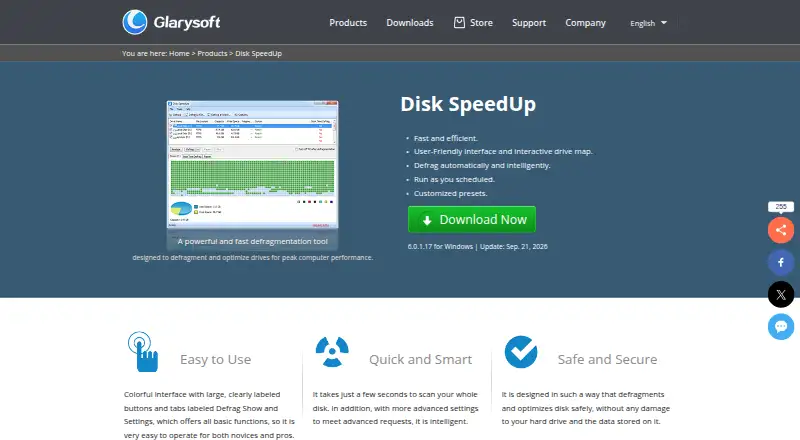
Disk SpeedUp is a free Windows utility for analyzing disks, defragmenting them, and optimizing selected files or folders. An interactive drive map displays fragmentation results. Users can choose modes for placing less frequently accessed files or prioritizing frequently used files, then schedule an action by selecting its type, frequency, time, and drives. It can also defragment system files at boot, including page files, registry hives, and hiberfil.sys. SSD optimization settings are available, though the knowledge base says defragmenting an SSD is not recommended because it may shorten its lifespan. Supported file systems are FAT 16/32 and NTFS. Users can exclude files and folders, enable the Windows Explorer context-menu option through Glary Utilities settings, and configure an automatic shutdown after defragmentation. The download page lists version 6.0.1.17. Glarysoft says it usually responds to technical questions and bug reports within one or two business days.
Who it suits
Disk SpeedUp suits Windows users who want to analyze drives, schedule defragmentation, or optimize file placement. Its SSD warning is important for anyone managing solid-state drives.
What it does well
- Shows fragmentation in an interactive drive map.
- Supports scheduled and boot-time defragmentation.
- Users can exclude files and folders.
- Can shut down the computer after a run.
What to know first
- Defragmenting SSDs may reduce their lifespan.
- Supports FAT 16/32 and NTFS only.
Plans
| Plan | Billed and limits | Price |
|---|---|---|
| Disk SpeedUp | Freeware · Windows 11, 10, 8, 7, 2000, XP, Vista · 32/64-bit | Free |
| Disk SpeedUp Freeware | Windows 11, 10, 8, 7, 2000, XP and Vista · 32/64-bit · 9.49 MB | Free |
As glarysoft.com lists them, read 29 Sept 2026. The maker's own page has the final word.
Getting started
- Visit the Disk SpeedUp website.
- Get the free Windows freeware listed on its download page.
- Analyze a drive and review fragmentation in the drive map.
- Choose a defragmentation mode or schedule an action for selected drives.
Disk SpeedUp is a free Windows utility for analyzing and defragmenting complete drives or selected files and folders. It suits people maintaining conventional hard disks who want scheduled jobs, boot-file handling, and control over placement priorities. It is less suitable for SSD-focused maintenance, where its own guidance calls for caution.
Overview
Disk SpeedUp combines a visual fragmentation analyzer with drive and file-level defragmentation. An interactive drive map gives a more useful basis for deciding whether maintenance is needed than a single percentage, while support for FAT 16/32 and NTFS covers common Windows file systems. Glarysoft says the utility is designed to optimize disks without damaging the drive or stored data.
The product is freeware for Windows, including Windows 11, 10, 8, 7, 2000, XP, and Vista, in both 32- and 64-bit versions. The current download is version 6.0.1.17, a 9.49 MB release dated September 21, 2026. Glarysoft says it generally answers technical questions and bug reports within one or two business days.
Key features
Analysis and placement
Disk SpeedUp can process an entire drive or individual files and folders. Its basic defragmentation is supplemented by modes that favor frequently accessed files or place less frequently accessed files together. That distinction gives users a practical way to prioritize everyday responsiveness or organize infrequently used data, although it remains a focused defragmenter rather than a broader storage-management suite.
Scheduled and boot-time work
Scheduling lets you select the action, recurrence, time, and drives, and automatic optimization supports recurring maintenance without manual starts. Boot-time processing handles system files that Windows cannot freely rearrange during normal operation, including page files, registry hives, and hiberfil.sys. These options are valuable for administrators of traditional hard drives who want maintenance to happen outside active work sessions.
Control and Windows integration
Exclusion lists allow specific files and folders to be skipped, useful when a particular dataset should not be moved. You can enable Disk Defrag in the Windows Explorer context menu through Glary Utilities settings, making targeted runs available from a folder or drive view. Automatic shutdown after completion is convenient for long jobs run overnight or before leaving a workstation unattended.
SSD guidance
The application includes SSD optimization settings, but Glarysoft's knowledge base says defragmenting SSDs is not recommended because it may reduce their lifespan. Owners of solid-state drives should therefore avoid treating the presence of an SSD option as a reason to run conventional defragmentation; the utility's strongest fit is mechanical storage.
Pricing
Disk SpeedUp costs nothing under its Freeware plan. The plan covers Windows 11, 10, 8, 7, 2000, XP, and Vista on 32- or 64-bit systems, with no paid tier or trial period to weigh. It includes scheduled, automatic, and boot-time optimization, supports both drive types, and offers multi-filesystem support. That makes it a straightforward choice for a household or office that needs Windows hard-drive maintenance without a subscription. The trade-off is scope rather than a quota: it is Windows-only, and SSD defragmentation still carries the maker's warning.
Platforms
Disk SpeedUp runs on Windows 11, 10, 8, 7, 2000, XP, and Vista, with 32-bit and 64-bit support. It is not offered as a macOS, Linux, web, or self-hosted utility.
Who it's for
Choose Disk SpeedUp if you maintain Windows PCs with conventional hard drives and want visual analysis, recurring schedules, boot-file processing, exclusions, and file-placement priorities in one free utility. It is also sensible when automatic shutdown or Explorer integration fits an unattended maintenance routine.
Look elsewhere if your environment is primarily SSD-based and you want a tool whose central guidance is built around solid-state storage, or if you need support beyond Windows. Users who only want occasional, basic defragmentation may find its scheduling and placement controls more than they require.
Pros and cons
- Pro: Scheduling specifies the action, frequency, time, and drives, enabling repeatable maintenance.
- Pro: Boot-time processing reaches page files, registry hives, and hiberfil.sys that ordinary runs cannot handle as freely.
- Pro: Interactive maps, placement modes, and exclusions provide more control than a single one-click defrag.
- Pro: Freeware licensing covers a wide range of Windows versions and both 32- and 64-bit systems.
- Con: Glarysoft warns that SSD defragmentation may reduce lifespan, limiting the product's safe role on solid-state drives.
- Con: Windows-only availability excludes users seeking cross-platform or web maintenance.
Alternatives
For a broader comparison of defragmenters, browse Disk Defragmentation Software.
- Puran Defrag is another free Windows option, with directory consolidation limited to NTFS partitions.
- WinContig fits users wanting freeware for personal or commercial use on unlimited Windows computers without registration or payment.
- e4defrag is the Linux choice for Ext4 files, with swap files, lost+found files, and files in indirect blocks unsupported.
- Btrfsmaintenance targets Linux or self-hosted Btrfs maintenance through GPL-2.0 scripts.
- Autoruns is a free Windows utility for startup management rather than disk defragmentation.
- IObit Uninstaller is a freemium Windows tool for batch uninstalling applications and cleaning leftovers, not drive optimization.
- Auslogics Driver Updater focuses on Windows driver updates, with its free plan limited to one driver update at a time.
- Microsoft Quick Assist provides free remote assistance across Windows, macOS, and web support interactions rather than storage maintenance.
Verdict
Disk SpeedUp is a strong free pick for Windows users maintaining mechanical drives who value scheduling, boot-time system-file handling, and selective placement or exclusions. Choose it for that focused control and broad legacy Windows support. Look elsewhere when SSD maintenance is your priority or when you need Linux, macOS, web, or self-hosted coverage.
Verdict
Disk SpeedUp offers scheduling, boot-time processing, and several file-placement options for Windows drives. Its own knowledge base cautions against defragmenting SSDs, so consider that limitation before using those settings.
Questions
Is Disk SpeedUp free?
Yes. Its plan is listed as free as freeware.
Which platforms does it support?
Disk SpeedUp is for Windows. The plan lists Windows 11, 10, 8, 7, 2000, XP, and Vista in 32-bit and 64-bit.
Does it offer a free trial?
No. The product is listed as free and has no free trial.
Which file systems does it support?
The knowledge base lists FAT 16/32 and NTFS.
Can I schedule defragmentation?
Yes. You can choose the action, frequency, time, and drives.
What does it say about SSD defragmentation?
It offers SSD optimization settings, while its knowledge base says defragmenting SSDs is not recommended because it may reduce their lifespan.
Facts from Disk SpeedUp's own pages
- API and SDKs
- The available product documentation describes no public Disk SpeedUp API, SDK or self-hosting deployment model. · glarysoft.com, 15 Oct 2026
- Automatic defrag
- An automatic mode can defragment selected drives while the computer is idle and pause when CPU or disk usage becomes high. · softpedia.com, 15 Oct 2026
- Automatic shutdown
- It can shut down the computer automatically after defragmentation finishes. · glarysoft.com, 29 Sept 2026
- Boot files
- It supports boot-time defragmentation of system files, including page files, registry hives, and hiberfil.sys. · glarysoft.com, 29 Sept 2026
- Boot-time defrag
- Disk SpeedUp can defragment boot files, page files, registry hives and hiberfil.sys before Windows fully starts. · glarysoft.com, 15 Oct 2026
- Company activity
- Crunchbase describes Glarysoft as a software-development company offering multimedia, system and network applications. · crunchbase.com, 15 Oct 2026
- Company headquarters
- Crunchbase lists Glarysoft's headquarters in Beijing, Beijing, China. · crunchbase.com, 15 Oct 2026
- Company legal name
- Crunchbase identifies the legal name as Glarysoft Ltd. · crunchbase.com, 15 Oct 2026
- Company size
- Crunchbase lists Glarysoft as a private company with 1–10 employees. · crunchbase.com, 15 Oct 2026
- Current release
- The download page lists version 6.0.1.17, a 9.49 MB file, released September 21, 2026. · glarysoft.com, 29 Sept 2026
- Defragmentation
- The product provides basic defragmentation and modes to optimize placement of less frequently accessed files or prioritize frequently used files. · glarysoft.com, 29 Sept 2026
- Defrag modes
- The documentation lists basic defrag, defrag and optimize, prioritize files and free-space defragmentation modes. · glarysoft.com, 15 Oct 2026
- Disk analysis
- It analyzes drive fragmentation and displays results through an interactive drive map. · glarysoft.com, 29 Sept 2026
- Documentation
- Glarysoft maintains a Disk SpeedUp knowledge-base article with interface guidance, operation steps, configuration instructions and version history. · glarysoft.com, 15 Oct 2026
- Exclusions
- Users can add files and folders to an exclusion list so they are skipped during defragmentation. · glarysoft.com, 29 Sept 2026
- Explorer integration
- The knowledge base describes an option to add Disk Defrag commands to the Windows Explorer context menu. · glarysoft.com, 15 Oct 2026
- File exclusions
- An exclusion list lets users prevent selected files and folders from being defragmented. · glarysoft.com, 15 Oct 2026
- File systems
- The knowledge base says it supports FAT 16/32 and NTFS file systems. · glarysoft.com, 29 Sept 2026
- File-system support
- The documentation says boot-file defragmentation supports FAT16, FAT32 and NTFS volumes. · glarysoft.com, 15 Oct 2026
- Interactive drive map
- The product displays fragmentation through an interactive drive map before and after defragmentation. · glarysoft.com, 15 Oct 2026
- License terms
- Glarysoft's EULA says the software is licensed rather than sold, forbids reverse engineering and permits backup copies. · glarysoft.com, 15 Oct 2026
- Limit: FreeSoft100 user report
- A FreeSoft100 reviewer reported some garbled characters and said an SD card did not appear in the defragmentation screen. · freesoft-100.com, 15 Oct 2026
- Limit: missing Prefetch option
- Computer Bild said the optimizer has no switch for including Prefetch data. · computerbild.de, 15 Oct 2026
- Limit: missing TRIM
- Computer Bild reported that Disk SpeedUp does not perform SSD TRIM operations. · computerbild.de, 15 Oct 2026
Where Disk SpeedUp stands on Freedom251
- Disk Defragmentation Software#5 of 20