Advanced SystemCare
What Advanced SystemCare is
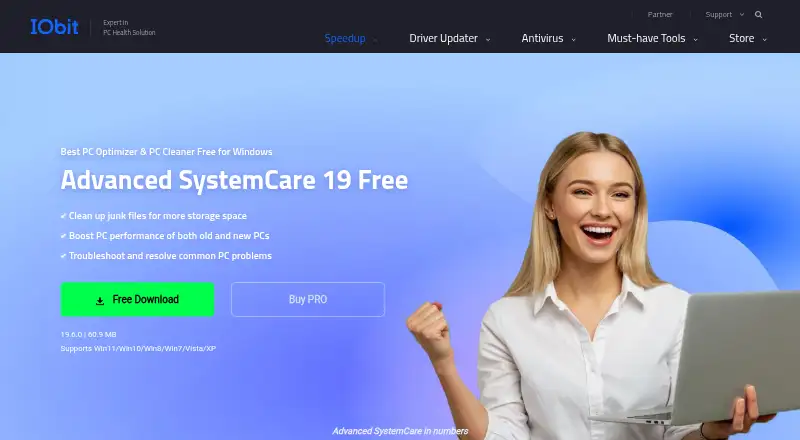
Advanced SystemCare is a Windows utility for cleaning junk, optimizing performance and troubleshooting common PC problems. Its free edition includes PC cleaning, startup optimization and resource optimization, and supports Windows 11, 10, 8, 7, Vista and XP. Cleanup tools include Registry Cleaner, Large File Finder, Disk Cleaner and App/Extension Cleaner. Startup Optimizer can disable or delay programs that launch with Windows, while AI mode identifies junk, logs, caches and leftover files. The product also lists scheduled maintenance, driver updates and restore-point tools. Privacy features can clear browsing history, cookies and saved passwords; protection features include real-time, browser and DNS protection. The free edition does not include some PRO features, including deep cleaning and premium technical support. PRO plans cover different PC counts and are billed yearly. The listed 1-PC PRO plan costs $16.77 a year, billed annually. Other listed annual prices are 18.99 USD for 2 PCs plus 1 free, 19.99 USD for 3 PCs and 29.99 USD for 5 PCs. A 7-day trial and 60-day money-back guarantee are listed.
Who it suits
Advanced SystemCare suits Windows users looking for cleanup, startup optimization and maintenance tools. Its PRO plans offer different PC counts, and some plans can be shared with family members.
What it does well
- Free edition supports Windows 11 through XP.
- Includes Registry Cleaner and Disk Cleaner.
- Startup Optimizer can disable or delay programs.
- Can clear browsing history, cookies and saved passwords.
- PRO plans list a 60-day money-back guarantee.
What to know first
- Free edition lacks deep cleaning.
- Free edition lacks premium technical support.
- Paid plans are yearly subscriptions.
Limits
The free edition lacks deep cleaning and premium technical support, and the listed device limit is one. The listed 1-PC PRO plan costs $16.77 a year, billed annually; the 2-PC, 3-PC, and 5-PC plans are also listed, with the 2-PC offer including one additional PC free.
Plans
| Plan | Billed and limits | Price |
|---|---|---|
| Free | PC cleaning · Startup optimization · Resource optimization | Free |
| Pro — 1 PC | 1 PC | On request |
| Pro — 1 PC | 1 PC | On request |
| Pro — 2 PCs + 1 PC Free | 3 PCs | Free |
| Pro — 3 PCs | 3 PCs | On request |
| Pro — 3 PCs | 3 PCs | On request |
| Pro — 5 PCs | 5 PCs | On request |
| Pro — 5 PCs | 5 PCs | On request |
The first 8 of 13 plans, as iobit.com lists them, read 20 Sept 2026. The maker's own page has the final word. Every plan
Getting started
- Visit the Advanced SystemCare website.
- Choose the free Windows edition or a PRO plan.
- For PRO, select the PC count that fits your devices.
- A 7-day trial is listed.
Overview
Advanced SystemCare is a Windows maintenance utility that combines cleanup, startup management, privacy controls, and security features. It is best for Windows users who want routine PC upkeep in one package rather than a dedicated cleaner. The free edition covers basic cleaning and optimization; deeper cleaning and premium technical support require PRO.
Key features
Cleanup tools include Registry Cleaner, Large File Finder, Disk Cleaner, and App/Extension Cleaner. AI mode identifies junk, logs, caches, and leftover files, while scheduled maintenance and restore-point tools support ongoing upkeep. This range can reduce the need to juggle separate maintenance utilities, but the free tier’s omission of deep cleaning limits its appeal for users seeking the fullest cleanup capability.
Startup Optimizer can disable or delay programs that launch unnecessarily, and Internet Boost adjusts settings for Internet Explorer, FireFox, Opera, and Edge. Privacy controls can clear browsing history, cookies, and saved passwords; privacy and browser features cover 200+ programs and browsers. Security features include real-time, browser, and DNS protection, Face ID, and email protection for Gmail, Outlook, and Yahoo. Driver updates round out the toolkit. The breadth is useful for users who want these controls together, though the product is limited to Windows.
Pricing
The Free plan costs nothing and includes PC cleaning, startup optimization, and resource optimization. It is a sensible starting point for basic upkeep, but it lacks deep cleaning and premium technical support. A 7-day trial is offered, and PRO plans are sold yearly for 1, 2, 3, or 5 PCs, with a 60-day money-back guarantee.
| Plan | Price | Fit |
|---|---|---|
| Advanced SystemCare PRO 1 PC | $16.77 a year | One-PC households wanting PRO features. |
| Advanced SystemCare PRO 2 PCs + 1 PC Free | $18.99 a year | Two-PC buyers who can use the extra PC license; the offer is shareable with family. |
| Advanced SystemCare PRO 3 PCs | $19.99 a year | Three-PC use, with priority support and family sharing. |
| Advanced SystemCare PRO 5 PCs | $29.99 a year | Five-PC households, with priority support and family sharing. |
The 1-PC plan is the lowest-cost route to PRO. The 2-PC-plus-1-free offer adds a third PC for $18.99 a year, while the 3-PC plan costs slightly more and includes priority support. The 5-PC tier costs more overall but spreads coverage across more devices. All prices are yearly; no monthly option is offered.
Platforms
The product supports Windows 11, 10, 8, 7, Vista, and XP. It does not serve users choosing a Mac, phone, or tablet utility.
Who it's for
Choose Advanced SystemCare if you use Windows and want cleanup, startup controls, privacy features, and security tools under one roof, with a free edition for basic tasks. It is less suited to anyone who needs deep cleaning without paying, premium support in the free tier, or software for non-Windows devices.
Pros and cons
- Pro: The free edition combines cleaning, startup optimization, and resource optimization at no cost, making basic upkeep accessible without a paid plan.
- Pro: Scheduled maintenance, restore-point tools, driver updates, and cleanup controls cover more than one maintenance task.
- Pro: The 2-PC-plus-1-free offer extends coverage to three PCs for $18.99 a year and can be shared with family.
- Con: Deep cleaning and premium technical support are excluded from the free edition, so users wanting those capabilities must move to PRO.
- Con: Windows-only support rules it out for people maintaining macOS or mobile devices.
Alternatives
CCleaner suits readers who want a freemium cleaner across Android, iOS, macOS, and Windows; its Free plan includes standard privacy protection, standard cleaning, and a basic Health Check.
Microsoft PC Manager is a free Windows alternative for readers who prefer a free-only option.
Wise Care 365 is worth considering for Windows users who want its free plan’s one-click checkup, hardware inventory, privacy protection, real-time monitoring, and automatic updates.
Glary Utilities offers a free Windows plan with computer speed, repair, privacy, and manual updating tools; consider it if those are the capabilities you need.
Kudu may suit readers seeking a cross-platform, MIT-licensed free desktop app with core maintenance tools and no account requirement.
Auslogics BoostSpeed has a free plan for diagnostics and essential optimization, including basic junk and registry cleanup and disk defragmentation.
Process Lasso is another Windows freemium option.
Snappy Driver Installer Origin is a free Windows option for readers focused on driver installation; driver packs are not included in its application ZIP.
For more choices, see PC Optimization Software.
Verdict
Advanced SystemCare is a reasonable fit for Windows users who want a broad maintenance toolkit and can start with basic free cleanup before deciding whether PRO is worthwhile. Its main advantage is the combination of cleanup, startup, privacy, and security tools; look elsewhere if you need deep cleaning or premium support without paying, or require support beyond Windows.
Verdict
Advanced SystemCare offers basic cleaning and optimization in its free Windows edition, with additional features in yearly PRO plans. The listed 1-PC PRO option is $16.77 a year, billed annually.
Questions
Is Advanced SystemCare free?
Yes. A free Windows edition is available for PC cleaning, startup optimization, and resource optimization.
How much does PRO cost?
The listed 1-PC PRO plan costs $16.77 a year, billed annually. Other listed annual prices are 18.99 USD for 2 PCs plus 1 free PC, 19.99 USD for 3 PCs, and 29.99 USD for 5 PCs.
Which Windows versions does it support?
The free product supports Windows 11, 10, 8, 7, Vista, and XP.
What is limited in the free edition?
It lacks some PRO features, including deep cleaning and premium technical support.
Can a PRO plan cover multiple PCs?
Yes. The listed PRO options cover 1, 2, 3, or 5 PCs; the 2-PC offer includes one additional PC free. The 2-PC, 3-PC, and 5-PC offers state they can be shared with family members.
Is there a trial or refund policy?
A 7-day trial is listed, and the PRO page states a 60-day money-back guarantee.
Facts from Advanced SystemCare's own pages
- Browser optimization
- Internet Boost supports Internet Explorer, FireFox, Opera, and Edge settings. · iobit.com, 28 Sept 2026
- Cleanup features
- Cleanup tools include Registry Cleaner, Large File Finder, Disk Cleaner, and App/Extension Cleaner. · iobit.com, 28 Sept 2026
- Company history
- The PRO page says Advanced SystemCare is trusted for 20 years. · iobit.com, 28 Sept 2026
- Device limit
- 1 · iobit.com, 20 Sept 2026
- Driver updates
- Yes · iobit.com, 20 Sept 2026
- Email integration
- The comparison lists email protection for Gmail, Outlook, and Yahoo. · iobit.com, 28 Sept 2026
- Founded
- 2004 · iobit.com, 23 Sept 2026
- Free plan
- Yes · iobit.com, 20 Sept 2026
- Free tier
- A free Windows edition cleans junk, boosts performance, and troubleshoots common PC problems. · iobit.com, 28 Sept 2026
- Free tier limits
- The free edition lacks several PRO features, including deep cleaning and premium technical support. · iobit.com, 28 Sept 2026
- Headquarters
- San Francisco, California, United States · iobit.com, 23 Sept 2026
- Junk cleanup
- Yes · iobit.com, 20 Sept 2026
- Maintenance features
- AI mode identifies and removes junk, logs, caches, and leftover files. · iobit.com, 28 Sept 2026
- Platform support
- The free product supports Windows 11, 10, 8, 7, Vista, and XP. · iobit.com, 28 Sept 2026
- Pricing basis
- PRO plans are offered for 1, 2, 3, or 5 PCs and displayed as yearly prices. · iobit.com, 28 Sept 2026
- Priority support
- Priority support is listed for the 3-PC and 5-PC PRO plans. · iobit.com, 28 Sept 2026
- Privacy controls
- The product can clear online traces, including browsing history, cookies, and saved passwords. · iobit.com, 28 Sept 2026
- Refund policy
- The PRO page states a 60-day money-back guarantee. · iobit.com, 28 Sept 2026
- Restore-point tools
- Yes · iobit.com, 20 Sept 2026
- Scheduled maintenance
- Yes · iobit.com, 20 Sept 2026
- Security features
- Security features include real-time protection, browser protection, DNS protection, and Face ID. · iobit.com, 28 Sept 2026
- Family sharing
- The 2-PC, 3-PC, and 5-PC PRO offers state that they can be shared with family members. · iobit.com, 28 Sept 2026
- Startup management
- Startup Optimizer can disable or delay unnecessary programs launched at startup. · iobit.com, 28 Sept 2026
- Startup manager
- Yes · iobit.com, 20 Sept 2026
Where Advanced SystemCare stands on Freedom251
- PC optimisers#8 of 104
- PC Optimization Software#8 of 97