Freedom251 › PC Optimization Software

Wise Care 365
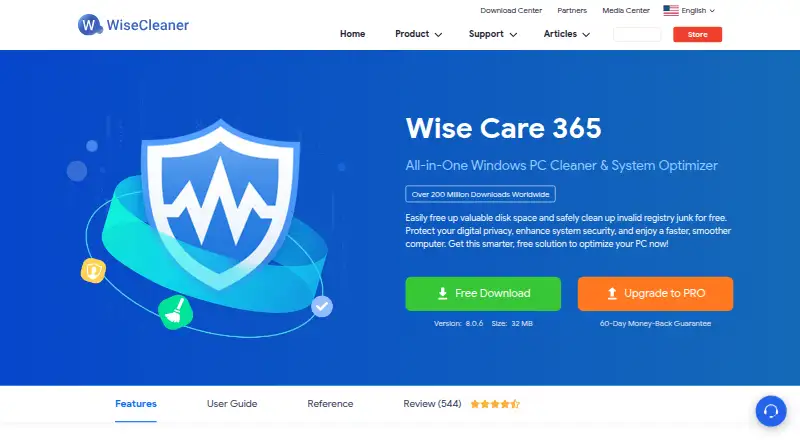
What Wise Care 365 is
Wise Care 365 is a Windows utility for cleaning and maintaining PCs. Its listed tools include junk cleanup, startup management, scheduled maintenance, and restore-point functions. The Free plan adds a one-click PC checkup, cleaning and speed optimization, hardware inventory, privacy protection, real-time system monitoring, and automatic updates. That provides a set of upkeep and monitoring functions without a paid plan. Wise Care 365 supports Windows 10 and 11. The Pro plan covers three PCs and costs $39.95 per year, billed for one year across three PCs. The Free plan is listed as free. The available feature information identifies these maintenance tools and supported Windows versions, but does not explain how individual tools operate or how often scheduled maintenance can run. For a Windows user considering it, the central distinction is the free feature set versus Pro coverage for three PCs.
Who it suits
It suits Windows 10 and 11 users looking for cleanup, startup management, monitoring, and other PC maintenance tools. Pro may suit someone covering three PCs under one plan.
What it does well
- Free plan includes a one-click PC checkup
- Includes junk cleanup and speed optimization
- Provides hardware inventory and privacy protection
- Real-time system monitoring and automatic updates included
- Pro covers three PCs
What to know first
- Supports Windows 10 and 11 only
- Pro costs $39.95 per year
Limits
The Free plan’s listed functions include checkup, cleanup, speed optimization, hardware inventory, privacy protection, real-time monitoring and automatic updates. Pro costs $39.95 a year and covers three PCs.
Plans
| Plan | Billed and limits | Price |
|---|---|---|
| Wise Care 365 Free | One-click PC Checkup · Cleaning and speed optimization · Hardware inventory · Privacy protection · Real-time system monitoring · Automatic updates | Free |
| Wise Care 365 Pro | 1 Year / 3 PCs · 3 PCs | $39.95 a year |
As wisecleaner.com lists them, read 20 Sept 2026. The maker's own page has the final word.
Getting started
- Visit the Wise Care 365 website.
- Choose the Free plan or the Pro plan for three PCs.
- Use Wise Care 365 on Windows 10 or Windows 11.
Wise Care 365 is a Windows utility for cleaning and maintaining a PC, with tools for startup management, scheduled maintenance and restore points. It suits Windows 10 and 11 users who want several routine maintenance functions in one app. Its free plan covers a broad set of core tasks, while the paid plan is aimed at use across three PCs.
Overview
Wise Care 365 brings cleanup, speed optimization, privacy protection and system monitoring together with hardware inventory and automatic updates. That breadth makes it a practical option for people who want a general-purpose maintenance utility rather than a tool focused on one job. Its Windows-only support rules it out for anyone maintaining a Mac, phone or other platform.
Key features
- Cleanup and optimization: Junk cleanup and cleaning and speed optimization address routine clutter and performance maintenance. These are useful core tasks, but the feature set does not establish a particular performance result.
- Startup manager: This gives users a way to manage what runs when Windows starts, a relevant control for PCs with unwanted startup activity.
- Scheduled maintenance: Scheduling suits users who prefer recurring upkeep over remembering to run maintenance manually.
- Restore-point tools: Restore-point support adds a recovery-related tool to the maintenance mix, rather than limiting the app to cleanup.
- Monitoring and inventory: Real-time system monitoring and hardware inventory make the Free plan useful beyond one-off cleanup, especially for users who want a view of system components and activity.
Pricing
Wise Care 365 Free costs nothing. It includes one-click PC Checkup, cleaning and speed optimization, hardware inventory, privacy protection, real-time system monitoring and automatic updates. This is a substantial starting point for an individual who wants the listed maintenance functions without a subscription.
Wise Care 365 Pro costs $39.95 a year, billed 1 Year / 3 PCs. The three-PC allowance makes it a better fit for someone maintaining several Windows computers than for a one-PC user. The plan details establish the seat count and annual term, but do not identify additional features over Free; buyers should weigh the paid option chiefly by its three-PC coverage.
Platforms
Wise Care 365 supports Windows 10 and 11. It is not a cross-platform choice, so households or teams maintaining mixed operating systems will need another option for non-Windows devices.
Who it's for
Choose Wise Care 365 if you use Windows 10 or 11 and want cleanup alongside startup management, scheduling, monitoring and restore-point tools. The Free plan is the sensible starting point for one user; Pro's three-PC term is more relevant when the same maintenance utility is needed on multiple PCs. Look elsewhere if you need support beyond Windows or a clearly differentiated set of paid features.
Pros and cons
Pros
- Wide free feature set: The free plan combines cleanup and optimization with inventory, privacy protection, monitoring and automatic updates.
- Maintenance beyond cleanup: Startup management, scheduling and restore-point tools broaden its usefulness for recurring PC upkeep.
- Three-PC Pro coverage: One annual plan covers three PCs, which suits users maintaining more than one computer.
Cons
- Windows only: Support is limited to Windows 10 and 11, excluding users who need a utility across other platforms.
- Pro's added value is unclear: The plan identifies three-PC coverage, but no Pro-only capabilities are established to distinguish it from Free.
Alternatives
PC Optimization Software is a useful place to compare more options in the category.
- CCleaner is a better fit if you need a utility across Android, iOS, macOS and Windows; its free tier includes standard cleaning, standard privacy protection and a basic health check.
- Advanced SystemCare suits Windows users focused on PC cleaning, startup optimization and resource optimization in a free plan.
- Microsoft PC Manager is an alternative if a free Windows PC maintenance app is the priority.
- Glary Utilities is worth considering for Windows users seeking free computer-speed, repair and privacy tools, with a Professional plan priced at $39.95 a year for three PCs.
- Kudu is an alternative with a free desktop app and support across Windows, macOS, Linux, web and API.
- Auslogics BoostSpeed may suit Windows users who want free diagnostics and essential optimization alongside basic junk and registry cleanup and disk defragmentation.
- Process Lasso is another Windows option, with a single-PC monthly plan at $4.95 a month and an annual plan at $24.95 a year.
- Snappy Driver Installer Origin is a free Windows choice for users specifically seeking a driver-installer tool; driver packs are not included in its application ZIP.
Verdict
Wise Care 365 is a sound fit for Windows 10 and 11 users who want a broad set of routine maintenance tools without paying to get started. Its strongest reason to choose it is the range of functions in Free; its main drawback is that Pro's stated distinction is three-PC coverage, with no additional Pro features identified. Start with Free for one PC, and consider Pro when three-PC coverage is the deciding need. Choose another app if you need broader platform support or a more clearly defined paid feature set.
Verdict
Wise Care 365 offers cleanup and maintenance functions in a free plan, with Pro listed for three PCs. The choice is between the Free feature set and Pro at $39.95 per year.
Questions
How much does Wise Care 365 cost?
The Free plan costs nothing. Pro costs $39.95 a year, billed for one year across three PCs.
Is there a free plan?
Yes. Wise Care 365 Free includes a one-click PC checkup, cleaning and speed optimization, hardware inventory, privacy protection, real-time system monitoring and automatic updates.
Which Windows versions does it support?
It supports Windows 10 and 11.
How many PCs does the Pro plan cover?
Pro covers three PCs.
Does it include scheduled maintenance and restore-point tools?
Yes. Scheduled maintenance and restore-point tools are among its listed functions.
What does the Free plan include?
It includes a one-click PC checkup, cleaning and speed optimization, hardware inventory, privacy protection, real-time system monitoring and automatic updates.
Facts from Wise Care 365's own pages
- Device limit
- 3 · wisecleaner.com, 20 Sept 2026
- Free plan
- Yes · wisecleaner.com, 20 Sept 2026
- Junk cleanup
- Yes · wisecleaner.com, 20 Sept 2026
- Restore-point tools
- Yes · wisecleaner.com, 20 Sept 2026
- Scheduled maintenance
- Yes · wisecleaner.com, 20 Sept 2026
- Paid from
- 39.95 · wisecleaner.com, 20 Sept 2026
- Startup manager
- Yes · wisecleaner.com, 20 Sept 2026
- Windows support
- windows 10 and 11 · wisecleaner.com, 20 Sept 2026
Where Wise Care 365 stands on Freedom251
- PC Optimization Software#9 of 97
- PC optimisers#13 of 104