Freedom251 › PC Optimization Software

Wise Disk Cleaner
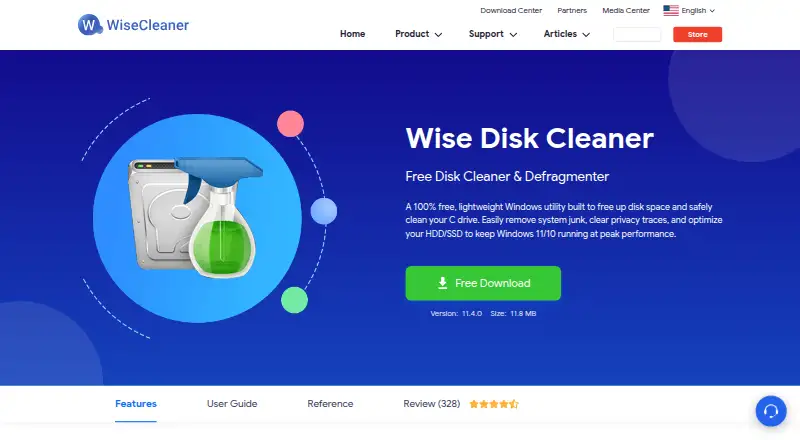
What Wise Disk Cleaner is
Wise Disk Cleaner is a free Windows utility for removing system junk, clearing privacy traces, freeing disk space, and optimizing HDDs and SSDs. Its cleanup can remove recently accessed files, Quick Access records, browser cache, history, and cookies. Safe Deletion overwrites deleted data to lower the risk of recovery by data recovery software. For drive maintenance, the software defragments HDDs and uses the native SSD TRIM command for SSDs. AutoClean can run daily, weekly, monthly, at system logon, or while the PC is idle, with junk items selectable. After enabling the desktop widget in settings, a user can launch cleanup with one click. The interface has Light and Dark modes and scaling from 100% to 200%. Supported systems include Windows 11, 10, 8/8.1, and 7 in both 32-bit and 64-bit editions. A portable version is offered. Wise Disk Cleaner is free to download and use, with a listed price of $0.
Who it suits
Wise Disk Cleaner suits Windows users who want scheduled cleanup, privacy-trace removal, or HDD and SSD maintenance. A portable version is available for users who prefer that option.
What it does well
- Free to download and use
- Schedules cleanup at several intervals and system events
- Defragments HDDs and uses SSD TRIM
- Offers a portable version
- Supports Windows 7 through 11
What to know first
- Windows only
- One-click widget must first be enabled in settings
Plans
| Plan | Billed and limits | Price |
|---|---|---|
| Wise Disk Cleaner | Free to download and use · Windows utility | Free |
As wisecleaner.com lists them, read 11 Oct 2026. The maker's own page has the final word.
Getting started
- Visit https://www.wisecleaner.com/wise-disk-cleaner.html.
- Download Wise Disk Cleaner for a supported Windows edition, or choose the portable version from the download center.
- Install or launch the utility on Windows.
- Select junk items and run a cleanup, or enable AutoClean scheduling.
- Enable the desktop widget in settings if you want one-click cleanup.
Verdict
Wise Disk Cleaner combines junk cleanup, privacy cleanup, and drive maintenance in a free Windows utility. Its listed system support includes Windows 7, 8/8.1, 10, and 11.
Questions
How much does Wise Disk Cleaner cost?
The listed plan costs nothing. The maker describes the software as free to download and use.
Which operating systems does it support?
The listed systems are Windows 11, 10, 8/8.1, and 7 in 32-bit and 64-bit editions.
Can it run cleanup automatically?
Yes. AutoClean can run daily, weekly, monthly, at system logon, or when the PC is idle, with selectable junk items.
Does it have a portable version?
Yes. The download center offers a portable version.
Who makes Wise Disk Cleaner?
The maker is listed as Wise Disk Cleaner. WiseCleaner says it was founded in 2005 by three programmers and develops system utility software for Windows computers.
Facts from Wise Disk Cleaner's own pages
- Company
- WiseCleaner says it was founded in 2005 by three programmers and develops system utility software for Windows computers. · wisecleaner.com, 11 Oct 2026
- Drive optimization
- The product defragments HDDs and uses the native SSD TRIM command for SSDs. · wisecleaner.com, 11 Oct 2026
- Founded
- 2005 · wisecleaner.com, 28 Sept 2026
- Free plan
- Yes · wisecleaner.com, 21 Sept 2026
- Free use
- The maker describes Wise Disk Cleaner as completely free to download and use. · wisecleaner.com, 11 Oct 2026
- Interface
- The interface offers Light and Dark modes and scaling from 100% to 200%. · wisecleaner.com, 11 Oct 2026
- Junk cleanup
- It scans for temporary files, outdated Windows updates, system logs, and uninstalled software residues. · wisecleaner.com, 11 Oct 2026
- One-click cleaning
- A desktop widget can run a cleanup with one click after the feature is enabled in settings. · wisecleaner.com, 11 Oct 2026
- Portable version
- The download center offers a portable version of Wise Disk Cleaner. · wisecleaner.com, 11 Oct 2026
- Privacy cleanup
- It can clear recently accessed files, Quick Access records, browser cache, history, and cookies. · wisecleaner.com, 11 Oct 2026
- Purpose
- Wise Disk Cleaner removes system junk, clears privacy traces, frees disk space, and optimizes HDDs and SSDs on Windows. · wisecleaner.com, 11 Oct 2026
- Restore-point tools
- Yes · wisecleaner.com, 21 Sept 2026
- Scheduled cleanup
- AutoClean can run daily, weekly, monthly, at system logon, or when the PC is idle, with selectable junk items. · wisecleaner.com, 11 Oct 2026
- Scheduled maintenance
- Yes · wisecleaner.com, 21 Sept 2026
- Secure deletion
- Its Safe Deletion mode overwrites deleted data to lower the risk of recovery by data recovery software. · wisecleaner.com, 11 Oct 2026
- Support
- The product page says support representatives are available around the clock and respond by email within 24 hours. · wisecleaner.com, 11 Oct 2026
- Supported systems
- The download page lists Windows 11, 10, 8/8.1, and 7 in 32-bit and 64-bit editions. · wisecleaner.com, 11 Oct 2026
- Windows support
- windows 10 and 11 · wisecleaner.com, 21 Sept 2026
Where Wise Disk Cleaner stands on Freedom251
- PC Optimization Software#11 of 97
- PC optimisers#12 of 104
- Disk Cleanup Software#15 of 22