
DriverPack Solution
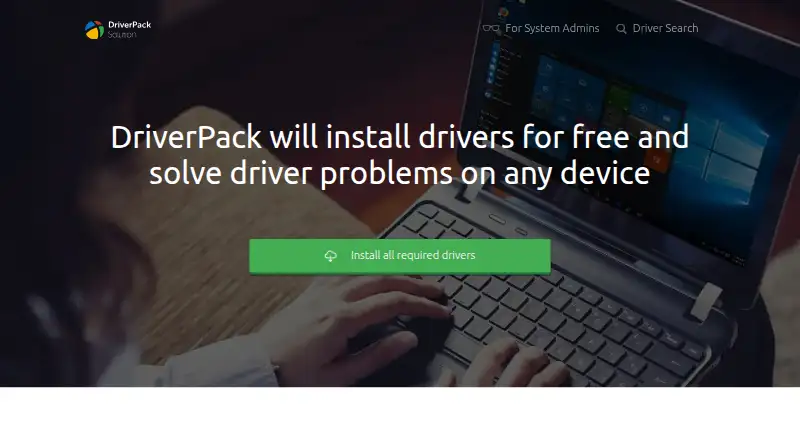
What DriverPack Solution is
DriverPack Solution is free Windows software for finding and installing drivers to help address computer driver problems. It automates driver setup, using machine learning to improve which versions it selects. Its database contains more than 1.1 million driver entries and covers computers, peripherals, mobile devices, networking, audio, video, and other equipment. DriverPack Online downloads and installs drivers when an internet connection is available. The Offline Network package contains LAN and Wi-Fi drivers, while Offline Full contains all drivers; both are designed to work without internet. Expert Mode provides extra settings and customization for advanced users and system administrators. The maker says DriverPack creates a restore point so users can return to the prior configuration if an installation problem occurs. Its Windows support includes versions from XP through Windows 11; a separate compatibility list also includes Windows 2000 and Vista. The license notes that installation may offer extra vendor software or changes to the home page or default search provider, subject to user consent.
Who it suits
DriverPack is aimed at both administrators and beginners who need help installing drivers on Windows computers. Its online and offline packages offer different options depending on internet availability.
What it does well
- Free software with online and offline packages
- Database contains more than 1.1 million driver entries
- Offline Network package includes LAN and Wi-Fi drivers
- Expert Mode offers extended settings and customization
- Restore point can support recovery from installation problems
What to know first
- Installation may offer additional vendor software
- Installation may offer home page or search-provider changes
Plans
| Plan | Billed and limits | Price |
|---|---|---|
| DriverPack | Free software; online and offline driver packages | Free |
| Free DriverPack | — | On request |
As driverpack.io lists them, read 3 Oct 2026. The maker's own page has the final word.
Getting started
- Visit the DriverPack website.
- Choose DriverPack Online if an internet connection is available; its download is listed as 8.42 MB.
- Choose Offline Network for LAN and Wi-Fi drivers or Offline Full for all drivers when working without internet.
- Use Expert Mode to access extended settings and customization.
Overview
DriverPack Solution is a free Windows utility that finds and installs drivers for computers and connected hardware. It is best suited to people setting up or repairing a machine who want automated driver installation, including when internet access is unavailable. Its broad package choices are useful, but optional software and browser-setting offers make careful attention during setup important.
Founded by Artur Kuzyakov as a project in 2008, DriverPack is used by more than 40 million people worldwide. Its database contains more than 1.1 million driver entries, and users have translated it into 45 languages. The scale and reach suit a general-purpose tool, though they do not remove the value of checking proposed installations for a particular machine.
Key features
DriverPack automates finding and installing driver versions, with machine learning used to improve driver selection. It covers computers, peripherals, mobile devices, networking, audio, video and other equipment. That breadth can make it a practical starting point for resolving driver problems across mixed hardware; users who need control over configuration can use Expert Mode for extended settings and customization.
DriverPack Online downloads and installs drivers with an internet connection and has a listed download size of 8.42 MB. Offline Network includes LAN and Wi-Fi drivers for computers without internet access, while Offline Full contains all drivers and also works offline. These choices make the product useful both for routine setup and for machines that cannot get online until network drivers are installed.
The maker says drivers are collected and tested from official sites, private FTP servers and user recommendations, and that DriverPack cooperates with device manufacturers and driver developers. It also says versions undergo examination and accreditation by Kaspersky Laboratory and that it cooperates with Avast and 360 Total Security. DriverPack Protect is intended to help guard against malware and adware programs and plug-ins. The maker says installations create a restore point, giving users a way back if an installation causes problems. System administrators have a dedicated option, and users can integrate alternative driverpacks.
Pricing
DriverPack is free of charge. The DriverPack plan costs nothing and includes online and offline driver packages, making it the straightforward choice for users who want the full package options without a subscription. A separate Free DriverPack plan is also described as available to everyone, with custom pricing; no different feature set is attached to it.
There is no free trial because the software is free. The important trade-off is not a paid tier or seat cap, but the installation process: the license allows offers for additional vendor software or changes to the home page or default search provider, subject to user consent. Review those prompts before accepting them.
Platforms
DriverPack supports Windows 11, 10, 8.1, 8, 7 and XP, and its Windows support also includes Vista and Windows 2000. It is a Windows-only choice, so users of macOS or Linux should look elsewhere. The stated hardware scope spans computers and a broad range of devices, including network, audio and video equipment.
Who it's for
DriverPack suits beginners who want automated driver setup as well as administrators who need offline packages or more configuration options. It is particularly useful when a computer lacks network access, since Offline Network can supply LAN and Wi-Fi drivers without an internet connection. Users who prefer a tightly focused tool for one hardware maker, or who want to avoid optional offers entirely, may prefer another approach.
Pros and cons
- Pro: Online, Offline Network and Offline Full packages cover both connected setup and offline recovery situations.
- Pro: The large driver database and broad hardware coverage make it applicable to more than a single device category.
- Pro: Expert Mode, a system-administrator option and alternative driverpack integration offer additional control beyond one-action setup.
- Con: The license permits optional software and browser-setting offers, so users need to read consent prompts rather than accept installation choices automatically.
- Con: Support is limited to Windows, excluding users seeking a cross-platform driver utility.
Alternatives
For a dedicated vendor utility, choose AMD Auto-Detect and Install Tool if the target machine has AMD Radeon graphics or Ryzen chipsets and runs Windows 11 version 21H2 or later, or Windows 10 64-bit version 1809 or later. Choose DriverHub for free Windows driver search and updates with automatic restore point creation and downloads, installation and updates.
DriverFinder is an option for Windows users who want a paid license for one PC at $29.95 a year or three PCs at $39.90 a year. DriverMax offers paid Windows plans, including unlimited driver installs for one computer at $4.95 a month or $10.39 a year. For a Windows updater limited to one driver update at a time on its free plan, consider Auslogics Driver Updater.
AVG Secure Browser is a freemium browser for Windows, macOS and Android with ad blocking, anti-tracking, private browsing and web protection, rather than a driver installer. Intel VTune Profiler is a free profiling tool for Linux, Windows and self-hosted use, not a driver updater. IObit Uninstaller is a Windows freemium uninstaller with batch removal and automatic leftover cleanup.
For more options, browse Game Driver Updaters, Driver Updater Software or PC Optimization Software.
Verdict
DriverPack is a strong fit for Windows users who need broad, automated driver installation and may have to work offline; its package choices and administrator controls are its clearest advantages. Look elsewhere if you need another operating system or do not want to navigate consent prompts for optional software and browser changes.
Verdict
DriverPack combines automated driver installation with online and offline package choices for a broad range of hardware. Review installation offers carefully, as the license permits optional software or browser-setting changes with consent.
Questions
How much does DriverPack Solution cost?
The DriverPack plan is listed as free. The software is provided free of charge.
Does DriverPack have a free plan or trial?
Yes, it has a free plan. No free trial is offered.
Which Windows versions does it support?
Its listed Windows support includes Windows 11, 10, 8.1, 8, 7, and XP. A separate compatibility list also includes Windows 2000 and Vista.
Can I install drivers without internet access?
Yes. Offline Network includes LAN and Wi-Fi drivers, and Offline Full contains all drivers; both work offline.
Who makes DriverPack Solution?
The maker is DriverPack Solution. Artur Kuzyakov is identified as its author and founder, and the project began in 2008.
Can installation include other software or browser changes?
The license says installation may offer additional vendor software or changes to the home page or default search provider, subject to user consent.
Facts from DriverPack Solution's own pages
- Administrator features
- Expert Mode offers advanced users and system administrators extended settings and customization options. · driverpack.io, 3 Oct 2026
- Alternative driverpacks
- Users can integrate alternative driverpacks into DriverPack. · driverpack.io, 27 Sept 2026
- Automatic setup
- The site describes configuring a computer with one simple action. · driverpack.io, 3 Oct 2026
- Automated operation
- The tool automates finding and installing driver versions. · driverpack.io, 27 Sept 2026
- Company origin
- The software began as a project written in 2008. · driverpack.io, 27 Sept 2026
- Driver database
- The maker says its driverpacks contain 7,121,042 manually selected and tested drivers. · driverpack.io, 3 Oct 2026
- Driver database
- The database contains more than 1.1 million driver entries. · driverpack.io, 27 Sept 2026
- Safety testing
- Driver entries have been tested for safety. · driverpack.io, 27 Sept 2026
- Driver selection
- The maker says machine learning is used to improve its driver selection algorithm. · driverpack.io, 3 Oct 2026
- Driver sources
- The maker says it cooperates with device manufacturers and driver developers, and collects and tests drivers from official sites, private FTP servers, and user recommendations. · driverpack.io, 3 Oct 2026
- Founded
- 2008 · driverpack.io, 23 Sept 2026
- Founder
- Artur Kuzyakov is the author and founder of DriverPack. · driverpack.io, 27 Sept 2026
- Free plan
- Yes · driverpack.io, 20 Sept 2026
- Free software
- DriverPack is provided free of charge. · driverpack.io, 27 Sept 2026
- Hardware coverage
- It covers computers, peripherals, mobile devices, networking, audio, video, and other equipment. · driverpack.io, 27 Sept 2026
- Intended users
- The maker describes DriverPack as made for administrators and also easy for beginners to use. · driverpack.io, 3 Oct 2026
- Language support
- Users translated the product into 45 languages. · driverpack.io, 27 Sept 2026
- Machine learning
- Machine learning is used to improve driver selection. · driverpack.io, 27 Sept 2026
- Malware protection
- DriverPack Protect helps protect against malware and adware programs and plug-ins. · driverpack.io, 27 Sept 2026
- Offline packages
- The Offline Network package contains LAN/Wi-Fi drivers and works without internet; Offline Full contains all drivers and also works offline. · driverpack.io, 3 Oct 2026
- Online package
- DriverPack Online downloads and installs drivers when an internet connection is available; the listed download size is 8.42 MB. · driverpack.io, 3 Oct 2026
- Optional software offers
- The license says installation may offer additional vendor software or changes to the home page or default search provider, subject to user consent. · driverpack.io, 3 Oct 2026
- Purpose
- DriverPack installs drivers and helps resolve computer driver problems. · driverpack.io, 3 Oct 2026
- Recovery
- The maker says DriverPack creates a restore point so users can return to the previously configured state after an installation problem. · driverpack.io, 3 Oct 2026
Where DriverPack Solution stands on Freedom251
- Driver updaters#2 of 37
- PC Optimization Software#24 of 97
- PC optimisers#26 of 104
- Game Driver Updaters#10 of 23
- Driver Updater Software#13 of 28