
Avira System Speedup
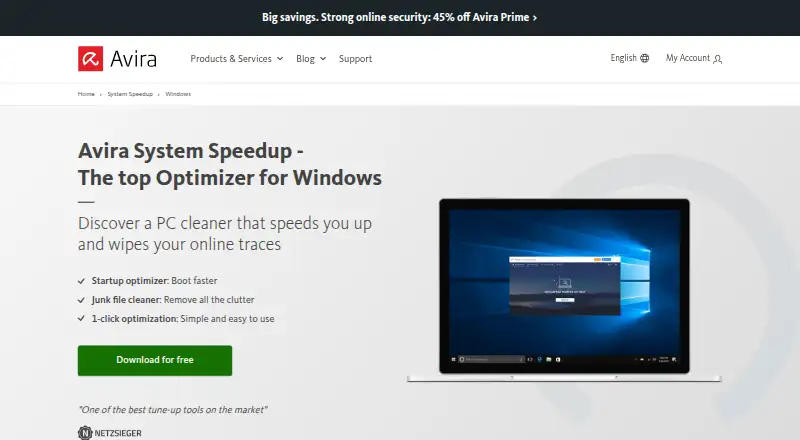
What Avira System Speedup is
Avira System Speedup is a cleanup and optimization product with a free version and Pro tools. Its Windows cleaner removes junk files, temporary data, browser traces, and other unnecessary data. Startup Guard manages programs that launch when Windows starts to help shorten startup time. The product also includes scheduled maintenance and restore-point tools. Avira says the Windows version has backup and recovery tools for files, documents, and photos.
The free version provides essential PC cleaning, essential speed optimization, and accelerated system starts. Pro adds disk and registry optimization, startup optimization, customizable power modes, Game Booster, and automatic system optimization. The free version does not include the advanced PC cleaning, speed optimization, battery optimization, or registry cleaning available in Pro.
Avira lists System Speedup for Windows, macOS, Android, and iOS, with requirements varying by platform: Windows 7 SP1 or later, macOS 10.15 or later, Android 9 or later, and iOS 11 or later. The listed free plan costs nothing. Pro is for one PC, renews automatically unless cancelled, and its price field displays “loading...”; no price is provided. The Pro page offers 30-day access to premium products. Avira describes its security and cleanup tools as made in Germany.
Who it suits
Avira System Speedup suits people seeking cleanup and startup management tools, particularly Windows users who want to remove temporary data and manage programs that start with the system. The free version covers essential cleaning and speed optimization; users seeking the listed advanced tools need Pro.
What it does well
- Windows cleaner removes junk files, temporary data, and browser traces.
- Startup Guard manages programs that launch with Windows.
- Includes scheduled maintenance and restore-point tools.
- Windows version includes file, document, and photo backup and recovery tools.
- Free plan provides essential cleaning and speed optimization.
- Pro adds customizable power modes and Game Booster.
What to know first
- Advanced cleaning, speed, battery, and registry optimization are absent from the free version.
- Pro is listed for one PC.
- Pro renews automatically unless cancelled.
- The Pro plan price field displays “loading...”.
Limits
The free version lacks the advanced PC cleaning, speed optimization, battery optimization, and registry cleaning available in Pro. The listed Pro subscription is for one PC and renews automatically unless cancelled.
Plans
| Plan | Billed and limits | Price |
|---|---|---|
| System Speedup Pro | 1 PC | On request |
| System Speedup Pro | 1 PC | On request |
| Avira System Speedup Free | Essential PC cleaning · essential PC speed optimization · accelerated system starts | Free |
| Avira System Speedup Pro | Automatically renews unless cancelled; the page’s price field displays “loading...” · 1 PC · yearly subscription · premium optimization tools | On request |
As avira.com lists them, read 21 Sept 2026. The maker's own page has the final word.
Getting started
- Visit Avira’s System Speedup website.
- Choose the free plan or review the Pro option for one PC.
- Use the listed platform requirements to confirm compatibility: Windows 7 SP1 or later, macOS 10.15 or later, Android 9 or later, or iOS 11 or later.
- For Pro, the product page offers 30-day access to premium products.
- If subscribing to Pro, note that subscriptions renew automatically unless cancelled.
Overview
Avira System Speedup is a maintenance utility for Windows PCs, with versions for macOS, Android and iOS. It suits Windows users who want routine cleanup and startup controls, especially if they prefer to begin with a free plan. Its appeal is a useful set of basic maintenance tools at no cost; Pro is the step up for broader optimization.
Key features
The Windows cleaner removes junk files, temporary data, browser traces and other unnecessary data. Startup Guard lets users manage programs that launch with Windows, helping reduce startup time. Scheduled maintenance and restore-point tools add support for recurring upkeep and recovery. Avira also includes backup and recovery tools for Windows files, documents and photos.
The free version covers essential cleaning and speed optimization, but omits advanced PC cleaning, speed and battery optimization, and advanced registry cleaning. Pro adds disk and registry optimization, startup optimization, customizable power modes, Game Booster and automatic system optimization. That is a wider toolkit for users who want more automation and tuning; for occasional cleanup and startup management, the paid additions may be more than they need.
Pricing
Avira System Speedup Free costs nothing. It includes essential PC cleaning, essential PC speed optimization and accelerated system starts. It is a reasonable fit for one-PC upkeep if the basic tools are enough, but advanced cleaning and optimization require Pro.
Avira System Speedup Pro is a yearly subscription for 1 PC, with premium optimization tools. The plan has custom pricing. Avira offers 30 days of free access to premium products, and subscriptions renew automatically unless cancelled. Pro suits users who specifically want its additional optimization features and are comfortable managing an automatically renewing subscription.
Platforms
Avira lists System Speedup for Windows, macOS, Android and iOS. Windows support includes Windows 10 and 11, while the requirements page lists Windows 7 SP1 or later, macOS 10.15 or later, Android 9 or later, and iOS 11 or later. The plan details specify one PC for Pro. Avira says its security and cleanup tools are made in Germany, and Pro customers can contact support by phone and email.
Who it's for
Choose Avira if you want free Windows cleanup and startup management, with the option to add a broader optimization toolkit later. It is less suited to someone who needs advanced cleaning or registry tools at no cost, or who wants to avoid an automatically renewing paid plan.
Pros and cons
- Pros: The free plan covers essential PC cleaning, speed optimization and startup management, making it useful for routine maintenance without a subscription.
- Pros: Pro combines disk and registry optimization with power modes, Game Booster and automatic optimization for users seeking a wider set of tools.
- Pros: Windows users get scheduled maintenance, restore-point tools, and backup and recovery for files, documents and photos.
- Cons: Advanced cleaning, speed, battery and registry optimization are reserved for Pro, limiting the free plan for users who want deeper maintenance.
- Cons: Pro's price is custom, and its yearly subscription renews automatically unless cancelled.
Alternatives
For a broader set of options, browse PC Optimization Software.
- CCleaner is another freemium option across Android, iOS, macOS and Windows. Its free plan includes standard cleaning and a basic Health Check; choose it if those tools fit your needs better than Avira's essential cleaning and startup focus.
- Advanced SystemCare offers free PC cleaning, startup optimization and resource optimization for Windows. It is a close alternative if resource optimization is a priority.
- Microsoft PC Manager is a free Windows option for readers who want a no-cost alternative.
- Wise Care 365 has a free Windows plan covering cleaning, speed optimization, privacy protection, system monitoring and hardware inventory. Choose it if those added utilities matter more than Avira's listed free-plan scope.
- Glary Utilities offers free Windows tools for computer speed, repairs and privacy protection. Its Professional plan costs $39.95 a year for 3 PCs, so it may suit readers who want a stated annual price and multi-PC coverage.
- Auslogics BoostSpeed has a free Windows plan with diagnostics, basic junk and registry cleanup, and disk defragmentation. Consider it if those specific maintenance tools better match your needs.
- Kudu offers a free desktop app with core maintenance tools, no account requirement and an MIT open-source license. It is an option for readers who value those characteristics.
- Wise Disk Cleaner is a free Windows utility to consider if disk cleaning is the main job you need done.
Verdict
Avira System Speedup is a good fit for Windows users who want basic cleanup and startup management without paying. Its free plan covers those essentials, while Pro adds a more substantial optimization toolkit. Look elsewhere if you need advanced tools on a free plan or want to avoid a yearly subscription that renews automatically.
Verdict
Choose the free version for essential PC cleaning, speed optimization, and startup management. Consider Pro if you need its advanced cleaning and optimization tools; the listed price field does not provide a price.
Questions
How much does Avira System Speedup cost?
The free plan costs nothing. A price is not provided for Pro.
Does it have a free plan or trial?
There is a free plan. The Pro page offers 30-day access to premium products.
What does the free version include?
It provides essential PC cleaning, essential PC speed optimization, and accelerated system starts.
Which platforms are listed?
Windows, macOS, Android, and iOS are listed. Requirements vary by platform.
What does Pro add?
Pro includes disk and registry optimization, startup optimization, customizable power modes, Game Booster, and automatic system optimization.
Does Pro renew automatically?
Yes. The subscription renews automatically unless cancelled.
Facts from Avira System Speedup's own pages
- Backups and recovery
- Avira says System Speedup for Windows includes backup and recovery tools for files, documents, and photos. · avira.com, 9 Oct 2026
- Company address
- Avira Operations GmbH is listed at Kaplaneiweg 1, 88069 Tettnang, Germany. · avira.com, 9 Oct 2026
- Device limit
- 1 · avira.com, 21 Sept 2026
- Free plan
- Yes · avira.com, 21 Sept 2026
- Free version limits
- The free version lacks advanced PC cleaning, advanced speed optimization, advanced battery optimization, and advanced registry cleaning available in Pro. · support.avira.com, 9 Oct 2026
- Junk cleanup
- Yes · avira.com, 21 Sept 2026
- PC cleanup
- The Windows cleaner removes junk files, temporary data, browser traces, and other unnecessary data. · avira.com, 9 Oct 2026
- Pro tools
- Pro includes disk and registry optimization, startup optimization, customizable power modes, Game Booster, and automatic system optimization. · avira.com, 9 Oct 2026
- Restore-point tools
- Yes · avira.com, 21 Sept 2026
- Scheduled maintenance
- Yes · avira.com, 21 Sept 2026
- Security and origin
- Avira describes its security and cleanup tools as made in Germany. · avira.com, 9 Oct 2026
- Startup manager
- Yes · avira.com, 21 Sept 2026
- Startup optimization
- Startup Guard manages programs that launch when Windows starts to help shorten startup time. · avira.com, 9 Oct 2026
- Support
- The Pro product page says customers can contact support by phone and email. · avira.com, 9 Oct 2026
- Supported systems
- Avira’s requirements page lists System Speedup for Windows 7 SP1 or later, macOS 10.15 or later, Android 9 or later, and iOS 11 or later. · support.avira.com, 9 Oct 2026
- Trial and renewal
- The Pro page offers free 30-day access to premium products and says subscriptions renew automatically unless cancelled. · avira.com, 9 Oct 2026
- Windows support
- windows 10 and 11 · avira.com, 21 Sept 2026
Where Avira System Speedup stands on Freedom251
- PC optimisers#3 of 104
- PC Optimization Software#3 of 97