Freedom251 › Patch Management Software

ManageEngine Patch Manager Plus
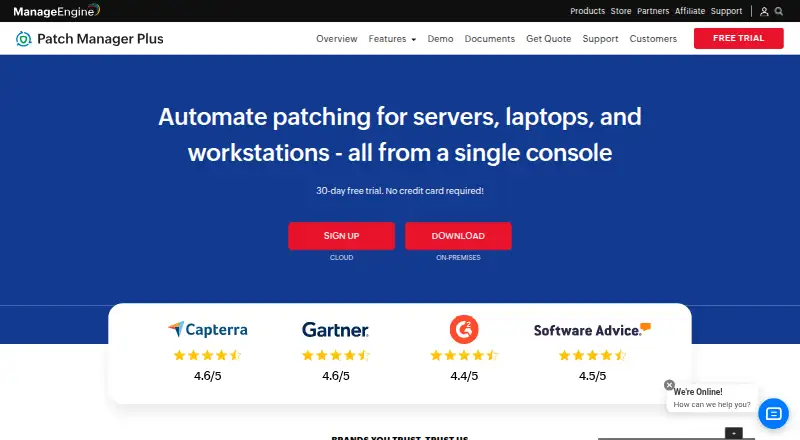
What ManageEngine Patch Manager Plus is
ManageEngine Patch Manager Plus automates patch work from scanning and assessment to deployment and reporting for Windows, Mac, and Linux. It can patch more than 1,100 third-party applications, including Adobe, Java, and WinRAR. Administrators can create test groups, try patches, and set automatic approvals for production deployment; real-time audits and reports cover compliance and endpoint patch status. The free edition is listed for up to 20 workstations and 5 servers, while the stated device limit is 50 devices. A 30-day trial requires no credit card. The product offers cloud and on-premises editions. Professional cloud costs $34.50 a month, or $345 a year; Enterprise cloud costs $44.50 a month, or $445 a year. Professional on-premises costs $245 a year or $735, paid once; Enterprise on-premises costs $345 a year or $1,185, paid once. Enterprise adds WAN-oriented patching and distribution server support for bandwidth optimization. Professional does not list antivirus definition updates, driver and BIOS updates, or automated patch testing and approval; these are shown for Enterprise and Free.
Who it suits
It suits IT teams managing operating-system and third-party application patches across Windows, Mac, and Linux endpoints. The free edition is listed for small businesses with up to 20 workstations and 5 servers.
What it does well
- Patches Windows, Mac, and Linux systems.
- Covers more than 1,100 third-party applications.
- Test groups and automatic approval are available.
- Trial lasts 30 days without a credit card.
- On-premises data resides in the customer's environment.
What to know first
- Professional omits antivirus definition updates.
- Professional omits driver and BIOS updates.
- Professional omits automated patch testing and approval.
Limits
The Free edition covers up to 20 workstations and five servers. Professional does not include antivirus definition updates, driver and BIOS updates, or automated patch testing and approval.
Plans
| Plan | Billed and limits | Price |
|---|---|---|
| Free edition | Up to 20 workstations and 5 servers | Free |
| Enterprise on-premises, perpetual | one-time; 50 computers with 1 technician · 50 computers · 1 technician | $1,185, paid once |
| Professional on-premises, annual subscription | annually; 50 computers with 1 technician · 50 computers · 1 technician | $245 a year |
| Professional On-Premises Annual | annual · 50 computers · 1 technician | $245 a year |
| Professional Cloud | monthly · 50 computers · 1 technician | $34.50 a month |
| Professional cloud, monthly | monthly; 50 computers with 1 technician · 50 computers · 1 technician | $34.50 a month |
| Enterprise on-premises, annual subscription | annually; 50 computers with 1 technician · 50 computers · 1 technician | $345 a year |
| Professional cloud, annual | annually; 50 computers with 1 technician · 50 computers · 1 technician | $345 a year |
The first 8 of 13 plans, as manageengine.com lists them, read 29 Sept 2026. The maker's own page has the final word. Every plan
Getting started
- Visit the ManageEngine Patch Manager Plus website.
- Start the 30-day trial without a credit card, or choose the Free edition or a paid plan.
- Choose cloud or on-premises deployment from the available plans.
- Set up the supported Windows, Mac, or Linux systems for patch management.
- Create test groups to evaluate patches before production deployment.
Overview
ManageEngine Patch Manager Plus is an endpoint patch-management platform for organizations that want to automate updates from assessment through deployment and compliance reporting. It suits IT teams managing Windows, Mac, and Linux devices, particularly those that need broad third-party application coverage. The main decision is whether its edition-specific controls and cloud or on-premises deployment match your environment.
It can deploy patches for more than 1,100 third-party applications, including Adobe, Java, and WinRAR. Scheduled deployments and scheduled reboot controls help coordinate rollout, while real-time audits and reports show patch compliance and endpoint status.
It sits within Patch Management Software, with overlap in IT Automation Software and Application Deployment Software.
Key features
Staged patching and reporting
Administrators can create test groups, try patches, and automatically approve patches for production deployment. That staged workflow is useful for teams seeking a controlled rollout, but automated testing and approval are not included in Professional; they are available in Enterprise and Free. Antivirus definition updates and driver and BIOS updates follow the same edition split: unavailable in Professional, available in Enterprise and Free.
Real-time audits and reports cover compliance and endpoint patch status, giving administrators a view of update coverage rather than just deployment activity. Integration connections span vulnerability detection and remediation, endpoint SLA management, analytics, IT asset visibility, and SIEM audit-log forwarding; API access is also provided.
Deployment and security
Enterprise supports distribution servers for bandwidth optimization and is described as suitable for patching desktops across a WAN. That makes it the more relevant paid edition for distributed sites; Professional lacks the listed WAN distribution support. Security controls include SAML single sign-on, two-factor authentication, role-based access control, HTTPS transport, and AES-256 encryption for sensitive database data. For on-premises customers, data and the product database reside in the customer's own environment.
Pricing
The Free edition costs nothing and covers up to 20 workstations and 5 servers, with testing and approval, antivirus definition updates, and driver and BIOS updates available. It is aimed at small businesses within those caps; teams beyond them need a paid option.
Paid plans cover 50 computers and one technician. Cloud monthly pricing is $34.50 a month for Professional and $44.50 a month for Enterprise. Cloud annual pricing is $345 a year for Professional and $445 a year for Enterprise. On-premises annual subscriptions cost $245 a year for Professional and $345 a year for Enterprise; perpetual on-premises licenses cost $735, paid once for Professional and $1,185, paid once for Enterprise.
Professional is the lower-cost fit when its patch workflow is enough, but it gives up automated patch testing and approval, antivirus definition updates, and driver and BIOS updates. Enterprise costs more and adds those capabilities, as well as WAN distribution server support. A 30-day free trial requires no credit card. Support is available through an online request form, separate email contacts for cloud and on-premises customers, and telephone numbers.
Platforms
Patch management covers Windows, Mac, and Linux. The platform list also includes Android, iOS, API, web, and self-hosted; the stated operating-system patching scope is Windows, Mac, and Linux. Cloud and on-premises deployment options accommodate different hosting preferences.
Who it's for
Patch Manager Plus is a strong fit for IT teams that need to manage operating-system and third-party patches together, stage updates, and report on endpoint compliance. The free edition has a defined small-business ceiling. Choose Enterprise if WAN distribution or the edition-specific update and testing capabilities are necessary. It is a weaker fit for teams that need those capabilities but intend to stay on Professional.
Pros and cons
- Broad third-party coverage: Patching for more than 1,100 applications extends management beyond operating-system updates.
- Controlled rollout: Test groups, scheduled deployment, and scheduled reboot controls support planned patching, though automated testing and approval are edition-dependent.
- Useful compliance visibility: Real-time audits and endpoint status reports help track patch coverage.
- Hosting choice: Cloud and on-premises options support different deployment preferences, and on-premises data stays in the customer's environment.
- Professional omissions matter: It lacks automated testing and approval, antivirus definition updates, and driver and BIOS updates, so the cheaper paid tier may not suit teams that need them.
- Free plan is capped: Its 20-workstation and 5-server limits constrain use beyond small environments.
Alternatives
- SureAsset is a free option for asset lifecycle management, hardware and software license tracking, and API access and automation.
- OPSI is a freemium alternative with a free Community plan offering unlimited devices, core features, and one worker process.
- Kudu offers a free desktop app with core maintenance tools, no account requirement, and an MIT-licensed open-source model.
- WAPT is a freemium alternative whose Enterprise private-sector plan covers software deployment, OS deployment, Windows updates, and hardware and software audits.
- Action1 may suit teams seeking a free plan for up to 200 endpoints, with quote-based paid pricing above that.
- ESET Mobile Security for Android is an Android-focused alternative with a free lifetime basic plan.
- PatchMon is another freemium option for web, Windows, and Linux.
- Canonical Landscape is a paid option for web and Linux.
Verdict
Choose ManageEngine Patch Manager Plus if you need a structured patch workflow across Windows, Mac, and Linux, broad third-party application coverage, and compliance reporting, with cloud or on-premises deployment. Its main advantage is the combination of patch breadth and rollout controls; its main caveat is that Professional omits several important update and testing capabilities, while WAN distribution support requires Enterprise. Check those edition boundaries before committing.
Verdict
Patch Manager Plus covers patch assessment, deployment, and reporting, with cloud and on-premises options. Check edition differences carefully, especially if you need automated testing, antivirus definition updates, or WAN distribution support.
Questions
Is there a free plan?
Yes. The Free edition costs nothing and supports up to 20 workstations and five servers.
How long is the free trial?
The trial lasts 30 days and does not require a credit card.
What platforms does it support for patching?
Patch management is supported for Windows, Mac, and Linux.
What are some listed plan prices?
Professional cloud monthly is $34.50 a month, and Enterprise cloud monthly is $44.50 a month. Professional on-premises annual subscription is $245 a year; Enterprise on-premises annual subscription is $345 a year.
Which third-party applications can it patch?
ManageEngine says it supports patches for over 1,100 third-party applications, including Adobe, Java, and WinRAR.
Does it offer API access and integrations?
Yes. API access is available, and listed integrations cover vulnerability detection and remediation, endpoint SLA management, analytics, IT asset visibility, and SIEM audit-log forwarding.
Facts from ManageEngine Patch Manager Plus's own pages
- API examples
- The API documentation supplies endpoint tables plus cURL, Java and Python request examples and response schemas. · manageengine.com, 14 Oct 2026
- Automated scanning
- Managed computers are scanned periodically for missing patches, which are then tested and deployed through lightweight agents. · manageengine.com, 14 Oct 2026
- Company founded and size
- LinkedIn lists ManageEngine as founded in 2002 with 5,001–10,000 employees. · linkedin.com, 14 Oct 2026
- Company headquarters
- LinkedIn lists headquarters in Del Valle, Texas. · linkedin.com, 14 Oct 2026
- Company ownership
- ManageEngine is the enterprise IT-management division of Zoho Corporation. · manageengine.com, 14 Oct 2026
- Compliance support
- ManageEngine states that Patch Manager Plus supports ISO 27001 controls for technical-vulnerability management and event logging. · manageengine.com, 14 Oct 2026
- Data location
- The security policy states that on-premises customer data resides in the customer's own environment and that the product database resides in the customer setup. · manageengine.com, 29 Sept 2026
- Deployment controls
- Administrators can customize patch policies, reboot behavior, maintenance timing and Self Service Portal availability. · manageengine.com, 14 Oct 2026
- Deployment models
- Patch Manager Plus is offered as cloud-native or on-premises software, with downloadable 32-bit and 64-bit installers. · patch.manageengine.com, 14 Oct 2026
- Edition limits
- The comparison page marks antivirus definition updates, driver and BIOS updates, and automated patch testing and approval unavailable in Professional, while showing them in Enterprise and Free. · manageengine.com, 29 Sept 2026
- Founded
- 1996 · manageengine.com, 23 Sept 2026
- Free edition
- The download page advertises a fully functional free version for up to 25 computers. · patch.manageengine.com, 14 Oct 2026
- Headquarters
- Pleasanton, California, USA · manageengine.com, 23 Sept 2026
- Integrations
- The integrated console lists Tenable Security, Tenable Vulnerability Management, Rapid7, ServiceDesk Plus, CrowdStrike and Analytics Plus integrations. · manageengine.com, 14 Oct 2026
- Legal name
- Crunchbase identifies the legal entity as AdventNet, Inc., operating as a Zoho sub-organization. · crunchbase.com, 14 Oct 2026
- Licence
- The EULA grants a non-exclusive, non-transferable binary software licence and states that Zoho retains ownership, so the product is proprietary rather than open source. · manageengine.com, 14 Oct 2026
- Limit: reporting and interface
- Users report that reporting customization is limited and that the interface or scheduling can feel complex for newcomers. · trustradius.com, 14 Oct 2026
- Limit: stability and coverage
- TrustRadius reviewers mention bugs after updates, limited Mac compatibility, occasional manual patch downloads and missing FedRAMP availability. · trustradius.com, 14 Oct 2026
- Limit: storage
- A Capterra reviewer reports that downloaded patches can consume substantial C: drive space and that failures lack clear explanations. · capterra.com, 14 Oct 2026
- Limit: troubleshooting
- Reviewers repeatedly report unclear failure details and say failed deployments can take extra effort to diagnose. · g2.com, 14 Oct 2026
- Network coverage
- The service supports patching across LAN, WAN and DMZ networks and can reach work-from-home systems without a VPN. · manageengine.com, 14 Oct 2026
- News: iOS update
- The Apple listing records a revamped iOS app release with updated interface, patch workflows, reporting and automation improvements in January 2025. · apps.apple.com, 14 Oct 2026
- Patch testing
- Test groups can automatically test newly released patches and approve them for production deployment. · manageengine.com, 14 Oct 2026
- Praise: automation
- Independent reviewers repeatedly praise centralized automated patching, scheduled deployments and reduced manual work. · trustradius.com, 14 Oct 2026
Where ManageEngine Patch Manager Plus stands on Freedom251
- Patch Management Software#8 of 49
- IT Automation Software#20 of 77
- Application Deployment Software#12 of 44