Freedom251 › Patch Management Software

Google Cloud VM Manager
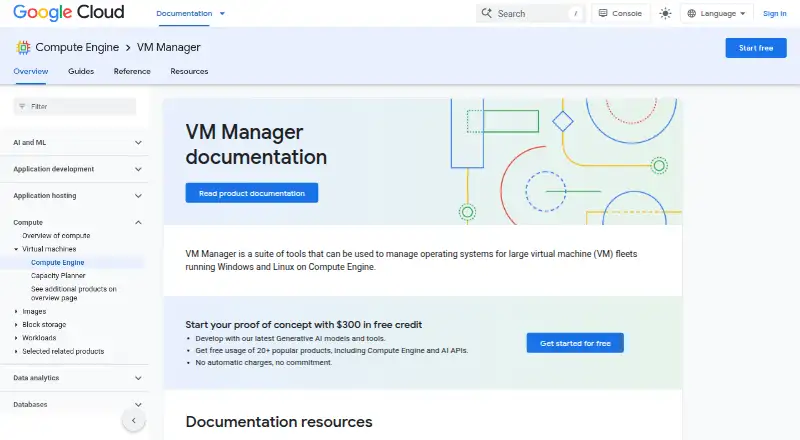
What Google Cloud VM Manager is
Google Cloud VM Manager helps teams manage operating systems across Windows and Linux VM fleets running on Compute Engine. Its main tools handle patching, inventory, and software configuration policies. Patch jobs can run on demand or on a schedule, use selected patch approvals and pre- or post-patching scripts, and report compliance. OS inventory gathers hostnames, OS and kernel versions, installed packages, available updates, Windows applications, and OS vulnerabilities. OS policies automate and centralize software configuration deployment, maintenance, and reporting on VMs. Teams can use the Google Cloud console, Google Cloud CLI, or OS Config API; Terraform can extend management across projects. The service supports projects inside VPC Service Controls perimeters. Patch jobs are limited to VMs in one Google Cloud project at a time, though compliance data can be viewed across projects. It supports Windows Server and several Linux distributions. The free allowance covers 100 VMs per Cloud Billing account per month; after that, use with an active OS Config agent is billed at $0.003 per VM-hour. Limited functionality mode is available at no cost for unlimited VMs.
Who it suits
It suits teams maintaining large Compute Engine VM fleets that need patch controls, inventory, and configuration policies. Teams should account for its English-locale requirement and project-scoped patch jobs.
What it does well
- Patch jobs support schedules, approvals, and scripts.
- Inventory includes packages, updates, and vulnerabilities.
- OS policies automate configuration deployment and reporting.
- Free tier covers 100 VMs per billing account monthly.
- Supports Windows Server and multiple Linux distributions.
What to know first
- Only English-locale operating systems are supported.
- Patch jobs run within a single project.
- Creating jobs or assignments requires potentially powerful IAM permissions.
- Inventory data can be deleted after agent reporting stops for days.
Limits
The free tier covers 100 VMs per Cloud Billing account per month; limited functionality mode is free for unlimited VMs. After the free tier, the listed rate is $0.003 per hour per VM with an active OS Config agent. Patch jobs run only within one Google Cloud project at a time.
Plans
| Plan | Billed and limits | Price |
|---|---|---|
| Free tier | monthly usage per Cloud Billing account · 100 VMs monthly usage · limited functionality mode is free for unlimited VMs | Free |
| Usage-based VM Manager | $0.003 per VM-hour after the free tier · Charged for each VM with an active OS Config agent · 100-VM monthly allowance per billing account | Free |
| VM Manager | $0.003 per hour per VM with an active OS Config agent, after the free tier; billed per VM-hour · 100 VMs per Cloud Billing account per month free · limited functionality mode has a subset of features at no cost for unlimited VMs | Free |
As cloud.google.com lists them, read 15 Oct 2026. The maker's own page has the final word.
Getting started
- Open the Google Cloud VM Manager website.
- Use VM Manager through the Google Cloud console, Google Cloud CLI, or OS Config API.
- Set up the required IAM permissions for patch jobs or OS policy assignments, following least privilege.
- Choose patching, OS inventory, or OS policies for the VM fleet.
- For patching, select a one-time or recurring schedule, approvals, and any pre- or post-patching scripts.
Google Cloud VM Manager is an agent-based service for administering Windows and Linux virtual machines on Compute Engine. It is most suitable for organizations already running substantial Google Cloud fleets that need coordinated maintenance and configuration control. Its strongest case is the combination of patch orchestration, detailed inventory and policy automation; teams outside the Google Cloud ecosystem or with non-English system locales face a poorer fit.
Overview
VM Manager centralizes operating-system upkeep for Compute Engine instances and uses automation to reduce repetitive fleet administration. It supports drift detection, policy as code and compliance reporting, making it more than a simple patch scheduler. The cloud deployment and native Google Cloud interfaces favor platform teams managing infrastructure in one provider, while a provider-neutral estate may require a different product.
Key features
Patch control
Patch jobs can run on demand, once at a defined time or on recurring schedules. Administrators can choose which patches are approved and attach scripts before and after the operation. Those controls are useful when patching must fit change windows, application preparation or cleanup routines. Compliance reporting shows resulting patch status, helping security and operations teams identify lagging machines.
Inventory and policy
OS inventory records hostnames, operating-system and kernel versions, installed packages, available updates, Windows applications and OS vulnerabilities. That breadth supports both troubleshooting and exposure reviews without relying on separate discovery tools. OS policies centralize deployment, configuration, maintenance and reporting of software settings, so administrators can enforce a desired state rather than repeatedly correct individual machines.
Management and security
The service is available through the Google Cloud console, command-line interface and OS Config API; Terraform can extend management across projects. It also supports projects inside VPC Service Controls service perimeters, which suits environments with defined service boundaries. Creating patch jobs or OS policy assignments requires IAM permissions that may allow code execution on VMs, so least-privilege role design is essential rather than optional.
Operational limits
Every managed operating system must be configured with an English locale. A non-English locale can cause the OS Config agent and VM Manager capabilities to fail, a material constraint for multinational estates. Patch execution is narrower than reporting: a patch job can run only against VMs in one Google Cloud project, although compliance information can be viewed across projects. Inventory and vulnerability data remains until a VM is deleted, but is removed when the OS Config agent stops reporting for a few days.
Pricing
VM Manager plan
The VM Manager plan is priced at $0, billed at $0.003 per hour per VM with an active OS Config agent after the free tier. Billing is per VM-hour, and each Google Cloud Billing account receives 100 VM-months free. This model fits teams that want to start with a modest managed fleet and scale usage transparently; larger always-on fleets should calculate the hourly charge rather than treating the headline zero price as unlimited full functionality.
A limited functionality mode is free for unlimited VMs, but it provides only a subset of features. That is useful for basic adoption or broad low-cost coverage, not a replacement for the complete patch, inventory and policy toolset. Google Cloud support packages offer options including 24/7 coverage, phone support and access to a technical support manager; VM Manager questions can also be posted to Stack Overflow.
Platforms
VM Manager is delivered from the cloud and managed through API, Linux, web and Windows interfaces. Supported guest systems include Windows Server, Red Hat Enterprise Linux, Rocky Linux, CentOS, Debian, Ubuntu and SUSE Linux Enterprise Server. The agent-based model means each VM must report through the OS Config agent for inventory and vulnerability data to remain current.
Who it's for
Choose VM Manager when your organization operates Compute Engine fleets and wants Google-native patch scheduling, approval controls, inventory and software policies in one service. It is particularly well matched to teams that already use IAM, Terraform and VPC Service Controls and can standardize machines on an English locale. It is less appropriate for non-English installations, mixed-cloud estates seeking one neutral console, or operations that need a single patch job spanning multiple projects.
Pros and cons
Pros
- Detailed fleet visibility: inventory covers packages, updates, Windows applications, kernels and vulnerabilities.
- Flexible maintenance: one-time or recurring jobs, approval selection and pre- and post-patch scripts support controlled change windows.
- Policy-driven operations: OS policies, drift detection and policy as code help maintain consistent configurations.
- Low-cost entry: 100 VM-months per billing account are free, with a free limited-functionality mode for unlimited VMs.
- Google Cloud integration: console, CLI, API, Terraform and VPC Service Controls align with existing platform governance.
Cons
- English locale required: non-English VM locales can break the agent and service features.
- Single-project patch jobs: execution must be organized project by project despite cross-project compliance views.
- Permission risk: patch and policy creators may receive code-execution capability on VMs, increasing the importance of careful IAM administration.
- Agent dependency: reporting data is deleted after the agent stops reporting for a few days.
Alternatives
ManageEngine Patch Manager Plus is a better route when you need Android, iOS, macOS, Linux, self-hosted, web and Windows coverage, with a free edition for up to 20 workstations and five servers and paid cloud plans.
SureAsset suits buyers seeking a free asset-lifecycle product with hardware and software-license tracking, API access and automation across desktop and mobile platforms.
Kudu is worth considering for a free, no-account desktop app built around core maintenance tools and MIT-licensed open source.
OPSI offers a free community edition with unlimited devices and one worker process for teams comfortable with a freemium, self-hosted-oriented platform.
Canonical Landscape is the alternative for self-hosted or air-gapped Linux management that can operate without internet access.
Patch My PC fits Windows desktop and server users wanting a free non-commercial home updater or a low-cost per-device enterprise tier.
PatchMon is a choice for teams wanting a free-forever AGPLv3 community edition and control of their own server, updates, backups and uptime.
PlatyOps Patch targets small deployments with a free tier for up to 10 managed hosts, manual approval and a 30-day audit log.
For broader category comparisons, see Patch Management Software, Configuration Management Tools, IT Automation Software and IT Configuration Management Software.
Verdict
Google Cloud VM Manager is a strong choice for Compute Engine operators who want native, policy-based patching, inventory and compliance at a low entry cost. Choose it when English-locale guests, project-by-project patch execution and careful IAM governance fit your operating model; look elsewhere if those constraints conflict with a multilingual or cross-cloud fleet.
Verdict
VM Manager combines patching, inventory, and software policy tools for Compute Engine fleets. Its locale restriction and single-project patch-job scope are important operational limits.
Questions
Is Google Cloud VM Manager free?
It has a free tier covering 100 VMs per Cloud Billing account per month. Limited functionality mode is available at no cost for unlimited VMs; after the free tier, the listed rate is $0.003 per hour per VM with an active OS Config agent.
Which platforms and operating systems does it support?
Its listed platforms are API, Linux, web, and Windows. Supported operating systems include Windows Server, Red Hat Enterprise Linux, Rocky Linux, CentOS, Debian, Ubuntu, and SUSE Linux Enterprise Server, configured with an English locale.
How can teams manage VM Manager?
Teams can use the Google Cloud console, Google Cloud CLI, or OS Config API. Terraform can extend its scope across projects.
Can patch jobs cover multiple projects?
Each patch job can run on VMs in one Google Cloud project. Patch compliance data can be viewed across projects.
What does OS inventory collect?
It collects hostnames, operating system and kernel versions, installed packages, available updates, Windows applications, and operating system vulnerabilities.
What access permissions are needed?
Creating patch jobs or OS policy assignments requires IAM permissions that can grant the ability to run code on VMs. Google recommends granting least privilege.
Facts from Google Cloud VM Manager's own pages
- Access control
- Creating patch jobs or OS policy assignments requires IAM permissions that Google says can grant the ability to run code on VMs; Google recommends least privilege. · docs.cloud.google.com, 7 Oct 2026
- Agent requirement
- Using VM Manager requires the OS Config API and an active OS Config agent on managed VMs. · docs.cloud.google.com, 15 Oct 2026
- Automation
- Google says VM Manager uses automation to improve efficiency and reduce the operational burden of maintaining VM fleets. · docs.cloud.google.com, 7 Oct 2026
- Company founding
- Gartner Peer Insights lists Google as founded in 1998 and headquartered in Mountain View, California. · gartner.com, 15 Oct 2026
- Company headquarters and size
- LinkedIn lists Google as a public software-development company headquartered in Mountain View, California, with 10,001-plus employees. · uk.linkedin.com, 15 Oct 2026
- Company legal name
- Crunchbase identifies the maker's legal name as Google LLC and lists it as a subsidiary of Alphabet. · crunchbase.com, 15 Oct 2026
- Compliance
- Google Cloud lists auditor-validated offerings including ISO 27001, ISO 27017, ISO 27018, SOC 1, SOC 2, SOC 3, PCI DSS, FedRAMP, and HIPAA-related resources. · cloud.google.com, 15 Oct 2026
- Cross-project limitation
- Patch jobs run only on VMs within one Google Cloud project, although compliance data can be viewed across projects. · docs.cloud.google.com, 15 Oct 2026
- Data retention
- OS inventory and vulnerability report data remains until the VM is deleted, but is deleted if the OS Config agent stops reporting for a few days. · docs.cloud.google.com, 7 Oct 2026
- Documentation depth
- The documentation includes overview, setup, operating-system details, patch guides, policy guides, troubleshooting, API reference links, Terraform guides, quotas, and release-note links. · docs.cloud.google.com, 15 Oct 2026
- Feature: OS inventory
- The OS Config agent collects operating-system inventory that can be reviewed and queried through Google Cloud tooling. · docs.cloud.google.com, 15 Oct 2026
- Feature: OS policies
- OS policies install, remove, and automatically update software packages while maintaining a declared VM state. · docs.cloud.google.com, 15 Oct 2026
- Feature: Patch compliance
- Patch compliance reporting compares VM inventory with distribution vulnerability data and shows update severity in the Cloud console. · docs.cloud.google.com, 15 Oct 2026
- Feature: Patch deployment
- Patch schedules on-demand, one-time, or recurring patch jobs across selected VM instances. · docs.cloud.google.com, 15 Oct 2026
- Integrations
- VM Manager works with the Google Cloud console, Google Cloud CLI, direct OS Config API calls, and Terraform resources. · docs.cloud.google.com, 15 Oct 2026
- License evidence
- The GoogleCloudPlatform/osconfig repository is marked Apache-2.0 licensed; this covers the repository contents and does not state that the hosted VM Manager service is open source. · github.com, 15 Oct 2026
- Limitations
- VM Manager supports only operating systems configured with an English locale; a non-English locale can cause the OS Config agent and VM Manager features to fail. · docs.cloud.google.com, 7 Oct 2026
- Limited functionality mode
- Free limited mode allows viewing OS policy assignments for unlimited VMs but prevents creating OS policy assignments or patch jobs. · cloud.google.com, 15 Oct 2026
- Limit: G2 complexity and pricing
- G2 reviewers repeatedly mention platform complexity, unclear pricing, unexpected charges, and support difficulty. · g2.com, 15 Oct 2026
- Limit: Gartner reviewer feedback
- Gartner reviewer material includes complaints about billing complexity and difficult interfaces or setup for some advanced workflows. · gartner.com, 15 Oct 2026
- Limit: Trustpilot billing and support
- Trustpilot complaints include incorrect or disputed billing, ineffective collections responses, domain outages, and difficulty obtaining support. · trustpilot.com, 15 Oct 2026
- Limit: TrustRadius administration
- TrustRadius reviewers report that Logs Explorer is difficult to search, permission-group management can become complicated, and customer support could improve. · trustradius.com, 15 Oct 2026
- Notable dated update
- Google's Compute Engine release notes dated September 22, 2026 record NVIDIA P100 GPUs reaching end of support and being shut down. · docs.cloud.google.com, 15 Oct 2026
- OS inventory
- OS inventory collects details including hostname, OS and kernel versions, installed packages, available updates, Windows applications and OS vulnerabilities. · docs.cloud.google.com, 7 Oct 2026
Where Google Cloud VM Manager stands on Freedom251
- Patch Management Software#5 of 49
- IT Automation Software#14 of 77
- IT Configuration Management Software#10 of 27
- Configuration Management Tools#10 of 26