Freedom251 › Nonprofit Program Management Software

Kinaki
What Kinaki is
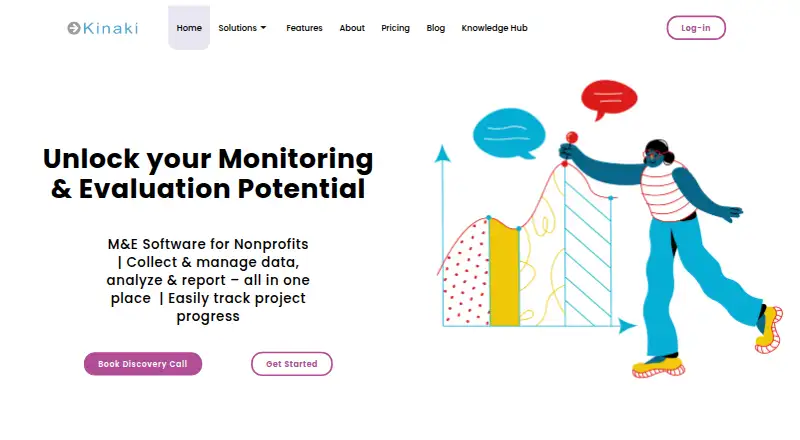
Kinaki is web-based monitoring and evaluation software for nonprofits to collect and manage data, analyze it, and report on project progress. Teams can build project logic models, logframes, theories of change, and indicators tied to intended results. Its online form builder supports multiple question types, skip logic, shareable links, and real-time results. Kinaki exchanges data with KoBoToolbox, ODK, SurveyCTO, and Excel; KoBo and ODK support online, mobile, and offline data collection.
Users can calculate indicators, create custom disaggregations, compare datasets in charts, and add narrative, images, and quotes to analysis. Reporting includes visual and table-based project reports and program reports that aggregate results across projects. Organization and program dashboards summarize projects, with program views filterable by country, theme, or configured filters. The free plan includes project-design features, a MEAL Design Wizard, dashboards, multilingual support, and a 30-day trial of all features. Paid subscriptions include unlimited users. Kinaki also lists live chat, training resources, one-on-one help from M&E specialists, self-paced courses, video tutorials, and an online guide.
Who it suits
Kinaki is for nonprofits doing monitoring, evaluation, accountability, and learning work. It suits teams that need to collect project data, analyze indicators, and report across projects or programs.
What it does well
- Free plan includes a 30-day trial of all features.
- Forms support skip logic and shareable links.
- Can exchange data with KoBoToolbox, ODK, SurveyCTO, and Excel.
- Program reports aggregate results across projects.
- Paid subscriptions include unlimited users.
What to know first
- The platform is web-based.
- Mobile and offline collection are supported through KoBo and ODK, not Kinaki.
- Unlimited Plan project access applies to one legal entity.
Plans
| Plan | Billed and limits | Price |
|---|---|---|
| Free | Up to 3 projects · up to 3 users per project · project design features | Free |
| Enterprise | SSO via OAuth · custom integrations · REST API and webhooks · tailored onboarding and support · standalone or EU data repository | On request |
| Project | Monthly or annual options are described in the Kinaki Pricing guide; price not stated in the page text. · Data import · online forms · indicator analysis · project reports · KoBoToolbox import · no setup fee | On request |
| Unlimited | annual payment · Unlimited projects · unlimited users · full Kinaki feature access | On request |
| Paid by Project | monthly or annual · Paid projects according to quantity purchased · unlimited free projects · unlimited users | On request |
As kinaki.ca lists them, read 15 Oct 2026. The maker's own page has the final word.
Overview
Kinaki is built around a connected monitoring-and-evaluation workflow, from defining intended results to presenting progress across projects. Its emphasis on MEAL gives nonprofit teams a clearer fit than organizations seeking a general-purpose participant or case-management system.
Founded in 2012, Kinaki is brought to users by Salanga, a social enterprise focused on impact measurement and MEAL. It is available on the web.
For a broader comparison, see Nonprofit Program Management Software.
Key features
Link project design to measurement
Teams can create logic models, logframes, and theories of change, then connect indicators to intended results. That makes Kinaki useful for organizations that want their measurement framework to start with project design rather than be assembled separately from tracking and reporting.
Collect through forms or connected tools
The online form builder supports multiple question types, skip logic, shareable links, and real-time results. For teams already collecting data elsewhere, Kinaki can exchange data with KoBoToolbox, ODK, SurveyCTO, and Excel. KoBo and ODK support online, mobile, and offline collection, although Kinaki itself is listed as web-only with no mobile access.
Analyze and report across projects
Users can calculate indicators, create custom disaggregations, compare datasets in charts, and add narrative, images, and quotes to analysis. Visual and table-based project reports serve project-level reporting, while program reports and configurable organization dashboards bring results together across projects. Program dashboard views can be filtered by country, theme, or other configured filters.
Support includes live chat, training resources, one-to-one help from M&E specialists, self-paced courses, video tutorials, and an online user guide. That range is a practical plus for teams developing their MEAL processes as well as those adopting software.
Pricing
Kinaki uses a freemium model: the Free plan costs nothing and includes all project design features, the MEAL Design Wizard, project and organization dashboards, multilingual support, and a 30-day trial of all features. It gives teams a way to build project designs and assess the wider feature set, but the plan description does not include the paid Project plan's data import, online forms, indicator analysis, or project reports.
The Project plan has custom pricing, with monthly or annual options. It includes data import, online forms, indicator analysis, project reports, KoBoToolbox import, and no setup fee. It suits teams focused on running and reporting individual projects, but does not list the multi-project aggregation and portfolio features offered by Unlimited.
The Unlimited plan also has custom pricing and is described as billed annually. It includes unlimited active projects and programs, multi-partner aggregation, program and portfolio dashboards, and Power BI and Tableau integration. Access applies to one legal entity; projects over $12,000,000 CAD should request customized pricing. Paid subscriptions include unlimited users, with access managed through admin or member rights.
Enterprise has custom pricing and adds OAuth single sign-on, custom integrations, a REST API and webhooks, tailored onboarding and support, and a standalone data repository or one in the EU. It is the relevant tier for organizations needing those integrations or repository arrangements, rather than simply more project capacity.
Platforms
Kinaki is web-based. Its connections to KoBoToolbox and ODK can accommodate collection workflows with mobile or offline methods, but Kinaki itself has no mobile access.
Who it's for
Kinaki is best suited to nonprofits doing monitoring, evaluation, accountability, and learning work that need project design, indicator analysis, and reporting connected in one workflow. Teams with multiple projects or partners can benefit from its aggregation and dashboards on Unlimited. Organizations that need a native mobile experience, or participant-portal functions, should look elsewhere.
Pros and cons
- Pro: Project logic models, logframes, and theories of change connect directly to indicators, helping teams align measurement with intended results.
- Pro: KoBoToolbox, ODK, SurveyCTO, and Excel data exchange lets teams work with several established collection routes.
- Pro: Program and organization reporting can aggregate project results and filter program views by configured categories such as country or theme.
- Con: Kinaki is web-only with no mobile access, so mobile or offline collection depends on connected tools such as KoBo or ODK.
- Con: Project, Unlimited, and Enterprise prices are custom, making costs harder to compare before contacting the provider.
- Con: Unlimited's project access is limited to one legal entity, and projects above $12,000,000 CAD require customized pricing.
Alternatives
Alleviate ImpactOps OS is worth considering for teams seeking a freemium web option with a free plan; its Growth plan is $150 a month and includes 3 programmes and 25 funding alerts/month.
KoNote may suit organizations that prefer a free, self-hosted option and can configure and secure their own infrastructure; it also supports Linux and web use.
FORMNA is an alternative for qualifying organizations that want an open-source, self-hosted package with all features included; its Annual Maintenance plan is $2,500 a year.
Salesforce Nonprofit Cloud may fit eligible nonprofits that want 10 free licenses through its Power of Us Program.
Equip is a paid alternative available on Android, iOS, and web.
TraxSolutions is another paid option available on Android, iOS, and web.
Bonterra ETO is a paid web-based alternative.
BridgeCase is an alternative with an Essentials plan covering participant and household records, program intake and enrollment, configurable forms, standard reports, and data export.
Verdict
Choose Kinaki if your nonprofit needs a MEAL-focused system that connects project design, indicator analysis, and reporting, especially when project and program dashboards are central to the workflow. Look elsewhere if native mobile access is essential or if you need a published price before evaluating a paid plan.
Verdict
Kinaki provides project design, data collection, analysis, and reporting tools for nonprofit monitoring and evaluation. Its free plan and data exchanges with external collection tools may suit teams with different project workflows.
Facts from Kinaki's own pages
- Analysis
- Users can calculate indicators, create disaggregations, compare datasets, choose chart types and add narrative, images and quotations to results. · kinaki.ca, 15 Oct 2026
- Audience
- Kinaki describes itself as serving nonprofits and says its tools are designed for monitoring, evaluation, accountability, and learning work. · kinaki.ca, 2 Oct 2026
- Company founding
- LinkedIn lists Salanga’s founding year as 2006. · linkedin.com, 15 Oct 2026
- Company headquarters
- LinkedIn lists Ottawa, Ontario as Salanga’s headquarters and shows a second office in Pilsen, Czech Republic. · linkedin.com, 15 Oct 2026
- Company product description
- LinkedIn describes Kinaki as an out-of-the-box cloud platform for data collection and management, analysis and reporting. · linkedin.com, 15 Oct 2026
- Company size
- LinkedIn lists Salanga as a privately held nonprofit organization with 11–50 employees. · linkedin.com, 15 Oct 2026
- Dashboards
- Project and program dashboards show project information, indicators, status updates and portfolio-level views with filters. · kinaki.ca, 15 Oct 2026
- Data collection
- Kinaki provides an online form builder with multiple question types, skip logic, shareable links, and real-time results. · kinaki.ca, 2 Oct 2026
- Data collection integrations
- Kinaki can import or export forms and data involving KoboToolbox, ODK and SurveyCTO, and can import Excel files. · kinaki.ca, 15 Oct 2026
- Data management
- The data-management area supports review, cleaning, revision tracking, dataset archiving, approval and merging. · kinaki.ca, 15 Oct 2026
- Data ownership
- The privacy policy says customer organizations own and manage data stored in Kinaki, while administrators may access project data for support and service improvement unless a project is kept private. · kinaki.ca, 15 Oct 2026
- External data tools
- Kinaki supports data exchange with KoBoToolbox, ODK, SurveyCTO, and Excel; KoBo and ODK support online, mobile, and offline collection methods. · kinaki.ca, 2 Oct 2026
- Founded
- 2012 · kinaki.ca, 28 Sept 2026
- GDPR rights
- The policy describes access, correction, deletion, objection, restriction, portability and consent-withdrawal rights for European Economic Area users. · kinaki.ca, 15 Oct 2026
- Headquarters
- Pilsen, Czech Republic, and Ottawa, Canada · kinaki.ca, 28 Sept 2026
- Hosting location
- The policy says data is stored in Canada, may be temporarily transferred elsewhere for service continuity, and is not normally stored in the EU unless requested. · kinaki.ca, 15 Oct 2026
- Independent company history
- A 2018 Ottawa Coalition of International Cooperation presentation described Salanga as a private SME founded in 2007 whose profits were reinvested into Kinaki and small-NGO work. · ocic.on.ca, 15 Oct 2026
- Independent product development
- A 2024 résumé states that David Valenta led Kinaki design and testing as Salanga’s data scientist and product manager from 2019 to 2023, after designing and testing functions from 2017 to 2019. · valenta.dev, 15 Oct 2026
- Independent project scale
- The same presentation reported Salanga working with 25 organizations on more than 30 projects ranging from CAD 200,000 to CAD 27 million. · ocic.on.ca, 15 Oct 2026
- Independent usage scale
- That 2018 presentation said Kinaki had analyzed and aggregated data from more than 20,000 individuals. · ocic.on.ca, 15 Oct 2026
- Integration scope
- The privacy policy names possible integrations or connections involving Asana, WordPress, Zapier, Google, Google Fusion Tables and Microsoft BI using open standards and user authorization. · kinaki.ca, 15 Oct 2026
- Language limit
- Project and indicator content can be customized in multiple languages, but the main menu and general interface remain in English. · kinaki.ca, 15 Oct 2026
- Limit: implementation effort
- The ADRA report said early implementation challenges were also encountered while introducing Kinaki. · adranorge.no, 15 Oct 2026
- Limit: software cannot replace MEL capacity
- A Salanga presentation cautioned that software cannot replace monitoring-and-evaluation capacity and that focusing only on initial costs can create significant later expenses. · ocic.on.ca, 15 Oct 2026