Freedom251 › OS Deployment Software
iVentoy
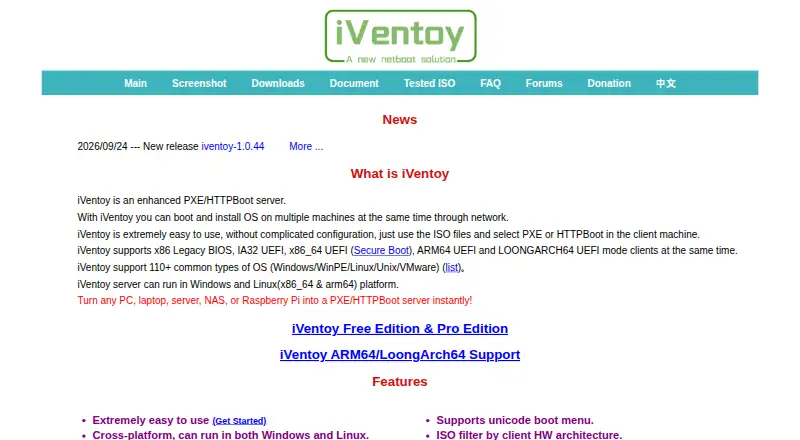
What iVentoy is
iVentoy is a PXE/HTTPBoot server for booting and installing operating systems on multiple machines over a network. It runs on Windows and Linux, including x86_64 and ARM64 Linux servers, and the maker lists more than 110 common OS types such as Windows, WinPE, Linux, Unix, and VMware. Client boot modes include x86 Legacy BIOS and IA32, x86_64, ARM64, and LoongArch64 UEFI. iVentoy boots ISO files directly while keeping their native boot menu style, and can install different systems on multiple clients at once. Administrators can assign unattended installation scripts to ISO files without rebuilding them, set boot passwords, and filter clients by MAC address or hardware architecture. Its HTTP server can serve files from inside ISO images. The product has an internal DHCP server and can also use third-party DHCP servers, though DHCP Proxy is not supported. Secure Boot is supported, but client Secure Boot currently works only on x86_64. The free edition permits up to 20 clients and excludes commercial use; the Pro Edition costs $49, paid once.
Who it suits
iVentoy suits administrators deploying operating systems to multiple networked machines, including through unattended installation scripts. Check the client limit, commercial-use restriction, and architecture support for the selected edition.
What it does well
- Supports more than 110 common operating system types.
- Boots ISO files directly without extracting them.
- Can install different systems on multiple clients simultaneously.
- Supports unattended installation scripts assigned to ISO files.
- Pro supports unlimited clients.
What to know first
- Free Edition is limited to 20 clients.
- Free Edition excludes commercial use.
- DHCP Proxy is not supported.
- Client Secure Boot currently works only on x86_64.
Limits
The Free Edition has no usage time limit but is restricted to 20 clients and non-commercial use. It excludes ARM64 or LoongArch64 client support, ARM64 server support, and Matrix Boot. The downloadable ARM64 build is labeled Free-Trial and is limited to one client.
Plans
| Plan | Billed and limits | Price |
|---|---|---|
| Free Edition | Free; no usage time limit · No commercial use · Maximum 20 clients · No ARM64 or LoongArch64 client support · No ARM64 server support · No Matrix Boot | Free |
| Pro Edition | $49 (net to seller); one payment · Commercial use allowed · No client limit · Supports ARM64 and LoongArch64 clients, ARM64 server, and Matrix Boot · One license file can bind up to 2 machine codes | $49, paid once |
As iventoy.com lists them, read 4 Oct 2026. The maker's own page has the final word.
Getting started
- Visit the iVentoy website.
- Choose the Windows or Linux server build for the available platform.
- Download the build and check its SHA-256 hash.
- Set up iVentoy's internal DHCP server or use a third-party DHCP server.
- Add ISO files and, if needed, assign unattended installation scripts.
- Choose the Free Edition or purchase the Pro Edition.
iVentoy is a network boot and installation server for administrators provisioning many computers from centralized ISO files. It fits mixed-OS environments that need repeatable, unattended deployment rather than one-off imaging. Its strongest case is broad boot compatibility and direct ISO handling; its free tier is tightly bounded by client count, architecture support, and licensing terms.
Overview
iVentoy delivers operating-system installers to client machines through PXE or HTTPBoot, allowing several systems to be installed over the network at the same time. The maker cites support for more than 110 common operating-system types, including Windows, WinPE, Linux, Unix, and VMware. That range is valuable when one deployment service must cover heterogeneous fleets.
ISO images can be started directly, without extraction, while retaining their native boot-menu presentation. An integrated HTTP server can expose files located inside an image without unpacking it. This keeps image preparation simple, but iVentoy remains a network-deployment product: clients and the surrounding boot infrastructure must support the required modes.
Key features
- Wide boot-mode coverage: Clients can use x86 Legacy BIOS and IA32, x86_64 UEFI, ARM64 UEFI, or LoongArch64 UEFI. ARM64 and LoongArch64 client deployment is reserved for Pro, so the free tier is aimed mainly at conventional x86 estates.
- Concurrent multi-OS deployment: Different operating systems can be installed on multiple clients simultaneously. This suits service desks, labs, and server rooms handling varied rebuild queues better than a tool centered on a single standard image.
- Unattended setup: Windows unattend XML and Linux distribution scripts can be assigned to ISO files without rebuilding those images. That supports repeatable provisioning while keeping the original installation media intact.
- Client controls: Boot passwords, MAC-address filtering, and hardware-architecture filtering for ISO files help administrators restrict who boots and prevent an unsuitable image from being offered to a client.
- DHCP choices: The server includes its own DHCP service and can operate with a third-party DHCP server. DHCP Proxy is not supported, which can rule out deployments designed around that arrangement.
- Secure Boot: Secure Boot is supported, but client Secure Boot currently works only on x86_64. Its bypass mode requires a key to be enrolled during the first boot, adding a setup step for affected machines.
- Architecture and deployment scope: The server runs on Windows and Linux, including x86_64 and ARM64 Linux builds. Bare-metal, multi-OS, network, unattended deployment, and driver injection are identified capabilities; the published feature set does not explain the driver-injection workflow.
- Integrity and support: The download guidance recommends checking the SHA-256 hash. General issues are directed to the forums, with email support at longpanda@[email protected].
Pricing
Free Edition
The Free Edition costs nothing, with no usage-time limit. It permits up to 20 clients, forbids commercial use, and excludes ARM64 or LoongArch64 client support, ARM64 server support, and Matrix Boot. It is a sensible choice for personal labs, evaluation, or small noncommercial networks, but the client ceiling and architecture exclusions make it unsuitable for a growing business fleet. The downloadable ARM64 build is labeled Free-Trial and limited to one client, so it functions as a test build rather than a full free deployment tier.
Pro Edition
Pro costs $49, paid once, billed as a single $49 payment net to the seller. It allows commercial use, removes the client limit, and adds ARM64 and LoongArch64 clients, an ARM64 server, and Matrix Boot. One license file can bind up to two machine codes, and a bound machine code cannot be removed. Pro is the practical choice for organizations or architecture-diverse fleets; the one-time price is straightforward, but machine binding should be planned before assigning the license.
Platforms
Server software is available for Windows and Linux, with x86_64 and ARM64 Linux support. Client boot targets span legacy x86 and several UEFI architectures, although the Free Edition narrows that coverage. iVentoy is self-hosted, so deployment remains within the administrator’s network rather than relying on a hosted control plane.
Who it's for
Choose iVentoy when you administer a lab, workshop, school, datacenter, or internal IT operation that repeatedly installs different operating systems and benefits from unattended scripts. It is particularly compelling for mixed Windows and Linux environments where direct ISO boot avoids maintaining extracted media. Look elsewhere if you need commercial use without paying, DHCP Proxy compatibility, or a general backup-and-imaging suite rather than network boot provisioning.
Pros and cons
- Pros: Direct ISO boot preserves native menus and avoids extraction; simultaneous installation supports varied client queues; unattended scripts reduce repeated manual configuration; filtering, passwords, and architecture rules add deployment control; Pro covers ARM64 and LoongArch64 clients and servers.
- Cons: Free use stops at 20 clients and is noncommercial; free builds omit several architectures and Matrix Boot; DHCP Proxy is unsupported; Secure Boot coverage is currently limited to x86_64, with bypass mode requiring first-boot key enrollment; Pro licensing permanently retains bound machine codes.
Alternatives
FOG Project is a free option for commercial use with Windows, Linux, macOS, web, and self-hosted platforms, making it a broader alternative when iVentoy’s noncommercial Free Edition is too restrictive.
OPSI offers a free Community plan with unlimited devices and a one-worker-process allowance, plus a Basic tier capped at 30 devices; choose it when device-management workflows matter more than direct ISO boot.
Canonical MAAS has a free Self-support plan for all machines but omits HA, RBAC, a knowledge base, Sev 1 response SLA, and phone or ticket support; it suits infrastructure teams that want bare-metal management with those support trade-offs.
Clonezilla is free, open-source software under GPL version 2, appropriate when disk imaging rather than a centralized PXE/HTTPBoot server is the priority.
Foreman is free, open-source, and self-managed; consider it for broader infrastructure provisioning.
AOMEI Backupper provides a perpetually free Windows backup plan and paid yearly editions, making it a better fit for workstation backup than network operating-system deployment.
FAI (Fully Automatic Installation) is free GNU GPL software for Linux-oriented automated installation.
ManageEngine OS Deployer has a free plan for four workstations and one server, with a paid Professional plan, so it fits small Windows deployments with a defined workstation allowance.
For wider comparisons, see OS Deployment Software and Bare Metal Provisioning Software.
Verdict
iVentoy is a strong fit for administrators who need fast, repeatable network installation of many operating systems from unmodified ISO files. Its direct boot, concurrent deployment, and unattended-script support are the main reasons to choose it. Look elsewhere when a 20-client noncommercial ceiling is unacceptable, your network depends on DHCP Proxy, or you need a fuller imaging and infrastructure-management platform.
Verdict
iVentoy supports network deployment from ISO files, including simultaneous and unattended installations. The free edition has a 20-client ceiling and excludes commercial use; Pro costs $49, paid once.
Questions
Is iVentoy free?
Yes. The Free Edition costs nothing, has no usage time limit, and is limited to non-commercial use and 20 clients.
How much does Pro cost?
The Pro Edition is $49, paid once, billed as a one-time payment.
Which platforms can run the server?
The server runs on Windows and Linux. The listed Linux server architectures are x86_64 and ARM64.
Which boot modes and systems are supported?
The maker says iVentoy supports more than 110 common operating system types. Client modes include x86 Legacy BIOS and IA32, x86_64, ARM64, and LoongArch64 UEFI.
Can it use a DHCP Proxy?
No. Its FAQ says DHCP Proxy is not supported, though iVentoy has an internal DHCP server and can work with third-party DHCP servers.
What does a Pro license cover?
Pro allows commercial use and has no client limit. One license file can bind up to two machine codes, and a bound machine code cannot be removed.
Facts from iVentoy's own pages
- Automatic installation
- Users can assign unattended installation scripts to ISO files, including Windows unattend XML and Linux distribution scripts, without rebuilding the ISO. · iventoy.com, 4 Oct 2026
- Boot modes
- Client support includes x86 Legacy BIOS and IA32, x86_64, ARM64, and LoongArch64 UEFI modes. · iventoy.com, 4 Oct 2026
- Deployment features
- It supports simultaneous installations of different operating systems on multiple clients, boot passwords, MAC address filtering, and filtering ISO files by client hardware architecture. · iventoy.com, 4 Oct 2026
- DHCP integration
- iVentoy has an internal DHCP server and can also work with third-party DHCP servers; its FAQ says DHCP Proxy is not supported. · iventoy.com, 4 Oct 2026
- Download integrity
- The download page tells users to check the SHA-256 hash after downloading. · iventoy.com, 4 Oct 2026
- HTTP file access
- Its integrated HTTP server can serve files inside ISO images without unpacking them. · iventoy.com, 4 Oct 2026
- ISO booting
- It boots ISO files directly without extracting them and preserves their native boot menu style. · iventoy.com, 4 Oct 2026
- License restriction
- A Pro license file is tied to machine codes, can bind up to two machines, and a bound machine code cannot be removed. · iventoy.com, 4 Oct 2026
- Purpose
- iVentoy is a PXE/HTTPBoot server for booting and installing operating systems on multiple machines over a network. · iventoy.com, 4 Oct 2026
- Secure Boot
- Secure Boot is supported, but the maker says client Secure Boot currently works only on x86_64; bypass mode requires enrolling a key on first boot. · iventoy.com, 4 Oct 2026
- Server platforms
- The server runs on Windows and Linux, with the page specifying x86_64 and ARM64 Linux support. · iventoy.com, 4 Oct 2026
- Support
- The maker directs users to the forums for general issues or to longpanda at [email protected]. · iventoy.com, 4 Oct 2026
- Supported systems
- The maker says iVentoy supports more than 110 common OS types, including Windows, WinPE, Linux, Unix, and VMware. · iventoy.com, 4 Oct 2026
- Trial limitation
- The downloadable ARM64 build is labeled Free-Trial for testing and is limited to one client. · iventoy.com, 4 Oct 2026
Where iVentoy stands on Freedom251
- OS Deployment Software#9 of 29
- Bare Metal Provisioning Software#10 of 28