Freedom251 › Geofencing Software

HUAWEI Analytics Kit
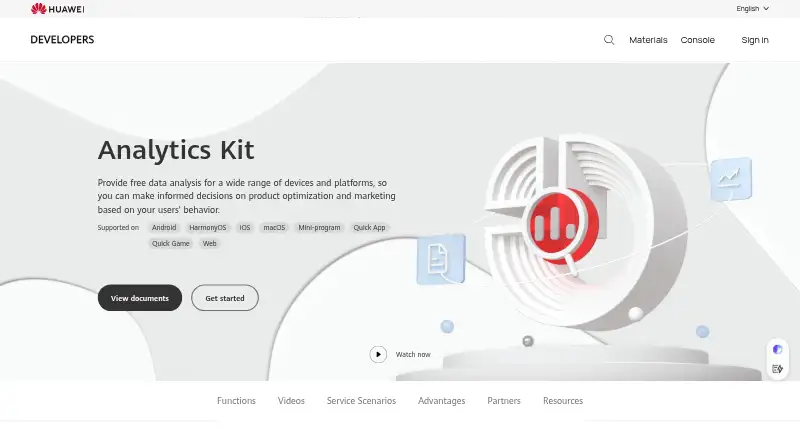
What HUAWEI Analytics Kit is
HUAWEI Analytics Kit helps app teams use user behavior data to guide marketing and product optimization. It provides preset analysis models and supports 30+ automatically collected events and 500 custom events. Reports cover new, active, and returning users, paid traffic, channels, funnels, retention, and behavior. A lifecycle model groups users into audiences and predicts which may churn or convert. Teams can also build audiences from user labels and events or from funnel and retention reports. Huawei lists Android, HarmonyOS, iOS, macOS, Mini-program, Quick App, Quick Game, and Web support. The Analytics Kit plan is free. Huawei says SDK integration can be completed in five minutes, with real-time online app debugging. Developers can set data retention to 6, 9, or 14 months, request data deletion or export, and turn off collection with an API. Huawei identifies itself as the end-user data processor and the developer as the data controller.
Who it suits
It suits app teams seeking behavior insights for marketing, retention, and product optimization. Its listed platforms span mobile, desktop, and web environments.
What it does well
- Supports 30+ automatically collected events and 500 custom events.
- Reports cover funnels, retention, traffic, and user behavior.
- Lifecycle model predicts which audiences may churn or convert.
- Data collection can be disabled with an API.
What to know first
- Session replay is not offered.
- Retention choices listed are 6, 9, or 14 months.
Plans
| Plan | Billed and limits | Price |
|---|---|---|
| Analytics Kit | Free data analysis; 30+ automatically collected events · 500 custom events | Free |
As developer.huawei.com lists them, read 2 Oct 2026. The maker's own page has the final word.
Getting started
- Open the HUAWEI Analytics Kit website.
- Choose the free Analytics Kit plan at 0.00 USD.
- Integrate the SDK into the app; Huawei says setup can take five minutes.
- Use real-time online app debugging during setup.
- Configure retention or collection controls as needed.
HUAWEI Analytics Kit is a cross-platform measurement service for teams that need behavioral data to guide app marketing, retention, and product decisions. It suits mobile and multi-platform developers, particularly those already using Huawei services. Its free plan is unusually broad for event and audience analysis, but the absence of session replay limits investigation of individual user journeys.
Overview
Analytics Kit covers the main analytics cycle: collect activity, examine funnels and retention, identify audience groups, and use those findings to improve a product or campaign. Reports cover new, active, and returning users, paid traffic, channels, funnels, retention, and behavior, giving teams both acquisition and engagement views.
The service is strongest when a team wants structured analysis rather than visual playback of every interaction. It can reveal where users progress or drop out and help identify likely churners, but it cannot show a recording of what an individual user did on screen.
Key features
Event and behavior analysis
Dozens of preset analysis models reduce the work of building common reports. More than 30 events are collected automatically, while the free Analytics Kit plan allows 500 custom events. That is a substantial starting vocabulary for many apps; products with highly specialized tracking should map their requirements against the custom-event ceiling before committing.
Lifecycle and audience tools
The lifecycle model groups users into audiences and predicts which people may churn or convert. Teams can create segments by combining user labels and events, or by using funnel and retention reports. These tools make the service suitable for targeted retention and marketing work, not just retrospective dashboards.
Reporting and integrations
Funnel analysis, retention reports, revenue tracking, and crash insights are included capabilities. Huawei says Analytics Kit is pre-integrated with Push, Crash, A/B Testing, Account, In-App Purchases, and Ads services, which is most useful for teams already building around that ecosystem. SDK integration is described as taking five minutes and includes real-time online app debugging, a practical advantage during implementation.
Privacy controls and support
Huawei acts as the end-user data processor while the developer remains the data controller. Developers can set retention to 6, 9, or 14 months, request deletion or export, and disable collection through an API. Huawei says customer service responds within 1 to 2 working days and offers a developer forum with Huawei experts.
Pricing
The Analytics Kit plan costs nothing. It includes free data analysis, more than 30 automatically collected events, and 500 custom events. There are no paid tiers or seat charges stated, so it is an especially accessible option for teams that can work within those event limits. The trade-off is capability rather than price: session replay is not included, and teams needing that depth of behavioral diagnosis will need another product.
Platforms
Analytics Kit supports Android, HarmonyOS, iOS, macOS, Mini-program, Quick App, Quick Game, and Web. The directory lists Android, iOS, macOS, and Web, while Huawei's broader supported-environment list adds its platform-specific app and game formats. This cross-platform coverage helps teams keep measurement consistent across products.
Who it's for
It is a good fit for app teams focused on user behavior, marketing attribution, retention, and product optimization, especially when Huawei Push, Ads, Crash, or other listed services are already in use. It is less suitable as a standalone choice for teams whose primary requirement is session-level visual diagnosis.
Pros and cons
Pros
- Free plan with broad measurement: 30+ automatic events, 500 custom events, funnels, retention, revenue, and crash insights cover a substantial analytics baseline.
- Useful audience intelligence: Lifecycle predictions and segments built from events, labels, funnels, and retention support targeted action.
- Wide platform reach: Android, HarmonyOS, iOS, macOS, Mini-program, Quick App, Quick Game, and Web support suit multi-platform teams.
- Huawei ecosystem integrations: Pre-integration with Push, Crash, A/B Testing, Account, In-App Purchases, and Ads can reduce connective work.
Cons
- No session replay: Teams cannot review individual sessions to diagnose interface friction visually.
- Custom-event ceiling: The free plan's 500-event allowance may constrain unusually detailed instrumentation.
Alternatives
FirstLook Engagement Analytics is the better fit when playtesting and player profiles matter: its free plan includes 100k player profiles, up to 500 playtesters, and 1,000 emails per month.
Choose GameAnalytics instead for a game-focused free plan with no MAU limits, predefined and custom dashboards, events, funnels, cohorts, retention, and real-time reporting.
GameBench is an alternative for teams prioritizing performance testing through its Pro trial.
PlayFab suits teams seeking a freemium game backend and analytics-oriented service with a Free to Start plan.
devtodev offers a free plan capped at 25k MAU, 30 custom events, five team members, and three months of raw-data storage.
ByteBrew is a free option for games and apps combining analytics, live operations, and attribution.
Keentics provides a freemium plan with 2M events per month, one project, one team seat, and 90-day retention.
Unity Version Control is a version-control alternative rather than a direct analytics substitute.
For broader discovery, browse Game Analytics Software, Mobile App Analytics Software, or Product Analytics Tools.
Verdict
Choose HUAWEI Analytics Kit if you want a free, cross-platform analytics foundation with strong event, funnel, retention, and audience tooling, particularly within Huawei's service ecosystem. Look elsewhere when session replay is central to diagnosing user experience or when your instrumentation needs exceed 500 custom events.
Verdict
Analytics Kit combines event analysis, audience tools, and reports in a free plan. Teams should note that session replay is not included.
Questions
How much does HUAWEI Analytics Kit cost?
The Analytics Kit plan is free and priced at 0.00 USD.
Which platforms does it support?
Huawei lists Android, HarmonyOS, iOS, macOS, Mini-program, Quick App, Quick Game, and Web.
How many events can it handle?
It supports more than 30 automatically collected events and 500 custom events.
Can developers control personal data?
Developers can set retention to 6, 9, or 14 months, request deletion or export, and disable collection through an API. Huawei acts as processor and the developer as controller.
What Huawei services does it integrate with?
Huawei says it is pre-integrated with Push, Crash, A/B Testing, Account, In-App Purchases, and Ads.
Facts from HUAWEI Analytics Kit's own pages
- Audience segmentation
- Audiences can be created by combining user labels and events or from funnel and retention reports. · developer.huawei.com, 2 Oct 2026
- Behavior analysis
- The service offers dozens of preset analysis models and supports 30+ automatically collected events and 500 custom events. · developer.huawei.com, 2 Oct 2026
- Data controls
- Huawei's personal-data page says developers can adjust retention to 6, 9, or 14 months, request data deletion or export, and disable collection with an API. · developer.huawei.com, 2 Oct 2026
- Developer support
- Huawei says customer service replies within 1 to 2 working days and provides a developer forum with Huawei experts. · developer.huawei.com, 2 Oct 2026
- Founded
- 1987 · developer.huawei.com, 28 Sept 2026
- Headquarters
- Huawei Base, Shenzhen, 518129, China · developer.huawei.com, 28 Sept 2026
- Integrations
- Huawei says Analytics Kit is pre-integrated with its Push, Crash, A/B Testing, Account, In-App Purchases, and Ads services. · developer.huawei.com, 2 Oct 2026
- Intended users
- Huawei describes the service for app teams seeking user behavior insights for app marketing, retention, and product optimization. · developer.huawei.com, 2 Oct 2026
- Lifecycle insights
- Its user lifecycle model groups users into audiences and predicts which users may churn or convert. · developer.huawei.com, 2 Oct 2026
- Privacy roles
- Huawei's personal-data processing page says Huawei acts as the end-user data processor and the developer acts as the data controller. · developer.huawei.com, 2 Oct 2026
- Purpose
- Analytics Kit provides data analysis to inform product optimization and marketing based on user behavior. · developer.huawei.com, 2 Oct 2026
- Reporting
- The product offers reports on new, active, and returning users, paid traffic, channels, funnels, retention, and behavior. · developer.huawei.com, 2 Oct 2026
- SDK setup
- Huawei says SDK integration can be completed in five minutes and supports real-time online app debugging. · developer.huawei.com, 2 Oct 2026
- Supported environments
- Huawei lists Android, HarmonyOS, iOS, macOS, Mini-program, Quick App, Quick Game, and Web as supported platforms. · developer.huawei.com, 2 Oct 2026
Where HUAWEI Analytics Kit stands on Freedom251
- Geofencing Software#2 of 17
- Biometric Authentication Software#7 of 45
- Game Analytics Software#7 of 32
- Funnel Analytics#7 of 27
- Product Analytics Tools#13 of 45
- Mobile App Analytics Software#15 of 37