Freedom251 › Geofencing Software
Tile38
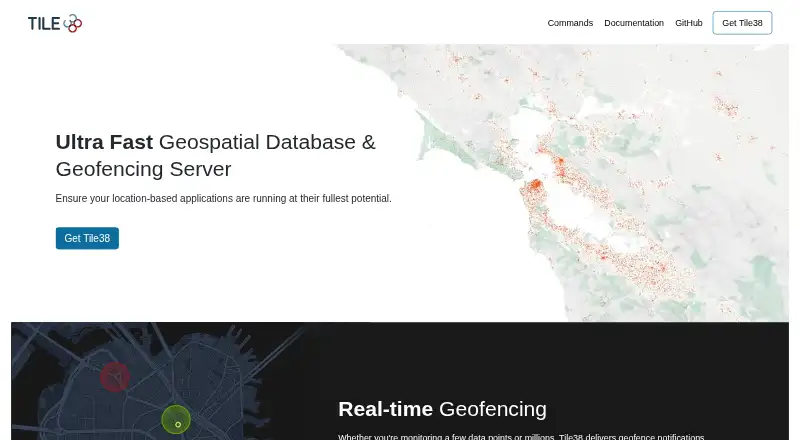
What Tile38 is
Tile38 is a free, open-source geospatial database and geofencing server for location-based applications. It is self-hosted and provides a spatial index for searches that find objects intersecting, within, or near an area, as well as static and roaming geofencing. The server can send real-time geofence notifications for a few data points or millions. Its spatial objects include latitude/longitude points, bounding boxes, XYZ tiles, geohashes, GeoJSON, QuadKeys, and sectors, and it supports 3D geometry. It does not provide coordinate transforms. Applications can connect over HTTP, WebSockets, or telnet, with JSON or RESP responses according to the protocol. Tile38 uses the Redis RESP protocol natively, so many clients that support basic Redis commands can work with it. The project lists built-in event support for NATS, Kafka, Amazon SQS, gRPC, Redis, RabbitMQ, MQTT, and HTTP/2, plus Tile38 client libraries for Go, Node.js, Python, TypeScript, Rust, Swift, and Java. Installation options include Docker, Homebrew, Linux packages, MacPorts, and pre-built binaries for OSX, Linux, FreeBSD, and Windows. Password protection is off by default; protected mode permits authenticated clients or localhost connections by default.
Who it suits
Tile38 fits developers building location-based applications who need a self-hosted spatial database, geofence alerts, or location searches. Its protocol options, Redis compatibility, event integrations, and language libraries provide several ways to connect application services.
What it does well
- Free and released under the MIT license.
- Supports real-time alerts for static and roaming geofences.
- Spatial searches include Intersects, Within, and Nearby.
- Offers HTTP, WebSockets, and telnet access.
- Installable through Docker, package managers, and pre-built binaries.
What to know first
- Self-hosted deployment requires running the server.
- Password protection is off by default.
- Coordinate transforms are not supported.
- Prometheus metrics endpoint is disabled by default.
Limits
Tile38 is self-hosted, and password protection is off by default. The Prometheus metrics endpoint is also disabled by default.
Plans
| Plan | Billed and limits | Price |
|---|---|---|
| Tile38 | 100% open source software | Free |
As tile38.com lists them, read 2 Oct 2026. The maker's own page has the final word.
Getting started
- Choose an installation route such as Docker, Homebrew, a Linux package, MacPorts, or a pre-built binary.
- Run Tile38 in your self-hosted environment.
- Configure password protection if needed; it is off by default.
- Connect an application using HTTP, WebSockets, telnet, or the Redis RESP protocol.
- Use a listed client library or connect through a supported event integration.
Verdict
Pick Tile38 if you need a free, self-hosted geospatial server with geofencing, spatial search, and multiple connection protocols. Look elsewhere if your application requires coordinate transforms or a managed deployment rather than self-hosting.
Questions
Is Tile38 free and open source?
Yes. Tile38 is free and released under the MIT license.
Which operating systems have pre-built binaries?
Pre-built release binaries are available for OSX, Linux, FreeBSD, and Windows.
What protocols can applications use to connect?
Tile38 documents HTTP, WebSockets, and telnet, with JSON or RESP responses depending on the protocol. It also uses the Redis RESP protocol natively.
Which event integrations are listed?
Built-in support is listed for NATS, Kafka, Amazon SQS, gRPC, Redis, RabbitMQ, MQTT, and HTTP/2.
What happens with authentication by default?
Password protection is off by default. Protected mode allows authenticated clients or connections from localhost by default.
Facts from Tile38's own pages
- Authentication
- The configuration guide says password protection is off by default and protected mode allows authenticated clients or connections from localhost by default. · tile38.com, 2 Oct 2026
- Client libraries
- The documentation lists Tile38-specific client libraries for Go, Node.js, Python, TypeScript, Rust, Swift, and Java. · tile38.com, 2 Oct 2026
- Data types
- Supported spatial object types include latitude/longitude points, bounding boxes, XYZ tiles, geohashes, and GeoJSON. · tile38.com, 2 Oct 2026
- Event integrations
- The site lists built-in support for NATS, Kafka, Amazon SQS, gRPC, Redis, RabbitMQ, MQTT, and HTTP/2. · tile38.com, 2 Oct 2026
- Geofencing
- It delivers real-time geofence notifications for a few data points or millions. · tile38.com, 2 Oct 2026
- Install options
- The installation guide provides Docker, Homebrew, Linux package, MacPorts, and pre-built release binary options. · tile38.com, 2 Oct 2026
- Metrics
- Tile38 can export Prometheus metrics, and the metrics endpoint is disabled by default. · tile38.com, 2 Oct 2026
- Open source
- Tile38 is released under the MIT license. · tile38.com, 2 Oct 2026
- Product
- Tile38 is a geospatial database and geofencing server for location-based applications. · tile38.com, 2 Oct 2026
- Protocols
- Tile38 documents HTTP, WebSockets, and telnet access, with responses in JSON or RESP depending on the protocol used. · tile38.com, 2 Oct 2026
- Redis compatibility
- Tile38 uses the Redis RESP protocol natively, so most clients supporting basic Redis commands also work with it. · tile38.com, 2 Oct 2026
- Spatial search
- Its spatial indexing engine supports Intersects, Within, Nearby, and static and roaming geofencing operations. · tile38.com, 2 Oct 2026
- Support and community
- The site links to Stack Overflow and Slack for community participation. · tile38.com, 2 Oct 2026
- Supported operating systems
- Pre-built release binaries are available for OSX, Linux, FreeBSD, and Windows. · tile38.com, 2 Oct 2026
Where Tile38 stands on Freedom251
- Geofencing Software#3 of 17
- Spatial Databases#26 of 40