Freedom251 › Video Customer Support Software
Fullview Cobrowsing
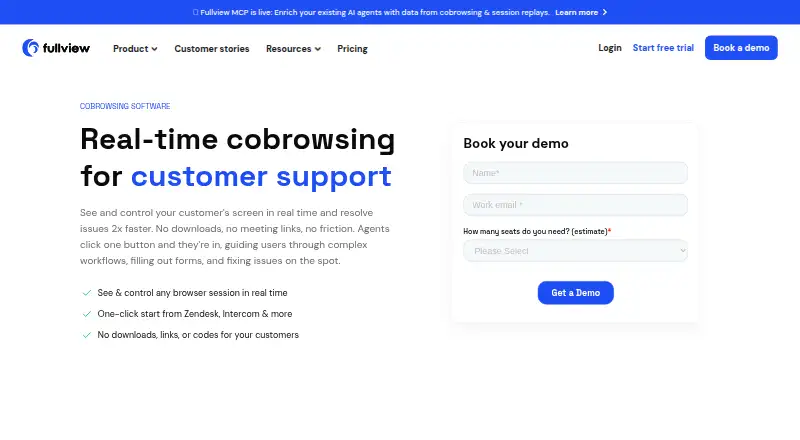
What Fullview Cobrowsing is
Fullview Cobrowsing lets support teams see and guide customers while they use a website or web app in desktop and mobile browsers. Customers can join without downloading software, installing an extension or using a meeting link or code. Agents can click, point, highlight or take control to help with a task, while customers can immediately regain control. Customers can also send requests to an agent dashboard queue. During sessions, agents can view browser console logs and network data; Fullview can automatically record sessions for review, training, issue reproduction or developer handoff. Customers control when sessions start, and sensitive information can be masked. Fullview lists Zendesk, Intercom, Salesforce and HubSpot integrations for starting sessions from helpdesk workflows; Freshdesk and Jira are marked as coming soon. Teams add a lightweight script to their web application. Fullview says most teams are up and running within a day. Pricing starts at $489/mo, with a 14-day trial and no free plan. Its custom plan is quote-based on team size and monthly session volume and includes five agent seats.
Who it suits
Fullview describes cobrowsing for customer support, customer success, technical support and onboarding teams. It suits teams that need to guide customers inside a website or web app.
What it does well
- Customers join without an install or meeting link.
- Agents can view console logs and network data.
- Sessions can be recorded automatically.
- Sensitive information can be masked.
- Integrates with four named helpdesk platforms.
What to know first
- No free plan is listed.
- Pricing starts at $489/mo.
- Freshdesk and Jira integrations are marked as coming soon.
- Teams must add a script to their web application.
Limits
There is no free plan. The listed custom plan is quote-based on team size and monthly session volume and includes five agent seats.
Plans
| Plan | Billed and limits | Price |
|---|---|---|
| Custom plan | Quote based on team size and monthly session volume; cobrowsing, session replays, console data, helpdesk integrations, privacy controls and data masking included | On request |
As fullview.io lists them, read 7 Oct 2026. The maker's own page has the final word.
Getting started
- Open the Fullview Cobrowsing website
- Add Fullview’s lightweight script to your web application
- Choose the paid offering starting at $489/mo
- Use the 14-day trial
- Connect listed helpdesk integrations such as Zendesk, Intercom, Salesforce, or HubSpot
- Invite agents to use the cobrowsing dashboard
Verdict
Fullview combines customer guidance, session diagnostics and recording for browser-based support workflows. Its $489/mo starting price and required web-app script are important considerations for teams evaluating it.
Questions
How much does Fullview Cobrowsing cost?
Pricing starts at $489/mo. A custom plan is quote-based on team size and monthly session volume.
Is there a free trial?
Yes. Fullview lists a 14-day trial, but no free plan.
Which platforms does it support?
It supports Android, iOS, and the web, including desktop and mobile browser experiences.
Do customers need to install anything?
No. Customers can join without downloading software, installing an extension, or using a meeting link or code.
Which integrations are available?
Fullview lists Zendesk, Intercom, Salesforce, and HubSpot. Freshdesk and Jira are marked as coming soon.
What security measures are listed?
Fullview states it is SOC 2 and GDPR compliant, hosts data on AWS in EU or US regions, and encrypts session data in transit and at rest.
Facts from Fullview Cobrowsing's own pages
- Agent control
- Agents can click, point, highlight, and take control to help customers complete tasks, while customers can regain control instantly. · fullview.io, 7 Oct 2026
- Implementation
- Teams add a lightweight script to their web application, and the pricing page says most teams are up and running within a day. · fullview.io, 7 Oct 2026
- Inbound requests
- Customers can send cobrowsing requests to an agent dashboard queue. · fullview.io, 7 Oct 2026
- Integration availability
- Fullview lists Freshdesk and Jira integrations as coming soon on its integrations page. · fullview.io, 7 Oct 2026
- Integrations
- Fullview lists Zendesk, Intercom, Salesforce, and HubSpot integrations for starting sessions from helpdesk workflows. · fullview.io, 7 Oct 2026
- Maker
- Fullview says it was founded in 2021. · fullview.io, 7 Oct 2026
- No customer install
- Customers can join cobrowsing without downloading software, installing an extension, or using a meeting link or code. · fullview.io, 7 Oct 2026
- Privacy controls
- The product page says sensitive customer information can be masked and customers control when sessions start. · fullview.io, 7 Oct 2026
- Security and compliance
- Fullview's pricing page states it is SOC 2 and GDPR compliant, hosts data on AWS in EU or US regions, and encrypts session data in transit and at rest. · fullview.io, 7 Oct 2026
- Session recordings
- Fullview says it can automatically record cobrowsing sessions for review, training, issue reproduction, and developer handoff. · fullview.io, 7 Oct 2026
- Supported browser context
- The product page says cobrowsing works across desktop and mobile browser experiences. · fullview.io, 7 Oct 2026
- Troubleshooting
- Agents can access browser console logs and network data during cobrowsing sessions. · fullview.io, 7 Oct 2026
- What it does
- Fullview lets support agents see and guide customers inside a website or web app in real time. · fullview.io, 7 Oct 2026
- Who it is for
- Fullview describes cobrowsing use by customer support, customer success, technical support, and onboarding teams. · fullview.io, 7 Oct 2026
Where Fullview Cobrowsing stands on Freedom251
- Video Customer Support Software#8 of 26
- Session Recording Software#26 of 30