Freedom251 › Event Diagramming Software

Event Floor Planner
What Event Floor Planner is
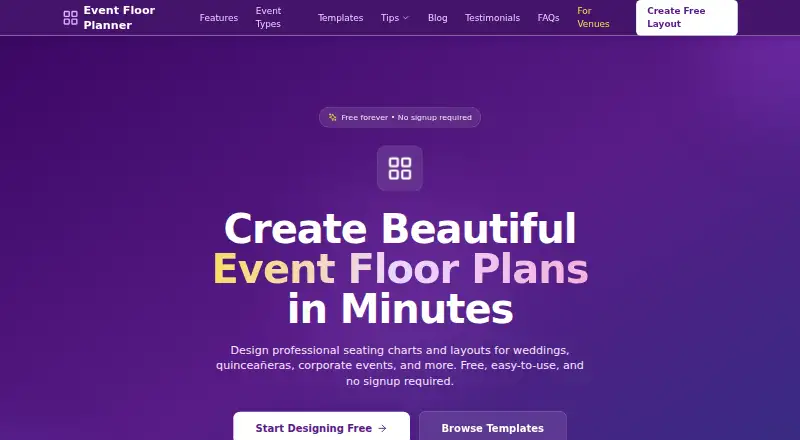
Event Floor Planner is an online tool for designing event floor plans and seating charts. Its editor lets users place, rotate, and resize layout elements using drag-and-drop controls. Users can build guest lists, assign guests to tables, and export plans as PDF documents. It is presented for weddings, quinceañeras, corporate events, and other special occasions. Layouts can be saved to the cloud using an email address without creating an account, or shared through a unique link. Anyone with that link can view the layout, including guest names and email addresses shown in it. The tool is available on web, Android, and iOS and is described as mobile-friendly, though its designer recommends a desktop or laptop for precise placement and editing. Layouts kept in browser storage may be lost if browser data is cleared or a different browser or device is used. The privacy policy describes encryption in transit and at rest, access controls, and regular security monitoring. The Free plan costs nothing and includes PDF export; no signup is required. Professional templates are listed as coming soon.
Who it suits
It suits people arranging seating and floor plans for weddings, quinceañeras, corporate events, and other occasions. The desktop or laptop recommendation may matter for precise editing.
What it does well
- Drag-and-drop editor supports rotation and resizing.
- Guest lists can be assigned to tables.
- Plans can be exported as PDFs.
- Cloud saving does not require an account.
What to know first
- Shared links expose layouts to anyone who has them.
- Browser-stored layouts may be lost when data is cleared.
- Precise editing is recommended on desktop or laptop.
Limits
The Free plan costs nothing and includes PDF export; no signup is required. Layouts kept in browser storage may be lost if browser data is cleared or you switch browsers or devices.
Plans
| Plan | Billed and limits | Price |
|---|---|---|
| Free | Free online tool · no signup required · PDF export | Free |
As eventfloorplanner.com lists them, read 8 Oct 2026. The maker's own page has the final word.
Getting started
- Open the Event Floor Planner website or use its Android or iOS platform.
- Start designing without creating an account.
- Place, rotate, and resize layout elements in the editor.
- Create a guest list and assign guests to tables.
- Save to the cloud with an email address or share the layout through its unique link.
- Export the floor plan as a PDF.
Overview
Event Floor Planner is a browser-based tool for arranging event spaces and assigning guests to tables. It is best suited to hosts organizing weddings, quinceañeras, corporate events, and other special occasions who need a straightforward plan they can export. Its useful core tools come with two practical cautions: protect browser-stored work and treat shared links as public to anyone who has them.
Key features
Shape the room and seating
Drag-and-drop placement, rotation, and resizing give planners control over where layout elements go rather than forcing them into fixed positions. Guest lists and table assignments bring seating decisions into the same workflow as the floor plan, a sensible fit for events where room arrangement and guest placement must be coordinated. Professional templates are described as coming soon, so users should expect to construct their plans without relying on a ready-made template library.
Save, export, and share
Users can export plans as PDFs and save layouts to the cloud using an email address, without creating an account. That combination works well for a one-off plan that needs to be kept or sent as a document. Layouts can also be shared by unique link, but anyone who has the link can view the layout, including guest names and email addresses shown in it. Avoid putting sensitive guest information in a layout shared this way.
Work kept in browser storage may be lost if browser data is cleared or if the user changes browsers or devices. Cloud saving provides another way to retain layouts, but planners should not rely on browser storage as their only copy. The service says data in transit is protected with SSL/TLS encryption, stored data is encrypted at rest, and access controls and regular security monitoring are used.
Pricing
Event Floor Planner has one Free plan at no cost. It is a free online tool with no signup required and PDF export, making it an uncomplicated choice for an occasional event or a planner who wants to avoid a subscription. There are no paid tiers to compare; the trade-offs are the lack of professional templates at present and the need to manage storage and link privacy carefully.
Platforms
The service supports Android, iOS, and web, and is described as mobile-friendly. For precise placement and editing, however, the designer recommends a desktop or laptop. Mobile access is useful for convenience, while detailed floor-plan work is better suited to a larger screen.
Who it's for
This is a good fit for individuals or organizers planning a wedding, quinceañera, corporate event, or another special occasion who want to arrange a room, assign guests, and produce a PDF without paying. It is less suitable for anyone who needs a template library now, dependable work across devices without taking care over storage, or private sharing of guest details through a link.
Pros and cons
- Pro: Drag, rotate, and resize layout elements, then assign guests to tables in the same tool; that covers the central planning tasks for a seating chart.
- Pro: PDF export and cloud saving by email address make it possible to keep or circulate a plan without creating an account.
- Pro: The Free plan costs nothing and requires no signup, lowering the barrier for a single event.
- Con: Browser-stored layouts can be lost when browser data is cleared or a different browser or device is used, so they are a risky sole copy.
- Con: Anyone with a shared link can see the layout, including guest names and email addresses; link sharing is not appropriate for information that must remain private.
- Con: Professional templates are still coming soon, leaving users to build layouts themselves.
Alternatives
Event Diagramming Software is a category directory for comparing event-diagramming options.
Table-Plan.com is worth considering when a 30-guest, one-project free allowance with unlimited tables is enough, or when a one-time 29.00 USD Premium plan for up to 250 guests and three months of validity suits the event.
EventDiagram is another free-plan option for readers who want to compare an event-diagramming tool.
Eventscript may suit organizers managing one upcoming event at a time who want all features included, or teams considering its $76.47 a month Yearly plan with unlimited users, teams, and contacts.
OnePlan offers a free plan capped at one event and 25 objects with low-resolution watermarked PNG export; its $90 a month Team plan is for groups of 3–10 people needing unlimited event plans and objects under fair use.
SeatChart.io is a free alternative that includes one event, three AI floor plan imports, a full editor, templates, guest import, export, sharing, QR, and priority support.
SeatPlan.io has a free plan at no cost for full design and guest-list import, but it allows only one AI floor-plan import to try and includes no saved work or PDF export.
SeatPlanning is an option when a free plan limited to one project, 40 seats per project, five tables, 80 elements, and watermarked PDF export fits the job.
TablePlan.io offers a free demo with the full planner for one event at a time, saved in the browser; it may suit someone who wants to try that workflow before choosing a paid option.
Verdict
Choose Event Floor Planner for a no-cost way to arrange an event layout, assign guests, and export a PDF without signing up. Its compact feature set suits individual hosts and planners handling a straightforward event. Look elsewhere if you need professional templates now, robust continuity across devices without careful saving, or link sharing that keeps guest details private.
Verdict
Event Floor Planner covers layout editing, guest assignments, PDF export, and link sharing in a free online tool. Consider the visibility of shared layouts and the risk of losing browser-stored work before using it.
Questions
What does Event Floor Planner cost?
Its Free plan costs nothing and includes PDF export.
Is there a free trial?
No. The listed free option is a Free plan, and no free trial is offered.
Do I need an account to use it?
No signup is required. You can also save layouts to the cloud with an email address without creating an account.
Which platforms are available?
Web, Android, and iOS. The tool is described as mobile-friendly, though a desktop or laptop is recommended for precise placement and editing.
Can other people see a shared layout?
Anyone with its unique sharing link can view it, including guest names and email addresses in the layout.
How can I contact support?
The privacy policy lists [email protected] for questions or requests.
Facts from Event Floor Planner's own pages
- Cloud saves
- Layouts can be saved to the cloud with an email address, without creating an account. · eventfloorplanner.com, 8 Oct 2026
- Device support
- The site describes the tool as mobile-friendly, while the designer recommends a desktop or laptop for precise placement and editing. · eventfloorplanner.com, 8 Oct 2026
- Guest management
- Users can create guest lists and assign guests to tables. · eventfloorplanner.com, 8 Oct 2026
- Headquarters
- Las Vegas, Nevada, United States · eventfloorplanner.com, 28 Sept 2026
- Intended events
- The site presents the tool for weddings, quinceañeras, corporate events, and other special occasions. · eventfloorplanner.com, 8 Oct 2026
- Layout editor
- The designer supports drag-and-drop placement, rotation, and resizing of layout elements. · eventfloorplanner.com, 8 Oct 2026
- Local data limit
- Layouts kept in browser storage may be lost if browser data is cleared or the user switches browsers or devices. · eventfloorplanner.com, 8 Oct 2026
- PDF export
- Users can export floor plans as PDF documents. · eventfloorplanner.com, 8 Oct 2026
- Purpose
- Event Floor Planner is an online tool for designing event floor plans and seating charts. · eventfloorplanner.com, 8 Oct 2026
- Security
- The privacy policy says data in transit uses SSL/TLS encryption, stored data is encrypted at rest, and access controls and regular security monitoring are used. · eventfloorplanner.com, 8 Oct 2026
- Shared layout privacy
- Anyone with a shared layout link can view it, including guest names and email addresses in the layout. · eventfloorplanner.com, 8 Oct 2026
- Sharing
- Users can share layouts via unique links. · eventfloorplanner.com, 8 Oct 2026
- Support
- The privacy policy lists [email protected] as the contact address for questions or requests. · eventfloorplanner.com, 8 Oct 2026
- Templates
- The home page describes professional templates as coming soon. · eventfloorplanner.com, 8 Oct 2026
Where Event Floor Planner stands on Freedom251
- Event Diagramming Software#1 of 24