Freedom251 › Event Diagramming Software

Eventscript
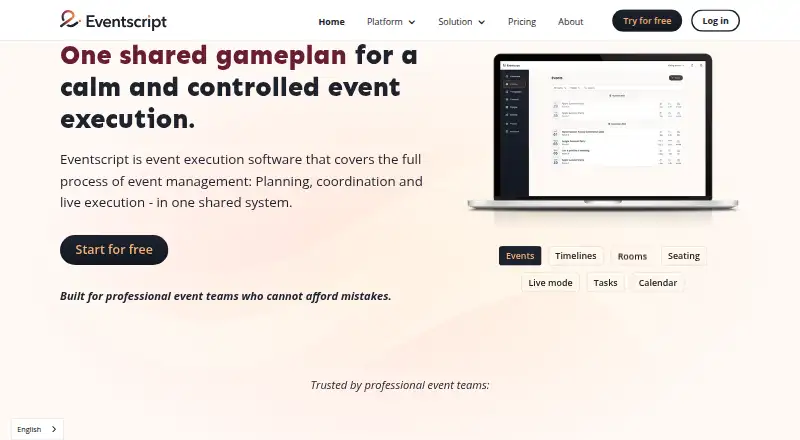
What Eventscript is
Eventscript is web-based event management software for planning, coordinating, and running events in a shared system. Teams use digital event scripts that update in real time as plans change, and can include external partners and suppliers. Planning tools cover timelines, tasks, event calendars, templates, and instructions for different teams. A room designer supports layouts with tables, seating, stages, and bars. Guest tools allow spreadsheet imports, tracking dietary requirements and allergies, seat assignments, and tablet check-in; users can also attach documents directly to events. The Free plan includes all features but allows only one upcoming event at a time. Yearly costs $76.47 a month when paid yearly, while Monthly costs $91.75 a month when paid month-by-month; both paid plans list unlimited users, teams, contacts, and events. Eventscript is presented for event teams, coordinators, venues, and floor or operations teams. Its maker identifies itself as Danish company Eventscript ApS and offers a free demo described as a roughly five-minute introduction.
Who it suits
Eventscript suits event teams, coordinators, venues, and floor or operations teams that need shared plans, guest management, and room layouts. External partners and suppliers can also be included in an event script.
What it does well
- Shared event scripts update in real time.
- Room designer supports seating, stages, tables, and bars.
- Guest tools track dietary needs and allergies.
- Paid plans include unlimited users, teams, contacts, and events.
What to know first
- Free plan allows one upcoming event at a time.
- Yearly plan costs $76.47 a month.
- Monthly plan costs $91.75 a month.
- Third-party integrations are not named.
Limits
The free plan includes all features but allows one upcoming event at a time. Both paid plans list unlimited users, teams, contacts, and events.
Plans
| Plan | Billed and limits | Price |
|---|---|---|
| Free | One upcoming event at a time · all features otherwise included | Free |
| Yearly | Paid yearly (~20% discount) · Unlimited users · teams · contacts · events | $76.47 a month |
| Monthly | Paid month-by-month · Unlimited users · teams · contacts · events | $91.75 a month |
As eventscript.co lists them, read 4 Oct 2026. The maker's own page has the final word.
Getting started
- Visit the Eventscript website.
- Start with the free plan or choose Yearly or Monthly.
- Import a floor plan or build a room layout with the room designer.
- Import a guest spreadsheet, track dietary needs, and assign seats.
- Add timelines, tasks, team instructions, and documents to the event script.
- Invite team members, partners, or suppliers to collaborate.
Eventscript is event management software that brings planning, room layouts and guest coordination into a shared system. It suits event teams, venues and operations staff who need plans to stay aligned as arrangements change. Its strongest case is broad collaboration; the main trade-off is a free tier restricted to one upcoming event at a time.
Overview
Eventscript centers on shared digital event scripts that update in real time, giving teams and invited external partners a common working plan. Timelines, tasks, calendars, templates and team-specific instructions connect coordination with the practical details of an event. That breadth makes it more compelling for teams managing an event end to end than for someone who only needs to draw a seating chart.
Room planning and guest management extend the shared plan beyond schedules: users can map rooms and seating, import guest spreadsheets, record dietary requirements and allergies, assign seats, and check guests in on tablets. Documents can also be attached directly to events.
Key features
- Shared scripts and planning: Real-time updates, timelines, tasks, calendars, templates and team-specific instructions help keep changing plans coordinated. This is useful when several teams or suppliers need to work from the same event plan.
- Room and floor planning: The room designer handles layouts, tables, seating, stages and bars; floor-plan import and seating plans are supported. It is a substantive planning component, not just a guest list attached to a schedule.
- Guest management: Spreadsheet imports, dietary and allergy tracking, seat assignments and tablet check-in cover key coordination tasks from planning through arrival.
- Documents and partners: Event-level document attachments and the ability to include external partners and suppliers extend collaboration beyond the core team.
Pricing
The Free plan costs nothing and includes all features, but permits only one upcoming event at a time. That cap makes it a useful way to work with the feature set for a single active event, but a poor fit for teams juggling several upcoming events.
Yearly costs $76.47 a month, billed yearly, with an approximately 20% discount. It removes the event cap and includes unlimited users, teams and contacts. Monthly costs $91.75 a month, billed month-by-month, with the same unlimited users, teams, contacts and events. The yearly plan suits teams able to commit to annual billing; the monthly option costs more per month but avoids that annual billing commitment. Both paid plans remove the free tier’s event limit.
Platforms
Eventscript is available on the web. Tablet check-in is supported, but the platform is described as web-based.
Who it's for
Event teams, coordinators, venues, and floor or operations teams are the natural audience, especially when several people and outside suppliers must coordinate schedules, room plans and guest information. A solo organizer with one upcoming event can start on the free plan. Teams managing multiple events need a paid plan; users looking only for a dedicated diagramming or seating tool may find Eventscript’s wider event-management scope unnecessary.
Pros and cons
- Pro: Shared scripts update in real time, helping teams and external partners stay aligned when plans change.
- Pro: Timelines, room layouts, guest needs, seating and tablet check-in sit within one event workflow.
- Pro: Paid plans include unlimited users, teams, contacts and events, so the event cap does not grow with a larger operation.
- Con: The free plan allows only one upcoming event at a time, limiting its usefulness for ongoing event portfolios.
- Con: The yearly plan requires annual billing; month-by-month billing costs $91.75 a month.
Alternatives
For a wider range of diagramming-focused options, browse Event Diagramming Software. Choose EventDiagram if a free event-diagramming option with a web interface or API better fits the job. OnePlan is worth considering when its free allowance of one event, 25 objects and watermarked low-resolution PNG export is enough, or when its Team plan’s 3–10-person scope fits.
SeatChart.io suits a narrower seating task: its free plan includes one event, three AI floor-plan imports, guest import, export and sharing. SeatPlan.io is another seating-focused option, with a free plan that includes full design and guest-list import but no saved work or PDF export. SeatPlanning may fit a small project within its free limits of one project, 40 seats, five tables and 80 elements.
Choose Cvent if you need its broader web, iOS and Android availability or want to try its registration product for free. EventReception offers a per-event MAX-150 plan capped at 150 guests and two tablet devices. A Seat Awaits is an option for a single event of up to 50 guests with its Starter Pass.
Verdict
Eventscript is a strong fit for event teams and venues that want planning, room layouts and guest coordination to move together in a real-time shared workspace. Its free plan makes a single upcoming event accessible, while the paid tiers remove the event limit and keep users, teams and contacts unlimited. Look elsewhere if you only need a focused diagramming or seating tool, or if one upcoming event at a time is too restrictive and the paid plans do not suit your billing needs.
Verdict
Eventscript combines shared event plans with room and guest management. The free tier limits users to one upcoming event at a time; both paid plans remove that event limit.
Questions
Is Eventscript free?
Yes. The Free plan costs nothing and includes all features, with one upcoming event at a time.
What do the paid plans cost?
Yearly costs $76.47 a month when paid yearly. Monthly costs $91.75 a month when paid month by month.
Which platforms does Eventscript support?
Eventscript is listed for web.
Can teams import guest lists and floor plans?
Yes. Guest spreadsheet import and floor-plan import are listed. Teams can also track dietary needs and allergies and assign seats.
Does Eventscript include third-party integrations?
Its listed pages describe importing guest spreadsheets but do not name third-party integrations.
Who makes Eventscript?
The maker is Eventscript ApS, which identifies itself as a Danish company.
Facts from Eventscript's own pages
- Collaboration
- External partners and suppliers can be included in the shared event script. · eventscript.co, 4 Oct 2026
- Company
- The maker identifies itself as a Danish company, Eventscript ApS. · eventscript.co, 4 Oct 2026
- Document storage
- Users can attach documents directly to events. · eventscript.co, 4 Oct 2026
- Floor planning
- Its room designer supports room layouts, tables, seating, stages, and bars. · eventscript.co, 4 Oct 2026
- Guest management
- Users can import guest spreadsheets, track dietary requirements and allergies, assign seats, and check guests in using tablets. · eventscript.co, 4 Oct 2026
- Integrations
- The maker's pages reviewed describe importing guest spreadsheets but do not name third-party integrations. · eventscript.co, 4 Oct 2026
- Intended users
- The platform is presented for event teams, coordinators, venues, and floor or operations teams. · eventscript.co, 4 Oct 2026
- Planning tools
- The platform includes timelines, tasks, event calendars, templates, and team-specific instructions. · eventscript.co, 4 Oct 2026
- Product
- Eventscript is event management software for planning, coordinating, and executing events in one shared system. · eventscript.co, 4 Oct 2026
- Security
- The reviewed maker pages do not state security certifications or compliance standards. · eventscript.co, 4 Oct 2026
- Shared scripts
- Teams work from shared digital event scripts that update in real time when plans change. · eventscript.co, 4 Oct 2026
- Support
- The maker offers a free demo with founder Victor Juul, described as a roughly five-minute introduction. · eventscript.co, 4 Oct 2026
Where Eventscript stands on Freedom251
- Event Diagramming Software#5 of 24