Freedom251 › Version Control Software

Diversion
What Diversion is
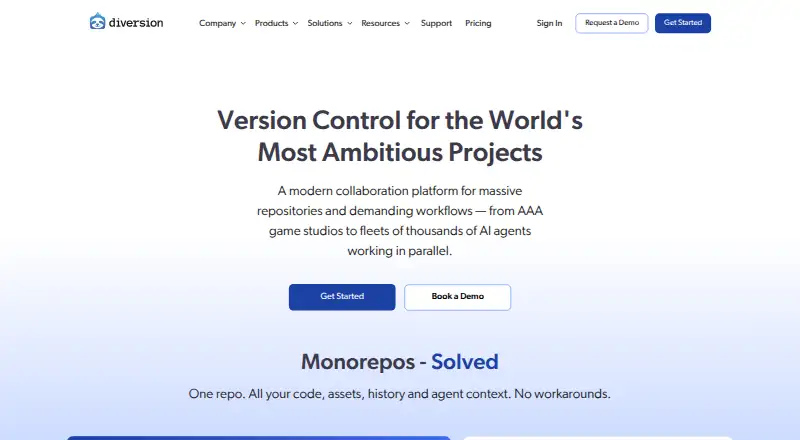
Diversion is a version control system for code, game assets, media, and other large files, with real-time collaboration. Changes sync automatically to the cloud, without manual push or pull. The product supports repositories containing tens of millions of files and hundreds of terabytes, with partial and shallow checkouts. It versions source code alongside assets such as textures, 3D models, audio, video, and datasets. Game teams can use its Unreal Engine integration, which supports UGS and Horde workflows, or Diversion Connect in Unity Editor for sync status, commits, branches, and change history. Jenkins and TeamCity integrations and a RESTful Web API are also listed. Studio and higher plans add reviews, hard locks, and granular permissions. Diversion supports Windows, macOS, Linux, web, and self-hosted deployment, and offers a free plan and 21-day trial. Paid plans start at $25/user/mo; Enterprise pricing is custom.
Who it suits
Diversion suits game developers, virtual production and architectural visualization studios, AI/ML teams, and other creative teams working with large files. Its Unity and Unreal Engine integrations may be useful to game teams.
What it does well
- Automatic cloud sync without manual push or pull
- Handles source code and large binary files
- Partial and shallow checkouts are available
- Unreal Engine and Unity integrations are listed
- Self-hosted deployment is available
What to know first
- Paid plans start at $25/user/mo
- Education and Indie plans require eligibility
- Enterprise pricing requires a quote
Limits
Education is free for eligible academic institutions for up to 10 users. Indie is free for the first five users and includes up to 20 users, 100GB storage, and up to five repositories; extra storage costs $10/m per additional 100GB. Pro includes 100GB storage and up to three webhooks, while reviews, hard locks, and granular permissions are listed from Studio.
Plans
| Plan | Billed and limits | Price |
|---|---|---|
| Education | free for up to 10 users · Academic eligibility required | Free |
| Indie | $0 per user/month for first 5 users; $12 per user/month for users 6-10; $25 per user/month for users 11-20 · Eligibility required · 100GB storage · $10 per additional 100GB/month · up to 5 repositories · unlimited repository size · CI/CD · Discord and email support | Free |
| Pro - A | per user/month · Scale up to 50 seats · 100GB storage · $10/m each additional 100GB · unlimited repositories · up to 3 webhooks | $25 a month |
| Pro | per user/month · 21-day free trial · 50 seats · 100GB storage · unlimited repositories · API · CI/CD · 3 webhooks · art previews · pre-commit hooks · email and Discord support | $25 a month |
| Studio - AA | per user/month · Up to 200 users · everything in Pro · code and asset reviews · unlimited webhooks · granular permissions · hard locks | $35 a month |
| Studio | per user/month · 21-day free trial · 200 users · 100GB storage · unlimited repositories · code and asset reviews · unlimited webhooks · granular permissions · hard locks · priority Slack support · training · account manager | $35 a month |
| Enterprise - AAA | Custom pricing; contact for a quote · Unlimited users · on-prem/private cloud · multi-site deployment · SAML SSO · custom integrations · 24/7 support SLA | On request |
| Enterprise | custom quote · Unlimited users · on-premises/private-cloud deployment · custom storage · multi-site proxy · SAML SSO · custom integrations · 24/7 support SLA | On request |
As diversion.dev lists them, read 14 Oct 2026. The maker's own page has the final word.
Getting started
- Visit the Diversion website.
- Choose an eligible Education or Indie free plan, or a paid plan.
- Use a listed Windows, macOS, or Linux desktop platform, or the web option.
- Connect an Unreal Engine or Unity workflow if applicable.
- Use the listed Jenkins, TeamCity, or RESTful Web API integrations where needed.
Overview
Diversion brings source code and large creative files into one distributed version-control workflow, with automatic cloud sync in place of manual pushes and pulls. It is best suited to game and creative teams whose projects include substantial binary assets; the main trade-off is that storage, seat limits, and deployment needs should shape the plan choice.
Its stated scale—repositories with tens of millions of files and hundreds of terabytes—is notable for teams whose projects outgrow code-focused workflows. Partial and shallow checkouts help limit what a user needs to work with, though the storage allowances on lower plans remain modest by comparison. Teams comparing the wider category can browse Version Control Software.
Key features
Code and creative assets together
Diversion versions source code alongside game assets, textures, 3D models, audio, video, and datasets, with native large-file handling. File locking and sparse checkout suit shared asset workflows: locking can prevent concurrent edits to a file, while sparse checkout can keep work focused on a subset of a repository. The product also tracks changes automatically and syncs to the cloud, removing the manual push-and-pull step.
Game-engine and build integrations
Unreal Engine integration supports UGS and Horde workflows, while Diversion Connect surfaces sync status, commits, branches, and change history inside Unity Editor. Jenkins and TeamCity integrations connect it to named CI/CD tools, and a RESTful Web API allows custom integrations. This breadth makes Diversion a more natural fit for game teams than a workflow centered only on source code.
Collaboration, security, and deployment
Studio and Enterprise include code and asset reviews, hard locks, and granular permissions, controls that matter when larger teams need review and access rules around shared work. Diversion reports a SOC 2 Type I audit, encryption at rest and in transit, and backups across hourly, daily, monthly, and point-in-time schedules in multiple regions, with regular recovery testing. Enterprise adds on-premises or private-cloud deployment and multi-site deployment; hybrid hosting is also an option. Those choices are useful for organizations with deployment constraints, but are more than a small team may need.
Support is offered through Discord, email, documentation, and in-product help. Studio adds priority support through a dedicated Slack channel, while Enterprise includes a 24/7 support SLA.
Pricing
Diversion has a free plan, paid plans from $25/user/mo, and a 21-day trial. The free options have eligibility requirements and caps, so they are not general-purpose substitutes for the paid tiers.
- Education: Free for up to 10 users, for eligible academic institutions. It is a focused option for qualifying education teams.
- Indie: Free for the first 5 users, with eligibility required. It supports up to 20 users, 100GB storage, up to 5 repositories, and charges $10/m each additional 100GB. This can suit an eligible small team, but the storage ceiling and repository cap are meaningful constraints.
- Pro: $25 a month, billed per user/month. It scales to 50 seats, includes 100GB storage, charges $10/m each additional 100GB, allows unlimited repositories, and includes up to 3 webhooks. It is the entry paid tier for teams that need more repositories or standard paid capacity.
- Studio: $35 a month, billed per user/month, for up to 200 users. It includes everything in Pro plus code and asset reviews, unlimited webhooks, granular permissions, hard locks, and priority support. The price premium is most relevant to teams that will use those governance and collaboration tools.
- Enterprise: Custom pricing by quote for unlimited users. It adds on-premises or private-cloud and multi-site deployment, SAML SSO, custom integrations, and a 24/7 support SLA. This is the tier for organizations with deployment or support requirements beyond Studio.
Platforms
Diversion supports Windows, macOS, Linux, and web access, along with API and self-hosted deployment. Desktop coverage across the three major operating systems is useful for mixed-platform teams; the self-hosted option can matter when cloud-only deployment is unsuitable.
Who it's for
Diversion is aimed at game developers, virtual production and architectural visualization studios, AI/ML teams, and other creative groups working with large files. It is especially compelling when code and assets need shared versioning, engine integrations, or locking. Teams with small repositories and no need for large-file or collaboration controls may find the additional capacity and workflow breadth unnecessary.
Pros and cons
- Pro: Source code and large binary assets share one version-control system, including native large-file handling and file locking.
- Pro: Unreal and Unity integrations, plus Jenkins, TeamCity, and a RESTful API, cover game-engine and build workflows.
- Pro: Automatic cloud sync avoids manual push-and-pull steps.
- Pro: Studio and Enterprise add reviews, granular permissions, hard locks, and higher-tier support for teams needing oversight.
- Con: Free plans are eligibility-gated, and Indie caps repositories at five and storage at 100GB before add-on charges.
- Con: Pro and Studio charge per user, and Pro storage beyond 100GB costs extra, which teams with many seats or large asset libraries must budget for.
Alternatives
Unity Version Control is worth comparing for teams seeking another freemium option; its free tier has unlimited cloud seats and 25 GB storage, with usage beyond included limits billed pay-as-you-go.
Accessibility Test Framework for Android is a free option for teams specifically seeking an Android accessibility test framework.
Apache Subversion is a free, open-source version-control option for teams that prefer that model.
Fossil is a free, open-source, self-hosted alternative.
GitButler is a free client option for teams looking for standalone use.
Mercurial is free software for teams seeking a GNU GPL-licensed version-control option.
Perforce P4 (Helix Core) is another freemium choice; its free plan has specific user and workspace caps.
VisualSVN Server offers a free Windows server plan with up to 15 users and unlimited repositories, including commercial use.
Verdict
Choose Diversion if your team needs code and large creative assets versioned together, especially in game-engine workflows where locking and reviews matter. Its strongest case is the combination of asset handling, integrations, and deployment flexibility; look elsewhere if your repositories are modest or per-user pricing and storage add-ons outweigh those needs.
Verdict
Diversion combines version control for source code and large creative assets with collaboration and game-engine integrations. Check plan eligibility, storage limits, and deployment options against your team's needs.
Questions
Does Diversion have a free plan?
Yes. Education is free for eligible academic institutions for up to 10 users. Indie is free for its first five users and has eligibility requirements.
How much does Diversion cost?
Pro - A is $25 per user/month and Studio - AA is $35 per user/month. Enterprise uses custom pricing by quote.
Which platforms does Diversion support?
The listed platforms are API, Linux, macOS, self-hosted, web, and Windows.
Can Diversion manage large files?
Yes. It versions source code alongside large binaries such as game assets, 3D models, audio, video, and datasets.
Does Diversion integrate with game engines and CI tools?
It lists Unreal Engine and Unity integrations, plus Jenkins and TeamCity CI/CD integrations.
Can Diversion be self-hosted?
Yes. Enterprise options include on-premises and private-cloud deployment; hybrid hosting is also listed.
Facts from Diversion's own pages
- API examples and SDK coverage
- Diversion's API documentation is described as having working examples in Python, TypeScript, Go, C# and cURL. · linkedin.com, 14 Oct 2026
- Art previews
- Diversion advertises in-product previews for UAsset, FBX, GLB and OBJ files. · diversion.dev, 14 Oct 2026
- Audience
- Diversion says it is built for game developers, virtual production and architectural visualization studios, AI/ML teams, and other creative teams working with large files. · diversion.dev, 2 Oct 2026
- Backups
- The security page says backups run point-in-time, hourly, daily, and monthly across multiple regions, with regular recovery testing. · diversion.dev, 2 Oct 2026
- Branching and merging
- Diversion provides Git-like branching and merging for flexible workflow strategies. · diversion.dev, 14 Oct 2026
- Code and asset reviews
- Reviews allow engineers, artists and QA users to compare branches, comment on files or lines, approve changes and merge from the review. · diversion.dev, 14 Oct 2026
- Collaboration
- Studio and higher include code and asset reviews, hard locks, and granular permissions. · diversion.dev, 2 Oct 2026
- Company founding
- Y Combinator lists Diversion as founded in 2021 and part of its Summer 2022 batch. · ycombinator.com, 14 Oct 2026
- Company headquarters and size
- LinkedIn lists San Francisco headquarters and an 11-50 employee company size. · linkedin.com, 14 Oct 2026
- Company legal name
- The legal entity is Diversion Company, Inc., a Delaware company. · diversion.dev, 14 Oct 2026
- Conflict prevention
- The product offers cross-branch conflict alerts and exclusive file locks for assets that cannot be merged safely. · diversion.dev, 14 Oct 2026
- Deployment
- Enterprise options include on-premises and private-cloud deployment, while the security page also lists hybrid hosting. · diversion.dev, 2 Oct 2026
- Desktop app
- The desktop app can log in, create or clone repositories and show synchronization status without using the terminal. · diversion.dev, 14 Oct 2026
- Documentation and support
- Support is provided through documentation, in-product help, Discord and support email. · diversion.dev, 14 Oct 2026
- Funding news
- GamesBeat reported in 2025 that Diversion raised $12 million for its version-control platform for creative industries. · gamesbeat.com, 14 Oct 2026
- Game-engine integrations
- Official integrations are offered for Unreal Engine and Unity, and the company says Godot and other engines can also be used. · diversion.dev, 14 Oct 2026
- Git interoperability
- The Fab listing says users can import Git projects and keep them synchronized with Diversion. · fab.com, 14 Oct 2026
- Installation
- The official GitHub quickstart installs macOS/Linux with a shell script and Windows with an installer, then uses dv login, clone, status and commit commands. · github.com, 14 Oct 2026
- Integrations
- The product page names Jenkins and TeamCity CI/CD integrations and a RESTful Web API for custom integrations. · diversion.dev, 2 Oct 2026
- Large files
- Diversion versions source code alongside large binary files such as game assets, textures, 3D models, audio, video, and datasets. · diversion.dev, 2 Oct 2026
- Large-file support
- Diversion versions binaries such as textures, 3D models, audio, video, datasets and engine files in the same repository as source code. · diversion.dev, 14 Oct 2026
- Large repositories
- The company says Diversion can clone five million files in under five minutes and commit 400,000 files in under 30 seconds. · github.com, 14 Oct 2026
- Licence
- Diversion's terms treat the service and software as company-owned proprietary material and prohibit sublicensing, reverse engineering, modification and unauthorized copying. · diversion.dev, 14 Oct 2026
- Limit: incomplete web UI
- During its Hacker News launch discussion, the company acknowledged that the CLI was then its most complete interface and the web UI could not yet do everything. · news.ycombinator.com, 14 Oct 2026
Where Diversion stands on Freedom251
- Version Control Software#8 of 62
- Game Asset Management Software#3 of 15