
GitButler
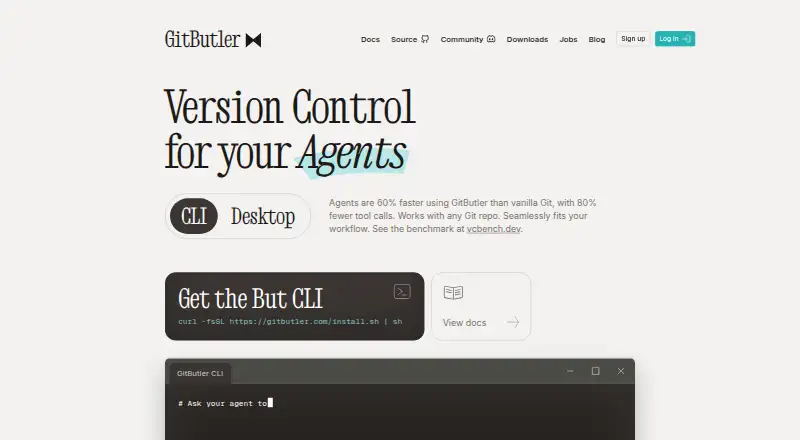
What GitButler is
GitButler is a Git-based version-control interface with a graphical client and command-line interface, designed for AI-powered workflows. It lets users work on multiple independent branches in one working directory or create dependent stacks of branches for merging in a chosen order. Commit tools support creating, modifying, squashing, splitting, reordering, and undoing commits. Snapshots of project states provide a way to revert major operations. AI-generated commit messages and branch names can use OpenAI, Anthropic, Ollama, or LM Studio. GitHub, GitLab, and Bitbucket integrations support pull requests and branch workflows; GitHub Enterprise connections are also supported using an API URL and personal access token. The client can automatically sign commits with GPG or SSH keys. GitButler is free for standalone use and described as a Fair Source project that becomes MIT after two years. It runs on macOS, Windows, and Linux. Linux releases require libwebkit2gtk and have distribution-specific compatibility limitations. Support is available by email and Discord.
Who it suits
It suits developers who want to manage several branches and commits in one working directory. Teams using GitHub, GitLab, or Bitbucket can use its forge integrations for branch workflows and pull requests.
What it does well
- Manage multiple branches in one working directory.
- Snapshots can revert major operations.
- AI naming supports four listed providers.
- Supports GitHub, GitLab, and Bitbucket.
- Free for standalone use.
What to know first
- Linux requires libwebkit2gtk.
- Linux compatibility varies by distribution.
- Supporter plan costs $5 a month.
Limits
The free plan is for standalone client use. Linux releases require libwebkit2gtk and have distribution-specific compatibility limitations.
Plans
| Plan | Billed and limits | Price |
|---|---|---|
| Free | GitButler client · standalone use · free and open source | Free |
| Supporter | monthly contribution · early-bird Discord access · pricing locked in · supporter perks | $5 a month |
As gitbutler.com lists them, read 1 Oct 2026. The maker's own page has the final word.
Getting started
- Visit the GitButler website.
- Download the client for macOS, Windows, or Linux.
- On Linux, check that libwebkit2gtk is available for your distribution.
- Connect a GitHub, GitLab, or Bitbucket account for pull requests and branch workflows.
- Optionally configure an AI provider for generated commit messages and branch names.
- Optionally enable commit signing with a GPG or SSH key.
GitButler is a Git client for developers who want to manage parallel work and shape commit history in one place. Its branch and recovery tools make the free standalone client compelling; its Linux dependencies and Fair Source terms deserve a closer look before adoption.
Overview
The client combines a graphical interface with a command-line interface, with workflows designed for AI use. Its distinctive strength is not simply displaying Git history: it gives users ways to keep concurrent changes separate and revise commits as work develops.
GitButler is a distributed version-control product described as Fair Source, becoming MIT after two years. The standalone client is free and open source.
For broader comparisons, see Version Control Software and Git GUI Clients.
Key features
Parallel and stacked branches
Users can work on multiple independent branches in a single working directory, rather than treating each task as a reason to switch the whole workspace. That is valuable when changes need to progress side by side. Stacked branches add a way to arrange dependent changes and merge them in a chosen order, which suits work that naturally builds in stages. For developers with straightforward, one-branch-at-a-time habits, these workflows may add more complexity than benefit.
Commit editing and recovery
GitButler can create, modify, squash, split, reorder and undo commits. That breadth makes it useful for refining history as changes take shape, rather than accepting an early commit structure as final. It also records project states as snapshots, giving users a way to revert major operations if an edit goes too far.
AI, forge connections and safeguards
AI-assisted commit-message and branch-name generation can use OpenAI, Anthropic, Ollama or LM Studio. Offering both hosted providers and local options gives users a choice of workflow, though the AI features are focused on naming and messages. GitHub, GitLab and Bitbucket accounts are supported for pull requests and branch workflows; GitHub Enterprise connections can use an API URL and personal access token.
A strict default Content Security Policy is intended to guard against cross-site scripting and data-injection attacks. Automatic GPG or SSH commit signing can help verify commits on GitHub and GitLab. These are useful protections and verification options, not a substitute for considering the security of the wider development setup.
Pricing
The Free plan costs nothing and includes the GitButler client for standalone use. It is free and open source, so the core client does not require a paid tier. This is the natural choice for individual developers who want the client without a recurring contribution.
Supporter costs $5 a month, billed monthly as a contribution. It includes early-bird Discord access, pricing locked in and supporter perks. This is for users who want those perks and wish to contribute; it is not presented as a required upgrade for using the standalone client. No paid feature quota or seat limit is stated.
Platforms
GitButler is available for Linux, macOS and Windows. Linux releases require libwebkit2gtk and have distribution-specific compatibility limitations, so Linux users should confirm their distribution meets the requirements before relying on it. Support is available by email at [email protected] and through Discord.
Who it's for
GitButler is a strong fit for developers who regularly juggle independent work, build changes in dependent stages, or want detailed control over commit history. Its forge integrations and optional AI naming tools add flexibility for those workflows. It is less compelling for users who need only basic Git operations, and Linux users may face extra compatibility checks.
Pros and cons
- Pros: Multiple independent branches can stay active in one working directory, reducing the need to switch the whole workspace between tasks.
- Pros: Commit creation, restructuring and undo tools are paired with snapshots that can reverse major operations.
- Pros: The free standalone client supports major forge accounts, while AI naming can use either hosted providers or local software.
- Cons: Linux requires libwebkit2gtk and distribution-specific compatibility, which can make setup less direct than on other supported platforms.
- Cons: The Fair Source licensing model becomes MIT only after two years, a consideration for users evaluating licensing terms.
- Cons: The AI features described focus on commit messages and branch names, so users seeking broader AI workflows should not assume those are included.
Alternatives
GitKraken Desktop is another cross-platform client with a free Community plan limited to open-source development, local repositories and public remotes; it may suit users whose work fits those boundaries.
SmartGit offers a free Hobby plan with its full feature set except enterprise integrations, for personal non-commercial use with free registration; consider it if those terms fit your use.
Git Cola is a free, cross-platform option for readers who want a no-cost Git GUI alternative.
GitComet offers a free Open Source plan at no cost; it is another option for readers comparing free Git clients.
Gitember is free and open source, includes all features, has no paid Pro tier and requires no account; choose it if those conditions matter most.
Gitnuro is free for personal and commercial use without limitations, making it an option for readers prioritizing unrestricted use.
GitQlient is free software for managing one or several Git repositories, a straightforward alternative for that need.
Gittyup is a free, MIT-licensed open-source Git client for readers who prefer that licensing model.
Verdict
Look elsewhere if you need only basic Git management, require MIT licensing immediately, or cannot meet the Linux dependencies.
Verdict
GitButler offers branch, commit, and snapshot tools in a free standalone client, with AI provider and forge choices. Linux users should check their distribution’s compatibility requirements before using it.
Questions
Is GitButler free?
Yes. The Free plan costs nothing and includes the client for standalone use.
Which platforms does GitButler support?
GitButler runs on Linux, macOS, and Windows. Linux releases require libwebkit2gtk and have distribution-specific compatibility limitations.
What does the Supporter plan cost?
It costs $5 a month, billed monthly as a contribution, and lists early-bird Discord access, locked-in pricing, and supporter perks.
Which Git hosting services does it integrate with?
GitButler supports GitHub, GitLab, and Bitbucket accounts for pull requests and branch workflows. GitHub Enterprise can connect using an API URL and personal access token.
What is GitButler’s license?
GitButler is described as a Fair Source project that becomes MIT after two years.
Facts from GitButler's own pages
- AI providers
- AI commit-message and branch-name generation can use OpenAI, Anthropic, Ollama or LM Studio. · docs.gitbutler.com, 1 Oct 2026
- Commit editing
- Its commit tools support creating, modifying, squashing, splitting, reordering and undoing commits. · docs.gitbutler.com, 1 Oct 2026
- Commit signing
- GitButler can automatically sign commits with GPG or SSH keys for verification on GitHub and GitLab. · docs.gitbutler.com, 1 Oct 2026
- Forge integrations
- GitButler supports GitHub, GitLab and Bitbucket accounts for pull requests and branch workflows. · docs.gitbutler.com, 1 Oct 2026
- Free plan
- Yes · blog.gitbutler.com, 23 Sept 2026
- GitHub Enterprise
- The GitHub integration supports GitHub Enterprise instances using an API URL and personal access token. · docs.gitbutler.com, 1 Oct 2026
- Headquarters
- Berlin, Germany · gitbutler.com, 28 Sept 2026
- Licensing
- GitButler is described as a Fair Source project that becomes MIT after two years. · docs.gitbutler.com, 1 Oct 2026
- Linux limitation
- Linux releases require libwebkit2gtk and have distribution-specific compatibility limitations. · docs.gitbutler.com, 1 Oct 2026
- Operations history
- GitButler records project states as snapshots so users can revert major operations. · docs.gitbutler.com, 1 Oct 2026
- Parallel branches
- GitButler lets users work on multiple independent branches simultaneously in one working directory. · docs.gitbutler.com, 1 Oct 2026
- Platforms
- Official desktop builds are shipped for Windows, macOS and Linux. · docs.gitbutler.com, 1 Oct 2026
- Product
- GitButler is a Git-based version-control interface with GUI and CLI designed for AI-powered workflows. · github.com, 1 Oct 2026
- Security
- GitButler uses a strict default Content Security Policy intended to protect against cross-site scripting and data-injection attacks. · docs.gitbutler.com, 1 Oct 2026
- Stacked branches
- GitButler supports dependent stacked branches that can be merged in a chosen order. · docs.gitbutler.com, 1 Oct 2026
- Support
- GitButler provides support through email at [email protected] and through Discord. · docs.gitbutler.com, 1 Oct 2026
Where GitButler stands on Freedom251
- Git GUI Clients#3 of 32
- Git clients#5 of 24
- Version Control Software#13 of 62