Freedom251 › Version Control Software
GitQlient
What GitQlient is
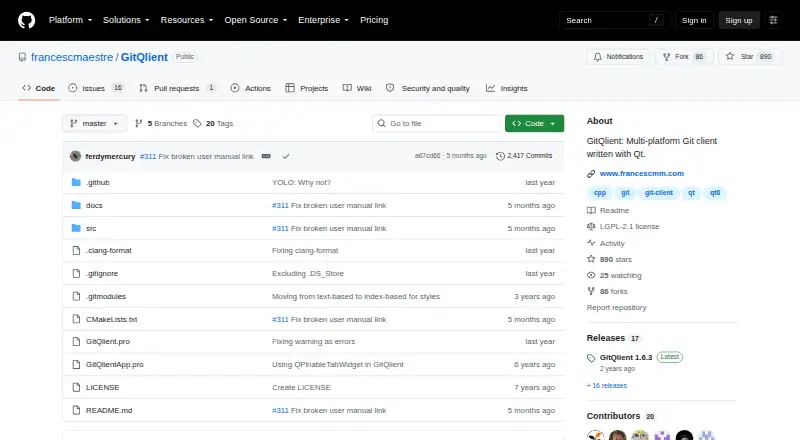
GitQlient is a free, multi-platform Git client written with Qt and originally forked from QGit. It can open several repositories at once, but keeps their management separate rather than providing cross-repository features. Its main view brings together commits, work in progress, branches, tags, stashes, and submodules. Quick actions include pull, fetch, prune, push, and stash operations, while diff and blame/history views cover file changes and line history. For conflicts from a merge, pull, or cherry-pick, GitQlient opens a merge view; conflicted files must be edited in a separate editor. The project lists GitHub and GitLab integration, including creating issues and pull requests from its platform menu. It also describes an embedded text editor with C++ syntax highlighting. GitQlient works offline and is available for Linux, macOS, and Windows. Linux releases include AppImage, Fedora RPM, and DEB downloads; Windows releases include a Windows 10 installer. A macOS DMG is available, though the README says that version is not tested due to lack of resources.
Who it suits
GitQlient suits people who want a desktop Git client for Windows, macOS, or Linux, including offline use. It may fit users working with multiple repositories, provided they are comfortable managing each separately.
What it does well
- Free software under the GNU Lesser General Public License
- Works offline
- Supports Git submodules
- Integrates with GitHub and GitLab
- Shows diff, file history, and line blame
What to know first
- Repositories are managed separately, without cross-repository features
- Conflicted files require editing in a separate editor
- The macOS version is not tested due to lack of resources
Limits
Repositories are managed independently, with no cross-repository features. When a merge, pull, or cherry-pick creates conflicts, conflicted files must be edited in a separate editor.
Plans
| Plan | Billed and limits | Price |
|---|---|---|
| GitQlient | Free software; manages one or several Git repositories | Free |
As github.com lists them, read 8 Oct 2026. The maker's own page has the final word.
Getting started
- Open the GitQlient GitHub project page.
- Choose a release for Linux, Windows, or macOS.
- On Linux, use an AppImage, Fedora RPM, or DEB package from the releases page.
- On Windows, use the release installer for Windows 10.
- On macOS, use the available DMG; the project says this version is untested.
- Open one or more repositories in GitQlient.
Verdict
GitQlient brings common repository views and actions together, with offline support and GitHub and GitLab integration. Be aware that repositories remain independent and conflict resolution requires a separate editor for the files.
Questions
How much does GitQlient cost?
Its listed plan is free.
Which platforms can run GitQlient?
Linux, macOS, and Windows are listed. The project says its macOS version is untested due to lack of resources.
Can GitQlient work offline?
Yes. Offline mode is supported.
Does GitQlient support Git submodules?
Yes. Submodules appear in its main repository view.
Which hosting services does GitQlient integrate with?
The project lists GitHub and GitLab integration, including creating issues and pull requests from its platform menu.
What license does GitQlient use?
The manual identifies it as free software under the GNU Lesser General Public License, version 2 or later, and says it is provided without warranty.
Facts from GitQlient's own pages
- Conflict handling
- GitQlient opens a merge view for conflicts from merge, pull, or cherry-pick operations, and its manual says conflicted files must be edited in a separate editor. · francescmaestre.github.io, 8 Oct 2026
- Editor
- The repository describes an embedded text editor with C++ syntax highlighting. · github.com, 8 Oct 2026
- Git operations
- Its quick actions include pull, fetch, prune, push, and stash operations. · francescmaestre.github.io, 8 Oct 2026
- History and diffs
- It provides diff and blame/history views, including file history and line blame. · francescmaestre.github.io, 8 Oct 2026
- Integrations
- The project lists GitHub and GitLab integration, including creating issues and pull requests from its platform menu. · francescmaestre.github.io, 8 Oct 2026
- License
- The manual identifies GitQlient as free software under the GNU Lesser General Public License, version 2 or later, and states it is provided without warranty. · francescmaestre.github.io, 8 Oct 2026
- Linux downloads
- Linux options include an AppImage, a Fedora RPM, and a DEB package from the releases page; the README says Ubuntu and Debian do not have it in their official repositories. · github.com, 8 Oct 2026
- macOS downloads
- A macOS DMG is available, but the README says this version is not tested due to lack of resources. · github.com, 8 Oct 2026
- Notable limitation
- All repositories are handled separately and the manual states that cross-repository features are unavailable. · francescmaestre.github.io, 8 Oct 2026
- Product
- GitQlient is a multi-platform Git client written with Qt and originally forked from QGit. · github.com, 8 Oct 2026
- Repository features
- The main view shows commits, work in progress, branches, tags, stashes, and submodules. · github.com, 8 Oct 2026
- Repository management
- It can open multiple repositories at once, managing each independently, with no cross-repository features. · francescmaestre.github.io, 8 Oct 2026
- Support and contributions
- The manual directs bug reports and feature requests to the GitHub Issues page and invites code and other contributions. · francescmaestre.github.io, 8 Oct 2026
- Windows downloads
- The README says each release provides a Windows 10 installer that installs dependencies and creates a desktop shortcut. · github.com, 8 Oct 2026
Where GitQlient stands on Freedom251
- Version Control Software#19 of 62
- Git GUI Clients#11 of 32