
Gitnuro
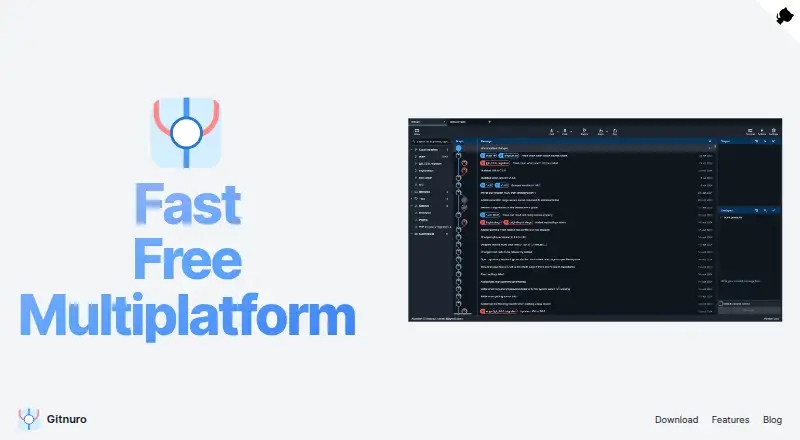
What Gitnuro is
Gitnuro is a free, open-source Git client for Linux, macOS and Windows, aimed at both newcomers and experienced users. Its GPL-3.0-licensed source supports cloning, committing, merging, rebasing, pushing and pulling, stashing, and management of branches and remotes. For reviewing changes, it offers text diffs, image comparisons, commit search, file history, blame, and staging or unstaging selected lines and hunks. Its listed capabilities include submodules, Git LFS and interactive rebase. The maker says Gitnuro does not track users or their projects and uses the JVM rather than web technologies to work with large repositories. Users can create themes and customize the color palette. Builds include Linux Flatpak and JAR versions, Windows installable and portable versions, and a macOS app bundle ZIP and Homebrew installation. Git Credential Manager is supported when its full binary path is specified in .gitconfig. The macOS version is unsigned, and the FAQ identifies multicast DNS remote URLs and self-signed server certificates as setups that can cause authentication failures.
Who it suits
Gitnuro suits people who want a desktop Git client on Linux, macOS or Windows, from beginners to professionals. Its repository review tools and support for common Git operations serve both day-to-day work and change inspection.
What it does well
- Free for personal and commercial use without limitations
- Supports Git LFS, submodules and interactive rebase
- Includes image comparisons, blame and commit search
- Maker says it does not track users or projects
What to know first
- The macOS version is currently unsigned
- Some remote URL and certificate setups can cause authentication failures
- Git Credential Manager requires its full binary path in .gitconfig
Plans
| Plan | Billed and limits | Price |
|---|---|---|
| Gitnuro | Completely free for personal and commercial use without limitations | Free |
| Gitnuro Free | Personal and commercial use · no stated usage limits | Free |
As gitnuro.com lists them, read 3 Oct 2026. The maker's own page has the final word.
Getting started
- Visit the Gitnuro website.
- Choose a download for your platform: Linux Flatpak or JAR, Windows installable or portable, or macOS app bundle ZIP or Homebrew.
- Install or run the build for your platform.
- If using Git Credential Manager, specify its full binary path in .gitconfig.
Gitnuro is a free desktop client for working with Git repositories on Linux, macOS, and Windows. It is a strong fit for people who want repository operations and detailed change review in one open-source app; the unsigned macOS build and a few documented authentication snags are meaningful caveats.
Overview
Gitnuro brings everyday repository work into a desktop interface, from cloning and committing to merging, rebasing, pushing, pulling, and managing branches and remotes. It also supports Git LFS, submodules, and interactive rebase, giving it scope beyond a basic commit viewer. Its GPL-3.0 source license and stated lack of user or project tracking will appeal to developers who value open software and privacy.
The maker says the app uses the JVM and avoids web technologies to work well with large repositories. That design is aimed at substantial codebases, though users who specifically want a native client may prefer another approach. Themes and color-palette customization offer a way to adapt the interface without changing its core workflow.
Key features
Repository work and review
Gitnuro handles the standard cycle of changes and collaboration, including staging and unstaging selected lines or hunks. Text diffs, image comparisons, commit search, file history, and blame make it useful when reviewing how a change took shape, not just when recording a commit. These review tools are a particular strength for developers who want to inspect changes at a finer level than whole-file staging allows.
Where the workflow can snag
Git Credential Manager works when its full binary path is specified in .gitconfig. The FAQ also identifies multicast DNS remote URLs and self-signed server certificates as configurations that can lead to authentication failures. Those constraints matter most in environments with customized internal Git hosting; users relying on those setups should confirm their authentication path before settling on Gitnuro.
Patch creation and application, remote tag removal, syntax highlighting, and additional log options are planned rather than current capabilities. Anyone who depends on those tasks or presentation details should not treat them as part of the present feature set.
Pricing
Gitnuro costs nothing. The single Gitnuro plan is completely free for personal and commercial use without limitations, so there is no paid tier to unlock core functionality, no trial period to manage, and no stated usage cap. That makes it straightforward for both individual developers and commercial users who want a desktop Git client without a subscription.
Platforms
Gitnuro supports Linux, macOS, and Windows. Linux downloads include Flatpak and JAR builds; Windows offers installable and portable versions; macOS has an app bundle ZIP and a Homebrew installation option. The maker says the macOS version is unsigned because the Apple Developer Program cost is high relative to its user base. Mac users should therefore weigh that installation caveat against the app's otherwise broad platform coverage.
Who it's for
Gitnuro suits developers who want one free client for routine Git operations, detailed diffs, history inspection, and branch work, including users of large repositories, Git LFS, or submodules. Custom themes and the absence of tracking may also matter to people who want control over both the interface and their privacy. It is a less obvious fit for Mac users who require a signed app or for teams whose remote and certificate setup matches the documented authentication trouble cases.
Users can report bugs and suggest features by opening an issue, and pull requests are welcome. That contribution route may suit developers comfortable engaging with an open-source project, but the planned features should not be mistaken for shipped functionality.
Pros and cons
- Pro: Broad Git operations, interactive rebase, Git LFS, and submodules make it capable of supporting more than simple commit browsing.
- Pro: Line- and hunk-level staging, image comparisons, blame, file history, and commit search support close change review.
- Pro: Free for personal and commercial use without limitations, with GPL-3.0 source and a maker-stated no-tracking policy.
- Con: The macOS app is unsigned, which makes it a less convenient choice for users who require signed software.
- Con: Credential Manager setup depends on a full path in .gitconfig, and certain remote URL and certificate setups can cause authentication failures.
- Con: Patch creation and application, remote tag removal, syntax highlighting, and extra log options remain planned features.
Alternatives
For a broader shortlist, see Git GUI Clients or Version Control Software.
- GitKraken Desktop is the alternative to consider if its free Community plan's limits to open-source development, local repositories, and public remotes fit your work; its paid Pro plan has no published price in the provided plan details.
- SmartGit may suit personal, non-commercial use if its Hobby plan's full feature set, enterprise-integration exclusions, and free-registration requirement fit; its price is not published in the provided plan details.
- Git Cola is another free Git client for Linux, macOS, and Windows.
- GitButler is a free, open-source client for standalone use; it is another option if that description matches your workflow.
- GitComet is a freemium alternative for Linux, macOS, and Windows.
- Gitember is free and open source, with all features included and no account required.
- GitQlient is free software for managing one or several Git repositories.
- Gittyup is a free, MIT-licensed open-source Git client.
Verdict
Choose Gitnuro if you want a no-cost, open-source desktop client that combines common Git operations with unusually detailed change review across Linux, Windows, and macOS. Its breadth and unrestricted free plan are persuasive; look elsewhere if you need a signed Mac app or depend on authentication configurations that can fail with this client.
Verdict
Gitnuro covers common repository operations as well as detailed change review, with builds for three desktop platforms. macOS users should note that the app is unsigned, and the FAQ describes authentication trouble with certain remote and certificate setups.
Questions
How much does Gitnuro cost?
It is free and is completely free for personal and commercial use without limitations.
Is Gitnuro open source?
Yes. Its source code is open source and licensed under GPL-3.0.
Which platforms are supported?
Linux, macOS, and Windows are supported. Downloads include Linux Flatpak and JAR builds, Windows installable and portable versions, and a macOS app bundle ZIP or Homebrew install.
Does Gitnuro support Git LFS and submodules?
Yes. Both Git LFS and submodules are supported.
Is the macOS app signed?
No. The macOS version is currently unsigned.
Can Gitnuro work with Git Credential Manager?
Yes, when its full binary path is specified in .gitconfig.
Facts from Gitnuro's own pages
- API and SDK
- The README and development guide document a desktop application and build process but no public API or SDK. · github.com, 15 Oct 2026
- Branches and tags
- Users can create and delete local branches and tags and inspect remote branches. · github.com, 15 Oct 2026
- Commit operations
- Gitnuro supports creating, amending, resetting and reverting commits. · github.com, 15 Oct 2026
- Credential support
- Git Credential Manager is supported when its full binary path is specified in .gitconfig. · github.com, 3 Oct 2026
- Customization
- Users can create themes and customize the color palette. · gitnuro.com, 3 Oct 2026
- Development requirements
- The development guide calls for JDK 17 or newer, Rust tooling and Gradle-based builds, with extra cross-compilation tools for ARM Linux. · github.com, 15 Oct 2026
- Diffs and history
- Gitnuro supports text diffs, image comparisons, commit search, file history, blame, and staging or unstaging selected lines and hunks. · github.com, 3 Oct 2026
- Downloads
- The repository lists Linux Flatpak and JAR builds, Windows installable and portable versions, and a macOS app bundle ZIP and Homebrew install. · github.com, 3 Oct 2026
- Flathub distribution
- Flathub lists Gitnuro as a free desktop-only 156 MiB application for x86_64 and aarch64, marked Medium Risk with 796 downloads per month. · flathub.org, 15 Oct 2026
- Free plan
- Yes · gitnuro.com, 20 Sept 2026
- Git operations
- Features include cloning, committing, merging, rebasing, push and pull, stashing, and managing branches and remotes. · github.com, 3 Oct 2026
- History
- The client shows commit history and branch relationships. · github.com, 15 Oct 2026
- Image diffs
- Image changes can be viewed with a side-by-side comparison. · github.com, 15 Oct 2026
- Implementation
- The application uses JetBrains Compose for its interface and JGit for Git operations. · github.com, 15 Oct 2026
- Independent listing status
- SourceForge's Gitnuro mirror page shows an empty user-ratings/reviews section and asks visitors to log in to rate it. · sourceforge.net, 15 Oct 2026
- Known authentication issues
- The FAQ identifies multicast DNS remote URLs and self-signed server certificates as setups that can cause authentication failures. · github.com, 3 Oct 2026
- Latest release news
- Gitnuro 2.0.0-beta04 was released on October 8, 2026 with lower memory use and fixes for tab persistence, flicker, selection highlighting and copied diff newlines. · github.com, 15 Oct 2026
- Licence
- The source code is licensed under GNU GPL-3.0. · github.com, 15 Oct 2026
- License
- The source code is open source and licensed under GPL-3.0. · gitnuro.com, 3 Oct 2026
- Limit: advanced daily use
- A LinuxFr author considered Gitnuro good for occasional use but said paid alternatives remained justified for daily advanced work. · linuxfr.org, 15 Oct 2026
- Limit: early bugs
- An early reviewer reported a newly created branch temporarily displaying incorrect history until restart and warned that the young project could contain bugs. · alternativeto.net, 15 Oct 2026
- Limit: IDE overlap
- LinuxFr discussion questioned the need for a standalone GUI when IDEs already provide Git tooling, although the author valued independent visual change and history review. · linuxfr.org, 15 Oct 2026
- Limit: text selection
- Open issue #311 reports no text search in diff or blame views and no select-all shortcut, making large-file copying difficult. · github.com, 15 Oct 2026
- Linux installation
- Linux users can install a Flatpak or run a portable JAR requiring JRE 17. · github.com, 15 Oct 2026
Where Gitnuro stands on Freedom251
- Git GUI Clients#1 of 32
- Version Control Software#2 of 62
- Git clients#1 of 24