Freedom251 › Version Control Software
Accessibility Test Framework for Android
Visit Accessibility Test Framework for Android Alternatives Pricing
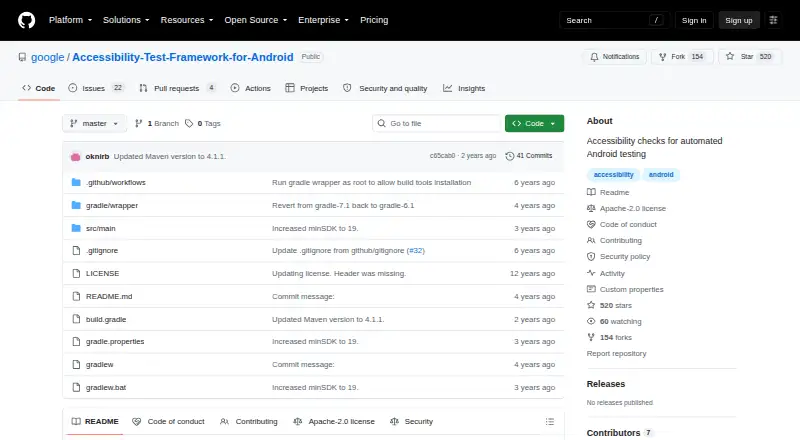
What Accessibility Test Framework for Android is
Accessibility Test Framework for Android is a free library for running automated accessibility checks in Android app tests. It examines Android View and AccessibilityNodeInfo objects, including checks such as whether an item lacks a contentDescription. A sample runs checks through the hierarchy beneath a selected view using the latest preset, and throws an exception if it finds errors. The project provides a Gradle wrapper and build.gradle file, and its repository can be imported into Android Studio. It is listed under an Apache-2.0 license and hosted in Google's public GitHub organization. The framework helps developers check how their apps are presented to accessibility services. Automated checks have limits: determining whether a content description makes sense to users, for example, calls for human judgment. The library is free, with no free trial listed.
Who it suits
It suits developers building Android apps who want to add automated checks of how their apps appear to accessibility services. Teams still need human review for rules that require judgment.
What it does well
- Free Apache-2.0-licensed library.
- Checks Android View and AccessibilityNodeInfo objects.
- Sample checks a view hierarchy with the latest preset.
- Includes Gradle build files and Android Studio import support.
What to know first
- Some accessibility rules require human judgment.
- No free trial is listed.
Limits
Automated checks cannot fully assess every accessibility rule; whether a content description makes sense to users requires human judgment.
Plans
| Plan | Billed and limits | Price |
|---|---|---|
| Accessibility Test Framework for Android | Apache-2.0 licensed library · automated Android accessibility checks | Free |
As github.com lists them, read 3 Oct 2026. The maker's own page has the final word.
Getting started
- Open the project repository on GitHub.
- Import the repository into Android Studio or use the provided Gradle build files.
- Run hierarchy checks on a view, using the latest check preset if appropriate.
- Review flagged errors and assess accessibility questions that require human judgment.
Overview
Accessibility Test Framework for Android is a free library for developers who want accessibility checks in automated Android app tests. It suits teams testing how their apps are exposed to accessibility services; its central trade-off is useful automated coverage without a verdict on whether an accessibility choice makes sense to people.
The library checks Android view and accessibility-node objects. Its Apache-2.0 license makes it a no-cost option, but the checks are only one part of an accessibility review.
Key features
Checks across a view hierarchy
A documented test can run checks from a given root view across its hierarchy, using AccessibilityCheckPreset.LATEST for the latest preset. It throws an exception when checks find errors, so test workflows can surface those findings rather than leaving them as a separate manual scan. This is useful for developers who want detectable issues to show up during automated testing.
Automation with a clear boundary
The framework can flag issues such as a missing contentDescription. It cannot judge whether that description is meaningful to all users, so passing automated checks does not settle the quality of an accessibility decision. Teams still need human review for questions that depend on context and judgment.
Build and licensing
The project includes a Gradle wrapper and build.gradle file, and can be imported into Android Studio. Those options suit developers already working in an Android build and test workflow. The Apache-2.0 license permits use as an open-source library.
Pricing
The Accessibility Test Framework for Android plan costs free. It includes the Apache-2.0 licensed library and automated Android accessibility checks. There is no free trial because the product is free; no paid plan or seat-based price is given.
Platforms
The project is for Android app testing. Windows, macOS, and Linux are also named as platforms, and deployment is self-hosted. Developers can build the library with the provided Gradle files or import the project into Android Studio.
Who it's for
This is a focused choice for Android developers who want automated checks of how app interfaces are presented to accessibility services. It is less suited to anyone seeking a complete accessibility assessment: automation can identify some detectable problems, but people must judge whether accessibility content and decisions work for users.
Pros and cons
- Pros: Free under Apache-2.0, so teams can use the library without a plan charge.
- Pros: Checks can run across a view hierarchy and throw on errors, which helps make findings visible in automated tests.
- Cons: It cannot determine whether a content description is meaningful to all users, leaving that evaluation to human reviewers.
- Cons: Its stated purpose is Android app testing, so it is not a general-purpose accessibility assessment for other kinds of software.
Alternatives
These alternatives address caching rather than Android accessibility testing, so choose among them for a different need:
- Amazon ElastiCache is a paid caching service with a free plan and no free trial.
- Aiven for Valkey is a freemium option with a free plan and free trial; its free plan includes one dedicated VM, one CPU, and 1 GB RAM.
- Garnet is free, self-hosted caching software; you manage its infrastructure, updates, and operations.
- Memcached is free, open-source, self-hosted software with no hosted plan or price.
- Squid is free self-hosted proxy software, with third-party commercial support potentially available.
- Ehcache is an open-source caching option under Apache 2.0.
- Infinispan offers a free Apache 2.0 Community Edition as an embedded library or standalone server.
- Varnish Cache is free BSD-2-Clause software for Linux and self-hosted use.
Verdict
Android developers who want a free, open-source way to surface certain accessibility issues in automated tests should consider this framework. Its focused checks and hierarchy-based workflow are practical strengths; look elsewhere if you need an assessment that can replace human judgment or covers software beyond Android app testing.
Verdict
Accessibility Test Framework for Android can flag certain accessibility issues during automated Android app testing. It does not replace human review of accessibility decisions that automated checks cannot assess.
Questions
How much does Accessibility Test Framework for Android cost?
It is free and has a free plan.
What does the framework check?
It collects accessibility checks on Android View and AccessibilityNodeInfo objects. An example check looks for a missing contentDescription.
Can it check a whole view hierarchy?
Yes. Its example runs checks across the hierarchy rooted at a given view and throws an exception when it finds errors.
Does it replace human accessibility review?
No. Some rules require human judgment, including whether a content description makes sense to users.
What license does it use, and who makes it?
The repository lists an Apache-2.0 license and is hosted in Google's public GitHub organization.
Facts from Accessibility Test Framework for Android's own pages
- Android Studio
- The repository says the project can be imported into Android Studio. · github.com, 3 Oct 2026
- Audience
- The project is for developers building Android apps who want to check how apps are presented to accessibility services. · github.com, 3 Oct 2026
- Automated checks
- The README gives a missing contentDescription as an example of a practice automated tools can check. · github.com, 3 Oct 2026
- Automated scans
- Yes · github.com, 23 Sept 2026
- Browser extension
- No · github.com, 23 Sept 2026
- Build
- The project provides a Gradle wrapper and build.gradle file for building the library. · github.com, 3 Oct 2026
- Check presets
- The sample uses AccessibilityCheckPreset.LATEST to obtain the hierarchy checks for the latest preset. · github.com, 3 Oct 2026
- Founded
- 2025 · github.com, 28 Sept 2026
- Free plan
- Yes · github.com, 23 Sept 2026
- Hierarchy checks
- Its sample runs checks across the view hierarchy rooted at a given view and throws an exception when errors are found. · github.com, 3 Oct 2026
- Human review
- The README says some accessibility rules require human judgment, such as whether a contentDescription makes sense to all users. · github.com, 3 Oct 2026
- License
- The repository lists an Apache-2.0 license. · github.com, 3 Oct 2026
- Limit
- The project documentation notes that some accessibility rules cannot be fully checked by automated tools and require human judgment. · github.com, 3 Oct 2026
- Maker
- The code is hosted in Google's public GitHub organization under the repository name Accessibility-Test-Framework-for-Android. · github.com, 3 Oct 2026
- Mobile testing
- Yes · github.com, 23 Sept 2026
- Purpose
- The library provides accessibility checks for automated Android app testing. · github.com, 3 Oct 2026
- What it checks
- It collects accessibility-related checks on Android View objects and AccessibilityNodeInfo objects. · github.com, 3 Oct 2026
Where Accessibility Test Framework for Android stands on Freedom251
- Version Control Software#4 of 62
- Accessibility Testing Software#51 of 169