Freedom251 › Forward Proxy Software
Squid
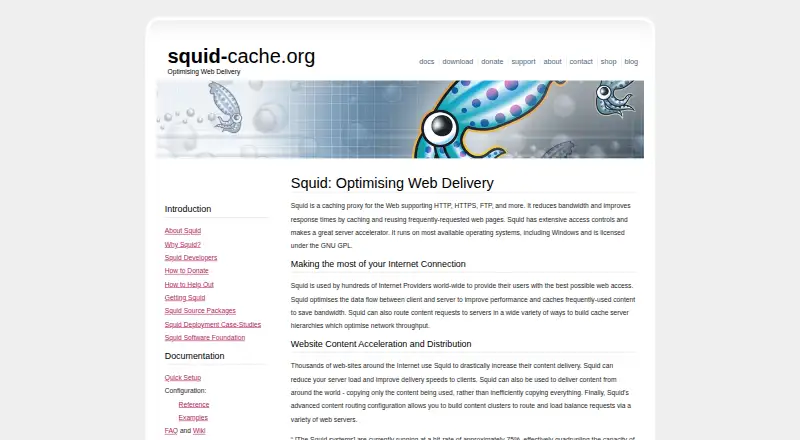
What Squid is
Squid is free, self-hosted proxy software that caches web traffic. It reuses frequently requested pages and other data to reduce bandwidth use and improve response times. It handles HTTP, HTTPS, FTP, and gopher data; supported cache engines also include ICP and HTCP. Squid offers access controls and request logging, and can accelerate servers, route content among web servers, or form content clusters for load balancing. Multiple caches can connect in a mesh or hierarchy through parent and sibling links.
Authentication options include Basic, NTLM, Digest, and Negotiate, with helpers for LDAP, SQL databases, PAM, RADIUS, and Windows domains. Basic authentication is a security caveat: it encodes credentials with Base64 rather than encrypting them, leaving them effectively cleartext between browser and proxy. Squid is distributed under GPL version 2, with some components under compatible open-source licenses. It is available for Linux, macOS, Windows, and self-hosted use through package systems, source releases, GitHub, and platform binaries. Documentation, a wiki, bug tracking, and mailing lists are available; direct project contact is not for user support.
Who it suits
Squid suits people or organizations that can operate self-hosted proxy software and want caching, access controls, or request logging. It may also suit teams that need to connect multiple caches in a mesh or hierarchy.
What it does well
- Free to download, use, and modify.
- Supports HTTP, HTTPS, FTP, and gopher data.
- Can form content clusters for load balancing.
- Offers several authentication methods and backend helpers.
- Available for Linux, macOS, and Windows.
What to know first
- Basic authentication does not encrypt credentials.
- Direct project contact is not for user support.
- Commercial support may be available through third parties.
Plans
| Plan | Billed and limits | Price |
|---|---|---|
| Squid | Free to download, use, and modify · Self-hosted proxy software · third-party commercial support may be available | Free |
As squid-cache.org lists them, read 30 Sept 2026. The maker's own page has the final word.
Getting started
- Visit https://www.squid-cache.org/.
- Choose an operating-system package, source release, GitHub source, or available platform binary.
- Install Squid on a supported platform or self-hosted environment.
- Configure caching, access controls, logging, and authentication for your proxy.
- Connect additional Squid caches through parent or sibling links if you need a mesh or hierarchy.
Overview
Squid is self-hosted proxy software that caches web pages and other traffic, making it a fit for administrators who want to manage their own proxy infrastructure. Its broad protocol support and flexible cache arrangements are useful strengths; the trade-off is that deployment and operation are your responsibility.
Repeated requests can be served from cache rather than fetched again, reducing bandwidth use and improving response times. Squid can also accelerate servers, route content among web servers and build content clusters for load balancing, so it suits infrastructure work beyond straightforward client-side caching.
Key features
Broad traffic and cache support: Squid handles HTTP, HTTPS, FTP and gopher data, with cache-related protocols including ICP and HTCP. That range can serve mixed web and legacy-data workloads; teams focused only on a narrower use case may not need it.
Connected caches: Multiple Squid instances can be linked in a mesh or hierarchy using parent and sibling relationships. This gives operators options for coordinating caches, but calls for a deployment they can configure and maintain themselves.
Controls, logging and authentication: Squid offers extensive access controls and full request logging. Documented proxy authentication methods include Basic, NTLM, Digest and Negotiate, with bundled helpers for LDAP, SQL databases, PAM, RADIUS and Windows domains. Basic authentication encodes credentials with Base64 rather than encrypting them, leaving them effectively cleartext between browser and proxy; choose another method where that exposure is unacceptable.
Self-hosted installation: Squid is available through operating-system package systems, source releases, GitHub and binary packages for platforms including Windows. It is distributed under GPLv2, with some components under compatible open-source licenses. The Squid Software Foundation, a Colorado nonprofit incorporated in 2011, supports project governance, administration, infrastructure, copyright and licensing.
Pricing
Squid — free. The software is free to download, use and modify, with self-hosted proxy software and no stated seat or usage quota. This is a strong fit for teams willing to provide their own infrastructure and operations. It is not a hosted service, and third-party commercial support may be available separately. The project offers documentation, a wiki, bug tracking and mailing lists; direct project contact is not a user-support channel.
Platforms
Squid supports Linux, macOS, Windows and self-hosted deployment. Its operating-system packages and platform binaries give administrators several installation routes, while self-hosting means they remain responsible for running the proxy.
Who it's for
Squid is best for administrators and organizations that need control over caching, proxy access and traffic routing, and have the capacity to operate the software themselves. It is less suitable for readers seeking a managed proxy service or a direct project support channel.
Pros and cons
- Pro: Caching HTTP, HTTPS, FTP and gopher data can reduce repeat upstream requests and bandwidth use across varied traffic.
- Pro: Mesh and hierarchy arrangements, server acceleration and content routing offer useful flexibility for larger proxy deployments.
- Pro: Free software that can be used and modified avoids a software charge and permits self-managed deployment.
- Con: Self-hosting puts installation and ongoing operation on the user rather than a hosted provider.
- Con: Basic authentication does not encrypt credentials between browser and proxy, so it requires care in security-sensitive deployments.
- Con: Direct contact with the project is not intended for user support; users must turn to project resources or commercial services.
Alternatives
Cloudflare Gateway is worth considering for readers who want a freemium alternative with a free plan for 50 users and up to 24 hours of standard log retention, as well as a paid plan at $7 a month billed monthly.
mitmproxy is a free, open-source interactive HTTPS proxy for readers whose priority is interactive HTTPS proxying.
3proxy is another free, open-source option for readers comparing proxy software.
Privoxy is free to use, copy, modify or distribute, with no registration and no warranty.
Apache Traffic Server is a free alternative for readers comparing self-hosted proxy and caching software.
LatentSync is a free open-source release for readers seeking inference code and checkpoints, a data processing pipeline and training code.
Tinyproxy is a free alternative distributed under GNU GPL version 2 or above.
Skyhigh Private Access is a paid alternative for readers comparing private-access software across mobile, desktop and web platforms.
Browse Forward Proxy Software, Caching Software or Proxy Software to compare more options.
Verdict
Choose Squid if you need a free, self-hosted caching proxy with broad protocol support, configurable cache relationships and extensive access controls. Its main advantage is the control and range it gives operators without a software charge; look elsewhere if you need hosted operation, direct project support or authentication that avoids Basic's cleartext credential exposure.
Verdict
Squid offers self-hosted caching, access controls, and multiple cache arrangements without a software charge. Basic authentication has a stated credential-security limitation, and direct project contact is not a user-support channel.
Questions
How much does Squid cost?
The Squid plan is free. It is free to download, use, and modify; third-party commercial support may be available.
Which platforms can run Squid?
Squid is listed for Linux, macOS, Windows, and self-hosted deployment. Installation options include package systems, source releases, and platform binaries.
What kinds of traffic can Squid cache?
Squid handles HTTP, HTTPS, FTP, and gopher data. Its supported cache engines also include ICP and HTCP.
What authentication methods does Squid support?
Its documentation lists Basic, NTLM, Digest, and Negotiate proxy authentication. Bundled helpers include backends for LDAP, SQL databases, PAM, RADIUS, and Windows domains.
Is Squid open source?
Squid is distributed under the GNU General Public License version 2. Some components use GPLv2-compatible open-source licenses.
What should I know about Basic authentication?
Squid's documentation says Basic authentication encodes credentials with Base64 rather than encrypting them, so they are effectively cleartext between the browser and proxy.
Facts from Squid's own pages
- Acceleration
- Squid can accelerate servers, route content among web servers, and build content clusters for load balancing. · squid-cache.org, 30 Sept 2026
- Access controls
- The project describes Squid as having extensive access controls and full request logging. · squid-cache.org, 30 Sept 2026
- Authentication
- Squid documentation lists Basic, NTLM, Digest, and Negotiate proxy authentication and bundled helpers for backends including LDAP, SQL databases, PAM, RADIUS, and Windows domains. · wiki.squid-cache.org, 30 Sept 2026
- Authentication caveat
- The documentation warns that Basic authentication encodes credentials with Base64 rather than encrypting them, so credentials are effectively cleartext between browser and proxy. · wiki.squid-cache.org, 30 Sept 2026
- Cache hierarchy
- Multiple Squid caches can be connected as a mesh or hierarchy using parent and sibling links. · wiki.squid-cache.org, 30 Sept 2026
- Foundation
- The Squid Software Foundation is a Colorado nonprofit incorporated in 2011 and says it supports project governance, administration, infrastructure, copyright, and licensing. · squid-cache.org, 30 Sept 2026
- Installation
- Squid is available through operating-system package systems, source releases and GitHub, and binary packages for a variety of platforms including Windows. · squid-cache.org, 30 Sept 2026
- Licensing
- Squid is distributed under the GNU General Public License version 2, with some components under GPLv2-compatible open-source licenses. · wiki.squid-cache.org, 30 Sept 2026
- Platforms
- The project routinely tests Linux, FreeBSD, and OpenBSD, lists macOS availability through Homebrew, and says Squid is also known to run on Windows. · wiki.squid-cache.org, 30 Sept 2026
- Protocols
- Squid supports HTTP, HTTPS, FTP, and other web data, including FTP, gopher, and HTTP objects described in its FAQ. · squid-cache.org, 30 Sept 2026
- Purpose
- Squid is a caching proxy for web traffic that reuses frequently requested pages to reduce bandwidth and improve response times. · squid-cache.org, 30 Sept 2026
- Support
- The project offers documentation, a wiki, bug tracking, mailing lists, and links to commercial services; direct project contact is not for user support. · squid-cache.org, 30 Sept 2026
Where Squid stands on Freedom251
- Forward Proxy Software#6 of 25
- Proxy Software#12 of 35
- Web Accelerator Software#6 of 14
- Caching Software#12 of 27