Freedom251 › Version Control Software

Mercurial
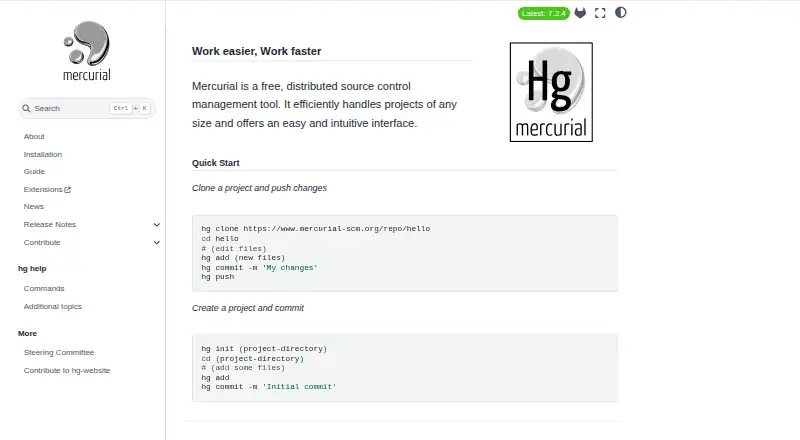
What Mercurial is
Mercurial is free distributed source control software for managing changes to development projects. Each developer keeps a complete local copy of a project’s history, so work can continue without a network connection or central server. The distributed model suits teams that want developers to work independently and later share changes. Mercurial is designed for projects of any size, with fast diffs, commits, branches, and merges. It runs on Windows, macOS, and Linux, and binary releases are also available for Solaris 11 Express and other platforms. Installation instructions cover system packages, winget on Windows, Homebrew, PyPI tools, and source builds. The software is open source under the GNU General Public License version 2 or later. Python extensions can add commands, modify existing commands, and access core functions. Official extensions connect Mercurial with tools and workflows such as Bugzilla hooks, Git command mapping, email notifications, and external diff programs. It also supports sparse checkout and nested repositories; large-file handling is available through an extension. The acl extension can control write access to branches and paths when changesets arrive. Mercurial is coordinated by community committers and reviewers under a steering committee, with help available through Matrix, IRC, and its mailing list.
Who it suits
Mercurial suits developers and teams who want distributed version control and the ability to work from a full local project history. It is also relevant to users seeking an open source tool with Python extensions, sparse checkout, nested repositories, and self-hosted deployment.
What it does well
- Developers can work from complete local project histories.
- Supports fast diffs, commits, branching, and merging.
- Python extensions can add or modify commands.
- Available for Windows, macOS, Linux, and self-hosted use.
- Sparse checkout and nested repositories are supported.
What to know first
- Large-file handling requires an extension.
- Git subrepositories are disabled by default because of a documented clone-time code-execution risk.
Limits
Large-file handling is provided through an extension. Git subrepositories are disabled by default; the documentation warns that carefully constructed ones can enable code execution during cloning.
Plans
| Plan | Billed and limits | Price |
|---|---|---|
| Mercurial | free software · GNU GPL version 2 or later | Free |
As mercurial-scm.org lists them, read 30 Sept 2026. The maker's own page has the final word.
Getting started
- Open the Mercurial website.
- Choose an installation route from the official instructions, such as a system package, winget, Homebrew, PyPI tool, or source build.
- Install Mercurial on Windows, macOS, Linux, or another supported platform.
- Use Mercurial locally or with a self-hosted deployment.
Verdict
Choose Mercurial if you want free, open source distributed source control that lets developers work without a central server. Its extension system and broad installation options give teams room to adapt it. Review the documented Git subrepository security limitation if your workflow involves those repositories.
Questions
Is Mercurial free?
Yes. The free plan costs nothing and is licensed under the GNU GPL version 2 or later.
Which platforms does Mercurial support?
Desktop platforms include Windows, macOS, and Linux. Binary releases are also available for Solaris 11 Express and other platforms.
Is Mercurial open source?
Yes. It is licensed under the GNU General Public License version 2 or any later version.
Can Mercurial be self-hosted?
Yes, self-hosted deployment is supported.
What integrations are available?
Official extensions include Bugzilla hooks, Git command mapping, Git fast-export, email notifications, and external diff tools.
How does Mercurial handle large files?
Large-file handling is available through an extension.
Facts from Mercurial's own pages
- Access control
- The acl extension allows or denies write access to branches and paths when receiving incoming changesets. · mercurial-scm.org, 30 Sept 2026
- Community support
- Users can get help through the Matrix channel, IRC and the general Mercurial mailing list. · mercurial-scm.org, 30 Sept 2026
- Distributed architecture
- Each developer has a local copy of the entire development history and can work independently of network access or a central server. · mercurial-scm.org, 30 Sept 2026
- Extensibility
- Python extensions can add commands, change existing commands and access Mercurial core functionality. · mercurial-scm.org, 30 Sept 2026
- Installation methods
- Official installation instructions cover system packages, Windows winget, Homebrew, PyPI tools and source builds. · mercurial-scm.org, 30 Sept 2026
- Integrations
- Official extensions include Bugzilla hooks, Git command mapping, Git fast-export, email notifications and external diff tools. · mercurial-scm.org, 30 Sept 2026
- Open source license
- Mercurial is licensed under the GNU General Public License version 2 or any later version. · mercurial-scm.org, 30 Sept 2026
- Origin
- Work on Mercurial began in April 2005 with a goal of efficiently managing Linux-sized trees. · mercurial-scm.org, 30 Sept 2026
- Performance
- Mercurial is designed to handle projects of any size with fast diffs, commits, branching and merging. · mercurial-scm.org, 30 Sept 2026
- Product type
- Mercurial is a free, distributed source control management tool. · mercurial-scm.org, 30 Sept 2026
- Project governance
- The Mercurial project is run by its community and coordinated by committers and reviewers under a steering committee. · mercurial-scm.org, 30 Sept 2026
- Security limitation
- Mercurial documentation warns that auditing is insufficient to prevent clone-time code execution through carefully constructed Git subrepositories, which are disabled by default. · mercurial-scm.org, 30 Sept 2026
- Security reporting
- The project provides a moderated mercurial-security mailing list for private security discussion and reporting. · mercurial-scm.org, 30 Sept 2026
- Supported systems
- Binary releases are available for Microsoft Windows, GNU/Linux, macOS, Solaris 11 Express and other platforms. · mercurial-scm.org, 30 Sept 2026
Where Mercurial stands on Freedom251
- Version Control Software#22 of 62
- Source Code Management#14 of 30
- Game Version Control Software#16 of 28