Freedom251 › Disk Benchmark Software
CrystalDiskMark
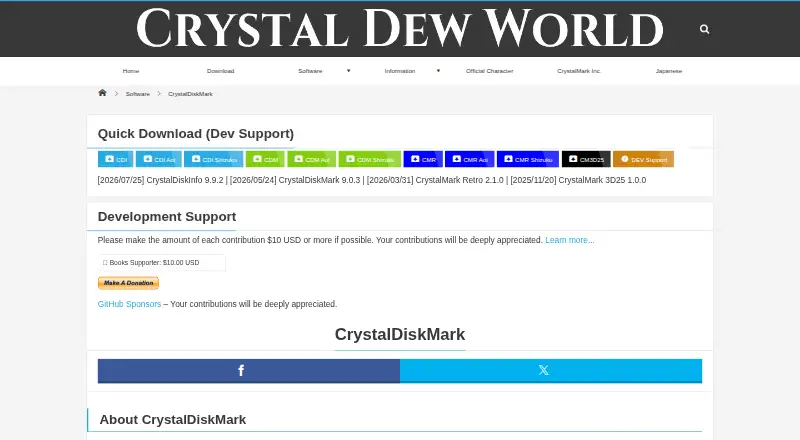
What CrystalDiskMark is
CrystalDiskMark is Windows software for measuring disk and storage performance. It runs tests for sequential and random read, write, and mixed workloads, and lets users choose custom test profiles. Its three measurement modes are Peak, Real World, and Demo. Results can be saved as UTF-16LE text with a BOM, PNG, JPEG, or BMP. The download page offers Standard, Aoi, and Shizuku editions; Standard is available as an installer, ZIP, or source code download. Listed Windows support spans Windows XP through Windows 11 and Windows Server 2003 through 2025 across x86, x64, and ARM64, with the installer and x64 version excluding XP and Server 2003. The maker lists SMART monitoring and temperature alerts, and says it does not collect privacy information. CrystalDiskMark is available as free desktop software. A separate Microsoft Store edition costs 9.99 USD once and includes automatic background updates, easy installation on Windows devices, and improved reliability. Results can vary with test file size and position, fragmentation, storage controller, CPU speed, and, for some SSDs, the data pattern. The maker also cautions that testing may shorten SSD or USB memory life and that results from different major versions are not compatible.
Who it suits
CrystalDiskMark suits Windows users who want to measure sequential, random, or mixed storage performance with configurable test profiles. Its export choices and SMART monitoring may also suit users who need to save results or monitor drives.
What it does well
- Tests sequential, random, and mixed read/write performance.
- Offers Peak, Real World, and Demo modes.
- Supports custom test profiles.
- Exports results as text, PNG, JPEG, or BMP.
- Lists SMART monitoring and temperature alerts.
- Free desktop edition is available.
What to know first
- Windows-only software.
- Benchmarking may shorten SSD or USB memory life.
- Results are not compatible between different major versions.
- The installer may bundle the E START App installer.
Limits
The free desktop edition is available at no charge. Benchmark runs may shorten SSD or USB memory life, and results from different major versions are not compatible.
Plans
| Plan | Billed and limits | Price |
|---|---|---|
| Free desktop edition | Windows desktop software · installer, ZIP, and source code downloads | Free |
| Microsoft Store edition | Windows Store edition · automatic background updates · easy installation on Windows devices · improved reliability | $9.99, paid once |
As crystalmark.info lists them, read 8 Oct 2026. The maker's own page has the final word.
Getting started
- Visit the CrystalDiskMark website.
- Choose Standard, Aoi, or Shizuku edition.
- For Standard, choose the installer, ZIP, or source code download.
- Install or run the Windows software.
- Run without Administrator rights if you want to measure a Network Drive.
CrystalDiskMark is a focused Windows utility for measuring storage read and write performance. It suits users who need configurable benchmarks for SSDs, hard drives, USB storage, or network drives, rather than a complete diagnostic suite. Its free desktop edition is unusually flexible, but careful test consistency and storage-wear precautions are essential.
Overview
The software measures sequential and random read, write, and mixed performance, making it useful for checking whether a drive matches its expected workload behavior. Custom test profiles let you choose measurements instead of relying on one fixed score, while Peak, Real World, and Demo modes support different benchmarking approaches. That flexibility is valuable when comparing storage for a specific use, but it also means results are meaningful only when settings are documented and repeated consistently.
CrystalDiskMark is primarily a benchmark, not a full hardware-maintenance application. SMART monitoring and temperature alerts add useful health context, yet readers seeking continuous monitoring or broad component diagnostics may need a different tool. The maker states that it collects no privacy information, and its current EXE, DLL, and SYS files are digitally signed by CrystalMark Inc. The software is released under the MIT License without warranty.
Key features
Benchmark workloads cover sequential and random reads and writes, plus mixed performance. Peak mode can represent maximum-style results, while Real World and Demo modes provide alternative measurement styles; the practical choice depends on whether you want a headline capability figure or a workload-oriented view.
Results can be exported as UTF-16LE text with a BOM, PNG, JPEG, or BMP. Text suits records and later processing, while image formats make reports easy to share. Multiple languages and themes provide interface choice without changing the benchmark itself.
The download page offers Standard, Aoi, and Shizuku editions. Standard is available as an installer, ZIP package, and source-code download, which benefits users who prefer portability or want to inspect or build the software. Some installers bundle the E START App installer through a GMO INSIGHT partnership, so installation screens deserve attention.
Interpretation requires discipline. Scores can change with test-file size and position, fragmentation, the storage controller, CPU speed, and, on some SSDs, the test-data pattern. Different major versions produce incompatible results. The maker also warns that benchmarking may shorten SSD or USB-memory life. Keep settings and major versions aligned for comparisons, and avoid unnecessary repeated runs on wear-sensitive media. To measure a network drive, run without Administrator rights; elevated execution hides the Network Drive option.
Pricing
| Plan | Price | Includes |
|---|---|---|
| Free desktop edition | free | Windows desktop software with installer, ZIP, and source-code downloads |
| Microsoft Store edition | $9.99, paid once | Windows Store distribution, automatic background updates, easier installation, and improved reliability |
The free edition is the sensible choice for most personal benchmarking because it includes the core desktop software without a trial clock or subscription. The 9.99 USD one-time Store edition is for users who value store-based installation, automatic updates, and the stated reliability improvements; it does not add a different benchmark workload in the published plan description.
Platforms
CrystalDiskMark runs on Windows XP through Windows 11 and Windows Server 2003 through 2025, across x86, x64, and ARM64 architectures. The installer and x64 build do not support Windows XP or Server 2003, so those systems require an appropriate alternative download. Supported desktop versions include Windows Vista, 7, 8, 8.1, 10, and 11; server support includes 2008, 2012, 2016, 2019, and 2022.
Who it's for
Choose it for drive buyers, PC builders, administrators, and enthusiasts who need repeatable sequential, random, or mixed storage measurements with configurable profiles and exportable records. It is also practical when a no-cost Windows tool must cover older operating systems or several CPU architectures.
Look elsewhere when the priority is cross-platform operation, extensive drive inspection, or always-on health management. The benchmark caveats make it a poor fit for casual one-click comparisons where test conditions and software versions cannot be controlled.
Pros and cons
Pros
- Free core edition: no subscription or trial limit for Windows desktop benchmarking.
- Configurable workloads: custom profiles and three measurement modes suit targeted comparisons.
- Useful exports: UTF-16LE text and three image formats support records and sharing.
- Broad Windows coverage: support reaches legacy Windows releases, server editions, and x86, x64, and ARM64 systems.
- Interface choice: multiple languages, themes, and three editions accommodate different preferences.
Cons
- Storage-wear risk: the maker warns that tests can shorten SSD or USB-memory life.
- Version incompatibility: results from different major versions cannot be compared reliably.
- Condition-sensitive scores: file size, placement, fragmentation, hardware, and data pattern can alter outcomes.
- Windows-only: Linux and macOS users need another benchmark.
- Installer caveat: some installers include an E START App installer offer.
Alternatives
GSmartControl is a free GPLv3 desktop drive-health inspection tool for Linux, macOS, and Windows; choose it when inspection matters more than benchmark profiles.
smartmontools is free GNU GPL software built around the smartctl and smartd utilities; it fits users who want command-line SMART tooling across Linux, macOS, and Windows.
DiskMaster is a free cross-platform family of single-purpose desktop tools; consider it when that narrower utility approach suits your task.
Hard Disk Sentinel offers paid Linux and Windows editions alongside a limited free trial; pick it when drive-health management is more important than a free benchmark.
Active@ Hard Disk Monitor has Windows freeware for personal use and a professional option with remote monitoring for up to three PCs; choose it for monitoring rather than storage-speed testing.
DRevitalize provides an older DOS freeware edition; it is relevant only when that legacy environment is required.
HDAT2 is free Windows freeware for one or more machines, supplied as-is without warranty; consider it for low-level legacy disk work.
nvm is a free open-source Node.js version manager for Linux, macOS, self-hosted environments, and Windows, so it is not a substitute for storage benchmarking.
For broader discovery, browse Disk Benchmark Software, Disk Diagnostic Software, Disk Health Monitoring Software, Hardware Diagnostic Software, or PC Benchmark Software.
Verdict
CrystalDiskMark is the right choice for Windows users who want a free, configurable storage benchmark with multiple measurement modes and practical export formats. Its main reason to choose it is control without subscription cost; its main reason to look elsewhere is the combination of storage-wear warnings, version-sensitive results, and Windows-only availability.
Verdict
Choose CrystalDiskMark if you need a free Windows utility for configurable storage benchmarks and several result export formats. Keep its possible effect on SSD or USB memory life and the version-to-version result incompatibility in mind when planning measurements.
Questions
Is CrystalDiskMark free?
The desktop edition is free. The Microsoft Store edition costs 9.99 USD once.
Which platforms does it support?
It supports Windows. Listed systems run from Windows XP through Windows 11 and Windows Server 2003 through 2025, with some installer and x64 exclusions for XP and Server 2003.
What does CrystalDiskMark measure?
It measures sequential, random, and mixed read and write performance.
Can I export benchmark results?
Yes. Listed formats are UTF-16LE text with a BOM, PNG, JPEG, and BMP.
Is CrystalDiskMark open source?
Its license page states that the software is under the MIT License and provided without warranty. Standard edition downloads include source code.
Facts from CrystalDiskMark's own pages
- Benchmark caveat
- The maker warns that CrystalDiskMark may shorten SSD or USB memory life and that results are not compatible between different major versions. · crystalmark.info, 8 Oct 2026
- Benchmark measurements
- It measures sequential and random read, write, and mixed performance. · crystalmark.info, 8 Oct 2026
- Code signing
- The maker says its latest EXE, DLL, and SYS files will be digitally signed; the listed current certificate signer is CrystalMark Inc. · crystalmark.info, 8 Oct 2026
- Customization
- The listed features include multiple languages and themes. · crystalmark.info, 8 Oct 2026
- Custom test profiles
- Yes · crystalmark.info, 24 Sept 2026
- Download formats
- The Standard Edition is available as an installer, ZIP, and source code download. · crystalmark.info, 8 Oct 2026
- Editions
- The download page lists Standard, Aoi, and Shizuku editions. · crystalmark.info, 8 Oct 2026
- Free plan
- Yes · crystalmark.info, 24 Sept 2026
- Installer note
- The maker says some installers bundle the E START App installer in partnership with GMO INSIGHT. · crystalmark.info, 8 Oct 2026
- License
- The CrystalDiskMark license page states that the software is under the MIT License and provided without warranty. · crystalmark.info, 8 Oct 2026
- Measurement modes
- It offers Peak, Real World, and Demo measurement modes. · crystalmark.info, 8 Oct 2026
- Network drives
- The maker says running with Administrator rights hides Network Drive, and recommends running without those rights to measure it. · crystalmark.info, 8 Oct 2026
- Operating systems
- Windows · crystalmark.info, 24 Sept 2026
- Privacy
- Crystal Dew World states that it does not collect privacy information. · crystalmark.info, 8 Oct 2026
- Purpose
- CrystalDiskMark is a simple disk benchmark and storage benchmarking software. · crystalmark.info, 8 Oct 2026
- Result variability
- Results can depend on test file size and position, fragmentation, storage controller, CPU speed, and—in some SSDs—the test data pattern. · crystalmark.info, 8 Oct 2026
- Support and contributions
- The maker invites development contributions and provides a contact email and translation guidance on its support page. · crystalmark.info, 8 Oct 2026
- Windows support
- System requirements list Windows XP through Windows 11 and Windows Server 2003 through 2025, with x86, x64, and ARM64 architectures; the installer and x64 version do not support XP or Server 2003. · crystalmark.info, 8 Oct 2026
- Workload areas
- Sequential and random read/write performance · crystalmark.info, 24 Sept 2026
Where CrystalDiskMark stands on Freedom251
- Disk Benchmark Software#8 of 29
- PC Benchmark Software#25 of 73
- PC benchmark tools#59 of 70