Freedom251 › Disk Diagnostic Software
Active@ Hard Disk Monitor
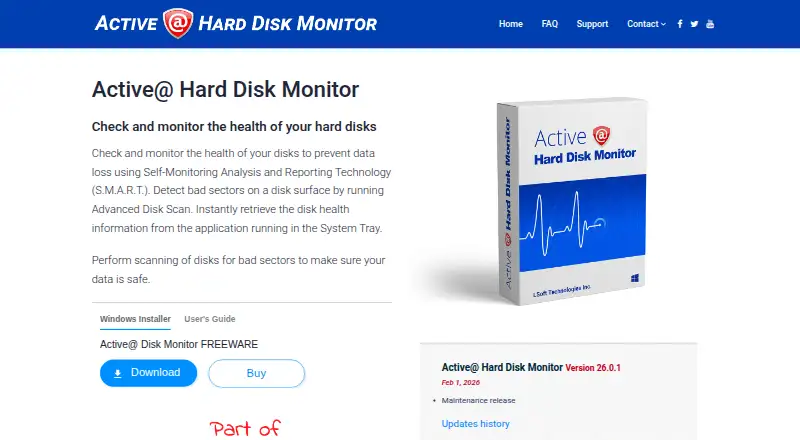
What Active@ Hard Disk Monitor is
Active@ Hard Disk Monitor watches hard disk health on Windows through S.M.A.R.T. monitoring and surface scans for bad sectors. It can run in the background, including when Windows starts, to track disk performance and condition. Temperature records build a history and graphs, while a system tray icon displays the current disk temperature. When critical conditions arise, the program can send email or popup alerts. It also creates event logs and S.M.A.R.T. reports with details about disk activity over time.
The Freeware plan costs nothing and is for personal use only. The Professional plan is intended for business purposes and adds remote disk information and notifications from computers on a local or global network. It can monitor up to 3 PCs remotely, and its temperature graphs can cover a day, week, month, or chosen period. Professional licensing includes a general license for personal and commercial use and an enterprise license for company offices and branches worldwide. LSoft Technologies Inc. is a privately owned North American software company founded in 1999. The product is available through a Windows Installer, and support includes a customer communication center, knowledge base, email, and phone assistance.
Who it suits
It suits Windows users who want ongoing S.M.A.R.T. health monitoring, bad-sector scans, temperature tracking, and alerts. The Freeware plan is for personal use; Professional adds remote monitoring and licensing options for business use.
What it does well
- Monitors disk health with S.M.A.R.T. and scans for bad sectors.
- Runs in the background, including at Windows startup.
- Tracks temperature history and shows current temperature in the system tray.
- Sends email or popup alerts for critical conditions.
- Creates event logs and S.M.A.R.T. reports over time.
What to know first
- Available for Windows only.
- Freeware is for personal use only.
- Professional remote monitoring is limited to 3 PCs.
Limits
Freeware is for personal use only. Professional remote monitoring covers up to 3 PCs.
Plans
| Plan | Billed and limits | Price |
|---|---|---|
| Freeware | Personal use only | Free |
| Professional - General license | Business use · Remote monitoring for up to 3 PCs | $49.95, paid once |
| Professional - Enterprise license | Company-wide use at offices and branches | $899, paid once |
| Professional | For business purposes · Can monitor up to 3 PCs remotely · General license for personal and commercial use · Enterprise license for use at company offices and branches worldwide | On request |
As disk-monitor.com lists them, read 15 Oct 2026. The maker's own page has the final word.
Getting started
- Visit the Active@ Hard Disk Monitor website.
- Download and run the Windows Installer.
- Choose Freeware for personal use or Professional for business purposes.
Active@ Hard Disk Monitor is a Windows utility that watches drive health, surface condition, temperature, and warning signals in the background. It is strongest for people who want persistent S.M.A.R.T. supervision without remembering to run a scan, and for small businesses that need a limited amount of remote oversight. Its value depends on whether three remote PCs and Windows-only support cover your environment.
Overview
The software combines S.M.A.R.T. health monitoring with disk-surface scans for bad sectors, covering both reported drive indicators and physical problem areas. It can run at Windows startup and continue tracking disk performance and state, making it more suitable for ongoing prevention than for an occasional manual check. Version 26.0.1 is a maintenance release dated February 1, 2026.
Temperature records, historical graphs, event logs, and S.M.A.R.T. reports give you a record of changing conditions rather than a one-time status. Automatic popup and email warnings are useful when a critical condition appears while you are away from the machine.
Key features
Continuous health and surface checks
S.M.A.R.T. monitoring and bad-sector scans address different failure clues. Background operation at startup reduces the chance that an important warning is missed, although the product remains a Windows desktop monitor rather than a cross-platform service.
Temperature tracking and alerts
The system-tray icon shows current disk temperature, while recorded history and graphs help reveal sustained heat or changes over time. Email and popup notifications turn critical readings into actionable warnings without requiring constant screen watching.
Reports and remote monitoring
Event logs and S.M.A.R.T. reports preserve detailed disk activity for later review. Professional can display disk information from remote computers and receive their notifications across a local or global network. Its temperature graphs can cover a day, week, month, or a period you specify, which is more useful for operational oversight than a single current reading.
Pricing
| Plan | Price | Best fit and limits |
|---|---|---|
| Freeware | free | Personal use only; suitable for individual Windows monitoring. |
| Professional | Custom pricing | Business use; remote monitoring for up to 3 PCs. General licensing covers personal and commercial use, while an enterprise license covers company offices and branches worldwide. |
There is no free trial. Freeware removes the purchase barrier for personal users but does not provide the business licensing or remote-monitoring scope of Professional. Organizations with more than three remote PCs should confirm whether the available enterprise arrangement meets their deployment needs before committing.
Platforms
Active@ Hard Disk Monitor supports Windows and is distributed through a Windows Installer. Automatic launch at Windows startup fits always-on workstation monitoring, but Linux and macOS users need another product. Support includes a customer communication center, knowledge base, email, and phone assistance. The privacy policy says sensitive exchanges use SSL and encryption with digital signatures based on a 2048-bit key.
Who it's for
Choose Freeware for personal Windows PCs where you want S.M.A.R.T. checks, bad-sector scans, temperature history, and automatic warnings at no cost. Professional is aimed at businesses that need centralized visibility and notifications from a small number of networked Windows computers. It is a poor fit for mixed-platform fleets, large remote estates beyond the three-PC limit, or anyone seeking a disk-speed benchmark rather than health monitoring.
Pros and cons
- Pro: Combines S.M.A.R.T. data with surface scans, so users can watch both reported health and bad-sector evidence.
- Pro: Startup background monitoring, tray temperature display, logs, and automatic alerts support unattended oversight.
- Pro: Professional adds local or global network monitoring and configurable temperature-history ranges.
- Con: Freeware is restricted to personal use, so business deployment requires a separately priced license.
- Con: Professional remote monitoring is capped at three PCs, limiting larger installations.
- Con: Windows is the only supported platform.
Alternatives
For broader category browsing, see Disk Diagnostic Software and Disk Health Monitoring Software.
- GSmartControl is a free GPLv3 desktop drive-inspection tool for Linux, macOS, and Windows; pick it when cross-platform inspection matters more than Active@'s background alerts and remote business tier.
- smartmontools is free GNU GPL software built around the smartctl and smartd utilities; choose it if you prefer those focused utilities across Linux, macOS, and Windows.
- DiskMaster is a free, single-purpose desktop tool for Linux, macOS, and Windows.
- Hard Disk Sentinel offers paid editions plus a limited free trial and supports Linux and Windows; consider it when that licensing model or platform mix suits you.
- nvm is a free open-source Node.js version manager for Linux, macOS, self-hosted environments, and Windows, not a like-for-like disk monitor.
- CrystalDiskMark provides free Windows desktop editions and a 9.99 USD one-time Microsoft Store edition; choose it for drive performance benchmarking.
- DRevitalize includes a free older DOS version; it is an option when that legacy environment is specifically required.
- HDAT2 is free Windows freeware for one or more machines, supplied as-is without warranty.
Verdict
Active@ Hard Disk Monitor is a sensible choice for Windows users who want continuous disk-health, temperature, and failure-warning coverage, with a genuinely useful free personal edition. Businesses should choose Professional only when monitoring up to three remote PCs fits their operation and custom pricing is acceptable. Look elsewhere for macOS or Linux support, larger remote deployments, or a tool centered on performance benchmarks instead of health surveillance.
Verdict
Choose Active@ Hard Disk Monitor for Windows-based disk health checks, temperature tracking, and automatic alerts. Personal users can start with Freeware; businesses needing remote monitoring should consider Professional, which supports up to 3 remote PCs.
Questions
Is Active@ Hard Disk Monitor free?
Yes. The Freeware plan costs nothing and is for personal use only.
Which platforms does it support?
It is available for Windows through a Windows Installer.
What does the software monitor?
It uses S.M.A.R.T. monitoring and scans disk surfaces for bad sectors. It also tracks temperature and can alert users to critical conditions.
What does Professional add?
Professional provides remote disk information and notifications over a local or global network, with remote monitoring for up to 3 PCs. It also offers temperature graphs for a day, week, month, or specified period.
Who makes Active@ Hard Disk Monitor?
It is made by LSoft Technologies Inc., which describes itself as a privately owned North American software company founded in 1999.
Facts from Active@ Hard Disk Monitor's own pages
- Administrator rights
- The user guide says the application requires an administrator account or Administrators-group membership. · boot-disk.com, 15 Oct 2026
- Alerts
- Warning or critical conditions can trigger popup notifications or email messages. · boot-disk.com, 15 Oct 2026
- API and SDK
- The opened product pages and user guide document desktop and network-administrator workflows but do not describe a public API or SDK. · boot-disk.com, 15 Oct 2026
- Background monitoring
- Monitors disk performance and state in the background, including when launched at Windows startup. · disk-monitor.com, 4 Oct 2026
- Bad-sector scanning
- Its disk scanner checks blocks and sectors and reports bad blocks down to sector-level detail. · boot-disk.com, 15 Oct 2026
- Changelog
- The history page records Windows 11 support and Qt 5.12.5 upgrades in version 23.0.0, plus later maintenance releases. · disk-monitor.com, 15 Oct 2026
- Company
- LSoft Technologies Inc. describes itself as a privately owned North American software company founded in 1999. · disk-monitor.com, 4 Oct 2026
- Company headquarters
- LinkedIn gives the headquarters as Mississauga, Ontario, Canada, at 7177 Danton Promenade. · ca.linkedin.com, 15 Oct 2026
- Company size and founding
- LinkedIn lists LSoft Technologies Inc. as privately held, founded in 1999, with 2-10 employees. · ca.linkedin.com, 15 Oct 2026
- Current version
- The vendor lists version 26.0.1 as a maintenance release dated February 1, 2026. · disk-monitor.com, 15 Oct 2026
- Disk information
- The interface exposes model, serial number, cylinders and other disk details. · disk-monitor.com, 15 Oct 2026
- Documentation
- LSoft publishes a 27-page PDF user guide covering installation, configuration, SMART viewing, scans, event logs and administrator functions. · boot-disk.com, 15 Oct 2026
- Editor rating on Softpedia
- 5.0 out of 5 from one Softpedia editor review; the reviewer praised easy installation, organized interface and low resource use. · softpedia.com, 15 Oct 2026
- Event reports
- It creates event logs and S.M.A.R.T. reports containing disk activity over time. · disk-monitor.com, 15 Oct 2026
- Headquarters
- The company lists its address as 7177 Danton Promenade, Mississauga, Ontario, Canada. · disk-monitor.com, 4 Oct 2026
- Integrations
- The documented external connections are SMTP email notifications and network-host monitoring; no third-party integration catalog is listed. · lsoft.net, 15 Oct 2026
- License model
- The EULA says the software is licensed rather than sold and remains LSoft intellectual property. · disk-monitor.com, 15 Oct 2026
- Limit: controller coverage
- ZipDo cautions that monitoring coverage depends on whether storage controllers expose usable drive data. · zipdo.co, 15 Oct 2026
- Limit: free edition licensing
- Softpedia lists personal-use-only restrictions for the unregistered edition. · softpedia.com, 15 Oct 2026
- Limit: not a recovery tool
- ZipDo characterizes the product as diagnostic monitoring rather than an imaging-first disk-repair or deep-recovery utility. · zipdo.co, 15 Oct 2026
- Limit: Professional-only functions
- Softpedia says extended temperature history, remote administration and local-service monitoring require the Professional upgrade. · softpedia.com, 15 Oct 2026
- Limit: Windows only
- Independent listings identify Windows as the supported platform and do not list macOS, Linux, iOS or Android versions. · sourceforge.net, 15 Oct 2026
- Maker status
- LSoft Technologies describes itself as a privately owned North American software company. · disk-monitor.com, 15 Oct 2026
- Platform
- The product page provides a Windows Installer and describes automatic launch at Windows startup. · disk-monitor.com, 4 Oct 2026
Where Active@ Hard Disk Monitor stands on Freedom251
- Disk Diagnostic Software#4 of 26
- Disk Health Monitoring Software#5 of 30