Freedom251 › Hardware monitoring tools
smartmontools
What smartmontools is
smartmontools is a free package of smartctl and smartd utilities for controlling and monitoring storage devices through SMART. It supports ATA/SATA, SCSI/SAS, and NVMe disks, as well as SCSI/SAS tape devices. smartctl can report SMART health, show device capabilities and vendor-specific attributes, start self-tests, and display their logs. A failing health status can mean a device has failed or is predicted to fail within 24 hours. The smartd daemon periodically checks health, error and self-test logs, and attribute changes. It can schedule tests and send warning emails or run warning commands. The project lists support for modern Linux, FreeBSD, NetBSD, OpenBSD, macOS, Solaris, Windows, Cygwin, OS/2, eComStation, and QNX systems, and says the utilities can also run from various Live CDs and DVDs. smartmontools uses the GNU GPL Version 2 license and was originally derived from Linux smartsuite. Its functions focus on SMART status, device tests, and warnings about possible storage degradation or failure.
Who it suits
smartmontools suits users who want to inspect SMART health, run device self-tests, or set up ongoing monitoring and warnings. Its listed platforms include Linux, macOS, Windows, and several other operating systems.
What it does well
- Reports SMART health status and device attributes.
- Starts self-tests and reads their logs.
- smartd can schedule tests and send warning emails.
- Supports several disk and tape interfaces.
What to know first
- Functions focus on SMART monitoring and testing.
- A failing health status can predict failure within 24 hours.
Plans
| Plan | Billed and limits | Price |
|---|---|---|
| Smartmontools | GNU GPL Version 2 · smartctl and smartd utilities | Free |
As smartmontools.org lists them, read 1 Oct 2026. The maker's own page has the final word.
Getting started
- Visit the smartmontools website.
- Choose a supported operating system: Linux, macOS, Windows or another listed platform.
- Use the package’s smartctl and smartd utilities to query devices and configure monitoring.
smartmontools is a free package of storage utilities for people who want direct access to SMART health readings and scheduled drive monitoring. It is a strong fit for system administrators and technically confident users managing varied disks or operating systems; its command-line tools favor control over a guided interface.
Overview
The package combines smartctl, which queries drives and starts tests, with smartd, which monitors them over time. Together they can surface signs of degradation and failure, giving users a way to check device health and watch for changes without relying on occasional manual inspection.
A failing SMART health status can mean a device has failed or predicts failure within 24 hours. That makes the result worth treating urgently, while the warning capability remains a reason to keep backups rather than a guarantee that every failure will be forecast.
Key features
Detailed inspection and testing
smartctl reports health status and device capabilities, including error logging, offline surface scanning and estimated self-test duration. It can also display vendor-specific SMART attributes in raw and normalized form. That depth is useful when a single pass-or-fail indicator is not enough, though interpreting the readings can demand more familiarity with device data.
Users can start short, long and other device self-tests, then read the results in the self-test log. This makes smartmontools useful both for investigating a concern and for checking drive condition as part of routine maintenance.
Monitoring and warnings
smartd periodically watches health status, error and self-test logs, attribute changes, sectors and temperature. It can schedule tests, report errors and changes to syslog, send warning email, or run warning commands. The range of notification options suits managed systems and custom workflows, but configuring a daemon and its settings is less direct than using a guided desktop monitor.
Device coverage
Support covers ATA/SATA, SCSI/SAS and NVMe disks, as well as SCSI/SAS tape devices. That breadth is valuable for mixed storage environments where a tool tied to one drive interface would leave gaps.
Pricing
The Smartmontools plan costs nothing and includes smartctl and smartd under the GNU GPL Version 2. There is no paid tier to weigh against the free package, so the main tradeoff is whether its command-line utilities and daemon configuration suit the way you work.
Platforms
Supported systems include Darwin (Mac OS X), Linux, FreeBSD, NetBSD, OpenBSD, Solaris, OS/2, Cygwin, QNX, eComStation and Windows. It can also run from various Live CDs and DVDs, which gives technicians a way to use it in live-media environments. This unusually broad operating-system range is a practical advantage for people maintaining different machines, though it does not make the interface less technical.
Who it's for
Choose smartmontools if you need detailed SMART readings, repeatable self-tests and ongoing monitoring across varied storage devices or operating systems, and are comfortable working with command-line utilities and configuration. It is less suitable if you want drive health presented through a guided desktop inspection workflow.
Pros and cons
- Pros: Broad support for disk interfaces, tape devices and operating systems makes it useful in mixed environments.
- Pros: Detailed attributes, logs and self-tests offer more diagnostic control than a basic health indicator.
- Pros: Scheduled monitoring can send email warnings or run commands when device conditions change.
- Pros: The package is free under GNU GPL Version 2.
- Cons: Command-line tools and daemon configuration make it a less natural choice for users seeking guided desktop controls.
- Cons: Vendor-specific readings may take technical familiarity to interpret.
Alternatives
GSmartControl is also free and supports Linux, macOS and Windows; choose it when desktop drive health inspection is the priority. DiskMaster is another free option for Linux, macOS and Windows.
Hard Disk Sentinel offers a trial and Linux and Windows support; consider it if you want to compare a paid product with a free trial. nvm is a free option for Linux, macOS, Windows and self-hosted environments.
Active@ Hard Disk Monitor has Windows freeware for personal use and a professional plan for business purposes with remote monitoring for up to three PCs. CrystalDiskMark is a free Windows desktop option, with a separate Microsoft Store edition priced at $9.99, paid once.
DRevitalize offers an older DOS freeware version. HDAT2 is freeware for one or more machines, with redistribution without profit and no warranty.
Browse more options in Disk Diagnostic Software, Hardware Diagnostic Software, Disk Health Monitoring Software and Hardware Monitoring Software.
Verdict
smartmontools is a good choice for technically confident users who want free, detailed SMART inspection and configurable monitoring across a wide range of storage devices and systems. Its strongest reason to choose is the combination of self-tests, granular readings and daemon-based warnings; look elsewhere if you want a guided desktop interface.
Verdict
smartmontools provides command-line health checks and daemon-based monitoring across a wide range of listed systems. Its scope is focused on SMART reporting, tests, and warnings.
Questions
Is smartmontools free?
Yes. The listed Smartmontools plan costs nothing, and the package uses the GNU GPL Version 2 license.
Which operating systems does it support?
Supported systems include Linux, macOS, Windows, FreeBSD, NetBSD, OpenBSD, Solaris, OS/2, Cygwin, QNX and eComStation.
What does smartctl do?
It can report SMART health status and capabilities, display vendor-specific attributes, start device self-tests and show their logs.
What does smartd monitor?
It periodically monitors SMART health, error and self-test logs, and attribute changes. It can schedule tests and send warning emails or run warning commands.
Which storage devices are supported?
The package supports ATA/SATA, SCSI/SAS and NVMe disks, plus SCSI/SAS tape devices.
Facts from smartmontools's own pages
- Attributes
- smartctl can display vendor-specific SMART attributes with raw and normalized values. · github.com, 30 Sept 2026
- Capabilities
- smartctl can show SMART capabilities, including error logging, offline surface scanning and estimated self-test duration. · github.com, 30 Sept 2026
- Code signing
- The program uses free code signing from SignPath.io and a free code-signing certificate from the SignPath Foundation. · github.com, 30 Sept 2026
- Daemon monitoring
- smartd can monitor SMART health, error logs, self-test logs and attribute changes, schedule tests and send warning email. · github.com, 30 Sept 2026
- Device support
- It supports ATA/SATA, SCSI/SAS, NVMe disks, and SCSI/SAS tape devices. · github.com, 1 Oct 2026
- Failure warning
- The utilities can provide advanced warning of disk degradation and failure. · github.com, 30 Sept 2026
- Failure warnings
- The utilities can provide advanced warning of disk degradation and failure. · github.com, 1 Oct 2026
- Free plan
- Yes · smartmontools.org, 23 Sept 2026
- Health checks
- smartctl can print a device's SMART health status, and a failing status can mean the device has failed or predicts failure within 24 hours. · github.com, 30 Sept 2026
- License
- Smartmontools is licensed under the GNU GPL Version 2. · github.com, 1 Oct 2026
- Live media
- Smartmontools can run from various Live CDs and DVDs. · github.com, 1 Oct 2026
- Monitoring daemon
- smartd periodically monitors S.M.A.R.T. status and reports errors and attribute changes to syslog. · smartmontools.org, 1 Oct 2026
- Notifications
- smartd supports email warning addresses and executable warning commands. · smartmontools.org, 1 Oct 2026
- Operating systems
- It should run on Linux, FreeBSD, NetBSD, OpenBSD, macOS, Solaris, Windows, Cygwin, OS/2, eComStation, and QNX. · github.com, 1 Oct 2026
- Origin
- Smartmontools was originally derived from the Linux smartsuite package. · github.com, 1 Oct 2026
- Purpose
- Smartmontools provides utilities to control and monitor storage systems using S.M.A.R.T. · github.com, 1 Oct 2026
- Scheduled tests
- smartd.conf supports scheduled self-tests and monitoring of health, logs, attributes, sectors, and temperature. · github.com, 1 Oct 2026
- Security
- The project uses free code signing from SignPath.io and a free certificate from the SignPath Foundation. · github.com, 1 Oct 2026
- Self-tests
- smartctl can start short, long and other device self-tests and read the resulting self-test log. · github.com, 30 Sept 2026
- Supported platforms
- Darwin (Mac OS X),Linux,FreeBSD,NetBSD,OpenBSD,Solaris,OS/2,Cygwin,QNX,eComStation,Windows · smartmontools.org, 23 Sept 2026
- Upstream status
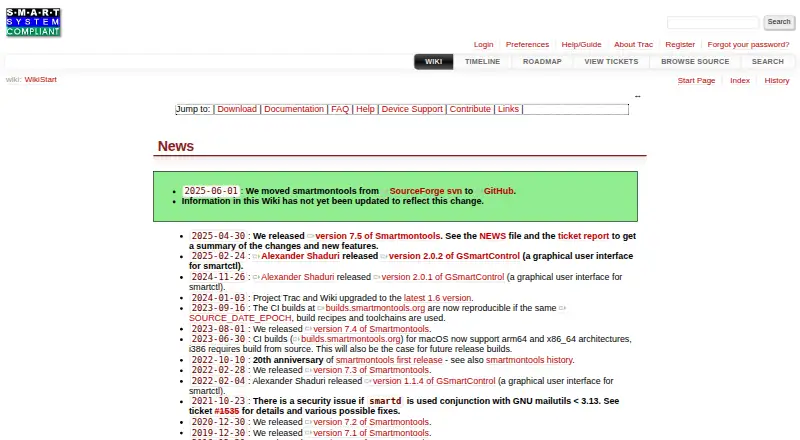
- The repository states that it became the official upstream repository on 2025-06-01. · github.com, 30 Sept 2026
- Utilities
- The package contains the smartctl and smartd programs. · github.com, 1 Oct 2026
Where smartmontools stands on Freedom251
- Hardware monitoring tools#7 of 59
- Disk Diagnostic Software#11 of 26
- Hardware Diagnostic Software#14 of 26
- Disk Health Monitoring Software#17 of 30
- Hardware Monitoring Software#45 of 59