Freedom251 › Disk Diagnostic Software
DRevitalize
What DRevitalize is
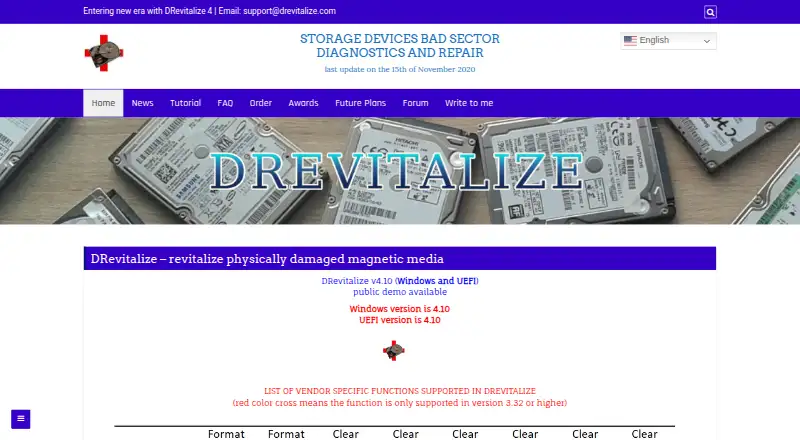
DRevitalize is Windows software for diagnosing and repairing physical damage to magnetic media, including hard drives and some floppy drives. It attempts to address bad sectors by generating high- and low-signal sequences around damaged areas. The listed current version is v4.10 for Windows and UEFI, and public demo downloads are offered for Windows, UEFI, and DOS. Users can choose scan-only checks, scan-and-repair read tests, or scan-and-repair write tests. Other functions include SMART analysis, raw-data copying, secure erase, Format Unit, ATA security operations, and Device Configuration Overlay controls. The software is intended for minor surface damage, typically a few bad sectors, rather than hundreds or thousands. It can check and modify SSD parameters, but cannot truly repair a defective SSD sector; it can reallocate the sector. License ordering is no longer available and the project is on hold.
Who it suits
DRevitalize may suit Windows users diagnosing minor surface damage to magnetic media. Its stated use is limited: it is aimed at a few bad sectors, not hundreds or thousands, and it cannot truly repair a defective SSD sector.
What it does well
- Offers scan-only and scan-and-repair modes.
- Includes SMART analysis and surface scanning.
- Public demos are offered for Windows, UEFI, and DOS.
- Supports bootable media.
What to know first
- License ordering is no longer available.
- Project is on hold.
- Designed for minor surface damage, not extensive bad sectors.
- Cannot truly repair defective SSD sectors.
Limits
The freeware plan is DRevitalize 1.2 Light/DOS, an older version. The software is intended for minor surface damage, typically a few bad sectors, and cannot truly repair defective SSD sectors. License ordering is no longer available.
Plans
| Plan | Billed and limits | Price |
|---|---|---|
| DRevitalize 1.2 Light/DOS freeware | older version · DOS | Free |
| DRevitalize Light/DOS 1.2 | freeware · DOS edition | Free |
| Single-site use license | one computer at a time · no network or simultaneous multi-computer use · no redistribution | On request |
| Company/business use license | unlimited compatible company computers · unlimited company employees · no redistribution | On request |
As drevitalize.com lists them, read 1 Oct 2026. The maker's own page has the final word.
Getting started
- Visit https://drevitalize.com/ for the available downloads.
- Choose a public demo download for Windows, UEFI or DOS.
- For Windows, use a system compatible with the version; the software is designed for Windows 10.
- For UEFI, use a 64-bit system with a recent BIOS.
- For USB-connected ATA/SATA drives, use a bridge supporting SATL and ATA pass-through commands.
Verdict
DRevitalize lists several drive-testing and repair functions, but its stated scope is minor surface damage. The project is on hold and license ordering is unavailable, so consider those limits before relying on it.
Questions
Is DRevitalize free?
A free plan is listed: DRevitalize 1.2 Light/DOS freeware, priced at $0. It is an older DOS version.
Which platforms does it support?
The listed current version is for Windows and UEFI. Public demo downloads are offered for Windows, UEFI and DOS.
What does DRevitalize do?
It diagnoses and attempts to repair physically damaged magnetic media, including hard drives and some floppy drives. It also offers scan modes and drive functions such as SMART analysis and secure erase.
Can it repair an SSD?
It can check and modify SSD parameters, but cannot truly repair a defective SSD sector. It can reallocate the sector.
Can I order a license?
License ordering is no longer available, and the project is on hold.
Who makes DRevitalize?
The website is drevitalize.com. Support is available through [email protected].
Facts from DRevitalize's own pages
- ATA security
- The tool can lock and unlock drives, set a master password, and show ATA security state. · drevitalize.com, 15 Oct 2026
- Availability
- License ordering is no longer available and the project is on hold. · drevitalize.com, 1 Oct 2026
- Current version
- The home page identifies DRevitalize 4.10 for Windows and UEFI. · drevitalize.com, 15 Oct 2026
- Data collection
- The documentation says registered Windows versions collect no serial numbers or internet IPs when checking for updates. · drevitalize.com, 1 Oct 2026
- Data-recovery estimate
- The maker states that DRevitalize has about a 40% chance of recovering previously unreadable data caused by bad-sector surface defects. · drevitalize.com, 15 Oct 2026
- Demo availability
- Public demos are offered for Windows, UEFI boot media, and DOS. · drevitalize.com, 15 Oct 2026
- Documentation
- The maker publishes a long tutorial covering operation modes, repair procedures, SMART, ATA security, secure erase, formatting, USB bridges, and recovery workflow. · drevitalize.com, 15 Oct 2026
- DOS effectiveness
- The maker says the DOS edition is generally more effective than Windows because Windows background activity can interfere with recovery. · drevitalize.com, 15 Oct 2026
- Drive controls
- Its features menu exposes cache settings, host protected area, secure erase, format unit, acoustic management, SMART controls, ATA security, and defect-reassignment functions. · drevitalize.com, 15 Oct 2026
- Drive functions
- Its options include SMART analysis, raw-data copying, secure erase, Format Unit, ATA security functions and Device Configuration Overlay controls. · drevitalize.com, 1 Oct 2026
- Executable signing
- The maker says its executables are signed with a personal Authenticode certificate and warns users against unsigned copies from unknown sources. · drevitalize.com, 15 Oct 2026
- Founded
- 2004 · drevitalize.com, 28 Sept 2026
- Intended defect scale
- The FAQ says the product targets minor surface damage, typically a few bad sectors and perhaps up to 10, rather than hundreds or thousands. · drevitalize.com, 15 Oct 2026
- Licence type
- The proprietary licence forbids reverse engineering, resale, rental, leasing, and redistribution; the software is provided as-is without update obligations. · drevitalize.com, 15 Oct 2026
- License
- The single-site license permits use on one computer at a time, while a company/business license permits unlimited compatible company computers and employees. · drevitalize.com, 1 Oct 2026
- Limit: antivirus detections
- Software Informer reported that two of 75 antivirus engines detected threats in a scanned DRevitalize 4.0 download on February 6, 2025. · drevitalize.software.informer.com, 15 Oct 2026
- Limit: demo delay
- Software Informer says the demo imposes a time penalty after each repair. · drevitalize.software.informer.com, 15 Oct 2026
- Limit: older-drive focus
- Softpedia warns that DRevitalize Light may not work properly with modern hard drives that use their own error-management systems. · softpedia.com, 15 Oct 2026
- Limit: reported failure on a heavily damaged disk
- A Linux Mint forum user reported that DRevitalize did not help a disk with more than 2,000 reallocated sectors and that the scan rate suggested roughly 10 days. · forums.linuxmint.com, 15 Oct 2026
- Network behavior
- The FAQ says the registered program only checks a remote version number at startup and does not send user information or drive data elsewhere. · drevitalize.com, 15 Oct 2026
- Praise: emergency recovery usefulness
- Softpedia describes DRevitalize Light as potentially useful for salvaging a damaged hard disk when other approaches have failed. · softpedia.com, 15 Oct 2026
- Project status
- The ordering page states that licence ordering is no longer available and the project is on hold. · drevitalize.com, 15 Oct 2026
- Purpose
- DRevitalize diagnoses and repairs physically damaged magnetic media, including hard drives and some floppy drives. · drevitalize.com, 1 Oct 2026
- Rating on Softpedia
- 3.3 out of 5 from 52 votes · softpedia.com, 15 Oct 2026
Where DRevitalize stands on Freedom251
- Disk Diagnostic Software#7 of 26