Freedom251 › Cheque Printing Software
Cheqaat
What Cheqaat is
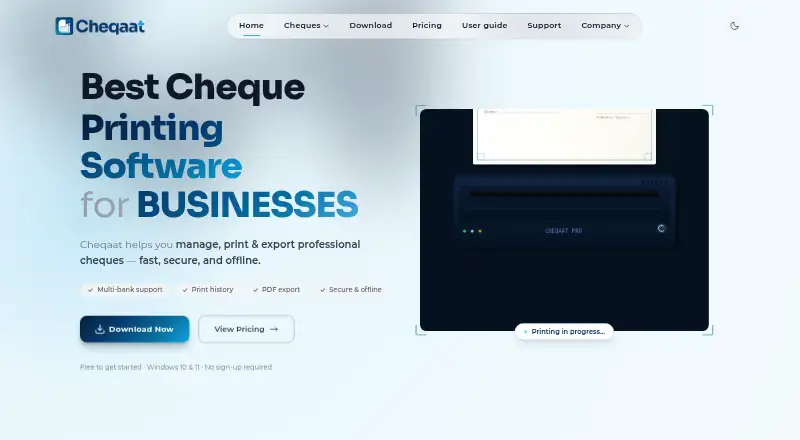
Cheqaat is Windows desktop software for managing cheque records and preparing professional cheques for printing or export. It uses bank templates to align printed cheques and supports bulk preparation, including post-dated cheques for recurring payments. Cheques are logged and searchable, and records can be exported as PDFs. For Qatar users, the interface and cheque fields support Arabic and English; the Qatar page lists nine bundled local bank templates, with reusable custom formats also available. The maker says account details and cheque history are encrypted locally and are not uploaded to a server. After download, Cheqaat works offline and requires Windows 10 or 11 (64-bit), with about 133 MB of disk space. A 30-day trial is available without a credit card. Pro costs $99 a year, billed once yearly without auto-renewal. Enterprise has custom pricing and lists customized integrations, application development, automation, compliance, and reporting support.
Who it suits
The maker identifies SMBs, corporates, accountants, and finance teams in Qatar as intended users. It may suit teams that need to prepare cheque batches and keep searchable records on Windows.
What it does well
- Supports bulk printing, including post-dated cheques.
- Searchable cheque records and PDF exports.
- Arabic and English interface and fields.
- Works offline after download.
What to know first
- Windows-only; no confirmed macOS release date.
- Pro costs $99 a year.
- Enterprise pricing is custom.
Limits
The free trial lasts 30 days. Pro costs $99 a year for 12 months of access; Enterprise pricing is custom. Cheqaat is Windows-only and requires Windows 10 or 11 (64-bit).
Plans
| Plan | Billed and limits | Price |
|---|---|---|
| Free | 30-day free trial; no credit card required · Core features · unlimited cheque printing · multi-bank templates · bulk preparation · PDF export and print history · offline use | Free |
| Pro | Once a year; no auto-renewal · Full feature set · 12 months of access · unlimited cheque printing · multi-bank templates · bulk preparation · PDF export and print history · offline use | $99 a year |
| Enterprise | Custom pricing · Flexible licensing · customized integrations · custom application development · automation support · compliance and reporting support | On request |
As cheqaat.com lists them, read 11 Oct 2026. The maker's own page has the final word.
Getting started
- Visit the Cheqaat website.
- Download the Windows desktop software.
- Install it on a Windows 10 or 11 (64-bit) computer.
- Start the 30-day free trial without a credit card, or select Pro for $99 a year.
- Choose a bank template or create a reusable custom format.
- Prepare and print cheques, then search or export records as PDFs.
Cheqaat is desktop software for preparing, printing, and keeping records of business cheques. It is best suited to Qatar-based finance teams that need local bank formats and Arabic-English support. Its focused workflow and offline access are useful strengths, though Windows-only availability and an annual Pro fee narrow its appeal.
Overview
Cheqaat combines cheque preparation, printing, and recordkeeping in one desktop workflow. Bank templates help align printed cheques, while searchable records and PDF exports support retrieval and filing. The Qatar page includes nine local bank templates, and reusable custom formats let businesses accommodate other layouts.
Bulk printing and support for post-dated cheques make the software more relevant to recurring payment work than a basic one-at-a-time printer. Arabic and English fields and an interface in both languages serve teams working in either language. The product’s local focus is an advantage for Qatar users; organizations needing a broader range of platforms should look elsewhere.
Key features
Preparation, printing, and records
Cheqaat uses bank templates to align cheques and supports bulk or batch printing. That can reduce repetitive preparation for finance teams issuing many cheques. It also supports bulk printing and recording of post-dated cheques, which suits recurring payments prepared in advance.
Cheques are logged and searchable, and records can be exported as PDFs. This gives staff a way to retrieve prior entries and keep a shareable record alongside the printing workflow. Customizable layouts and reusable formats add flexibility when the bundled templates do not fit.
Offline use and support
The maker says account details and cheque history are encrypted locally and never uploaded to a server. Cheqaat works offline after download, which may suit teams that prefer to keep cheque records on their own computer. Support includes a user guide, FAQs, direct email, and a typical response within 24 hours.
Pricing
The Free plan costs nothing and is a 30-day trial with no credit card required. It includes the core features, unlimited cheque printing, multi-bank templates, bulk preparation, PDF export and print history, and offline use. It is a useful way to assess the workflow, but it is time-limited rather than an ongoing free tier.
Pro costs $99 a year, billed once a year, with no auto-renewal. It provides the full feature set and 12 months of access, including unlimited printing, multi-bank templates, bulk preparation, PDF export and print history, and offline use. For a small business or finance team that will use Cheqaat throughout the year, this is the straightforward paid option; the annual charge is less suited to occasional cheque runs.
Enterprise has custom pricing and offers flexible licensing, customized integrations, custom application development, automation support, and compliance and reporting support. It is aimed at organizations needing tailored capabilities; the listed integrations are not named, so buyers should confirm fit and scope before committing.
Platforms
Cheqaat runs on Windows 10 or 11 (64-bit), needs about 133 MB of disk space, and works offline after download. It is a poor fit for teams that need macOS, mobile, or browser access; there is no confirmed macOS release date.
Who it's for
Cheqaat is aimed at SMBs, corporates, accountants, and finance teams in Qatar. It makes the most sense where local bank templates, bilingual cheque work, batch preparation, and searchable records matter together. Individuals or businesses with occasional needs may prefer a free tool, while distributed teams needing access across devices should consider a web or mobile option.
Pros and cons
- Pros: Nine bundled Qatar bank templates and reusable custom formats support local cheque layouts.
- Pros: Bulk preparation, including post-dated cheques, suits recurring or higher-volume payment work.
- Pros: Searchable history, PDF exports, and offline access keep printing and recordkeeping in one desktop workflow.
- Pros: Arabic and English fields and interface serve bilingual teams.
- Cons: Windows 10 or 11 (64-bit) is the only supported platform, limiting teams that work on other systems.
- Cons: The free option lasts 30 days, so continued use requires the $99 a year Pro plan or custom-priced Enterprise licensing.
Alternatives
Check Printing Software is a useful starting point for comparing cheque-printing tools. Consider CHECKPRINT if you want a freemium option across Android, iOS, and web, with one bank account and unlimited checks on its free plan; free PDFs carry a watermark and checks are stored for 30 days. Zil Money may suit teams seeking web, mobile, or API access and a free plan with limited monthly transactions.
ChequeMaster is another Windows option with a free personal, non-commercial plan that allows unlimited banks, accounts, layouts, and printed cheques, but excludes vouchers and reports and limits payees and cheques. ChequePro is worth considering for Windows users who want a free plan for one device, up to three bank accounts, and one company, with a paid Essential plan at 99.00 USD one-time.
PrintCheck may fit users who want a free web tool with no signup, batches of up to 500 checks, and five templates. SimpleChex offers a web-based free plan for one business and one user, with unlimited bank accounts but 10 checks per month. SwiftCheckPrint is a free web option for creating and printing checks, with guest use and user-supplied printer and compatible check stock. TROY AssurePay Check is a quote-based option for medium-to-large businesses across web, desktop, and mobile platforms.
Verdict
Choose Cheqaat if your Qatar-based business needs bilingual cheque preparation, local bank templates, batch and post-dated cheque handling, and searchable records in an offline Windows workflow. The $99 a year Pro plan makes sense for regular use, while the 30-day trial gives teams a short evaluation period. Look elsewhere if you need macOS, mobile, or browser access, or if an ongoing free plan is essential.
Verdict
Cheqaat combines cheque preparation, printing, and recordkeeping, with Arabic and English support for Qatar users. Check its Windows requirement and Pro pricing against your needs before choosing a plan.
Questions
How much does Cheqaat Pro cost?
Pro costs $99 a year, billed once a year without auto-renewal.
Is there a free plan?
The plan labeled Free is a 30-day free trial. It includes core features and unlimited cheque printing, and no credit card is required.
Which operating system does Cheqaat support?
Cheqaat is available for Windows 10 or 11 (64-bit). The maker says it is currently Windows-only and has no confirmed macOS release date.
Can Cheqaat work offline?
Yes. It works offline after download.
Does Cheqaat support Arabic?
Yes. It supports Arabic and English fields and has an Arabic and English interface for Qatar users.
What does Enterprise include?
The Enterprise plan lists flexible licensing, customized integrations, custom application development, automation support, and compliance and reporting support. Its pricing is custom.
Facts from Cheqaat's own pages
- Bank templates
- The Qatar page lists nine bundled local bank templates and says users can create reusable custom formats. · cheqaat.com, 11 Oct 2026
- Cheque printing
- The software uses bank templates to print aligned cheques and supports bulk or batch printing. · cheqaat.com, 11 Oct 2026
- Integrations
- The Enterprise plan lists customized integrations; the maker does not name specific integrations on its pricing page. · cheqaat.com, 11 Oct 2026
- Intended users
- The maker identifies SMBs, corporates, accountants, and finance teams as intended users in Qatar. · cheqaat.com, 11 Oct 2026
- Languages
- Cheqaat supports Arabic and English fields and an Arabic and English interface for Qatar users. · cheqaat.com, 11 Oct 2026
- Limits
- The download page says Cheqaat is currently Windows-only and has no confirmed macOS release date. · cheqaat.com, 11 Oct 2026
- Platform and requirements
- Cheqaat is available for Windows 10 or 11 (64-bit), requires about 133 MB of disk space, and works offline after download. · cheqaat.com, 11 Oct 2026
- Post-dated cheques
- Cheqaat supports printing and recording post-dated cheques in bulk for recurring payments. · cheqaat.com, 11 Oct 2026
- Product
- Cheqaat is desktop software for managing, printing, and exporting professional cheques. · cheqaat.com, 11 Oct 2026
- Records and export
- Cheques are logged and searchable, and records can be exported as PDFs. · cheqaat.com, 11 Oct 2026
- Security
- The maker says account details and cheque history are encrypted locally and never uploaded to a server. · cheqaat.com, 11 Oct 2026
- Support
- The support page says the team typically responds within 24 hours and provides a user guide, FAQs, and direct email support. · cheqaat.com, 11 Oct 2026
Where Cheqaat stands on Freedom251
- Cheque Printing Software#9 of 21
- Check Printing Software#19 of 28