Freedom251 › Cheque Printing Software
CheckBuilderPro
What CheckBuilderPro is
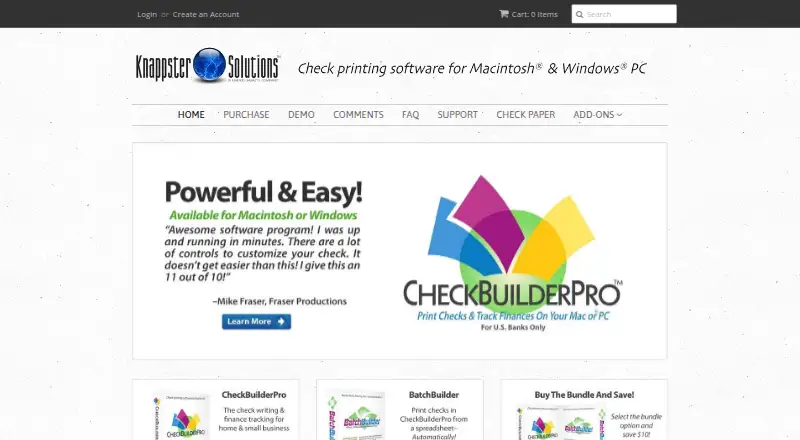
CheckBuilderPro is desktop software for creating and printing personal and business checks and deposit slips. It runs on macOS and Windows and is intended for home and office use with U.S. banks. Checks can be printed blank or completed, with customizable logos, signatures and fonts, plus a MICR line. The software keeps a record of completed checks, tracks other debits and credits, supports bank reconciliation and produces customizable reports in four styles.
CheckBuilderPro is standalone, with file-based data exchange: it imports QIF and exports check data as QIF, CSV or tab-delimited files. It does not directly interface with QuickBooks, Quicken, Xero or other programs, though it can create blank checks for use with them. The separately sold BatchBuilder add-on uses payee details in CSV or tab-delimited spreadsheets for batch printing. CheckBuilderPro costs 59.95 USD as a one-time purchase; BatchBuilder costs 19.95 USD, or the bundle costs 69.95 USD. A free trial is available. The demo prints a VOID watermark and limits the register to 100 entries; the BatchBuilder demo allows 12 checks. Use requires a printer and bank-compatible check paper.
Who it suits
CheckBuilderPro suits home or office users who need to print checks for U.S. banks on a Mac or Windows computer and keep check records. It may also suit users who need batch printing from spreadsheet payee data, using the BatchBuilder add-on.
What it does well
- Prints blank or completed checks and deposit slips.
- Adds logos, signatures, fonts and a MICR line.
- Tracks checks, debits and credits, and supports bank reconciliation.
- Offers customizable reports in four styles.
- Exports check data as QIF, CSV or tab-delimited files.
- Technical support by email or contact form is free for the product's life.
What to know first
- For U.S. banks only.
- Does not directly interface with QuickBooks, Quicken, Xero or other programs.
- Requires a printer and bank-compatible check paper.
- No Chromebook version; telephone support is not offered.
Limits
The CheckBuilderPro demo prints a VOID watermark and caps the check register at 100 entries. The included BatchBuilder demo is limited to 12 checks. BatchBuilder requires CheckBuilderPro version 3.0 or newer and is for U.S. banks only.
Plans
| Plan | Billed and limits | Price |
|---|---|---|
| BatchBuilder add-on | One-time purchase · Requires CheckBuilderPro version 3.0 or newer · For U.S. banks only | $19.95, paid once |
| CheckBuilderPro | One-time purchase; no monthly subscription fees · For U.S. banks only · Windows or Macintosh download · Unlimited accounts | $59.95, paid once |
| CheckBuilderPro + BatchBuilder Bundle | One-time purchase · Includes CheckBuilderPro and BatchBuilder · For U.S. banks only | $69.95, paid once |
As checkbuilderpro.com lists them, read 7 Oct 2026. The maker's own page has the final word.
Getting started
- Visit https://checkbuilderpro.com/.
- Choose the CheckBuilderPro download for Windows or Macintosh.
- Use the free trial to try the software; its demo prints a VOID watermark and limits the register to 100 entries.
- Prepare a printer and bank-compatible check paper.
- For batch check printing, choose BatchBuilder or the CheckBuilderPro and BatchBuilder bundle; BatchBuilder requires CheckBuilderPro version 3.0 or newer.
Verdict
Choose CheckBuilderPro if you need standalone check printing and record keeping for a U.S. bank on macOS or Windows. Its one-time price is 59.95 USD, with batch printing available through a separately sold add-on or bundle. Look elsewhere if you need direct accounting software connections or Chromebook support.
Questions
How much does CheckBuilderPro cost?
CheckBuilderPro is 59.95 USD as a one-time purchase, with no monthly subscription fees. BatchBuilder alone is 19.95 USD, and the CheckBuilderPro plus BatchBuilder bundle is 69.95 USD.
Is there a free plan or trial?
There is no free plan, but a free trial is available. The CheckBuilderPro demo prints a VOID watermark and limits the register to 100 entries; the BatchBuilder demo is limited to 12 checks.
Which platforms does it support?
CheckBuilderPro is available for macOS and Windows. It supports macOS 10.10 through Tahoe 26 and Windows 10 or 11, and is unavailable for Chromebook.
Does it connect to QuickBooks, Quicken or Xero?
No. It is standalone and does not directly interface with those programs or other software. It imports QIF files and exports check data as QIF, CSV or tab-delimited files.
Can it print checks in batches?
Yes. The separately sold BatchBuilder add-on takes payee data from CSV or tab-delimited spreadsheets for batch check printing. It requires CheckBuilderPro version 3.0 or newer.
What support is available?
Technical support is provided by email or contact form for the life of the product at no charge. Telephone support is not offered.
Facts from CheckBuilderPro's own pages
- Accounting software
- The software is standalone and does not directly interface with QuickBooks, Quicken, Xero or other programs; it can create blank checks for use with them. · checkbuilderpro.com, 7 Oct 2026
- Batch printing
- The separately sold BatchBuilder add-on feeds payee data from CSV or tab-delimited spreadsheets into CheckBuilderPro for batch check printing. · checkbuilderpro.com, 7 Oct 2026
- Check features
- It can print blank or completed checks, personalize them with logos, signatures and fonts, and print a MICR line. · checkbuilderpro.com, 7 Oct 2026
- Data sharing
- CheckBuilderPro does not network; the maker says cloud syncing services such as Dropbox can be used to share check data, with care because simultaneous access may cause problems or data corruption. · checkbuilderpro.com, 7 Oct 2026
- Demo
- The CheckBuilderPro demo is fully functional but prints a VOID watermark and limits the check register to 100 entries; the included BatchBuilder demo is limited to 12 checks. · checkbuilderpro.com, 7 Oct 2026
- Founded
- 2004 · checkbuilderpro.com, 28 Sept 2026
- Headquarters
- Pacific Northwest, north of Seattle · checkbuilderpro.com, 28 Sept 2026
- Imports and exports
- CheckBuilderPro imports QIF files and exports check data as QIF, CSV or tab-delimited files; other import formats are not supported. · checkbuilderpro.com, 7 Oct 2026
- Intended customers
- The maker describes CheckBuilderPro as check printing software for home and office and says it is for U.S. banks only. · checkbuilderpro.com, 7 Oct 2026
- Purpose
- CheckBuilderPro creates and prints personal and business checks and deposit slips on a Mac or Windows computer. · checkbuilderpro.com, 7 Oct 2026
- Records and reports
- The software records completed checks, tracks other debits and credits, supports bank reconciliation, and offers customizable reports in four styles. · checkbuilderpro.com, 7 Oct 2026
- Requirements
- CheckBuilderPro supports macOS 10.10 through Tahoe 26 and Windows 10 or 11, requires a printer and bank-compatible check paper, and is unavailable for Chromebook. · checkbuilderpro.com, 7 Oct 2026
- Security and payments
- The maker says order information is sent to a third-party risk analysis service over an encrypted connection and that Shopify stores payment data encrypted under PCI-DSS when a direct payment gateway is used. · checkbuilderpro.com, 7 Oct 2026
- Support
- Technical support is provided by email or contact form for the life of the product at no charge, and telephone support is not offered. · checkbuilderpro.com, 7 Oct 2026
Where CheckBuilderPro stands on Freedom251
- Cheque Printing Software#6 of 21
- Check Printing Software#13 of 28