Freedom251 › Cheque Printing Software

ezCheckPrinting
What ezCheckPrinting is
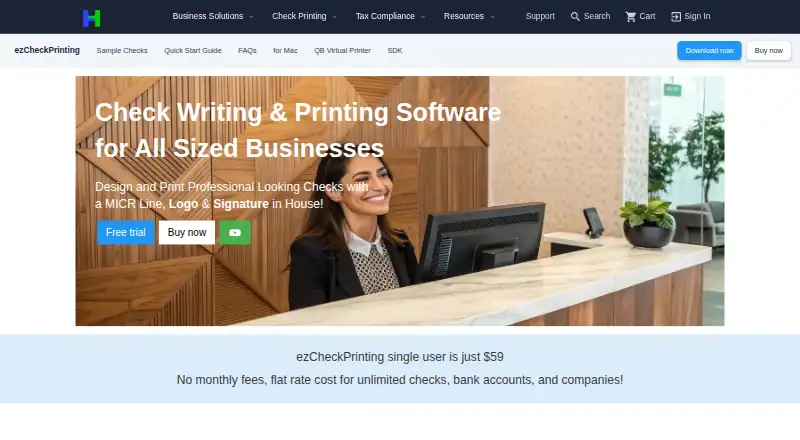
ezCheckPrinting is desktop software for businesses that design and print checks internally. It can add a MICR line, logo, and signature, and supports check-on-top, check-in-middle, check-at-bottom, and three-per-page formats. Users can adjust fonts, sizes, layouts, and check stubs. Check data imports from CSV, Excel, QuickBooks, Quicken, and previous check files. An optional Virtual Printer add-on supports printing from QuickBooks and Quicken. The maker says an internet connection is not needed to run the software. Windows requires .NET Framework 4.0 or later, and the listed Windows download is version 9.1.16. Windows and macOS are supported. The trial provides full features but prints “TRIAL” on checks until a license key is purchased. One-time plans include 59.00 USD for Windows single-user, 59.99 USD for Mac, 79.00 USD plus $40 per additional user for Network, and 219.00 USD plus $60 per additional user for QuickBooks/Quicken Network. Updates within a purchased version are included; a new major version requires another purchase.
Who it suits
It suits businesses, small-business owners, and accountants managing multiple clients who need in-house check printing. It also fits users importing data from accounting files or applications.
What it does well
- MICR, logo, and signature printing
- Multiple check layouts
- Imports CSV and Excel data
- QuickBooks and Quicken support
- Runs without internet connection
What to know first
- Trial checks include a “TRIAL” mark
- New major versions require separate purchase
- Windows requires .NET Framework 4.0 or later
- Network plans charge per additional user
Limits
The free trial has full feature access, but prints “TRIAL” on checks until a license key is purchased. Updates within a purchased version are included; a new major version is a separate purchase.
Plans
| Plan | Billed and limits | Price |
|---|---|---|
| ezCheckPrinting + QuickBooks/Quicken Network | $219 + $60 per additional user · Unlimited checks · unlimited bank accounts and companies · Windows · network support · QuickBooks/Quicken integration | $219, paid once |
| ezCheckPrinting Windows single-user | one-time purchase for this version · Unlimited checks · unlimited bank accounts and companies · Windows | $59, paid once |
| ezCheckPrinting Mac | App Store purchase · Unlimited accounts · unlimited check printing · Mac | $59.99, paid once |
| ezCheckPrinting Network | $79 + $40 per additional user · Unlimited checks · unlimited bank accounts and companies · Windows · multi-user network support | $79, paid once |
As halfpricesoft.com lists them, read 3 Oct 2026. The maker's own page has the final word.
Getting started
- Visit the ezCheckPrinting website.
- Choose the Windows, Mac or Windows network plan that fits your setup.
- Download the appropriate desktop version; Windows requires .NET Framework 4.0 or later.
- Use the free trial to access features, noting that checks print “TRIAL” until you purchase a license key.
- Import check data from a supported file or accounting program, if needed.
Verdict
ezCheckPrinting offers customizable desktop check creation with accounting imports and several one-time purchase options. Review the trial marking and upgrade terms before choosing a version.
Questions
What does ezCheckPrinting cost?
The Windows single-user plan is $59, paid once, and the Mac plan is $59.99, paid once. The Network plan is $79, paid once, billed $79 + $40 per additional user; the QuickBooks/Quicken Network plan is $219, paid once, billed $219 + $60 per additional user.
Is there a free trial?
Yes. The trial has full feature access, but checks print “TRIAL” until a license key is purchased.
Which platforms does it support?
It is listed for Windows and macOS. The Windows download requires Windows with .NET Framework 4.0 or later.
Can it import QuickBooks or Quicken data?
It supports importing check data from QuickBooks and Quicken. An optional Virtual Printer add-on imports data from those programs so users can print checks from them.
Does it need an internet connection?
The maker says the check-printing software does not need an internet connection to run.
Are updates included with a purchase?
Updates within the purchased version are included. A new major version is a separate purchase.
Facts from ezCheckPrinting's own pages
- Check formats
- It supports check-on-top, check-in-middle, check-at-bottom and three-per-page formats. · halfpricesoft.com, 3 Oct 2026
- Customization
- Users can customize fonts, sizes and layouts and design check stubs. · halfpricesoft.com, 3 Oct 2026
- Founded
- 2003 · halfpricesoft.com, 28 Sept 2026
- Headquarters
- Redmond, Washington, United States · halfpricesoft.com, 28 Sept 2026
- Imports
- The product supports importing check data from CSV and Excel files, QuickBooks, Quicken and previous check data. · halfpricesoft.com, 3 Oct 2026
- Intended users
- The maker describes the product for businesses of all sizes, including small-business owners and accountants managing multiple clients. · halfpricesoft.com, 3 Oct 2026
- Internet requirement
- The maker says the check-printing software does not need an internet connection to run. · halfpricesoft.com, 3 Oct 2026
- Privacy and security
- The privacy policy says the company uses organizational and technical measures to safeguard data and retains it as necessary or permitted. · halfpricesoft.com, 3 Oct 2026
- Purpose
- ezCheckPrinting lets businesses design and print professional checks in-house with a MICR line, logo and signature. · halfpricesoft.com, 3 Oct 2026
- QuickBooks and Quicken
- An optional Virtual Printer add-on imports check data from QuickBooks and Quicken so users can print checks from those programs. · halfpricesoft.com, 3 Oct 2026
- Support
- The maker offers customer support and says email support is available every day. · halfpricesoft.com, 3 Oct 2026
- Trial limitation
- The free trial has full feature access, but prints “TRIAL” on checks until a license key is purchased. · halfpricesoft.com, 3 Oct 2026
- Updates
- The maker says updates within the purchased version are included, while a new major version is a separate purchase. · halfpricesoft.com, 3 Oct 2026
- Version and requirements
- The Windows download page lists version 9.1.16 and requires Windows with .NET Framework 4.0 or later. · halfpricesoft.com, 3 Oct 2026
Where ezCheckPrinting stands on Freedom251
- Cheque Printing Software#11 of 21
- Check Printing Software#21 of 28