Freedom251 › Food Truck POS Software
CartFlow
What CartFlow is
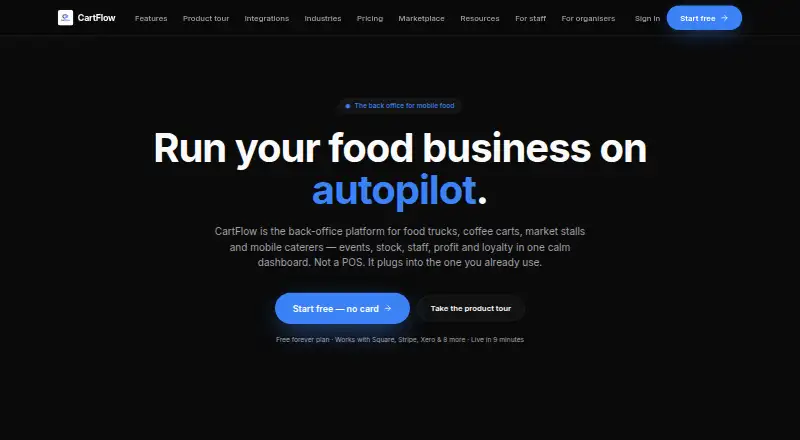
CartFlow is back-office software for food trucks, market stalls, coffee carts, caterers and other mobile food businesses. It organizes event applications and bookings alongside staff, packing lists, logistics and event records. CartFlow is not a point-of-sale system; it connects to the POS an operator already uses. Reporting shows profitability by event, product and venue, with year-over-year comparisons. Inventory tools provide live stock counts, low-stock alerts and per-event stock usage. Sales, stock adjustments and event notes can be recorded without a signal and synced when the device reconnects. CartFlow runs in a browser on phones, tablets and laptops, and can be installed to a phone home screen without an app store. Listed integrations include Square, SumUp, Zettle, Shopify POS, Lightspeed Retail, Clover, Toast, Loyverse, Xero, Zapier, HNRY via Zapier and Stripe. The free plan has monthly limits on events, sales records, products, recipes and stock. Pro is NZ$39 per month, and Business is NZ$79 per month; the pricing note separately lists paid plans from $29/mo.
Who it suits
CartFlow suits mobile food operators who need to coordinate events, staff, inventory and business records. It is aimed at businesses that already use a POS and want connected back-office tools.
What it does well
- Tracks profitability by event, product and venue.
- Records sales and notes offline, then syncs on reconnection.
- Live stock counts include low-stock alerts.
- Works in a browser on phones, tablets and laptops.
What to know first
- CartFlow is not a point-of-sale system.
- Free plan allows 3 events per month.
- Xero and the AI assistant require Business.
- CSV import and export require Pro.
Limits
The Free plan allows 3 events and 20 sales records per month, 10 products, 3 recipes, 15 stock items, 1 saved venue, 3 tasks per event, and 0 custom event fields. Pro has 5 custom event fields; Business includes unlimited custom event fields and team seats with roles.
Plans
| Plan | Billed and limits | Price |
|---|---|---|
| Free | 3 events/month · 20 sales records/month · 10 products · 3 recipes · 15 stock items · 1 saved venue · 3 tasks/event · 0 custom event fields | Free |
| Pro | NZ$39/mo · Unlimited events, sales, products, recipes and stock · 5 custom event fields | 39 NZD a month |
| Business | NZ$79/mo · Unlimited events, sales, products, recipes and stock · Unlimited custom event fields · Team seats with roles · Priority support | 79 NZD a month |
As cart-flow.app lists them, read 4 Oct 2026. The maker's own page has the final word.
Getting started
- Visit the CartFlow website
- Open CartFlow in a browser on a phone, tablet, or laptop
- Add it to a phone home screen without using an app store, if desired
- Choose the Free plan or a paid plan
- Connect an available POS or service integration; some OAuth POS connections may require in-app account credentials
CartFlow is back-office software for mobile food businesses that already use a POS. It is best suited to operators juggling recurring events, stock and event-level profitability. Its main draw is putting those operations together; it is not a checkout system.
Overview
CartFlow brings market and festival applications, bookings, staff, packing lists, logistics and event records into one workspace. Profitability reports break results down by event, product and venue, with year-over-year comparisons. For an operator deciding which events and products justify the effort, that is more useful than a tool focused only on recording sales.
CartFlow connects to the POS an operator already uses rather than replacing it. That makes it a poor fit for anyone who needs a standalone checkout. It works in a browser on phones, tablets and laptops, and can be installed to a phone home screen without an app store. Sales, stock adjustments and event notes can be recorded offline and sync when the device reconnects, which helps at venues with unreliable coverage.
Key features
Event operations and inventory
Keeping event applications, bookings and staff coordination alongside packing logistics and event records gives mobile operators one place to manage work that otherwise spans event and stock planning. Live stock counts, low-stock alerts and per-event stock usage help connect inventory to individual bookings and reduce the risk of preparing without a clear view of what is on hand.
POS connections and data
CartFlow lists integrations with Square, SumUp, Zettle, Shopify POS, Lightspeed Retail, Clover, Toast, Loyverse, Xero, Zapier, HNRY via Zapier and Stripe. The breadth gives existing POS users options, but an integration list is not a guarantee of a frictionless setup: OAuth POS connections may require account credentials to be configured in-app. Xero and the AI assistant require Business, while CSV import and export require Pro, so those requirements can push a buyer toward a higher tier.
Offline use and security
Offline recording for sales, stock adjustments and event notes is a practical strength when service drops; the changes sync once the device reconnects. CartFlow describes row-level database security, workspace data isolation, private file storage with signed URLs, server-side authorization and HTTPS/TLS transport. It also says it does not sell personal information or use business data to train third-party AI models. These are useful stated safeguards, not an independent audit or certification.
Pricing
CartFlow has a free plan and paid plans, though its pricing information uses two different starting figures: the pricing note says paid plans start at $29/mo, while the named plans show Pro at 39 NZD a month and Business at 79 NZD a month. Buyers should confirm which price and billing terms apply to their account before choosing.
| Plan | Price | What it includes |
|---|---|---|
| Free | free | 3 events/month, 20 sales records/month, 10 products, 3 recipes, 15 stock items, 1 saved venue, 3 tasks/event and 0 custom event fields. |
| Pro | 39 NZD a month; billed NZ$39/mo | Unlimited events, sales, products, recipes and stock; 5 custom event fields. |
| Business | 79 NZD a month; billed NZ$79/mo | Unlimited events, sales, products and stock, unlimited custom event fields, team seats with roles, priority support and dedicated onboarding. |
Free is a constrained but usable starting point for a small operation: the monthly event and sales-record caps, small inventory allowances and single saved venue will matter quickly to busier sellers. Pro removes the main event, sales and inventory caps and adds five custom event fields, making it the practical step up for a solo operator who does not need team seats. Business is the fit for teams that need role-based seats, unlimited custom fields, priority support or dedicated onboarding; it is also required for Xero and the AI assistant. CSV import and export are available on Pro and Business, not Free.
Platforms
CartFlow supports Android, iOS and web. Its browser-based design spans phones, tablets and laptops, with home-screen installation on phones, and offline entry for sales, stock adjustments and event notes. It also supports online ordering and multiple locations, alongside inventory tracking and staff permissions.
Who it's for
Food trucks, market stalls, coffee carts, caterers and other mobile food businesses are the natural audience, particularly those that work frequent markets or festivals and need to compare event profitability. It is less suitable for a new business seeking one system to handle checkout as well as back-office planning, since CartFlow expects an existing POS.
Pros and cons
- Pro: Event operations, stock management and profitability reporting share one workspace, linking event planning to the products and venues that perform.
- Pro: Offline recording covers sales, stock adjustments and event notes, helping preserve operational records when connectivity is poor.
- Pro: Pro and Business remove the Free plan's event, sales and stock caps, and Business adds team roles and priority support.
- Con: CartFlow is not a POS, so businesses without an existing checkout system need another product for sales.
- Con: Free has tight operating limits, including 3 events/month, 20 sales records/month and 1 saved venue.
- Con: Xero and the AI assistant require Business, and some POS connections may need in-app credential setup.
Alternatives
For a broader catering comparison, see Event Catering Software; for checkout-focused options, browse Food Truck POS Software.
- Eventifood is another freemium option with a free Pro Max PAYG plan that charges a 3.0% platform fee plus Stripe processing; consider it if that fee-based model and its Pro features, bookkeeping and bookings suit your needs.
- BanquetsCRM offers a free Core CRM plan covering events, leads, customers, invoices, venues, menus and team management, plus a free trial; it may suit users prioritizing CRM and team administration.
- Catertoo has a free plan for up to 3 events a month with unlimited users and clients, proposals and e-signatures, and a menu builder; consider it if those client-facing tools matter more than CartFlow's event profitability reporting.
- Mobistro is a web-based alternative with a free beta and a stated smallest post-beta plan of $22.99 a month; consider it if a web-only option and that post-beta starting price fit your needs.
- SendOrder has a free Starter plan covering food costing, preparation conversion, inventory, recipes, orders and expenses; it may suit operators focused on those kitchen and costing workflows.
- Traqly offers a free Essentials plan for up to 8 clients and 4 proposals per month, with limited monthly Copilot and standard support; it may suit users whose work centers on proposals and client management.
- OneCatering is a paid alternative with an Essentials – Catering plan priced at $159 a year and a 1% platform fee on eligible payments processed through it; consider it if its catering-oriented paid model fits better.
- Caterease is a paid alternative.
Verdict
CartFlow is a strong fit for mobile food operators who already have a POS and want event coordination, inventory and profitability reporting in one back-office tool. Its offline entry and event-level comparisons are meaningful advantages, but the Free caps are restrictive, key integrations require Business, and it cannot replace checkout. Choose it for operational control around events; look elsewhere if you need a POS-first system.
Verdict
CartFlow focuses on the operational work around events rather than replacing an existing POS. Check plan limits and integration requirements, especially if you need Xero, its AI assistant or CSV import and export.
Questions
Is there a free plan?
Yes. CartFlow’s Free plan costs nothing and has limits on events, sales records, products, recipes, stock items, saved venues, tasks, and custom event fields.
How much do the paid plans cost?
Pro is listed at 39 NZD a month, billed NZ$39/mo, and Business at 79 NZD a month, billed NZ$79/mo. The pricing note also says paid plans start at $29/mo.
Does CartFlow include a point-of-sale system?
No. CartFlow describes itself as back-office software, not a POS, and connects to the POS an operator already uses.
What devices can I use CartFlow on?
CartFlow runs in a browser on phones, tablets, and laptops. It can also be installed to a phone home screen without an app store.
Which integrations are available?
Listed integrations include Square, SumUp, Zettle, Shopify POS, Lightspeed Retail, Clover, Toast, Loyverse, Xero, Zapier, HNRY via Zapier, and Stripe. Xero and the AI assistant require Business; CSV import and export requires Pro.
Can CartFlow be used without an internet signal?
Sales, stock adjustments, and event notes can be recorded without signal and sync when the device reconnects.
Facts from CartFlow's own pages
- Event operations
- It manages market and festival applications, bookings, staff, packing lists, logistics and event records in one place. · cart-flow.app, 4 Oct 2026
- Integration limits
- The integrations page says Xero and the AI assistant require Business, CSV import/export requires Pro, and OAuth POS connections may need account credentials configured in-app. · cart-flow.app, 4 Oct 2026
- Integrations
- Listed available integrations include Square, SumUp, Zettle, Shopify POS, Lightspeed Retail, Clover, Toast, Loyverse, Xero, Zapier, HNRY via Zapier and Stripe. · cart-flow.app, 4 Oct 2026
- Inventory
- Inventory features include live stock counts, low-stock alerts and per-event stock usage. · cart-flow.app, 4 Oct 2026
- Maker and location
- CartFlow identifies its operator as the CartFlow team; the pages reviewed do not state a headquarters or founding year. · cart-flow.app, 4 Oct 2026
- Mobile access
- CartFlow runs in a browser on phones, tablets and laptops, and its homepage says it can be installed to a phone home screen without an app store. · cart-flow.app, 4 Oct 2026
- Not a POS
- CartFlow describes itself as not a POS and says it connects to the POS an operator already uses. · cart-flow.app, 4 Oct 2026
- Offline use
- The help centre says sales, stock adjustments and event notes can be recorded without signal and sync when the device reconnects. · cart-flow.app, 4 Oct 2026
- Privacy
- The privacy policy says CartFlow does not sell personal information or use business data to train third-party AI models. · cart-flow.app, 4 Oct 2026
- Profit reporting
- CartFlow reports profitability by event, product and venue, with year-over-year comparisons. · cart-flow.app, 4 Oct 2026
- Purpose
- CartFlow is back-office software for food trucks, market stalls, coffee carts, caterers and other mobile food businesses. · cart-flow.app, 4 Oct 2026
- Security certification
- CartFlow says its security page describes its own practices and is not an independent audit or certification. · cart-flow.app, 4 Oct 2026
- Security controls
- The security page describes row-level database security, per-workspace data isolation, private file storage with signed URLs, server-side authorization and HTTPS/TLS transport. · cart-flow.app, 4 Oct 2026
- Support
- The Business plan includes priority support and dedicated onboarding. · cart-flow.app, 4 Oct 2026
Where CartFlow stands on Freedom251
- Food Truck POS Software#2 of 29
- Event Catering Software#2 of 28