Freedom251 › Food Truck POS Software

Biyo POS
by Biyo POS
What Biyo POS is
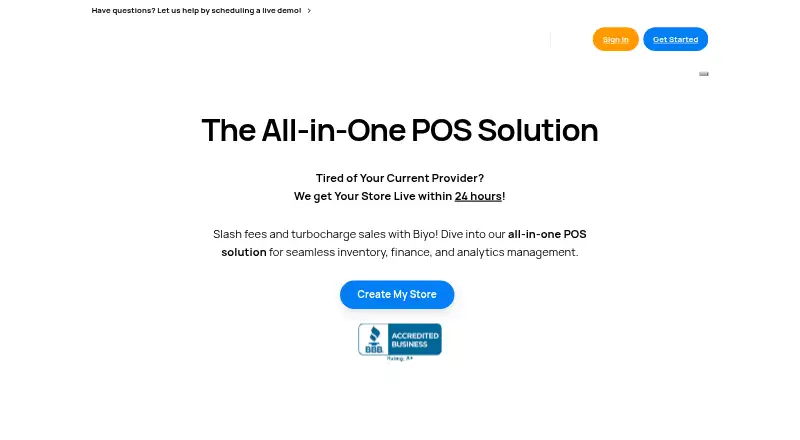
Biyo POS is a point-of-sale system for stores and businesses in retail, eCommerce, and food service, including grocery stores, cafes, bars, and kiosks. Its tools cover offline transactions, inventory, multi-location management, and restaurant operations. The Inventory Scanner app supports stocktakes and stock checks across stores; multi-location features provide centralized control. Restaurant features include tableside ordering, table status tracking, reservations, and a digital floor plan. Reporting can show revenue, costs, and margins and compare sales across locations or time periods. The WooCommerce integration syncs inventory and orders, provides a unified product catalog, and combines online and in-store reporting. Biyo says merchants can use their own hardware, including Windows, Linux, Chrome, iOS, and OS X devices. Plans include a free option for US businesses that charges processing fees, and paid plans from $47/month per terminal. A 14-day free trial is available without a credit card.
Who it suits
Biyo POS may suit retailers, restaurants, and other listed business types that need inventory or multi-location tools. Its restaurant features may be useful for venues managing tables, reservations, and floor plans.
What it does well
- Offline mode supports transactions without internet connectivity.
- Inventory Scanner app supports stocktakes and cross-store stock checks.
- Multi-location tools provide centralized control and inventory management.
- Restaurant tools include tableside ordering and reservations.
- 14-day trial requires no credit card.
What to know first
- Free Premium + Processing plan is limited to US businesses.
- Free plan charges processing fees.
- Standard plan costs $47/month per terminal.
Limits
The free Premium + Processing plan is for US businesses and charges processing fees. Standard costs $47 a month per terminal; Premium costs $97 a month per terminal.
Plans
| Plan | Billed and limits | Price |
|---|---|---|
| Standard | $47/month per terminal · All features included · All integrations included · 24/7 online support · Other card processing providers | $47 a month |
| Premium | $97/month per terminal · All features included · All integrations included · 24/7 online & phone support · Other card processing providers | $97 a month |
| Premium + Processing | $0/month + processing fees · Only for US Business · No contracts · All features and integrations included · No monthly software fees · Free credit card machine · 24/7 online support + phone | Free |
| Standard | $470/year per terminal · All features included · All integrations included · 24/7 online support · Other card processing providers | $470 a year |
| Premium | $970/year per terminal · All features included · All integrations included · 24/7 online & phone support · Other card processing providers | $970 a year |
As biyopos.com lists them, read 28 Sept 2026. The maker's own page has the final word.
Getting started
- Visit the Biyo POS website.
- Choose the 14-day free trial, which does not require a credit card, or select a listed plan.
- Use a supported Android, iOS, Linux, macOS, web, or Windows platform.
- Connect WooCommerce if you want its listed inventory, order, catalog, and reporting synchronization.
Overview
Biyo POS is a point-of-sale system for retailers and restaurants that need sales, inventory, and multi-location tools in one product. It is best suited to operators combining several stores or sales channels; its per-terminal paid pricing and US-only free plan make the cost and eligibility important parts of the decision.
Offline transaction processing, online ordering, and WooCommerce synchronization give it reach beyond the checkout counter. Its range is useful, but businesses should weigh those capabilities against the terminal-based subscription and the processing fees on the free plan.
Key features
Inventory and locations
The Inventory Scanner app supports stocktakes and stock checks across stores, while centralized multi-location controls are aimed at businesses that need to manage inventory across sites. Employee permissions add a way to control staff access. These tools make Biyo more relevant to operators with several outlets than a basic single-register checkout system.
Restaurant operations
Tableside ordering, table-status tracking, reservations, and a digital floor plan address both ordering and coordinating tables. That makes the product a plausible fit for restaurants, cafes, and bars; retailers without table service will have little reason to value this part of the package.
Sales continuity and reporting
Biyo says offline mode can keep transactions moving when connectivity is unavailable, a practical safeguard for businesses that cannot rely on uninterrupted internet. Reporting covers revenue, costs, and margins, with comparisons across locations or periods. Online ordering is also supported.
WooCommerce and hardware
The WooCommerce integration synchronizes inventory and orders, unifies the product catalog, and combines online and in-store reporting. Businesses selling through both channels can manage them in a more connected workflow. Biyo says merchants can use their own hardware and supports Windows, Linux, Chrome, iOS, and OS X devices.
Security and support
Biyo says internet transfers use TLS (HTTPS) encryption and that it hosts data with Amazon Web Services in Germany. Live chat is advertised for all customers; phone support is included with Premium. Those support tiers make the Premium upgrade relevant for businesses that want phone access, while Standard is limited to online support.
Pricing
Biyo advertises a 14-day free trial with no credit card required, giving businesses a short period to assess the product before committing. Its free plan, Premium + Processing, is available only to US businesses and charges processing fees. It is a way to avoid a monthly software charge, but not a fee-free option.
- Premium + Processing: free, billed + processing fees; US businesses only. The best fit for eligible businesses prioritizing no monthly subscription over control of processing costs.
- Standard: $47 a month, billed $47/month per terminal. It includes all features, all integrations, 24/7 online support, and other card processing providers. This suits businesses that want the full feature set and payment-provider choice without paying for phone support.
- Premium: $97 a month, billed $97/month per terminal. It adds 24/7 online and phone support to the same all-features, all-integrations, and other-card-provider package. It is for operators who consider phone support worth the additional per-terminal charge.
Because paid rates are charged per terminal, costs rise with each terminal rather than remaining a single flat subscription. The free plan's US-only eligibility and processing fees are material constraints for businesses comparing it with paid plans.
Platforms
Biyo POS is listed for Android, iOS, Linux, macOS, web, and Windows. The maker also describes support for Chrome devices and merchants' own hardware.
Who it's for
Biyo is strongest for retailers and hospitality businesses that need inventory management across locations, and for restaurants that can use tableside ordering and floor-plan tools. A retailer integrating WooCommerce may also benefit from synchronized stock, orders, and reporting. It is less compelling for a single-location business seeking a low, predictable subscription regardless of terminal count, or for a non-US business hoping to use the free plan.
Pros and cons
- Pros: A broad retail and restaurant feature set combines inventory, offline sales, online ordering, and multi-location controls, so businesses can cover several operational needs in one system.
- Pros: WooCommerce synchronization links product, stock, order, and reporting workflows for merchants with online and in-store sales.
- Pros: A no-credit-card 14-day trial lets businesses evaluate the system before subscribing.
- Cons: Paid plans are priced per terminal, which can make the subscription materially higher for multi-register operations.
- Cons: The free plan is limited to US businesses and still charges processing fees.
- Cons: Phone support is reserved for Premium, so Standard customers rely on online support even though it is available around the clock.
Alternatives
Consider Loyverse if a free POS with a clear sales-history limit is a better fit: its POS plan includes 31 days of sales history, while unlimited history costs $5 a month, billed $5/month per store or $50/year.
SpotOn Restaurant may suit a restaurant seeking a package that combines POS software and hardware, ordering, payments, table layouts, menu management, and reporting. Its All-In Plan is free, but processing minimums apply and it has a 2-year minimum term.
CartFlow is an alternative for event-based selling where its Free plan's limits—3 events/month, 20 sales records/month, 10 products, and other capped resources—are sufficient, or where its Pro plan is preferable.
FuegoPOS is worth comparing for a free-to-start option with cloud menu management, employee tools, split payments, and offline mode; processing fees apply to its Starter plan.
ParcelPOS offers another free plan, with a stated cap of 30 orders per day. Zeller has no monthly subscription or software licence fee for its POS, but requires a Zeller Terminal and charges transaction fees.
HunoMenu and RestoMate are also options to compare.
For broader comparisons, browse Food Truck POS Software or Point-of-Sale Software.
Verdict
Biyo POS is a strong candidate for multi-location retailers and restaurants that want inventory, offline transactions, and business-specific tools in one system. Its breadth and WooCommerce connection are the main reasons to choose it; look elsewhere if per-terminal charges undermine the economics, or if you need a free plan outside the US or without processing fees.
Verdict
Biyo POS combines sales, inventory, and restaurant tools with multi-location support. Check its US-only free plan terms and per-terminal paid pricing against your business needs.
Questions
Is Biyo POS free?
A Premium + Processing plan is listed as free for US businesses, with processing fees. Paid plans start at $47 a month per terminal.
Is there a free trial?
Yes. Biyo POS offers a 14-day free trial with no credit card required.
Which platforms does Biyo POS support?
The listed platforms are Android, iOS, Linux, macOS, web, and Windows. Biyo also says merchants can use their own hardware.
Does Biyo POS work with WooCommerce?
Yes. Its WooCommerce integration supports inventory and order synchronization, a combined product catalog, and online and in-store reporting.
Who makes Biyo POS?
The maker is Biyo POS. Its headquarters are listed at 1027 Hudson Ave, Ridgefield, NJ 07657, and it was founded in 2012.
Facts from Biyo POS's own pages
- Business types
- The site lists retail, eCommerce, restaurants, and business types including grocery stores, cafes, bars, and kiosks. · biyopos.com, 28 Sept 2026
- Data hosting
- The privacy policy says Biyo hosts data with Amazon Web Services in Germany. · biyopos.com, 28 Sept 2026
- Employee permissions
- Yes · biyopos.com, 20 Sept 2026
- Founded
- 2012 · biyopos.com, 28 Sept 2026
- Free plan
- Yes · biyopos.com, 20 Sept 2026
- Free-plan limit
- The Premium + Processing plan is listed as free for US businesses and charges processing fees. · biyopos.com, 28 Sept 2026
- Hardware
- Biyo says merchants can use their own hardware and lists Windows, Linux, Chrome, iOS, and OS X devices as supported. · biyopos.com, 28 Sept 2026
- Integration
- The WooCommerce integration page describes real-time inventory synchronization, order syncing, a unified product catalog, and combined online and in-store reporting. · biyopos.com, 28 Sept 2026
- Inventory
- Its Inventory Scanner app can be used to conduct stocktakes and check stock across stores. · biyopos.com, 28 Sept 2026
- Multi-location
- Biyo says its multi-location tools support centralized control and inventory management across locations. · biyopos.com, 28 Sept 2026
- Offline sales
- Biyo POS says its offline mode allows businesses to continue processing transactions when internet connectivity is unavailable. · biyopos.com, 28 Sept 2026
- Product
- Biyo POS describes itself as an all-in-one point-of-sale system for managing stores. · biyopos.com, 28 Sept 2026
- Reporting
- Biyo says its reporting can present revenue, costs, and margins and compare sales across locations or time periods. · biyopos.com, 28 Sept 2026
- Restaurant tools
- The feature overview describes tableside ordering, table status tracking, reservations, and a digital floor plan. · biyopos.com, 28 Sept 2026
- Security
- Biyo’s privacy policy says data transferred over the internet as part of its services is encrypted using industry-standard TLS (HTTPS). · biyopos.com, 28 Sept 2026
- Paid from
- 47 · biyopos.com, 20 Sept 2026
- Support
- The site advertises live chat for all customers and phone support for Premium customers. · biyopos.com, 28 Sept 2026
- Trial
- Biyo advertises a 14-day free trial with no credit card required. · biyopos.com, 28 Sept 2026
Where Biyo POS stands on Freedom251
- Food Truck POS Software#1 of 29
- Point-of-Sale Software#14 of 113