Freedom251 › AI Scheduling Assistants

CalendarBridge AI Scheduling Assistant
Visit CalendarBridge AI Scheduling Assistant Alternatives Pricing
What CalendarBridge AI Scheduling Assistant is
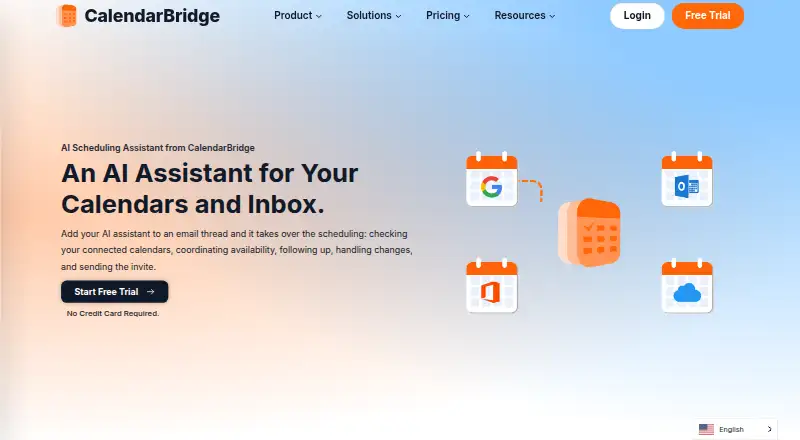
CalendarBridge AI Scheduling Assistant coordinates meetings through email and connected calendars. Users can copy the assistant on an email thread so it can check availability, follow up, handle changes, and send an invitation. It works with Gmail, Outlook, and connected email accounts, alongside calendar systems including Google Calendar, Microsoft 365, Exchange, iCloud, and ICS. Users can choose which email addresses it monitors, set availability rules and working hours, and control calendar sync separately. Sync options include one-way or multidirectional sharing, with choices for busy status, titles, or full event details and filters for event attributes. The assistant can create events from dates and agendas in forwarded confirmation emails, screenshots, or photos of appointment cards and flyers. Its Unified Calendar is available on the web and mobile. The mobile AI Assistant can add events, change calendars, find availability, and manage schedules with Premium and Pro plans. The listed pricing note says paid plans start at $4/user/mo (annual); plan details also show Basic at $4 a month with yearly billing. A free trial is advertised, though its duration is not stated in the detailed facts.
Who it suits
It suits consultants, sales teams, recruiters, founders, executive assistants, and others who coordinate meetings by email. Its calendar sharing controls may also suit people who need to limit which event details are synced.
What it does well
- Coordinates availability and meeting changes through email.
- Can create events from screenshots and forwarded confirmations.
- Calendar sync can be one-way or multidirectional.
- Sync controls include busy-only, title-only, or full details.
What to know first
- Free plan is not available.
- Mobile AI Assistant requires Premium or Pro.
- The free trial duration is not stated.
Limits
The advertised trial lasts 7 days. Basic with yearly billing includes 2 calendars; Premium includes 5 and Pro includes 8. Mobile AI Assistant features are listed with Premium and Pro plans.
Plans
| Plan | Billed and limits | Price |
|---|---|---|
| Basic | billed monthly · Unlimited event syncing · Up to 10 scheduling pages · Unified calendar app · AI Executive Assistant listed on the pricing page | $5 a month |
| Premium | billed monthly · Unlimited event syncing · Up to 10 scheduling pages · Unified calendar app · AI Executive Assistant enabled | $10 a month |
| Pro | billed monthly · Unlimited event syncing · Up to 10 scheduling pages · Unified calendar app · AI Executive Assistant enabled | $40 a month |
| Premium (monthly billing) | Monthly billing · Unlimited calendars · 10 scheduling pages · unlimited synced events · AI Executive Assistant enabled | $10 a month |
| Pro (yearly billing) | Yearly billing · 8 calendars · 10 scheduling pages · unlimited synced events · AI Executive Assistant enabled | $32 a month |
| Basic (yearly billing) | Yearly billing · 2 calendars · 10 scheduling pages · unlimited synced events · AI Executive Assistant | $4 a month |
| Pro (monthly billing) | Monthly billing · Unlimited calendars · 10 scheduling pages · unlimited synced events · AI Executive Assistant enabled | $40 a month |
| Basic (monthly billing) | Monthly billing · Unlimited calendars · 10 scheduling pages · unlimited synced events · AI Executive Assistant | $5 a month |
The first 8 of 9 plans, as calendarbridge.com lists them, read 19 Sept 2026. The maker's own page has the final word. Every plan
Getting started
- Visit the CalendarBridge AI Scheduling Assistant website.
- Choose a plan or start the advertised 7-day trial.
- Connect the email accounts and calendars you want to use.
- Set availability rules, working hours and which email addresses the assistant monitors.
- Install the Android or iOS app, or use the web app.
CalendarBridge AI Scheduling Assistant is an email-centered meeting coordinator paired with tools for syncing calendars and managing events. It is best suited to people whose work involves arranging meetings through email and keeping several calendars aligned. Its combination of email coordination and detailed sync controls is compelling, but there is no free plan and the mobile AI assistant requires Premium or Pro.
Overview
Copy the assistant on an email thread and it can check connected calendars, coordinate availability, follow up, handle changes, and send an invitation. It can also create events from dates, times, and agendas found in forwarded confirmations, screenshots, or photos of appointment cards and flyers. That makes it useful both for arranging meetings and for turning incoming scheduling material into calendar entries.
CalendarBridge was founded in 2019 and is headquartered in Miami, Florida. The assistant sits alongside the company's calendar syncing and Unified Calendar tools, rather than being only a standalone booking page. Compare it with other AI Scheduling Assistants or browse Calendar apps.
Key features
Email coordination and scheduling controls
The email workflow keeps meeting arrangements in the conversation where they began; the assistant can manage follow-ups and rescheduling instead of leaving every change to the organizer. Users can restrict which email addresses it listens to and set working hours and availability rules, giving them useful boundaries over when it should coordinate. It supports invitee messaging, autonomous rescheduling, and team scheduling.
Calendar sync and privacy controls
CalendarBridge syncs Google, Microsoft 365, Outlook, Exchange, iCloud, and ICS calendars, with one-way or multidirectional options. Per-sync settings can expose busy time, titles, or full event details, and filters can use attributes such as color, work hours, and invitation status. That granularity suits people who need calendars coordinated without showing every event detail to every connected account.
CalendarBridge says it uses OAuth2, requests minimum calendar permissions, and does not access email or files or store, analyze, or sell calendar data. Its security page lists SOC 2 Type 1 and Type 2, GDPR support with a DPA available, and HIPAA with a Business Associate Agreement available on request. These controls and compliance provisions may matter to organizations handling sensitive schedules.
Mobile and web access
The Unified Calendar is available on web, iOS, and Android. The mobile AI assistant can add events, change calendars, find availability, and manage schedules, but is available only with Premium and Pro. Basic subscribers therefore get the calendar app without that mobile assistant capability.
Pricing
There is no free plan. The product's pricing note says paid plans start at $4/user/mo (annual), while the plan prices below are presented per month with their billing terms.
- Basic: $4 a month with yearly billing, or $5 a month with monthly billing. Both versions include unlimited synced events, 10 scheduling pages, and the AI Executive Assistant; yearly billing allows 2 calendars, while monthly billing allows unlimited calendars. This is the lower-cost fit for individuals who can work within the annual calendar cap or prefer monthly flexibility.
- Premium: $8 a month with yearly billing, or $10 a month with monthly billing. It includes unlimited synced events, 10 scheduling pages, and the AI Executive Assistant enabled; yearly billing allows 5 calendars and monthly billing allows unlimited calendars. Choose it when the mobile AI assistant matters or the Basic calendar cap is too restrictive.
- Pro: $32 a month with yearly billing, or $40 a month with monthly billing. It includes unlimited synced events, 10 scheduling pages, and the enabled AI Executive Assistant; yearly billing allows 8 calendars and monthly billing allows unlimited calendars. It fits users who need more calendars than yearly Premium permits, though the listed plan benefits otherwise overlap.
All three plans cap scheduling pages at 10 and allow unlimited synced events. The monthly versions cost more but remove the stated calendar caps; the annual versions reduce the monthly price while limiting calendars to 2, 5, or 8. The plan benefits do not state seat counts.
Platforms
CalendarBridge supports web, iOS, and Android. Calendar integrations include Google Calendar, Outlook, Microsoft 365, iCloud, Exchange, and ICS calendars.
Who it's for
Consultants, fractional executives, sales teams, recruiters, founders, and executive assistants are among the likely users, particularly when they coordinate meetings by email. It is a stronger fit for people who also need calendar synchronization and controls over shared event details than for someone seeking a free, simple booking tool.
Pros and cons
- Pro: Email coordination includes follow-ups, changes, and invitation sending, reducing the organizer's role in routine back-and-forth.
- Pro: Sync direction, event-detail visibility, and filters can be configured per calendar connection, supporting more deliberate sharing.
- Pro: Event creation from confirmation emails and images covers scheduling information that may not arrive as a clean calendar invitation.
- Con: No free plan means there is no ongoing no-cost tier for occasional users.
- Con: The mobile AI assistant is reserved for Premium and Pro, so Basic does not include those on-the-go assistant actions.
- Con: Yearly plans limit connected calendars, and every plan has the same 10-page scheduling cap.
Alternatives
Remeet is worth considering for teams that want a free tier with up to 15 users, a weekly sync hour, and two weeks of cloud recordings, plus a free concierge onboarding session.
Ari offers a free allowance of 10 meetings total, one Google and one Microsoft calendar, one booking page, and Zoom, Meet, and Teams links; it suits readers who want to start without a subscription and can work within those limits.
Clara has a free 14-day tier capped at five meetings, which may suit someone who wants to try a web-based assistant for a short, limited run.
DayOtter offers a free plan with an AI scheduling assistant, unlimited event types and booking pages, calendar sync, email reminders, and group polls, making it an alternative for readers who prioritize those free features.
Sarra has a free tier capped at three meetings per month per seat, one saved meeting type, one calendar connection, and one follow-up nudge every two days; it may fit light use that stays within those limits.
Sidekick Scheduling is another option with a free Hero Plan covering one connected source, three scheduling pages, unlimited scheduled meetings, and several video-conferencing services.
Calenvy is a free web and Android alternative.
Toki is a freemium alternative available on web, iOS, Android, and macOS.
Verdict
CalendarBridge is a good choice for people who want an assistant to handle email-based meeting logistics while syncing calendars with fine-grained control over event visibility. Its broad calendar support and event parsing add practical range, but the lack of a free plan and the Premium-or-Pro requirement for mobile AI make it a weaker choice for casual users or anyone unwilling to pay for those capabilities.
Verdict
CalendarBridge combines email-based scheduling with calendar sync and controls over shared event details. There is no free plan, and the mobile AI Assistant is listed for Premium and Pro.
Questions
How much does CalendarBridge cost?
Monthly billing is $5 a month for Basic, $10 a month for Premium and $40 a month for Pro. With yearly billing, the listed monthly prices are 4.00 USD, 8.00 USD and 32.00 USD, respectively.
Is there a free trial?
Yes. CalendarBridge advertises a 7-day trial.
Which platforms are supported?
CalendarBridge is available on Android, iOS and the web.
Which calendars can it sync?
It supports Google Calendar, Outlook, Microsoft 365, Exchange, iCloud and ICS calendars. Sync can be one-way or multidirectional.
Which plans include mobile AI Assistant features?
The mobile AI Assistant is listed with Premium and Pro plans. It can add events, change calendars, find availability and manage schedules.
What security and compliance details does CalendarBridge publish?
CalendarBridge says it uses OAuth2 and minimum calendar permissions, and does not access email or files or store, analyze or sell calendar data. Its security page lists SOC 2 Type 1 and Type 2, GDPR support with a DPA available, and HIPAA with a Business Associate Agreement available on request.
Facts from CalendarBridge AI Scheduling Assistant's own pages
- Calendar and email integrations
- The assistant works with Gmail, Outlook, and connected email accounts, and CalendarBridge supports Google Calendar, Outlook, Microsoft 365, iCloud, and other calendar systems. · calendarbridge.com, 28 Sept 2026
- Calendar sync
- CalendarBridge syncs Google, Microsoft 365, Outlook, Exchange, iCloud, and ICS calendars, with one-way or multidirectional sync options. · calendarbridge.com, 28 Sept 2026
- Company location
- The pricing page lists CalendarBridge Inc. at 900 Biscayne Blvd, Miami, Florida 33132. · calendarbridge.com, 28 Sept 2026
- Compliance
- The security page lists SOC 2 Type 1 and Type 2, GDPR support with a DPA available, and HIPAA with a Business Associate Agreement available on request. · calendarbridge.com, 28 Sept 2026
- Email-based scheduling
- The assistant can be CCed on an email thread to check connected calendars, coordinate availability, follow up, handle changes, and send the meeting invite. · calendarbridge.com, 28 Sept 2026
- Founded
- 2019 · calendarbridge.com, 28 Sept 2026
- Free plan
- Yes · calendarbridge.com, 19 Sept 2026
- Headquarters
- Miami, Florida, United States · calendarbridge.com, 28 Sept 2026
- Image and document parsing
- The assistant can read dates, times, and agendas from forwarded confirmation emails, screenshots, or photos of appointment cards and flyers to create calendar events. · calendarbridge.com, 28 Sept 2026
- Mobile AI availability
- The AI Assistant can be used in the mobile app to add events, change calendars, find availability, and manage schedules; this is listed as available with Premium and Pro plans. · calendarbridge.com, 28 Sept 2026
- Mobile and web access
- The Unified Calendar is available in a web app and on mobile devices, and the page links to iPhone and Android app downloads. · calendarbridge.com, 28 Sept 2026
- Privacy controls
- Users can configure each sync separately, choose busy-only, title-only, or full event details, and filter events by attributes such as color, work hours, and invitation status. · calendarbridge.com, 28 Sept 2026
- Scheduling controls
- Users can choose which email addresses the assistant listens to, set availability rules, and define working hours. · calendarbridge.com, 28 Sept 2026
- Security
- CalendarBridge says it uses OAuth2, requests minimum calendar permissions, does not access email or files, and does not store, analyze, or sell calendar data. · calendarbridge.com, 28 Sept 2026
- Paid from
- 4 · calendarbridge.com, 19 Sept 2026
- Support
- CalendarBridge provides a Help Center with setup and organization administration guides. · help.calendarbridge.com, 28 Sept 2026
- Target users
- CalendarBridge identifies consultants, fractional executives, sales teams, recruiters, founders, executive assistants, and people coordinating meetings by email as likely users. · calendarbridge.com, 28 Sept 2026
- Trial
- CalendarBridge advertises a free trial with no credit card required, but the pages opened do not state its duration. · calendarbridge.com, 28 Sept 2026
Where CalendarBridge AI Scheduling Assistant stands on Freedom251
- AI Scheduling Assistants#14 of 25
- Calendar apps#167 of 194