Freedom251 › AI Scheduling Assistants

Remeet
What Remeet is
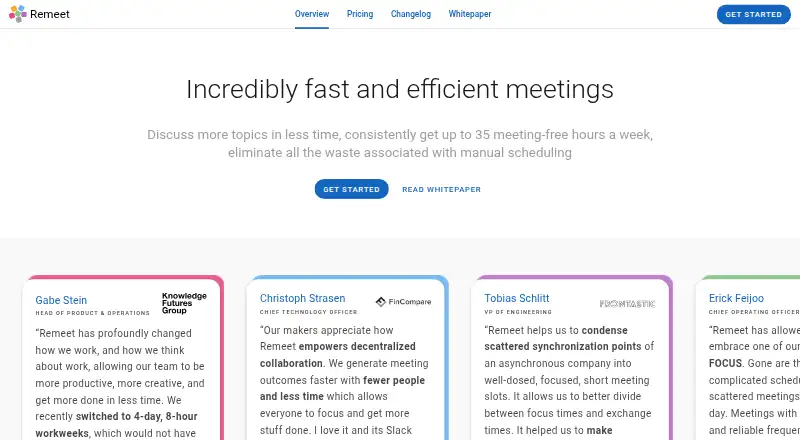
Remeet is a communication and meeting product for distributed teams that organizes conversations around discussion topics. It schedules and reschedules topics according to who needs to talk and how much time is required. Teams allocate weekly sync hours; when those hours are full, lower-priority topics can be postponed. Organizers can provide context and materials and require selected participants to prepare before a topic is scheduled. Listed meeting tools include HD video conferencing with 4K screen sharing, simultaneous topic discussions, collaborative note-taking, timers, and recording transcription. Integrations include Google Calendar, Office 365 Calendar, Slack, Google Chat, and Mattermost; Microsoft Teams is marked as coming soon. The free plan allows up to 15 users and one weekly sync hour. A 30-day trial enables all account functionality without requiring a credit card. Paid plans start at $10 per active user per month when billed annually. A user counts as active after participating in at least 60 minutes of calls in a billing month; access limited to notes, recordings, or transcriptions is free.
Who it suits
Remeet is aimed at collaborative distributed teams, particularly remote-first teams. Its topic scheduling and preparation tools may suit teams that want to organize discussions around participants and available sync time.
What it does well
- Automatically schedules and reschedules topics.
- Free plan supports up to 15 users.
- 30-day trial requires no credit card.
- Note-, recording-, and transcription-only access is free.
What to know first
- Free plan has one weekly sync hour.
- Team plan is limited to 25 users.
- Paid plans start at $10 per active user monthly, billed annually.
- Microsoft Teams integration is marked coming soon.
Limits
The Free plan includes one weekly sync hour, up to 15 users, and two weeks of cloud recordings. Team, the lowest paid plan, allows up to five weekly sync hours, 25 users, and one month of cloud recordings.
Plans
| Plan | Billed and limits | Price |
|---|---|---|
| Free | 1 weekly sync hour · Up to 15 users · 2 weeks of cloud recordings · free concierge onboarding session | Free |
| Team | per active user per month, billed annually · Up to 5 weekly sync hours · Up to 25 users · 1 month of cloud recordings | $10 a month |
| Business | per active user per month, billed annually · Up to 10 weekly sync hours · Up to 50 users · 6 months of cloud recordings | $25 a month |
| Enterprise | Let's chat · Unlimited weekly sync hours · Unlimited users · 1 year of cloud recordings | On request |
As remeet.com lists them, read 2 Oct 2026. The maker's own page has the final word.
Getting started
- Open https://www.remeet.com/.
- Choose the Free plan or review the paid plans, which start at $10/user/mo billed annually.
- Start the 30-day trial if you want all account functionality; no credit card is required.
- Set team sync hours and organize discussion topics for automatic scheduling.
- Connect a listed calendar or messaging integration, such as Google Calendar or Slack.
Remeet is a meeting platform for distributed teams that schedules focused discussions around topics, participants, and shared time. It suits remote-first teams with recurring collaborative work. Its distinctive strength is automatic topic scheduling; the weekly sync-hour allowance is the constraint to weigh before choosing a plan.
Overview
Teams allocate sync hours to topics, and Remeet schedules or reschedules discussions according to who needs to join and how much time they require. When the allowance is full, lower-priority topics are postponed. That gives teams a practical way to prioritize conversations, but it also means the plan’s weekly quota can shape how quickly issues get discussed.
Rather than bundling agenda items into a single long meeting, Remeet separates them into shorter, topic-focused sessions. Organizers can provide context and materials, and require selected participants to prepare before a topic is scheduled. This structure is useful for teams that can organize collaboration around discrete topics; it is less compelling for anyone who simply needs a booking calendar.
Key features
Scheduling and meeting tools
Automatic scheduling accounts for topic needs, participant requirements, and available sync time. Listed meeting tools include HD video conferencing with 4k screen-sharing, simultaneous topic discussions, collaborative notes, timers, and recording transcription. These features support a structured meeting workflow, while the product’s central distinction remains how it allocates time across topics.
Integrations and billing
Remeet integrates with Google Calendar, Office 365 Calendar, Slack, Google Chat, and Mattermost. Microsoft Teams is marked coming soon. Billing counts a user as active after at least 60 minutes of calls in a billing month; people who only access notes, recordings, and transcriptions are free. That distinction can help teams whose wider audience needs meeting records without joining calls.
Pricing
Remeet has a free plan, paid plans billed annually per active user, and a 30-day trial with no credit card required. The trial enables all account functionality.
| Plan | Price and limits | Best fit |
|---|---|---|
| Free | free; 1 weekly sync hour, up to 15 users, and 2 weeks of cloud recordings. Includes a free concierge onboarding session. | Small teams evaluating topic-based meetings or operating within a modest weekly discussion allowance. |
| Team | $10 a month, billed per active user per month, billed annually; up to 5 weekly sync hours, up to 25 users, and 1 month of cloud recordings. | Teams needing more weekly capacity and longer recording retention than Free provides. |
| Business | $25 a month, billed per active user per month, billed annually; up to 10 weekly sync hours, up to 50 users, and 6 months of cloud recordings. | Larger or more meeting-heavy teams that need the higher hour and user ceilings. |
| Enterprise | Custom pricing; unlimited weekly sync hours and users, with 1 year of cloud recordings. | Organizations that need uncapped sync hours and team size. |
Free keeps the user ceiling at 15 and recordings to two weeks, while its single weekly sync hour is the sharpest constraint for active teams. Team raises those limits but still caps participation at 25 users and recordings at one month. Business doubles Team’s sync-hour and user ceilings and extends recording retention to six months. Enterprise removes the stated user and sync-hour caps, with custom pricing.
Platforms
Remeet is available on Android, macOS, the web, and Windows.
Who it's for
Remeet is aimed at highly collaborative distributed teams, particularly remote-first groups that need recurring discussions to stay organized by topic. It is a less natural fit for individuals seeking a simple appointment-booking tool or teams whose meeting volume routinely exceeds the weekly sync hours of the plan they can afford.
Pros and cons
Pros
- Automatic scheduling and rescheduling prioritize topics according to participant needs and time requirements.
- Selected participants can receive context and materials and be asked to prepare before a discussion.
- Users who only access notes, recordings, and transcriptions are free under the active-user definition.
- The free tier includes up to 15 users and a concierge onboarding session.
Cons
- The free tier’s 1 weekly sync hour can leave lower-priority topics waiting once capacity fills.
- Team and Business retain explicit user and weekly-hour caps, so growing or meeting-heavy teams may need Enterprise.
- Free recordings last only 2 weeks, and even Business extends retention to just 6 months.
- Microsoft Teams integration is not yet available; it is marked coming soon.
Alternatives
For a broader browse, see AI Scheduling Assistants.
- Choose Ari if you want an iOS option and a free allowance of 10 meetings with Google and Microsoft calendar connections and common video-call links.
- Choose Clara if a web-based assistant with a 14-day free plan and five meetings is a better starting point.
- Choose DayOtter if you want web and Android access with a free plan that includes unlimited event types and booking pages.
- Choose Sarra if a free allowance of three meetings per month per seat, one calendar connection, and a follow-up nudge suits your needs.
- Choose CalendarBridge AI Scheduling Assistant if you want a paid-from plan with unlimited event syncing and up to 10 scheduling pages, and do not need a free plan.
- Choose Sidekick Scheduling if its web-based Hero Plan’s single connected source and three scheduling pages match your requirements.
- Cal Autobot is another freemium web option.
- Calenvy is a free option for web and Android.
Verdict
Remeet is a strong fit for remote-first teams that need collaborative discussions scheduled around topic priority and participant needs. Its clearest reason to choose it is that structured, automatic workflow; its main drawback is that weekly sync-hour caps can delay conversations unless the team moves to a higher tier.
Verdict
Remeet structures team meetings around topics, participants, and allocated sync hours. The free tier is capped at one weekly sync hour, while the listed paid starting price is billed annually per active user.
Questions
Does Remeet have a free plan?
Yes. The Free plan costs nothing and includes one weekly sync hour, up to 15 users, and two weeks of cloud recordings.
How much do the paid plans cost?
Team costs $10/user/mo when billed annually. Business is listed at $25 a month per active user, billed annually; Enterprise pricing is listed as “Let's chat.”
What platforms does Remeet support?
Remeet lists Android, macOS, web, and Windows.
Which integrations are available?
Listed integrations include Google Calendar, Office 365 Calendar, Slack, Google Chat, and Mattermost. Microsoft Teams is marked as coming soon.
How does active-user billing work?
A user is active if they participate in at least 60 minutes of calls during a billing month. People who only access notes, recordings, or transcriptions are free.
Can I try Remeet before choosing a plan?
Yes. Remeet offers a 30-day trial with all account functionality enabled and no credit card required.
Facts from Remeet's own pages
- Active user billing
- An active user is someone who participates in at least 60 minutes of calls during a billing month; users who only access notes, recordings, and transcriptions are free. · remeet.com, 2 Oct 2026
- Automatic scheduling
- It schedules and reschedules discussion topics automatically based on who needs to talk and the time required. · remeet.com, 2 Oct 2026
- Data protection
- The security page says data is encrypted in transit using TLS and at rest, and identifies AWS and MongoDB Atlas infrastructure. · remeet.com, 2 Oct 2026
- Founded
- 2017 · remeet.com, 28 Sept 2026
- Integrations
- The maker lists Google Calendar, Office 365 Calendar, Slack, Google Chat, and Mattermost integrations; Microsoft Teams is marked coming soon on the homepage. · remeet.com, 2 Oct 2026
- Meeting tools
- The product lists HD video conferencing with 4k screen-sharing, simultaneous topic discussions, collaborative note-taking, timers, and recording transcription as features or add-ons. · remeet.com, 2 Oct 2026
- Preparation
- Organizers can provide context and materials and require selected participants to prepare before a topic is scheduled. · remeet.com, 2 Oct 2026
- Purpose
- Remeet is a communication and meeting product for distributed teams. · remeet.com, 2 Oct 2026
- Security audit
- The security page says Remeet completed a SOC 2 Type I audit and was pursuing SOC 2 Type II certification; the page was last updated August 4, 2022. · remeet.com, 2 Oct 2026
- Short focused meetings
- The maker says Remeet separates multi-topic meetings into short, focused meetings for individual topics. · remeet.com, 2 Oct 2026
- Support
- The pricing page lists premium support as a plan comparison feature, and the contact page provides a support and feedback email address. · remeet.com, 2 Oct 2026
- Sync hours
- Teams allocate sync hours for topics, with lower priority topics postponed when the available hours are full. · remeet.com, 2 Oct 2026
- Target teams
- The maker describes Remeet as designed for highly collaborative distributed teams and says it is particularly suited to remote-first teams. · remeet.com, 2 Oct 2026
- Trial
- The maker offers a 30-day trial with no credit card required and says all account functionality is enabled during the trial. · remeet.com, 2 Oct 2026
Where Remeet stands on Freedom251
- AI Scheduling Assistants#5 of 25