Freedom251 › AI Scheduling Assistants

Sarra
What Sarra is
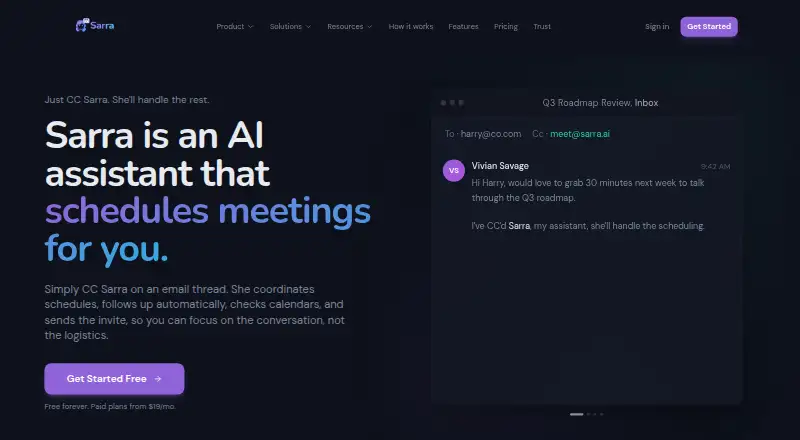
Sarra is a web-based AI scheduling assistant that coordinates meetings through email. Copy it on a thread and it can suggest times, follow up with attendees, and send a calendar invitation after they agree. You can also give Sarra a specific time to check and book, or share the personal booking link included with every plan to show live availability. It connects to Google Calendar and Microsoft Outlook. With eligible accounts, it can create Google Meet or Teams links; for Zoom, it can only insert a URL saved in Settings, not connect to Zoom or create a unique meeting. Plans set per-seat monthly meeting allowances, and scheduling pauses when an allowance is reached. Free costs nothing and includes three meetings a month per seat, one saved meeting type, one calendar connection, and one follow-up nudge every two days. One external sender is also limited to 10 inbound requests daily on Free. Group scheduling starts on Gold, which costs $31 a month. Sarra says it does not use customer email or calendar data to train its foundation models; its terms do not represent that it is SOC 2 certified.
Who it suits
Sarra suits recruiters coordinating candidate interviews and panels, as well as people who arrange meetings through email. Teams needing group scheduling should note that it starts on Gold.
What it does well
- Proposes times, follows up, and sends invitations by email.
- Each plan includes a personal link with live availability.
- Connects to Google Calendar and Microsoft Outlook.
- Says customer email and calendar data are not used for model training.
What to know first
- Free allows three meetings per month per seat.
- Free limits one external sender to 10 inbound requests daily.
- Zoom support is limited to inserting a saved URL.
- Scheduling pauses at the plan's monthly meeting allowance.
Limits
Free includes three meetings per month per seat, one saved meeting type, one calendar connection, and one follow-up nudge every two days. A single external sender is limited to 10 inbound requests per day on Free. Scheduling pauses at the plan's monthly meeting allowance until renewal or upgrade.
Plans
| Plan | Billed and limits | Price |
|---|---|---|
| Free | $0 · 3 meetings/month per seat · 1 saved meeting type · 1 calendar connection · 1 follow-up nudge every two days | Free |
| Silver | billed annually at $180/yr · 20 meetings/month per seat · 5 saved meeting types · configurable follow-ups · custom scheduling email | $15 a month |
| Gold | billed annually at $372/yr · 60 meetings/month per seat · 20 saved meeting types · group scheduling up to 5 guests · dedicated account manager | $31 a month |
| Platinum | billed annually at $756/yr · 150 meetings/month per seat · unlimited booking types · group scheduling up to 10 guests · priority support | $63 a month |
As sarra.ai lists them, read 2 Oct 2026. The maker's own page has the final word.
Getting started
- Open sarra.ai and choose a plan.
- Connect Google Calendar or Microsoft Outlook.
- Copy Sarra on an email thread or share your personal booking link.
- For Google Meet links, connect a Google account; for Teams links, use an eligible Microsoft 365 work or school account.
- Save a Zoom URL in Settings if you want Sarra to insert it.
Verdict
Sarra combines email-based scheduling with calendar connections, booking links, and follow-ups. Check the per-seat meeting allowance and Zoom limitation against your workflow before choosing a plan.
Questions
Is there a free plan?
Yes. Free costs nothing and includes three meetings per month per seat, one saved meeting type, one calendar connection, and one follow-up nudge every two days.
What do the paid plans cost?
Silver is $15 a month, billed annually at $180/yr. Gold is $31 a month, billed annually at $372/yr. Platinum is $63 a month, billed annually at $756/yr.
Which calendars does Sarra connect to?
It supports Google Calendar and Microsoft Outlook calendar connections.
Does Sarra work with Zoom?
It does not connect to Zoom or create unique Zoom meetings. It can insert a Zoom URL saved in Settings.
Is Sarra open source?
The listed product details do not identify Sarra as open source.
Does Sarra hold SOC 2 certification?
Its terms say it may pursue SOC 2 certification in the future and does not represent that it is certified unless stated in writing.
Facts from Sarra's own pages
- AI data use
- Sarra says it does not use customer email or calendar data to train its foundation models. · sarra.ai, 2 Oct 2026
- Booking link
- Each plan includes a personal booking link with live availability. · sarra.ai, 2 Oct 2026
- Calendar integrations
- Sarra supports Google Calendar and Microsoft Outlook calendar connections. · sarra.ai, 2 Oct 2026
- Compliance status
- Sarra's terms say it may pursue SOC 2 certification in the future and does not represent that it is certified unless stated in writing. · sarra.ai, 2 Oct 2026
- Direct booking
- Users can name a specific time in an email for Sarra to check and book directly. · sarra.ai, 2 Oct 2026
- Encryption
- Sarra states that traffic uses TLS 1.3 and stored data, including OAuth tokens and email content, is encrypted at rest with AES-256. · sarra.ai, 2 Oct 2026
- Free plan limit
- On Free, a single external sender is limited to 10 inbound requests per day, separately from the monthly meeting allowance. · sarra.ai, 2 Oct 2026
- Group scheduling
- Group scheduling uses email availability polling and is available on Gold and above. · sarra.ai, 2 Oct 2026
- Intended users
- Sarra describes use cases for recruiters coordinating candidate interviews and panels. · sarra.ai, 2 Oct 2026
- Monthly limits
- Meeting allowances are per seat and new scheduling pauses when the allowance is reached until renewal or upgrade. · sarra.ai, 2 Oct 2026
- Support
- Priority support and a dedicated account manager are included on Platinum; the help center directs users to contact support for unresolved issues. · sarra.ai, 2 Oct 2026
- Video links
- Sarra can generate Google Meet links through a connected Google account and Teams links through an eligible Microsoft 365 work or school account. · sarra.ai, 2 Oct 2026
- What it does
- Sarra is an AI scheduling assistant copied on email threads to propose times, follow up, and send a calendar invitation after attendees agree. · sarra.ai, 2 Oct 2026
- Zoom limitation
- Sarra does not connect to Zoom or create unique Zoom meetings; it inserts a Zoom URL saved in Settings. · sarra.ai, 2 Oct 2026
Where Sarra stands on Freedom251
- AI Scheduling Assistants#11 of 25