Freedom251 › Sales Appointment Scheduling Software
Kronologic
What Kronologic is
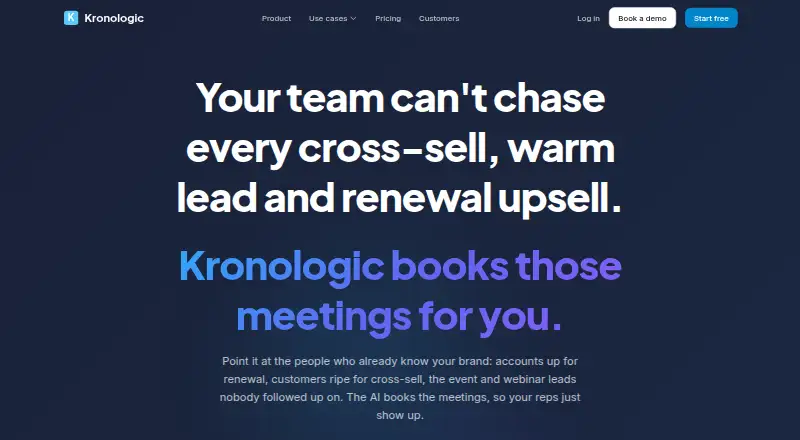
Kronologic is a web service that uses AI to contact people, negotiate meeting times, and book meetings on the appropriate calendar. It is presented for revenue workflows such as renewals, cross-sells, account reactivation, event and webinar leads, website visitors, onboarding, and support escalations. Messages are sent by email using a customer's templates and voice, with SMS as an option. Teams can review messages before they go out, pass replies to a person, and set contact caps, opt-out handling, and suppression. Kronologic can pull live segments from Salesforce or HubSpot and write meeting and outcome activity back to the CRM; HubSpot is included on Pro and above, and Salesforce on Team and above. The Free plan costs nothing and includes a booking page, Google Calendar, and two meeting types. Pro costs $15 a month; Team costs $49 a month. A 14-day trial offers the full Team plan. Enterprise adds custom permission sets, unlimited volume, priority support, and white-glove onboarding, with no price listed. The service agreement specifies TLS 1.2 or greater for transfers and AES-256 or greater for stored data.
Who it suits
Kronologic is aimed at sales, customer success, and account management teams handling outreach and meeting bookings. The described Team plan is for revenue teams of 5 to 30 people using Salesforce or HubSpot.
What it does well
- Free plan includes Google Calendar and two meeting types.
- Approval queue lets users review outgoing messages.
- Replies can be handed to a person.
- Contact caps, opt-outs, and suppression are configurable.
- Offers a 14-day Team plan trial.
What to know first
- Salesforce is available on Team and up.
- HubSpot is available on Pro and up.
Plans
| Plan | Billed and limits | Price |
|---|---|---|
| Free | Booking page · Google Calendar · 2 meeting types | Free |
| Pro | Everything in Free · Unlimited meeting types · Reminders & follow-ups · Payments at booking · HubSpot · Custom branding · 1:1 AI scheduling | $15 a month |
| Team | Everything in Pro · Campaigns · Autonomous AI negotiation · Salesforce + HubSpot · Team scheduling · Org analytics | $49 a month |
| Enterprise | Everything in Team · Custom permission sets · Unlimited volume · Priority support · White-glove onboarding | On request |
As kronologic.com lists them, read 4 Oct 2026. The maker's own page has the final word.
Kronologic is an AI system for turning targeted customer and prospect outreach into scheduled conversations. It fits sales, customer-success, and account-management teams that work from Salesforce or HubSpot and want human approval available. Its strongest case is coordinated outreach plus booking; teams needing only a simple scheduling page may find it more than they need.
Overview
Kronologic covers renewal upsells, cross-sells, dormant-account reactivation, event and webinar leads, website visitors, onboarding, and support escalations. It contacts people by email and, when enabled, SMS, using the customer’s templates and voice, then negotiates a suitable time and places the meeting on the appropriate calendar.
Supervision is built into the workflow. An approval queue lets users review outgoing messages, replies can be handed to a person, and administrators can set contact caps, opt-out behavior, and suppression rules. That combination is useful where automated follow-up is welcome but fully unattended communication is not.
Key features
Outreach-led scheduling
This is not merely a booking page. Kronologic starts with a contact segment and tries to create a meeting, making it relevant to revenue motions that depend on timely follow-up. Email is core, while optional SMS adds another channel when a team’s process calls for it.
CRM activity and routing
Live segments can come from Salesforce or HubSpot, and meeting and outcome activity can be written back to the CRM. HubSpot access begins on Pro; Salesforce requires Team. Round-robin and lead routing support distribution across representatives, while automated reminders help keep scheduled conversations moving.
Integrations and safeguards
The integrations list includes Salesforce, Outreach, Zoom, Google Meet, Microsoft Dynamics, LeanData, Microsoft Teams, WebEx, HubSpot, and Sendoso. Data transfers use TLS 1.2 or greater and stored data uses AES-256 or greater encryption. Kronologic says it will provide its SOC 2 audit report on request, and its service agreement requires notice of an actual customer-data breach within 72 hours after verification.
Pricing
Free
The Free plan costs nothing and includes a booking page, Google Calendar, and two meeting types. It is a sensible way to run a small, straightforward scheduling operation, but the two-type ceiling rules out broader service catalogs and there is no paid-plan outreach capability in this tier.
Pro
Pro costs $15 a month, with paid pricing stated from $15/user/mo. It adds unlimited meeting types, reminders and follow-ups, payments at booking, HubSpot, custom branding, and 1:1 AI scheduling. Choose it when one-to-one automated scheduling and HubSpot activity matter; it does not include campaigns, autonomous AI negotiation, or Salesforce.
Team
Team costs $49 a month and adds campaigns, autonomous AI negotiation, Salesforce plus HubSpot, team scheduling, and organization analytics. This is the tier aimed at a 5-to-30-person sales, customer-success, or account-management revenue team using one of those CRMs. The pricing page offers the full Team plan for a 14-day trial, making it the practical evaluation route for a coordinated team workflow.
Enterprise
Enterprise uses custom pricing. It adds custom permission sets, unlimited volume, priority support, and white-glove onboarding. It is the logical fit for organizations that need scale, administrative control, or higher-touch assistance; smaller teams should first assess whether Team already covers their routing and CRM needs.
Platforms
Kronologic is delivered on the web. Its integrations connect meetings to services such as Zoom, Google Meet, Microsoft Teams, and WebEx rather than requiring a separate desktop platform.
Who it's for
Choose Kronologic for revenue teams whose scheduling begins with a CRM segment and an outreach objective: expansion, reactivation, event follow-up, onboarding, or escalations. It particularly suits teams that want approval and human handoff controls around AI communication. It is less suitable for an individual who only needs a basic calendar link, or for a Salesforce user unwilling to move to Team.
Pros and cons
Pros
- Outreach and booking in one workflow: the system pursues a conversation instead of waiting for a contact to select a slot.
- Reviewable automation: approval queues, human handoff, caps, opt-outs, and suppression provide meaningful control over contact.
- CRM continuity: live segments and written-back meeting outcomes keep scheduling connected to account records.
- Broad meeting stack: the listed CRM, routing, conferencing, and messaging integrations support established revenue operations.
Cons
- Important automation is tiered: campaigns and autonomous negotiation are Team features, while Salesforce also requires Team.
- Free is narrowly scoped: two meeting types and a booking page suit basic use, not a varied or outreach-led program.
- Web-only delivery: teams expecting a dedicated native desktop or mobile application will need to work through the browser.
Alternatives
Sales Appointment Scheduling Software is the broader category guide for comparing sales-focused booking tools. For AI-led scheduling comparisons, see AI Scheduling Assistants.
- Cal.com is the better fit when you want a free plan with unlimited event types, unlimited calendars, and 100+ app integrations across many platforms.
- Intempt Marketing is an alternative for teams centered on analytics events, projects, and experience impressions rather than AI meeting negotiation.
- Avoma is worth considering when a freemium meeting workspace with free viewers and paid-seat tiers matches your organization.
- Schedly suits simpler booking needs, with a free one-seat plan and unlimited bookings but one service or event type.
- Buildout Schedule is another scheduling option.
- Calendly is preferable for a familiar basic scheduler whose free tier has one event type and one calendar connection.
- meetergo offers a free-forever plan with unlimited users, three meeting types, polls, and pipeline features.
- Setupp is a lightweight workspace option with one host, one event type, intake forms, and Google Calendar and Meet on its free plan.
Verdict
Kronologic is a strong choice for a CRM-driven revenue team that wants AI to conduct follow-up, negotiate times, and record outcomes while retaining approval and human takeover. Pick Team when campaigns, autonomous negotiation, Salesforce, or team analytics are central; choose Pro for narrower HubSpot and one-to-one scheduling needs. Look elsewhere if your priority is an uncomplicated booking link, broad free usage, or a native app rather than a web-based outreach system.
Verdict
Kronologic combines automated outreach and meeting booking with review controls and CRM activity updates. The Free plan is limited to two meeting types; paid plans add capabilities and CRM access by tier.
Facts from Kronologic's own pages
- Controls
- Users can review outgoing messages in an approval queue, hand replies to a person, and configure contact caps, opt-out handling, and suppression. · kronologic.com, 4 Oct 2026
- CRM
- Kronologic pulls live segments from Salesforce or HubSpot and writes meeting and outcome activity back to the CRM; HubSpot is available on Pro and up, and Salesforce on Team and up. · kronologic.com, 4 Oct 2026
- Headquarters
- Austin, TX · kronologic.com, 28 Sept 2026
- Integrations
- The integrations page lists Salesforce, Outreach, Zoom, Google Meet, Microsoft Dynamics, LeanData, Microsoft Teams, WebEx, HubSpot, and Sendoso. · kronologic.com, 4 Oct 2026
- Intended teams
- The Team plan is described for a 5 to 30-person sales, customer success, or account management revenue team using Salesforce or HubSpot. · kronologic.com, 4 Oct 2026
- Messaging
- The AI contacts people by email and optionally SMS using the customer's templates and voice. · kronologic.com, 4 Oct 2026
- Purpose
- Kronologic uses AI to engage contacts, negotiate meeting times, and book meetings on the appropriate calendar. · kronologic.com, 4 Oct 2026
- Security
- The service agreement says data transfers use TLS 1.2 or greater and stored data uses AES-256 or greater encryption. · kronologic.com, 4 Oct 2026
- Security incident notice
- The service agreement says Kronologic will notify the customer of an actual Customer Data breach within 72 hours after verification. · kronologic.com, 4 Oct 2026
- Security review
- Kronologic states it will provide its SOC 2 audit report to customers upon request. · kronologic.com, 4 Oct 2026
- Support
- Enterprise pricing includes priority support, and the service agreement describes support for designated customer technical contacts. · kronologic.com, 4 Oct 2026
- Trial
- The pricing page offers the full Team plan for 14 days. · kronologic.com, 4 Oct 2026
- Workflows
- The product is presented for renewal upsells, cross-sells, account reactivations, event and webinar leads, website visitors, customer onboarding, and support escalations. · kronologic.com, 4 Oct 2026
Where Kronologic stands on Freedom251
- Sales Appointment Scheduling Software#7 of 23
- AI Scheduling Assistants#8 of 25