Freedom251 › Online whiteboards
Boardmix
What Boardmix is
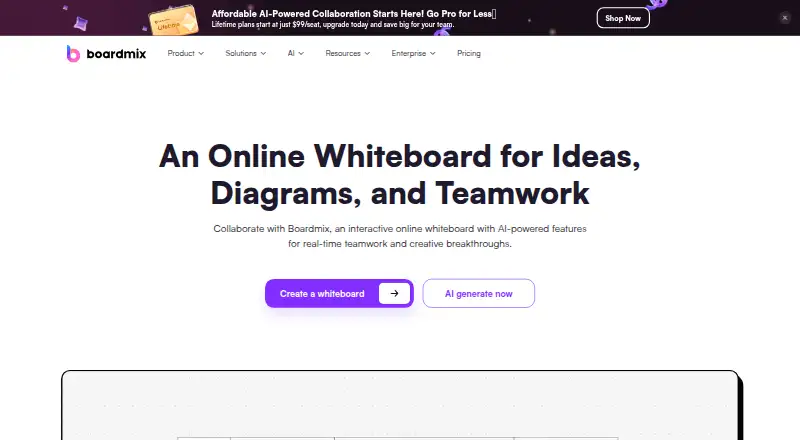
Boardmix is a collaborative online whiteboard for brainstorming, diagrams, planning, and team discussions. Its infinite canvas includes mind mapping, flowcharting, smart formatting, chat, and presentation mode. Teams can share boards and exchange ideas through mentions, comments, and emojis. Listed AI features cover art, presentations, mind maps, flowcharts, and AI chat or writing. Import and export formats include PDF, PNG, JPG, Word, Excel, JSON, CSV, Xmind, Visio, and BDX. Boardmix presents the product for project management, sales, marketing, IT, and UX and design teams. The free plan includes three editable boards, 100 objects per board, 1 GB of storage, standard-definition export, and 10 version-history records. Starter is $5 per member per month billed annually, or $12 with monthly billing. Organizations can deploy Boardmix in intranet, private cloud, or public cloud environments. When users choose AI features, reference images or original documents may be sent to AI models for processing.
Who it suits
Boardmix may suit teams in project management, sales, marketing, IT, or UX and design that need shared boards. Its presentation mode and diagramming tools also fit planning and team discussions.
What it does well
- Infinite canvas includes mind mapping and flowcharting.
- Teams can collaborate with mentions, comments, and emojis.
- AI assistance includes presentations, diagrams, and writing.
- Supports imports and exports in multiple document formats.
- Enterprise deployment supports intranet and cloud environments.
What to know first
- Free plan limits users to three editable boards.
- Free boards have a 100-object limit each.
- AI use may send reference images or documents to AI models.
Limits
The free plan includes three editable boards, 100 objects per board, 1 GB of storage, standard-definition export, and 10 version-history records. Starter is limited to 100 version-history records and 10 GB of storage per seat; AI tools are listed in AI Starter and higher plans.
Plans
| Plan | Billed and limits | Price |
|---|---|---|
| Free | 1 team workspace · 3 editable boards · 100 objects/board · 1 GB storage · standard-definition export · 10 version-history records | Free |
| AI Starter | per member/month billed annually; $15.9 monthly · AI Agent · AI mind map, flowchart and presentation · all AI tools · 5,000 AI credits/seat/month | $10 a month |
| AI Business | per member/month billed annually; $29.9 monthly · AI Starter features · 20 GB/seat · 10,000 AI credits/seat/month | $20 a month |
| Lifetime 2 | one-time payment · 5 members · 50 GB workspace · unlimited boards/projects/folders · 50,000 total AI credits · future upgrades | $399, paid once |
| Lifetime Plan 2 | One-time purchase · 5 team members · 50 GB team workspace capacity · Unlimited editable boards · 50,000 total AI credits · Future upgrades | $399, paid once |
| Starter | per member/month billed annually; $12 monthly · professional workspace · unlimited boards, objects and projects · unlimited editing visitors · 10 GB/seat · HD/Ultra HD watermark-free export · 100 history records | $5 a month |
| Lifetime 3 | one-time payment · 10 members · 100 GB workspace · unlimited boards/projects/folders · 100,000 total AI credits · future upgrades | $699, paid once |
| Lifetime Plan 3 | One-time purchase · 10 team members · 100 GB team workspace capacity · Unlimited editable boards · 100,000 total AI credits · Future upgrades | $699, paid once |
The first 8 of 13 plans, as boardmix.com lists them, read 14 Oct 2026. The maker's own page has the final word. Every plan
Getting started
- Open https://boardmix.com/ and choose the free plan, which does not require a credit card.
- Use Boardmix on web, Android, iOS, macOS, or Windows, or review its self-hosted and API options.
- Choose Starter at $5 per member per month billed annually, or $12 with monthly billing, for unlimited boards, objects, and projects.
- Choose AI Starter or AI Business if you want the listed AI tools and associated monthly AI credits.
- Organizations can apply for the free Enterprise trial; the application is reviewed before approval.
Boardmix is a shared whiteboard for visual planning, diagrams, and team discussion. It is best suited to teams that want those workflows alongside AI tools in one workspace. Its free plan is useful for trying the basics, but the three-board limit makes it a narrow long-term fit for active teams.
Overview
The product combines an open-ended canvas with structured diagramming, collaboration, and presentation features. That breadth makes it relevant to project, sales, marketing, IT, and UX or design teams that need a shared place to develop and discuss ideas. Its AI features extend the workspace, but teams should weigh their value against the possibility that reference images or original documents may be sent to AI models when those tools are used.
Key features
Visual work and collaboration
An infinite canvas, mind maps, flowcharts, and smart formatting support both exploratory brainstorming and more structured planning. Presentation mode lets teams share board work in a presentation format, while chat, mentions, comments, and emojis keep discussion connected to shared boards. Guest collaboration and voting tools add options for involving people in group work and feedback.
Imports and exports cover PDF, PNG, JPG, Word, Excel, JSON, CSV, Xmind, Visio, and BDX. That range is useful when work needs to move between the board and common document, image, spreadsheet, or diagram formats. An SDK supports custom integrations; Google Drive API data use follows Google's User Data Policy, including its Limited Use requirements.
AI, deployment, and support
AI assistance includes art, presentations, mind maps, flowcharts, chat, and writing. These tools may help teams create or develop board content, but use involves a data-handling trade-off: reference images or original documents may be sent to AI models for processing. Boardmix says it uses reasonable administrative, technical, and physical security controls for personal information.
Organizations can deploy Boardmix as a single node or cluster in intranet, private-cloud, or public-cloud environments. Enterprise organizations can apply for a free trial, subject to application review. FAQs, user guides, video tutorials, email, Discord, and Telegram provide support channels.
Pricing
Boardmix has a free plan, a free trial, and paid subscriptions. The free plan costs nothing and requires no credit card. It includes one team workspace, three editable boards, 100 objects per board, 1 GB storage, standard-definition export, and 10 version-history records. That is enough to explore a small set of boards, but the caps restrict teams with multiple ongoing projects.
Starter costs $5 a month per member when billed annually, or $12 billed monthly. It adds one Professional team workspace, unlimited boards, objects, and projects, unlimited visitors with editing rights, 10 GB storage per seat, and 100 version-history records. This is the practical step up for teams outgrowing the free board and object caps; the monthly option costs more than the annual rate.
AI Starter costs $10 a month per member billed annually, or $15.9 billed monthly. It includes everything in Starter plus AI tools and 5,000 total AI credits per seat per month. Choose it when AI assistance is worth the added cost and credit quota; Starter is the more economical fit for teams that do not need AI features.
AI Business costs $20 a month per member billed annually, or $29.9 billed monthly. It includes everything in AI Starter, 20 GB storage per seat, and 10,000 total AI credits per seat per month. The larger storage and credit allowances suit heavier use, while teams that can work within AI Starter's limits need not pay for the increase.
Four lifetime plans are one-time purchases with no renewal: Lifetime Plan 1 is $99, paid once for one team member, 10 GB team workspace capacity, unlimited editable boards, 10,000 total AI credits, and future upgrades. Lifetime Plan 2 is $399, paid once for five members, 50 GB, unlimited boards, 50,000 credits, and future upgrades. Lifetime Plan 3 is $699, paid once for 10 members, 100 GB, unlimited boards, 100,000 credits, and future upgrades. Lifetime Plan 4 is $999, paid once for 20 members, 200 GB, unlimited boards, 200,000 credits, and future upgrades. These fixed team sizes and workspace capacities make the lifetime options most relevant to groups whose needs fit those limits.
Enterprise / Private has custom pricing. It includes unlimited Professional team workspaces, enterprise member management, advanced permission controls, a dedicated customer success manager, and OIDC SSO. It is aimed at organizations that need those management and deployment options rather than an individual or small team plan.
Platforms
Boardmix supports Android, iOS, macOS, Windows, and web, as well as API and self-hosted options. The combination of web and desktop or mobile platforms suits teams working across devices; self-hosting and API access are relevant to organizations with deployment or integration needs.
Who it's for
Boardmix is a strong candidate for teams that combine visual planning and diagramming with collaborative discussion, especially when presentation mode, broad import and export formats, or custom integration support matters. Small teams can start on the free plan, but its board and storage limits make it better for evaluation or modest use than an expanding project portfolio. Teams with strict requirements around AI data handling should consider whether sending reference images or source documents to AI models is acceptable.
Pros and cons
- Pros: An infinite canvas, mind maps, flowcharts, and presentation mode bring several visual planning tasks into one workspace.
- Pros: Mentions, comments, emojis, chat, guest collaboration, and voting support shared work and feedback.
- Pros: Broad import and export formats and an SDK provide ways to move content and build custom integrations.
- Pros: Self-hosted deployment options and an Enterprise / Private plan address organizational deployment and access-management needs.
- Cons: The free plan's three editable boards, 100 objects per board, 1 GB storage, and 10 history records constrain sustained team use.
- Cons: AI plans add per-seat cost and monthly credit quotas, and AI processing may send reference images or original documents to models.
- Cons: Annual billing is cheaper than monthly billing on subscription plans, so teams preferring monthly payment pay a higher stated rate.
Alternatives
For a broader comparison, browse Online Whiteboard Tools, AI Whiteboard Software, or Collaborative Whiteboard Software.
- Webex App is worth considering when meetings are central: its free plan supports unlimited meetings up to 40 minutes and 100 attendees per meeting.
- FigJam suits readers who want a free starting point with three editable files and unlimited collaborators, or a $3 a month Professional Collab seat.
- Milanote is a fit for people who prefer a free plan with unlimited shared boards, accepting limits of 100 notes, images, or links and 10 file uploads.
- Miro offers a free plan with three editable boards, 7,000+ templates, and 250+ integrations; consider it when that template and integration set is the priority.
- MURAL may suit teams that value unlimited murals with three editable at a time, unlimited members, and unlimited view-only visitors on its free plan.
- Collaboard is an alternative with a free plan of three whiteboards, five participants per board, core whiteboard features, and 200+ templates; it also offers self-hosted deployment.
- Conceptboard has a free plan with three active boards, 100 objects per board, and 250 MB storage; consider it if that smaller storage allowance is sufficient.
- Creately is another option for readers comparing visual collaboration software.
Verdict
Choose Boardmix if your team wants diagramming, shared visual planning, and discussion in one workspace, with AI assistance or self-hosting as useful additions. The free plan is a sensible starting point, but teams that need more than three editable boards must move to a paid tier. Look elsewhere if its AI data handling is a concern or if its free-plan limits do not fit your workload.
Verdict
Boardmix combines collaborative whiteboarding, diagramming, and AI features, with a free plan for small board sets. Consider its free-tier limits and AI data handling when choosing a plan.
Questions
Is Boardmix free?
Yes. Its Free plan costs 0.00 USD and does not require a credit card. It includes one team workspace, three editable boards, and 1 GB of storage.
How much does Starter cost?
Starter costs $5 per member per month when billed annually, or $12 with monthly billing.
What platforms does Boardmix support?
The listed platforms are Android, iOS, macOS, web, and Windows. API and self-hosted options are also listed.
Does Boardmix have AI features?
Yes. Listed tools cover AI art, presentations, mind maps, flowcharts, and AI chat or writing. AI features are included in AI Starter and higher listed plans.
Can organizations deploy Boardmix privately?
Boardmix says it supports single-node or clustered deployment in intranet, private cloud, or public cloud environments. Its Enterprise / Private plan lists a custom quote.
What happens to content used with AI features?
The privacy policy says that when users choose AI features, reference images or original documents may be sent to AI models for processing.
Facts from Boardmix's own pages
- AI data handling
- The privacy policy says that when users choose AI features, reference images or original documents may be sent to AI models for processing. · boardmix.com, 30 Sept 2026
- AI tools
- Its AI can draft mind maps, flowcharts, presentations and written text, with access governed by plan credits. · boardmix.com, 14 Oct 2026
- API authorization
- The OpenAPI documentation describes OAuth client credentials and HTTPS endpoints for public-cloud and private-deployment environments. · pixso.net, 14 Oct 2026
- Canvas and diagrams
- The product includes an infinite canvas, mind mapping, flowcharting, smart formatting, chat, and presentation mode. · boardmix.com, 30 Sept 2026
- Collaboration
- Teams can work on a shared board and discuss ideas using mentions, comments, and emojis. · boardmix.com, 30 Sept 2026
- Company size and location
- LinkedIn lists Boardmix as privately held, headquartered in Hong Kong, with 51–200 employees. · hk.linkedin.com, 14 Oct 2026
- Data controller
- The stated data controller is Shenzhen Pixso Technology Co.,Ltd., whose listed address is in Shenzhen's Nanshan District. · boardmix.com, 14 Oct 2026
- Diagram features
- The product lists mind mapping, flowcharts, ER and UML diagrams, organizational charts, SMART goals, technical diagrams, business-model canvases, journey maps and architecture diagrams. · boardmix.com, 14 Oct 2026
- Documentation
- The help center is organized into quick-start, creation tools, interaction, collaboration, resources, import/export and canvas-setting articles, plus videos and FAQs. · boardmix.cn, 14 Oct 2026
- Enterprise deployment
- Boardmix says it supports single-node or clustered deployment in intranet, private cloud, or public cloud environments. · boardmix.com, 30 Sept 2026
- Enterprise trial
- Organizations can apply for a free Enterprise trial, and the page says the application is reviewed before approval. · boardmix.com, 30 Sept 2026
- File handling
- Users can place files beside board content and export completed work for handoff. · boardmix.com, 14 Oct 2026
- Founded
- Gartner Peer Insights lists Boardmix's founding year as 2021. · gartner.com, 14 Oct 2026
- Free-plan limits
- The free plan includes 3 editable boards, 100 objects per board, 1 GB of storage, standard-definition export, and 10 version-history records. · boardmix.com, 30 Sept 2026
- Headquarters
- Shenzhen, China · boardmix.com, 28 Sept 2026
- Imports and exports
- The online whiteboard page lists PDF, PNG, JPG, Word, Excel, JSON, CSV, Xmind, Visio, and BDX import and export formats. · boardmix.com, 30 Sept 2026
- Integrations
- An official guide says Boardmix integrates with Jira, Figma, Slack, Zoom and Microsoft Teams. · boardmix.com, 14 Oct 2026
- Intended users
- The homepage presents Boardmix for project management, sales, marketing, IT, and UX and design teams. · boardmix.com, 30 Sept 2026
- License
- The EULA grants a personal, non-transferable, non-exclusive global license and says the software may contain open-source materials; Boardmix itself is not offered as open source. · boardmix.com, 14 Oct 2026
- Limit: plan and complexity complaints
- G2 reviewers mention limited free storage, paid locks on advanced features, overwhelming tools/templates, difficult offline use and slower performance on large boards or tables. · g2.com, 14 Oct 2026
- Limit: Trustpilot complaints
- Trustpilot reviewers allege awkward trial cancellation, charges after account closure, incomplete features and malfunctioning AI. · trustpilot.com, 14 Oct 2026
- Notable news
- A June 23, 2026 press release announced more than 100 AI Agents for Boardmix, including board summarization, diagram generation, PDF-data extraction and text rewriting or translation. · prnewswire.com, 14 Oct 2026
- Platforms
- The Download Center offers Windows and Mac apps as well as an option to use Boardmix online. · boardmix.com, 30 Sept 2026
- Praise: usability and collaboration
- G2 reviewers repeatedly praise the intuitive interface, real-time teamwork, templates, brainstorming and project-planning workflows. · g2.com, 14 Oct 2026
Where Boardmix stands on Freedom251
- Online whiteboards#1 of 58
- Online Whiteboard Tools#2 of 56
- AI Whiteboard Software#1 of 27
- Collaborative Whiteboard Software#3 of 29