Freedom251 › Time and Expense Software

Avaza
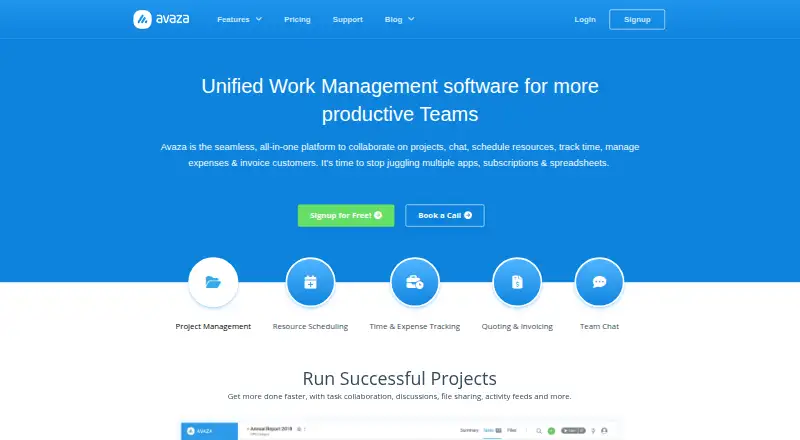
What Avaza is
Avaza combines project collaboration, team chat, resource scheduling, time and expense tracking, and customer invoicing in one platform. Projects support Kanban, Gantt, and List views, along with budgeting, filters, grouping, and email-to-task conversion. Scheduling tools show team availability, allow drag-and-drop assignments, support leave and public-holiday planning, and forecast utilization. Expense tools include receipt capture and digitization, approvals, and recurring expenses. Users can convert estimates into invoices, customize branding and formats, create recurring or retainer invoices, and accept cards, digital wallets, and bank direct debits. Avaza provides more than 50 customizable real-time reports that can be saved and scheduled for delivery. It says it integrates with over 500 apps, including Xero, Stripe, GitHub, Google Workspace, and Dropbox. The platform is available on desktop, tablet, and mobile devices; chat has native apps for iOS, Android, Windows, and Mac. The free plan limits users, active projects, invoices and bills, and storage. Startup costs $11.95 a month, billed monthly.
Who it suits
Avaza suits professional-services teams that want project work, scheduling, expenses, time tracking, chat, and invoicing in one platform. Its free tier may fit small teams that can work within the listed user, project, invoice, and storage limits.
What it does well
- Projects have Kanban, Gantt, and List views.
- Scheduling includes availability views and utilization forecasts.
- Supports recurring expenses and retainer invoices.
- Offers over 50 customizable real-time reports.
- Integrates with over 500 apps.
What to know first
- Free plan has 100 MB of storage.
- Free plan allows five active projects.
- Free plan limits invoices and bills to five monthly.
- Startup costs $11.95 a month, billed monthly.
Limits
The Free plan includes five active projects, one timesheet/expense user, one admin/finance user, one resource scheduling user, five chat team members, 10 customers, five invoices and bills per month, and 100 MB storage.
Plans
| Plan | Billed and limits | Price |
|---|---|---|
| Free | free forever · unlimited project collaborators · 1 timesheet/expense user · 1 admin/finance user · 1 scheduling user · 5 active projects · 10 customers · 5 invoices/bills per month · 100 MB storage | Free |
| Startup | monthly; annual billing available · 20 active projects · unlimited customers · 2 timesheet/expense users · 1 admin/finance user · 1 scheduling user · 50 invoices/bills per month · 10 GB storage | $11.95 a month |
| Basic | monthly; annual billing available · 50 active projects · unlimited customers · 5 timesheet/expense users · 2 admin/finance users · 1 scheduling user · 100 invoices/bills per month · 20 GB storage | $23.95 a month |
| Business | monthly; annual billing available · unlimited active projects · unlimited customers · 10 timesheet/expense users · 5 admin/finance users · 1 scheduling user · unlimited invoices/bills · 30 GB storage | $47.95 a month |
As avaza.com lists them, read 14 Oct 2026. The maker's own page has the final word.
Getting started
- Visit the Avaza website.
- Choose the Free plan or a paid plan.
- Use Avaza through the web, or choose an available mobile or desktop platform.
- Set up projects, schedules, time and expenses, or invoicing for your team.
Avaza is a professional-services platform that connects project work with scheduling, time and expense tracking, and invoicing. It suits teams that want those workflows in one system, especially when reporting and integrations matter. The free plan is tightly capped for operational users and billing, so growing teams should compare its quotas with the paid tiers.
Overview
Avaza covers project collaboration and team chat alongside resource planning and financial administration. Projects support Kanban, Gantt, and List task views, budgets, filters, grouping, and email-to-task conversion. That range can reduce handoffs between delivery and billing, but teams seeking only task management may not need its broader scope.
Scheduling includes availability views, drag-and-drop assignments, leave and public-holiday planning, and utilization forecasting. Expense tools capture and digitize receipts, support approvals, and allow recurring expenses. Estimates can become branded invoices, including recurring or retainer invoices, with customer payments by card, digital wallet, or bank direct debit.
More than 50 real-time reports can be customized, saved, and scheduled for delivery. Avaza says it integrates with over 500 apps, including Xero, Stripe, Google Workspace, GitHub, and Dropbox; the integrations directory names 20 native integrations. This breadth is useful for teams tying project operations to other systems, though the number of integrations alone does not establish how well a particular workflow fits.
Key features
- Project management: Multiple task views, project budgets, filtering, grouping, and email-to-task conversion give teams several ways to organize work.
- Resource scheduling: Availability, leave planning, assignments, and utilization forecasts help managers coordinate capacity rather than just track tasks.
- Expenses and invoicing: Receipt digitization and approvals connect spending administration with estimates, recurring billing, and customer payments.
- Reporting and integrations: Scheduled, customizable reporting and connections to named services such as Xero, QuickBooks, Slack, and Salesforce support cross-tool operations.
- Security: Avaza uses TLS1.2+ in transit and encrypts multiple data copies at rest. It also describes firewalls, DDoS prevention, patching, infrastructure monitoring, backups, TOTP-based multi-factor authentication, and PCI SAQ-A payment handling, with card data not passing through or being stored on its servers.
Pricing
Avaza is freemium. The Free plan costs nothing and permits unlimited project collaborators, but only one timesheet/expense user, one admin/finance user, one resource scheduling user, and five chat team members. It caps active projects at five, customers at 10, invoices and bills at five per month, and storage at 100 MB. It is a sensible way to include collaborators around a very small operating team, but those user and billing caps are restrictive for regular client work.
Startup costs $11.95 a month, billed monthly. It keeps the same one admin/finance user, one scheduling user, and five chat members, while raising timesheet/expense users to two, active projects to 20, customers to unlimited, invoices and bills to 50 per month, and storage to 10 GB. It fits a small team that needs more client and project capacity without expanding administration seats.
Basic costs $23.95 a month, billed monthly. It raises timesheet/expense users to five and admin/finance users to two, with one scheduling user and five chat members; the caps become 50 active projects, unlimited customers, 100 invoices and bills per month, and 20 GB storage. This is the more practical tier for teams with several people handling time and expenses or finance.
Business costs $47.95 a month, billed monthly. It includes 10 timesheet/expense users, five admin/finance users, one resource scheduling user, five chat members, unlimited active projects, customers, and invoices and bills, plus 30 GB storage. It is the clearest fit for teams whose project and billing volumes exceed Basic, although scheduling and chat team allowances remain limited.
All four plans include unlimited project collaborators. Paid tiers provide priority email and chat support, while Free includes email and chat support. Avaza also offers free 24/7 online support through an in-house team, including chat, phone conversations, and demo walkthroughs.
Platforms
Avaza is available on web, Windows, macOS, iOS, Android, as an API, and as an extension. It supports desktop, tablet, and mobile devices; chat has native apps for iOS, Android, Windows, and Mac. This gives distributed teams several access options across devices.
Who it's for
Avaza is best suited to professional-services teams that want project delivery, capacity planning, time and expenses, and customer billing connected. Its reporting and integrations strengthen the case for teams managing several operational workflows together. A solo operator or small team with low invoice volume can start on Free, but the narrow user caps may quickly require a paid tier; buyers needing more than one resource scheduling user should weigh that constraint across the plans.
Pros and cons
- Pro: Projects, scheduling, expense handling, and invoicing sit in one platform, which can keep delivery and billing workflows connected.
- Pro: More than 50 customizable, schedulable reports and integrations with services such as Xero and Stripe support oversight and connected operations.
- Pro: Unlimited project collaborators are included even on Free, so outside participants need not consume the plan's limited operational user seats.
- Con: Free limits invoices and bills to five monthly, active projects to five, and operational seats to one in several roles, making it a narrow long-term option.
- Con: Even Business has one resource scheduling user and five chat members, which may constrain teams that need broader access in those areas.
Alternatives
Consider Teamwork.com when a project-management-focused alternative is a better fit: its Free plan includes five projects, five users, and 100 automations. For other options, compare Datto Endpoint Backup for Windows, Acumatica Professional Services Edition, Promys Enterprise PSA, Certinia Professional Services Cloud, Deltek Maconomy, Kantata, and Monograph.
Browse related categories: Professional Services Automation Software, Time and Expense Software, Time Billing Software, and Project Management Software.
Verdict
Choose Avaza if your professional-services team wants project work, resource planning, expenses, and invoicing in one place, with substantial reporting and app connections. Its strongest case is the breadth of connected workflows; look elsewhere or budget for a higher tier if the low operational seat limits, monthly billing caps, or single scheduling-user allowance will not fit your team.
Verdict
Avaza brings project work, scheduling, expense management, and invoicing together, with extensive reporting and app integrations. Compare the free plan's user and usage limits with paid-plan allowances before deciding which tier fits.
Questions
Does Avaza have a free plan?
Yes. The Free plan costs nothing and includes five active projects, five invoices and bills per month, and 100 MB storage.
How much do Avaza's paid plans cost?
Startup costs $11.95 a month, billed monthly. Basic is $23.95 a month and Business is $47.95 a month, both billed monthly.
Which platforms does Avaza support?
Avaza lists Android, API, extension, iOS, macOS, web, and Windows. Its chat also has native apps for iOS, Android, Windows, and Mac.
What can teams do with Avaza?
The platform covers project collaboration, team chat, resource scheduling, time and expense tracking, and customer invoicing.
Which apps integrate with Avaza?
Avaza says it integrates with over 500 apps. Named integrations include Xero, QuickBooks, Stripe, Google Workspace, GitHub, Dropbox, and Slack.
Facts from Avaza's own pages
- API authentication
- The REST API supports OAuth 2 authorization-code flow with optional PKCE, implicit OAuth and personal access tokens over TLS. · api.avaza.com, 14 Oct 2026
- API documentation
- Avaza publishes an interactive Swagger/OpenAPI reference with endpoint models, role-filtered responses and webhook-related guidance. · api.avaza.com, 14 Oct 2026
- API limits
- The API documents limits of 250 requests per minute and 5,000 per day per application/account, plus a 10,000-per-minute cross-account limit with HTTP 429 responses. · api.avaza.com, 14 Oct 2026
- API token lifetime
- API access tokens last one day and refresh tokens last 180 days according to the API reference. · api.avaza.com, 14 Oct 2026
- Authentication and payments
- Avaza supports TOTP-based multi-factor authentication and says payments meet PCI SAQ-A standards, with card data not passing through or being stored on its servers. · avaza.com, 30 Sept 2026
- Company facts
- Avaza is privately held, founded in 2014, headquartered in Sydney, Australia and listed with 11–50 employees. · linkedin.com, 14 Oct 2026
- Customers and audience
- Avaza describes itself as professional-services automation software for professional teams and says it has 70,000+ customers in 150 countries. · avaza.com, 30 Sept 2026
- Device availability
- Avaza is available across desktop, tablet and mobile devices, and its chat has native apps for iOS, Android, Windows and Mac. · avaza.com, 30 Sept 2026
- Documentation and support
- The help center provides guides and videos for projects, timesheets, scheduling, expenses, invoices, estimates, reports, chat, customer portal, API, MFA and imports. · support.avaza.com, 14 Oct 2026
- Expense management
- Expenses supports receipt capture, recurring expenses and approval workflows, with entry through browser, email or mobile apps. · avaza.com, 14 Oct 2026
- Expenses
- Avaza Expenses supports receipt capture, receipt digitization, expense approvals and recurring expenses. · avaza.com, 30 Sept 2026
- Free plan
- Yes · avaza.com, 23 Sept 2026
- Guest access
- Yes · avaza.com, 23 Sept 2026
- Hosting
- The server FAQ says Avaza runs on AWS in multiple North American regions and does not currently offer EU hosting. · intercom.help, 14 Oct 2026
- Integrations
- Official integrations include Zapier, Xero, QuickBooks, Stripe, Google Workspace, Trello, Basecamp, Zendesk, GitHub, Google Drive, Dropbox, Jira, Salesforce and Slack. · avaza.com, 14 Oct 2026
- Invoicing
- Quotes can become invoices, invoices support recurring and retainer billing, branded formats, online card or wallet payments and bank direct debits. · avaza.com, 14 Oct 2026
- Legal maker
- The Google Play listing identifies the developer as Avaza Limited with an address in Douglas, Isle of Man. · play.google.com, 14 Oct 2026
- Limit: customization and reporting
- Independent reviews repeatedly mention limited customization, missing custom fields or logic, crowded reports and insufficient reporting flexibility. · capterra.com, 14 Oct 2026
- Limit: workflow and UI
- Reviewers report cumbersome resource booking, weak team-level dashboards, mobile visibility problems and UI changes that disrupted workflows for some Gartner reviewers. · gartner.com, 14 Oct 2026
- Named integrations
- The integrations directory lists Xero, QuickBooks, SharpSpring, Stripe, Google Workspace, Trello, Basecamp, Zendesk, Google Docs, Insightly, Google Sheets, Evernote, GitHub, Google Drive, Dropbox, Google Calendar, JIRA, MailChimp, Salesforce and Slack. · avaza.com, 30 Sept 2026
- Notable news
- Avaza's press area records a Capterra Best Free Business Management Software 2025 recognition dated October 1, 2025. · avaza.com, 14 Oct 2026
- Payment compliance
- Payments are described as PCI SAQ-A compliant, with card data neither stored on nor passing through Avaza servers. · avaza.com, 14 Oct 2026
- Platform model
- Pricing describes Avaza as requiring no software installation, and the official download page provides mobile applications rather than a self-hosted edition. · avaza.com, 14 Oct 2026
- Praise: ease and integration
- G2, Capterra, GetApp and TrustRadius reviewers repeatedly praise the intuitive interface, easy onboarding and unified project, timesheet, invoicing and reporting workflow. · g2.com, 14 Oct 2026
Where Avaza stands on Freedom251
- Time and Expense Software#1 of 27
- Professional Services Automation Software#1 of 25
- Project Management Software#8 of 188
- Google Workspace Project Management Software#2 of 30
- Time Billing Software#3 of 31
- Project management tools#25 of 196