Freedom251 › Time tracking apps
Clockify
by Clockify
What Clockify is
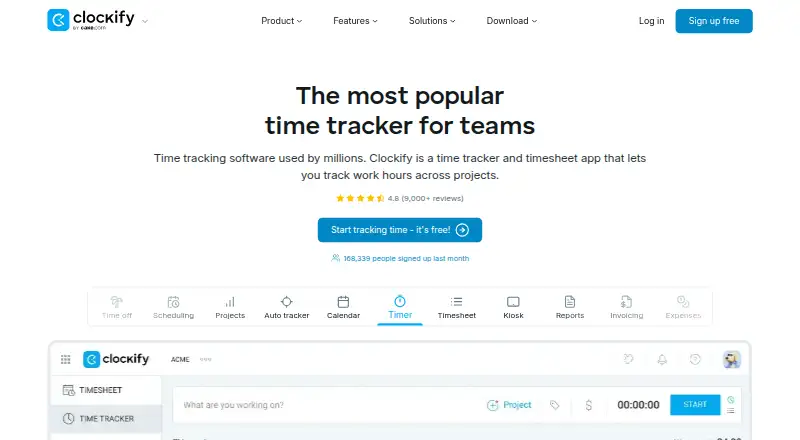
Clockify is a time-tracking and project tool for individuals and teams. Its tools include a timer, timesheets, calendar, automatic tracker, kiosk, reports, invoicing, expenses, approvals, rates, and projects. Users can track billable time, manage projects, export data, and record time offline. Team administration includes member and role management, approvals, manager roles, and permissions. The free plan supports up to five users and provides unlimited time tracking. Its automatic tracker records apps and websites, with activity visible only to the individual user. Clockify offers Windows, Mac, Linux, Chrome, Firefox, Edge, Android, and iOS access. Integrations include Outlook, Google Calendar, Asana, Trello, Jira, ClickUp, and Salesforce, among more than 80 web apps. Paid plans start at $3.99 per user per month billed annually, and the service offers a seven-day trial. Enterprise includes single sign-on, custom subdomains, SCIM provisioning, account controls, and audit logs. Clockify says subscriptions can be canceled anytime and support is available around the clock, including holidays.
Who it suits
Clockify suits individuals and teams that need to track time, projects, billable work, or expenses across desktop and mobile platforms. Teams can use its member, role, approval, and permission controls.
What it does well
- Free plan supports up to five users.
- Free plan includes unlimited time tracking.
- Offline tracking and data export are available.
- Integrates with more than 80 web apps.
- Support is available every day, including holidays.
What to know first
- Free plan is limited to five users.
- Paid plans start at $3.99 per user monthly, billed annually.
- Trial lasts seven days.
Limits
The Free plan supports up to 5 users. Basic, the lowest listed standard paid plan, is $3.99 a month billed annually; every active or invited user occupies a paid seat, while deactivated users do not.
Plans
| Plan | Billed and limits | Price |
|---|---|---|
| Free | Up to 5 users | Free |
| Basic | billed annually · Administration · Kiosk · Billable rates · Export and share data · Project templates | $3.99 a month |
| Standard | billed annually · Time off · Invoicing · Timesheet approval · Manager role · Task rates | $5.49 a month |
| Pro | billed annually · Scheduling · Forecasting · Labor cost and profit tracking · Budgets and estimates · Expenses | $7.99 a month |
| Enterprise | billed annually · Single sign-on · Custom subdomain · SCIM provisioning · Control accounts · Audit log | $11.99 a month |
| Kiosk Basic | billed annually at 0.79 per limited seat/month | $0.79 a month |
| Kiosk Standard | billed annually at 1.19 per limited seat/month | $1.19 a month |
| Productivity Suite | billed annually at $12.99 per seat/month | $12.99 a month |
The first 8 of 10 plans, as clockify.me lists them, read 28 Sept 2026. The maker's own page has the final word. Every plan
Getting started
- Open the Clockify website.
- Choose the Free plan or select a paid plan; paid plans advertise a 7-day trial.
- Use Clockify on Windows, Mac, Linux, Android, iOS, Chrome, Firefox, or Edge.
- Create time entries with the timer, timesheet, calendar, or auto tracker.
- Connect any needed apps from its listed integrations.
Overview
Clockify combines time tracking with project, billing, reporting and team-management tools. It is a strong fit for freelancers and small teams that want to start tracking without a fee, while organizations needing scheduling or enterprise controls can move to paid plans. The trade-off is that the free tier stops at five users, and useful workflow features are reserved for higher tiers.
Made by CAKE.com Inc., Clockify has operated since 2017. Its toolkit spans timers, timesheets, calendar and automatic tracking, kiosks, reports, invoicing, expenses, approvals, rates and projects. The automatic tracker logs apps and websites, with that activity visible only to the individual user.
Key features
Tracking and project work
Timer, timesheet, calendar and offline tracking give people several ways to capture work, including when a connection is unavailable. Project tracking and billable time make Clockify relevant beyond simple personal time logs. Mobile apps and desktop apps extend access across Android, iOS, Windows, macOS and Linux; browser access includes Chrome, Firefox and Edge.
Reports, billing and administration
Reports, export and sharing support review and handoff of tracked data. Invoicing, expenses and rates give teams a path from recorded hours toward billing, though the plan tier matters: timesheet approval and invoicing begin with Standard, while expense tracking is on Pro. Team controls include member and role management, permissions and approvals. Integrations with Outlook, Google Calendar, Asana, Trello, Jira, ClickUp, Salesforce and more than 80 web apps can fit tracking into an existing toolset.
Support is available around the clock, including holidays, and Clockify describes it as entirely human-based. That is a useful service commitment for teams relying on time records, though it does not replace the need to choose a plan with the required controls.
Pricing
Clockify uses a freemium model. Free costs nothing and includes unlimited time tracking for up to five users. That is a generous starting point for a small team, but teams above the cap need a paid plan.
Prices below are per user per month, billed annually. Every active or invited user takes a paid seat; deactivated users do not. Subscriptions can be canceled anytime, and Clockify advertises a 7-day trial.
- Basic — $3.99 a month: Adds administration, kiosk, billable rates, data export and sharing, and project templates. It suits teams that need those controls but can do without formal timesheet approval and invoicing.
- Standard — $5.49 a month: Adds time off, invoicing, timesheet approval, manager role and task rates. This is the more practical tier for teams that need review workflows or billing from tracked work.
- Pro — $7.99 a month: Adds scheduling, forecasting, labor cost and profit tracking, budgets and estimates, and expenses. It is the step up for managers who need to plan capacity and monitor project economics.
- Enterprise — $11.99 a month: Adds single sign-on, custom subdomain, SCIM provisioning, account controls and audit log. It fits organizations with centralized identity and administration requirements.
- Kiosk Basic — $0.79 a month; Kiosk Standard — $1.19 a month; Kiosk Pro — $1.59 a month; Kiosk Enterprise — $2.39 a month: These annual-billing options provide limited seats and kiosk-only access. They make sense for kiosk deployments, not for users who need the full Clockify workspace.
- Productivity Suite — $12.99 a month: A per-seat annual-billing bundle with Enterprise features; data regions are excluded. It may suit buyers seeking the bundled feature set, but not those requiring data-region options.
Platforms
Clockify supports Android, iOS, Windows, macOS and Linux, as well as Chrome, Firefox and Edge. The range helps distributed teams use a shared timekeeping system across mobile, desktop and browser access.
Who it's for
Clockify is best for individuals and teams that need flexible time capture, project and billable-hour records, with the option to add approvals, invoicing or administrative controls as they grow. The free plan is particularly suitable for groups of up to five users. It is less compelling for larger teams unwilling to pay per active or invited user, or for kiosk-only users who do not need the wider workspace.
Pros and cons
- Pros: Unlimited tracking on the free plan keeps the entry tier useful for small teams, not just trials.
- Pros: Offline tracking, multiple capture methods and broad platform access suit varied working patterns.
- Pros: Paid tiers add a clear progression from approvals and invoicing to forecasting and enterprise identity controls.
- Cons: Free access is capped at five users, and active or invited users count as paid seats on standard paid plans.
- Cons: Approval workflows and invoicing require Standard or above, while scheduling, forecasting and expenses require Pro.
- Cons: Kiosk plans are restricted to kiosk-only access, and the Productivity Suite excludes data regions.
Alternatives
Harvest is worth considering for an individual freelancer: its free plan is built for one seat and two projects, rather than Clockify's five-user allowance and unlimited free tracking.
Avaza may suit teams seeking a free plan with unlimited project collaborators, though its free allowance separates timesheet/expense, admin/finance and resource-scheduling users into single-user roles.
Invoice Ninja is a reasonable alternative when invoicing is the priority: its free plan includes unlimited invoicing for up to five clients.
Paymo is another freemium option for readers comparing project and time tools.
Teamwork.com is another freemium alternative to consider.
Bill4Time is an alternative for buyers considering time-and-billing software.
Timewatch Time & Money is another paid option.
Certinia Professional Services Cloud is a paid alternative for professional-services operations.
Browse Time and Expense Software, Employee Time Tracking Software and Time Tracking Software for more options.
Verdict
Choose Clockify if you want a broad time-tracking system that can begin free for a small team and scale into billing workflows, planning and enterprise administration. Its main advantage is the breadth of tracking and team features across a clear set of tiers; its main drawback is that the five-user free cap and per-seat annual pricing can make growth costly. Look elsewhere if your needs center on a narrower invoicing or project workflow rather than Clockify's tiered timekeeping suite.
Verdict
Clockify pairs time tracking with project, billing, reporting, and team-administration features. Its free tier covers up to five users; larger teams can review the paid plans and their annual billing.
Questions
Is Clockify free?
Yes. The Free plan costs nothing, supports up to 5 users, and includes unlimited time tracking.
What is the starting paid price?
Basic is $3.99 a month billed annually. Clockify also advertises paid plans from $3.99/user/mo (annual) and a 7-day trial.
Which platforms does Clockify support?
It offers Windows, Mac, Linux, Chrome, Firefox, Edge, Android, and iOS access.
Who makes Clockify?
Clockify is a product of CAKE.com Inc. Its maker is based in Palo Alto, California, USA, and was founded in 2017.
Does the free plan have a user limit?
Yes. The Free plan supports up to 5 users and includes unlimited time tracking.
Which integrations are listed?
Integrations include Outlook, Google Calendar, Asana, Trello, Jira, ClickUp, Salesforce, and more than 80 web apps.
Facts from Clockify's own pages
- Auto tracker visibility
- The free auto tracker records apps and websites, visible only to the individual user. · clockify.me, 28 Sept 2026
- Billable time
- Yes · clockify.me, 20 Sept 2026
- Cancellation policy
- The homepage says subscriptions can be canceled anytime. · clockify.me, 28 Sept 2026
- Company owner
- Clockify is identified as a product of CAKE.com Inc. · clockify.me, 28 Sept 2026
- Data export
- Yes · clockify.me, 20 Sept 2026
- Desktop app
- Yes · clockify.me, 20 Sept 2026
- Founded
- 2017 · clockify.me, 23 Sept 2026
- Free plan
- Yes · clockify.me, 20 Sept 2026
- Free tier limit
- The free plan supports up to 5 users. · clockify.me, 28 Sept 2026
- Free tracking
- The free plan includes unlimited time tracking. · clockify.me, 28 Sept 2026
- Headquarters
- Palo Alto, California, USA · clockify.me, 23 Sept 2026
- Integrations
- Integrations include Outlook, Google Calendar, Asana, Trello, Jira, ClickUp, Salesforce, and 80+ web apps. · clockify.me, 28 Sept 2026
- Mobile apps
- both · clockify.me, 20 Sept 2026
- Core features
- Core features include timer, timesheet, calendar, auto tracker, kiosk, reports, invoicing, expenses, approval, rates, and projects. · clockify.me, 28 Sept 2026
- Offline tracking
- The mobile or desktop app can track time while offline. · clockify.me, 28 Sept 2026
- Supported platforms
- Clockify offers Windows, Mac, Linux, Chrome, Firefox, Edge, Android, and iOS access. · clockify.me, 28 Sept 2026
- Project tracking
- Yes · clockify.me, 20 Sept 2026
- Security controls
- Enterprise includes SSO, custom subdomains, SCIM provisioning, account control, and audit logs. · clockify.me, 28 Sept 2026
- Paid from
- 3.99 · clockify.me, 20 Sept 2026
- Support availability
- Support is available 24 hours a day, every day, including holidays. · clockify.me, 28 Sept 2026
- Support model
- Clockify states that its support is 100% human-based. · clockify.me, 28 Sept 2026
- Team administration
- Team features include managing members and roles, approvals, manager roles, and user permissions. · clockify.me, 28 Sept 2026
- Reported adoption
- Clockify says it is used by millions and trusted by 7M+ users in companies worldwide. · clockify.me, 28 Sept 2026
- Timesheet approvals
- Yes · clockify.me, 20 Sept 2026
Where Clockify stands on Freedom251
- Time tracking apps#2 of 78
- Employee Time Tracking Software#2 of 52
- Time Tracking Software#5 of 77
- Timesheet Management Software#3 of 29
- Time and Expense Software#3 of 27