Freedom251 › ISO Creation Software
Alcohol 52%
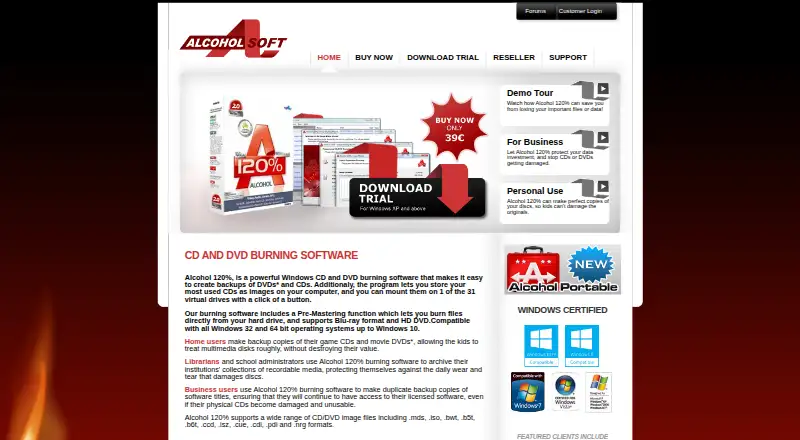
What Alcohol 52% is
Alcohol 52% is Windows software that creates virtual CD/DVD-ROM drives, letting users use disc images without physical media. It can create up to 31 virtual drives and supports image formats including CCD, CUE, ISO, BWF, CDI, MDS, and NRG. The maker lists downloads for Windows operating systems except Windows 98 and ME. A free trial is listed as free for a 15-day evaluation period; the Free Edition is also listed as free and is marked not for business use. The paid Alcohol 52% license costs $27, paid once, includes lifetime free upgrades, and requires online activation. The maker describes home users using it with game CDs and movie DVDs, as well as librarians and school administrators archiving recordable media. One limitation is that DVD titles protected with CSS cannot be backed up because of legal restrictions. Support materials include manuals, FAQs, a support forum, and direct email contact. Alcohol Soft says users can choose whether to join the Bright Data network for some premium features and can switch that setting off in the app.
Who it suits
Alcohol 52% may suit Windows users who want virtual drives for disc images, including the home users and media archivists described by its maker. The Free Edition is limited to non-business use.
What it does well
- Creates up to 31 virtual CD/DVD-ROM drives.
- Supports CCD, CUE, ISO, BWF, CDI, MDS, and NRG.
- Paid license includes lifetime free upgrades.
- Manuals, FAQs, forum, and email support are available.
What to know first
- Available for Windows, excluding Windows 98 and ME.
- Free Edition is marked not for business use.
- CSS-protected DVD titles cannot be backed up.
- Paid license requires online activation.
Limits
The 15-day evaluation period is limited by the number of available virtual drives. The Free Edition is marked not for business use, and CSS-protected DVD titles cannot be backed up due to legal restrictions.
Plans
| Plan | Billed and limits | Price |
|---|---|---|
| Alcohol 52% 15 day trial | 15 day trial · Windows except 98/ME | Free |
| Alcohol 52% Free Edition | personal use only · up to 6 virtual drives · no business use | Free |
| Alcohol 52% 15-day trial | 15-day evaluation · Windows except 98/ME · up to 6 virtual drives | Free |
| Alcohol 52% | one-time single-license purchase · lifetime free upgrades · online activation required | $27, paid once |
As alcohol-soft.com lists them, read 2 Oct 2026. The maker's own page has the final word.
Getting started
- Visit https://www.alcohol-soft.com/.
- Download the Windows version for an operating system other than Windows 98 or ME.
- Start with the 15-day evaluation or use the Free Edition for non-business use.
- Purchase the single-license version for $27.00 USD once if you want the paid edition and lifetime free upgrades.
- Complete the required online activation for a paid purchase.
Alcohol 52% is Windows software that emulates CD and DVD drives, letting users access disc images without inserting physical media. It best suits home users and media archivists who need to keep optical images available; its mounting focus is useful, but it cannot write images or back up CSS-protected DVD titles.
Overview
Alcohol 52% can create up to 31 virtual CD/DVD-ROM drives and keep mounts persistent. That gives users room to leave a collection of images accessible as virtual discs, rather than swapping physical media. It supports CCD, CUE, ISO, BWF, CDI, MDS and NRG files, but does not write images, so it is not a complete disc-copying workflow.
Alcohol Soft describes home users working with game CDs and movie DVDs, as well as librarians and school administrators archiving recordable media collections, as intended users. A firm limitation for movie discs is that DVD titles protected with CSS cannot be backed up due to legal restrictions.
Key features
- Virtual drives: Up to 31 drives can keep multiple disc images available at once, a practical advantage for collections used repeatedly.
- Image mounting: Optical images can be mounted as virtual discs, and mounts can persist. This is useful for access, but there is no image-writing capability.
- Format support: CCD, CUE, ISO, BWF, CDI, MDS and NRG support gives users several common optical image formats to work with.
- Support resources: Manuals, FAQs, a support forum staffed by the support team, and direct email contact provide help beyond the application itself.
Pricing
The two free options cover different needs. The Alcohol 52% 15 day trial costs free and runs for 15 days on Windows except 98/ME. The maker describes its evaluation period as 15 days, with capabilities limited only by the number of available virtual drives. That is the better way to evaluate the product before deciding whether to buy.
The Alcohol 52% Free Edition costs free and is marked not for business use. It suits personal use where mounting is the goal, but the non-business restriction rules it out for workplace use.
The paid Alcohol 52% license costs $27, paid once. It is a single licence purchase, requires online activation, and includes lifetime free upgrades. That makes it the appropriate option for a buyer who needs a paid license and continued upgrades, rather than the free edition's personal-use boundary.
Platforms
Alcohol 52% is available for Windows operating systems except Windows 98/ME. It is not the choice for users who need a Linux or macOS optical-image tool.
Who it's for
Home users with game or movie disc images can use Alcohol 52% to make those images accessible as virtual discs, provided the intended DVD titles are not CSS-protected. Librarians and school administrators managing recordable media archives may also benefit from persistent mounts and support for multiple image formats. Business users should choose the paid license rather than the Free Edition, which is explicitly not for business use.
Pros and cons
Pros
- Up to 31 virtual drives and persistent mounts suit users who keep several images in regular rotation.
- Support for seven named image formats accommodates a range of optical image collections.
- The paid license includes lifetime free upgrades, while a 15-day trial provides an evaluation period.
- Manuals, FAQs, a staffed support forum and direct email give users several support routes.
Cons
- No image writing means users needing both mounting and disc-image creation will need another tool for that part of the workflow.
- CSS-protected DVD titles cannot be backed up, excluding an important class of movie discs.
- The Free Edition is not for business use, and Windows 98/ME are excluded.
Alternatives
For another virtual-drive option, compare Virtual Drive Software; for tools focused on creating disc images, see ISO Creation Software.
- Arsenal Image Mounter is worth considering if you need Linux support, temporary write support, BitLocker tools, or CLI and PowerShell access; its Free Mode is free.
- ExpanDrive is a better fit if you need a tool spanning Linux, macOS and Windows or cloud services and protocols, with a free personal-use plan.
- libguestfs is a free open-source library and tools option for users seeking a broader platform range, including Linux, macOS and self-hosted environments.
- RaiDrive offers an education plan for accredited institutions, with eight drives and forum support, so it may suit that audience better.
- CDEmu is a free Linux optical drive and disc emulator for Linux users.
- DAEMON Tools Lite is another Windows option, with a free basic-imaging tier and a paid personal license.
- gBurner Virtual Drive may suit users who need a free Windows utility with up to 16 virtual drives.
- ImgDrive is another Windows option to consider.
Verdict
Choose Alcohol 52% if you use Windows and want a persistent virtual-drive setup for multiple optical images, with a paid license that includes lifetime upgrades. Look elsewhere if image writing, CSS-protected DVD backups, or Linux and macOS support are essential; the Free Edition is also unsuitable for business use.
Verdict
Alcohol 52% offers virtual disc drives with a free trial, a non-business Free Edition, and a paid license. Check the Windows requirements and CSS-protected DVD limitation against your intended use.
Questions
How much does Alcohol 52% cost?
The paid single-license version costs $27.00 USD once and includes lifetime free upgrades. A free edition and a 15-day evaluation are also listed.
Can I use Alcohol 52% for free?
Yes. The Free Edition is listed at $0.00 USD and is marked not for business use. A 15-day evaluation is also available.
Which operating systems does it support?
Alcohol 52% is for Windows. Listed downloads exclude Windows 98 and ME.
What image formats does it support?
Supported formats are CCD, CUE, ISO, BWF, CDI, MDS, and NRG.
Can it back up protected DVDs?
DVD titles protected with CSS cannot be backed up due to legal restrictions.
Does the paid version require activation?
Yes. Online activation is required for a paid purchase.
Facts from Alcohol 52%'s own pages
- Activation
- The purchase page says online activation is required. · shop.alcohol-soft.com, 2 Oct 2026
- API and SDKs
- The official manual lists desktop functions and an Alcohol Command Launcher but provides no public web API or SDK documentation. · support.alcohol-soft.com, 15 Oct 2026
- Bright Data component
- The privacy policy says users may opt into the Bright Data network in exchange for premium features and can disable it in settings. · alcohol-soft.com, 15 Oct 2026
- Burning limitation
- Alcohol 52% does not include the image-writing engine that is available in Alcohol 120%. · shop.alcohol-soft.com, 15 Oct 2026
- Business use
- The Alcohol 52% Free Edition is marked “Not for Business use.” · trial.alcohol-soft.com, 2 Oct 2026
- Company headquarters
- Wikidata records Alcohol Soft's headquarters as Belfast. · wikidata.org, 15 Oct 2026
- Company identity
- The official privacy page gives Alcohol Soft's address as Dundonald Enterprise Park, Dundonald, Belfast BT16 1QT, UK. · alcohol-soft.com, 15 Oct 2026
- CSS limitation
- The maker states that legally protected CSS DVD titles cannot be backed up. · shop.alcohol-soft.com, 15 Oct 2026
- Documentation
- The official manual covers wizards, image finding, device management, options, virtual drives, emulation, network sharing and licensing. · support.alcohol-soft.com, 15 Oct 2026
- Drive-letter control
- Users can change the drive letter assigned to a virtual optical drive. · support.alcohol-soft.com, 15 Oct 2026
- Drive manager
- The DVD/CD Manager reports drive capabilities, disc contents, media information and system details. · support.alcohol-soft.com, 15 Oct 2026
- DRM emulation
- The documentation describes emulation settings and the A.C.I.D. component for hiding virtual drives from some SafeDisc and SecuROM checks. · support.alcohol-soft.com, 15 Oct 2026
- Image creation
- The Image Making Wizard creates an image file from a physical CD or DVD. · support.alcohol-soft.com, 15 Oct 2026
- Image finder
- The Image Finder searches the hard disk for image files. · support.alcohol-soft.com, 15 Oct 2026
- Image mounting
- The Device menu mounts, unmounts, loads and ejects image files through virtual optical drives. · support.alcohol-soft.com, 15 Oct 2026
- Intended users
- The maker describes home users backing up game CDs and movie DVDs, and librarians and school administrators archiving recordable media collections. · alcohol-soft.com, 2 Oct 2026
- Legacy requirements
- The published requirements include at least 32 MB RAM, 10 GB disk space, a bus-mastering SCSI or ATAPI bus and a CD/DVD drive. · support.alcohol-soft.com, 15 Oct 2026
- Licence type
- Independent software listings describe Alcohol 52% as proprietary rather than open source. · alcohol-52.en.uptodown.com, 15 Oct 2026
- Licensing component
- The license agreement says Alcohol 120% installs Bright Data components and lets users turn Bright Data on or off in app settings. · alcohol-soft.com, 2 Oct 2026
- Limit: bundled software concerns
- A MajorGeeks forum discussion reports concerns about Smart File Advisor being installed or forced by some Alcohol 52% installers. · forums.majorgeeks.com, 15 Oct 2026
- Limit: reboot required
- Softpedia reports that installation requires restarting the computer to complete setup. · softpedia.com, 15 Oct 2026
- Network sharing
- The manual includes a function for sharing a recorder over a network using iSCSI. · support.alcohol-soft.com, 15 Oct 2026
- Praise: ease of use
- Softpedia praised the straightforward interface and simple image creation, mounting and unmounting workflow. · softpedia.com, 15 Oct 2026
- Praise: format support
- Softpedia highlighted support for MDS, CCD, CUE, ISO, BWT, CDI, NRG, PDI, B5T and ISZ images. · softpedia.com, 15 Oct 2026
Where Alcohol 52% stands on Freedom251
- ISO Creation Software#5 of 33
- Virtual Drive Software#5 of 24